Generic webhook and Azure Logic Apps
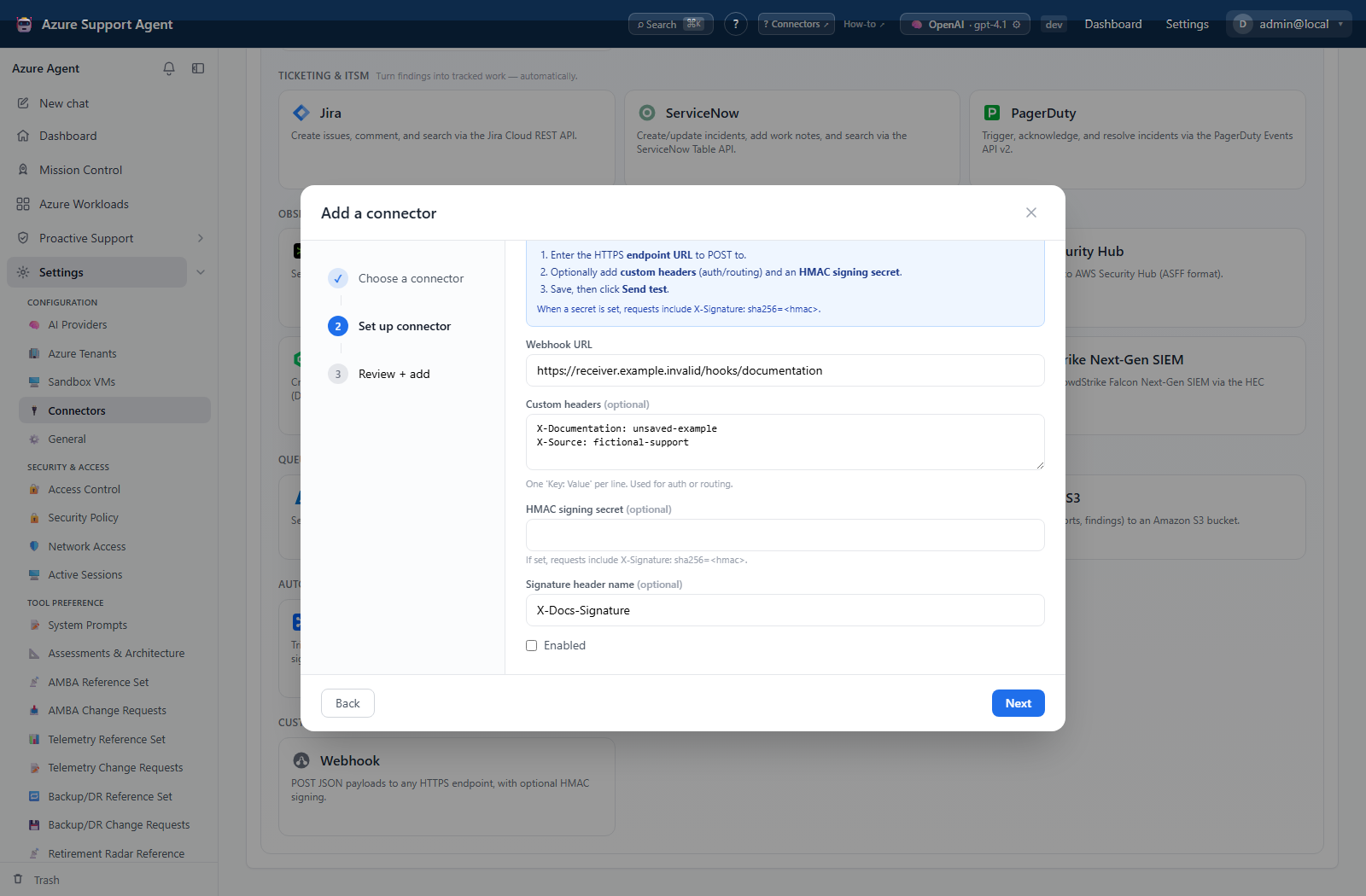
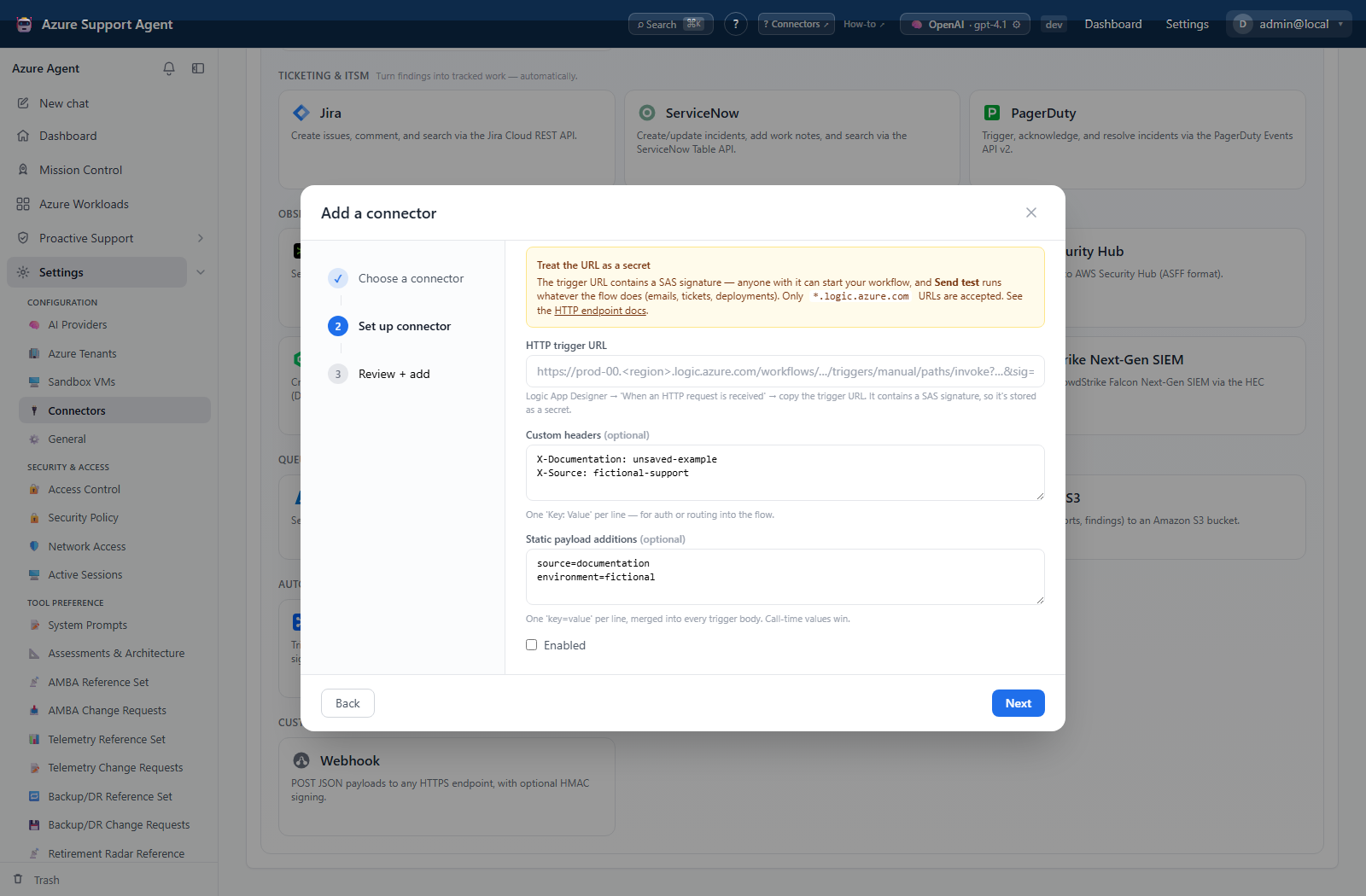
The screenshots show native unsaved, disabled setup forms. Credential secrets are empty, entered domains are non-resolving examples, and headers contain only fictional routing metadata. No connector was saved or tested, no receiver was contacted, and no workflow was invoked.
Generic webhook (webhook, HTTP)
Configure an HTTPS URL, optional custom headers, optional HMAC signing secret, and optional signature-header name. The tool posts an explicit JSON payload or a standard title/message/severity/facts envelope. When signing is configured, it emits an HMAC-SHA256 signature over the request body.
Use custom headers for non-secret routing metadata where possible; secret headers are part of encrypted connector configuration but can still be exposed at the receiving proxy. Validate signatures at the receiver, reject replays according to your gateway design, and return bounded responses.
Azure Logic Apps (logicapp, HTTP)
Create a When an HTTP request is received trigger and store its SAS-signed trigger URL as a secret. Optional headers and static key/value payload fields are merged with call-time data; call-time fields take precedence. Host validation restricts the trigger to Azure Logic Apps domains.
The trigger URL grants invocation authority. Rotate it after suspected disclosure and never place it in tickets, screenshots, or source control.
Testing and troubleshooting
Presence-only health tests do not call the endpoint. Send test makes a real POST. Verify HTTPS, DNS/egress, receiver status code, schema, authentication/signature, and timeout. For Logic Apps, inspect run history and trigger schema. For arbitrary systems without an explicit connector, generic webhook is supported only when their contract accepts the posted JSON securely.