FMEA
Purpose
Failure Mode and Effects Analysis (FMEA) records how a design can fail, the effects and causes, current controls, and follow-up actions. Each row uses Severity, Occurrence, and Detection factors to calculate a Risk Priority Number (RPN), helping teams order design-risk review.
Application routes: /fmea and /fmea/:id.
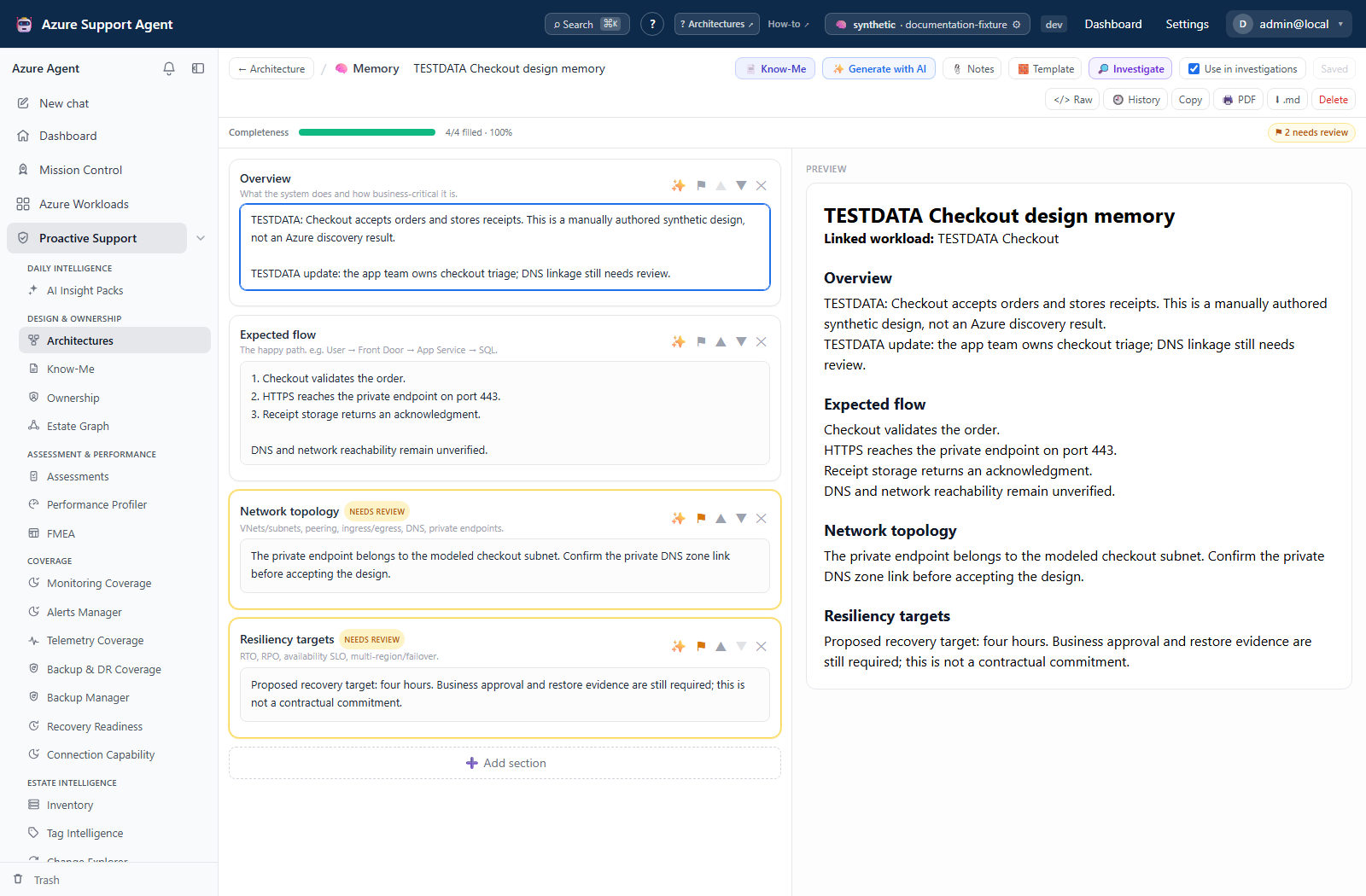
Screenshot note: The native Memory and FMEA views contain synthetic content. Autosaves and scores update only browser-scoped examples; no AI generation, probe, or control verification occurred. Memory has revision preview/diff, but the current FMEA editor has no History or revision-preview control.
Common use cases
- Run a reliability review for a new or changed architecture.
- Generate a first draft from reviewed architecture memory.
- Rank failure modes and assign mitigation owners and due dates.
- Track the document through draft, review, published, and archived states.
- Export a worksheet for an engineering or risk workshop.
- Include FMEA in Mission Control’s broader workload analysis.
Prerequisites, permissions, and data
architectures.readis required to view FMEA documents.architectures.writeis required to create, edit, generate, delete, restore, or change status.- A linked, current architecture and memory provide the primary AI grounding.
- Workload inventory supports document suggestions and detects documents whose workload was deleted.
- AI generation requires a configured provider. Manual documents and edits remain available without trusting generated output.
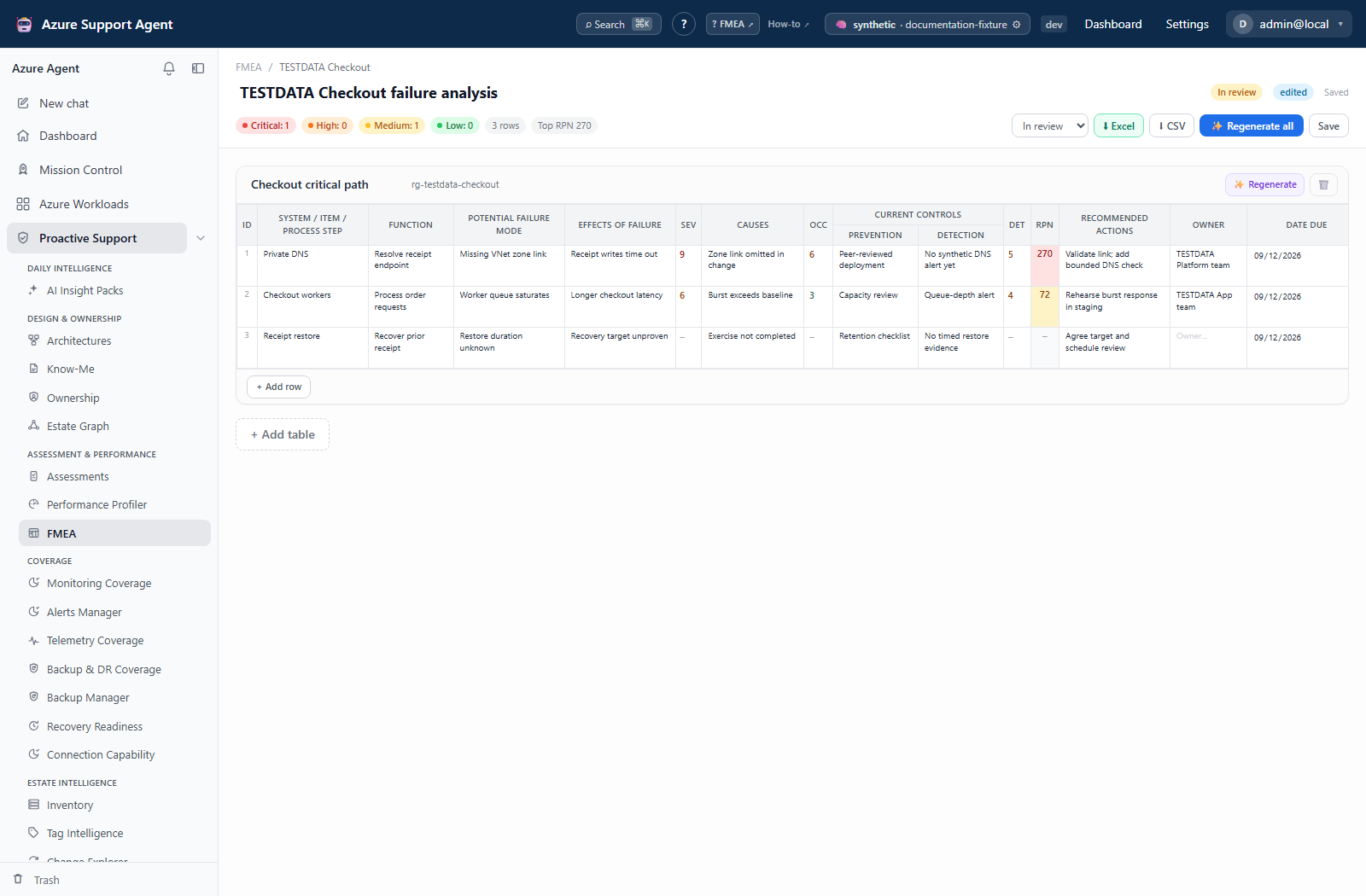
Document index and editor
The index groups documents by workload and shows title, lifecycle status, source badge, table count, update time, buildable architecture suggestions, and Trash. A workload deleted badge preserves an orphaned document for review instead of silently removing it.
A document can contain multiple tables. Each table has an editable name and scope reference and supports per-table regeneration or removal. Rows contain item, function, failure mode, effects, causes, current controls, factors, recommended action, owner, due date, and post-mitigation fields where shown.
Actions include:
- edit title and lifecycle status;
- add, edit, sort, or remove rows;
- add or remove tables;
- regenerate one table or the complete document;
- export CSV or Excel;
- retain revisions through the API (the current editor has no History/preview control);
- soft-delete, restore, or permanently purge a document.
Edits auto-save after 1.2 seconds of idle time; Save is also available. Wait for Saved before navigating away, generating, or exporting. The worksheet has action-results and completion-date fields, not a separate per-row open/in-progress/completed status selector. Document lifecycle is independent of those row values.
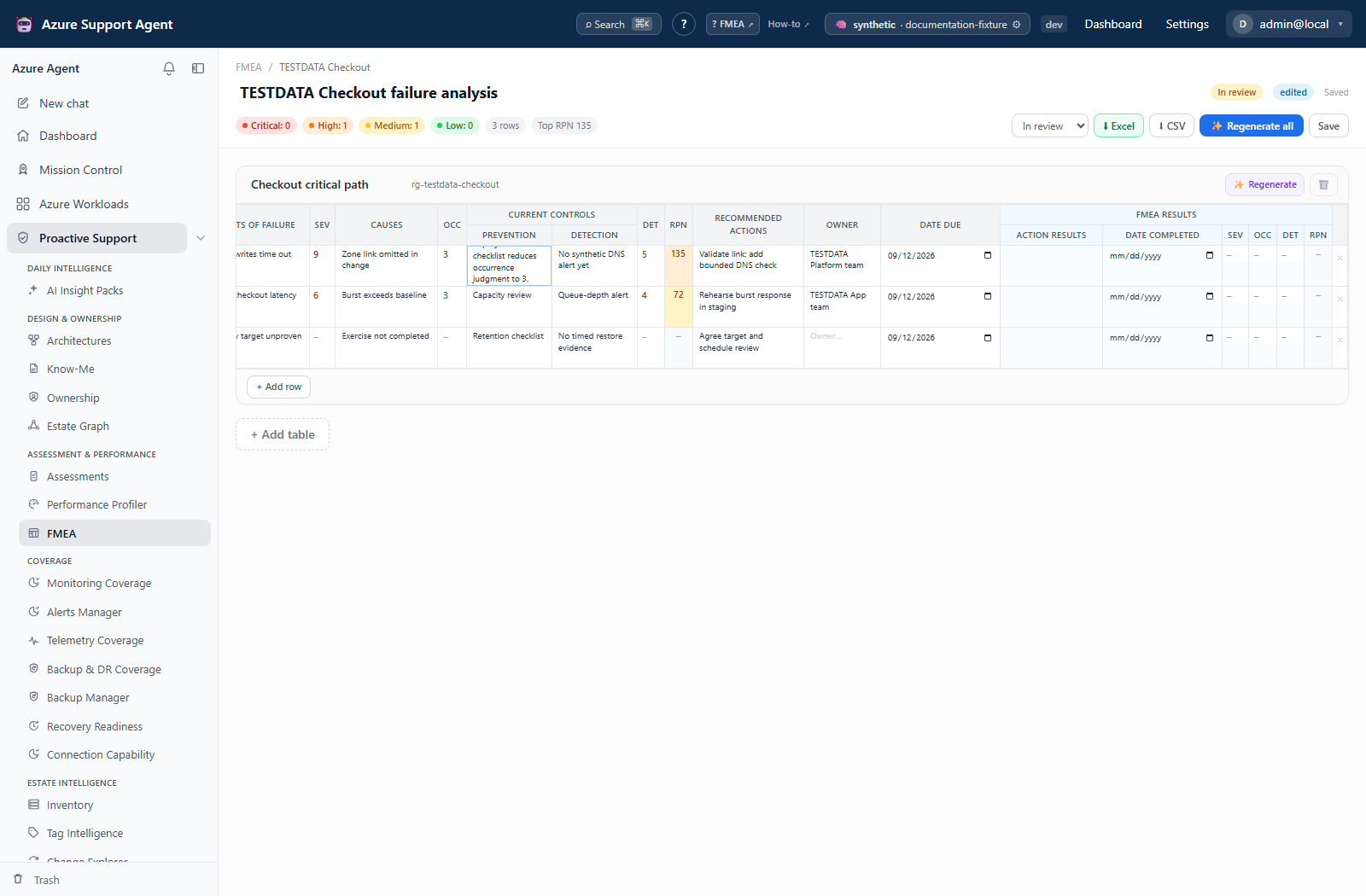
RPN and risk bands
For valid factors from 1 through 10:
\[\mathrm{RPN} = \mathrm{Severity} \times \mathrm{Occurrence} \times \mathrm{Detection}\]If a factor is blank or zero, the row is not fully scored and RPN remains blank. The server normalizes factors and is authoritative.
| RPN | Risk band |
|---|---|
| 200–1000 | Critical |
| 120–199 | High |
| 40–119 | Medium |
| Below 40 | Low |
Factor-cell color also helps identify high individual values. RPN is a prioritization convention, not an objective probability or impact model. Teams should calibrate factor definitions and review low-RPN catastrophic scenarios separately.
Workflow
- Review the architecture and update stale memory.
- From
/fmea, choose a buildable suggestion or create a document. - Generate a draft from architecture memory or add tables manually.
- In a cross-functional workshop, validate each failure mode, effect, cause, and current control.
- Score Severity, Occurrence, and Detection consistently using team-defined criteria.
- Sort by RPN, but also review severity and systemic/common-cause failures.
- Enter human-approved actions, owners, and due dates; generated owner placeholders remain blank for human completion.
- Move from Draft to In review, then Published only after approval.
- Export the reviewed worksheet and revisit it after design or control changes.
Interpret source, status, and results
- AI means content originated from generation.
- Edited means the document is human-authored/changed.
- Hybrid means generated and human-edited content are combined.
- Draft, In review, Published, and Archived communicate lifecycle, not technical validation.
- Archived is not an immutable evidence lock: some editor controls are disabled, but the API still accepts authorized edits. Keep a reviewed export when a fixed record is required.
- A high RPN prioritizes review; it does not prescribe the remediation.
- Post-mitigation scores should represent verified controls, not planned work.
Exports, history, and integrations
- CSV provides portable tabular data.
- Excel includes worksheet formatting and live RPN formulas/conditional formatting for supported fields. Confirm formulas after opening in the target spreadsheet application.
- The API retains up to 50 revision snapshots and exposes revision listing and restore. The current editor does not expose a revision drawer or preview endpoint; do not look for a History button. An authorized revision restore changes the application document, not Azure resources.
- FMEA is grounded in Architectures and Know-Me.
- Mission Control can generate or update the latest workload FMEA as one system in a broader analysis and link back to the document.
Safety and limitations
- AI may omit failure modes, invent controls, or score inconsistently. Human facilitation is mandatory.
- RPN multiplication can under-rank high-severity/low-occurrence events and common-cause failures.
- Regeneration can replace table content; review the scope and preserve important manual work through revisions/exports.
- Regenerate all replaces all tables. Per-table regeneration replaces that table’s rows with the first generated table’s rows, retaining its name/scope and the other tables. Both run as detached jobs: closing or cancelling the browser stream does not guarantee server cancellation. Reopen the saved document before retrying.
- A deleted workload does not delete its FMEA; review orphaned records and relink or archive deliberately.
- Owner and due-date values must be entered and validated by people.
- Exports can contain sensitive architecture and risk information.
Troubleshooting
| Symptom | Checks |
|---|---|
| No buildable suggestion | Confirm a linked architecture, active workload, and read permission. |
| Generation fails or is partial | Check AI provider health and architecture memory; a fallback draft may be returned for review. |
| RPN is blank | Enter valid non-zero S, O, and D values from 1 to 10. |
| Scores change after save | The server normalizes factor values; inspect entries outside the allowed range. |
| Recent edits are missing | Wait for Saved, avoid simultaneous edits/regeneration, and compare the persisted document with a retained export. Revision recovery is available through the API, not an editor History button. |
| Document shows workload deleted | Decide whether to relink through the supported workflow, archive, export, or remove it. |
| Excel differs from UI | Recalculate workbook formulas and verify that the spreadsheet application supports the generated formatting. |