Configure automation and orchestration connectors
Prerequisites
connectors.manage.- A Consumption Logic App with a saved When an HTTP request is received trigger and its HTTPS callback URL.
- A workflow designed to accept the connector envelope and safe test input.
Route
- Open
/automations/connectors.
How to configure Azure Logic Apps
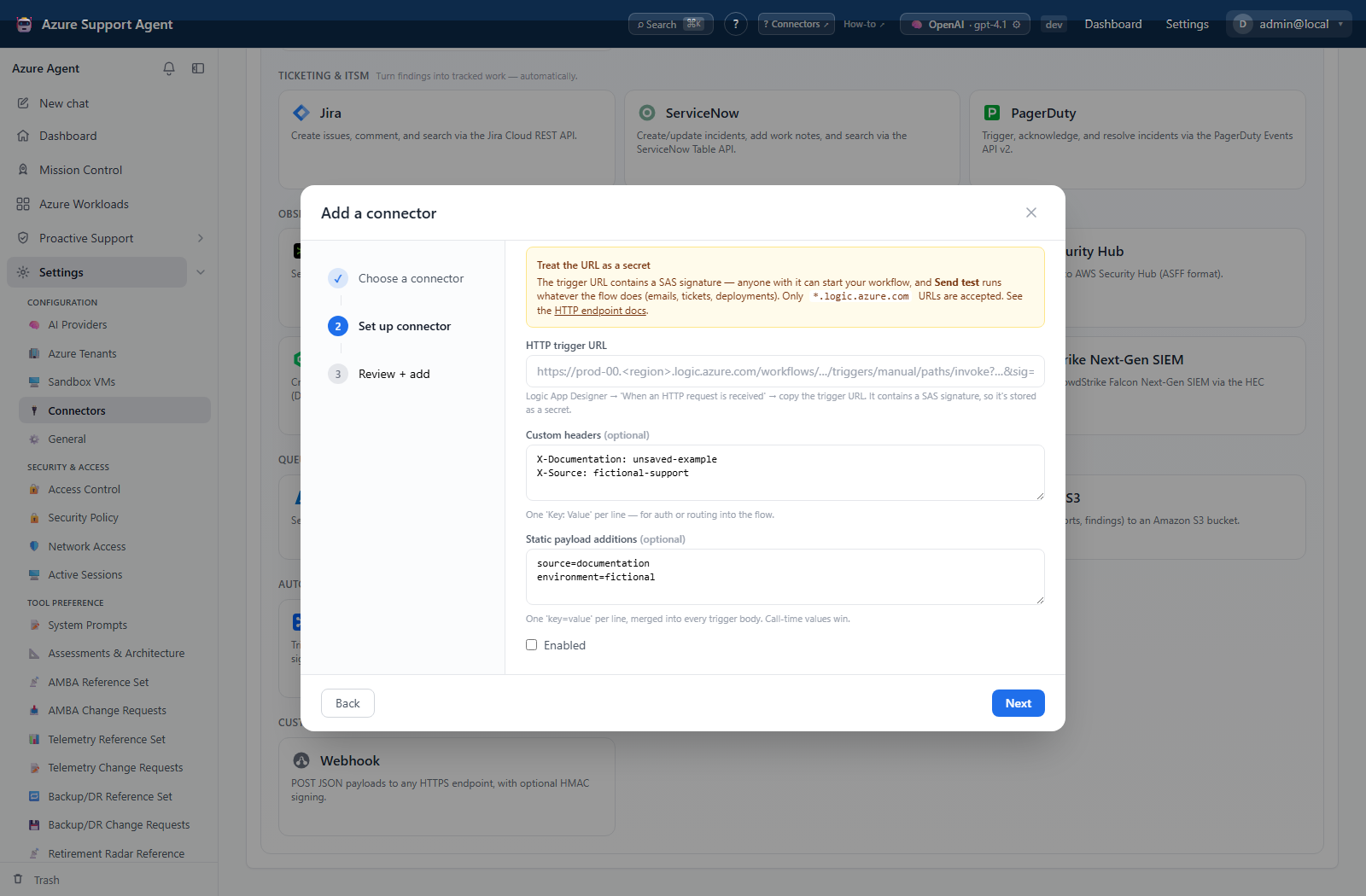
- Add Azure Logic Apps and enter the secret trigger URL.
- Optionally add approved custom headers and static
key=valuepayload entries. - Save disabled and select Test; it only confirms that a trigger URL is stored.
- Prepare the workflow and downstream systems for execution, then enable and select Send test.
- Confirm the Logic App run and every downstream action it invoked.
- Only then use the connector in a notification rule or scheduled task.
Expected result: Test reports configured; Send test performs a real HTTP trigger and can execute the entire workflow.
Verification: Inspect Logic App run history, trigger inputs, action statuses, and downstream artifacts.
Safety and rollback
Validate changes in a non-production scope first, and preserve a known-good configuration for rollback.
The callback URL contains a SAS signature and must be treated as a secret. Send test is not harmless if the workflow has side effects. Use a guarded test branch or non-production workflow. Disable the connector, cancel/disable the workflow if appropriate, reverse downstream changes, and regenerate the callback URL if exposed.
Troubleshooting
| Symptom | Resolution |
|---|---|
| Logic App receives a request but runs the wrong branch | Compare the test envelope and headers with the trigger schema, then use a guarded non-production branch before another Send test. |
| Test succeeds but trigger fails | Test checks only field presence. |
| URL rejected | use HTTPS and the supported logic.azure.com callback host. |
| Run fails | inspect trigger schema, static payload/header parsing, action permissions, and Logic App run history. |
| Duplicate actions | check retries and downstream idempotency. |
| Connector lifecycle | Review connector configuration and retry. |
| Notifications | Review connector configuration and retry. |