Workbooks
App route: /automations/workbooks
A workbook is a saved parameterized operation. Its raw output can be summarized, severity-classified, schema-extracted, compared with a previous run, shown as a Monitor tile, or consumed by a playbook. It is an application definition, not an Azure Monitor Workbook resource.
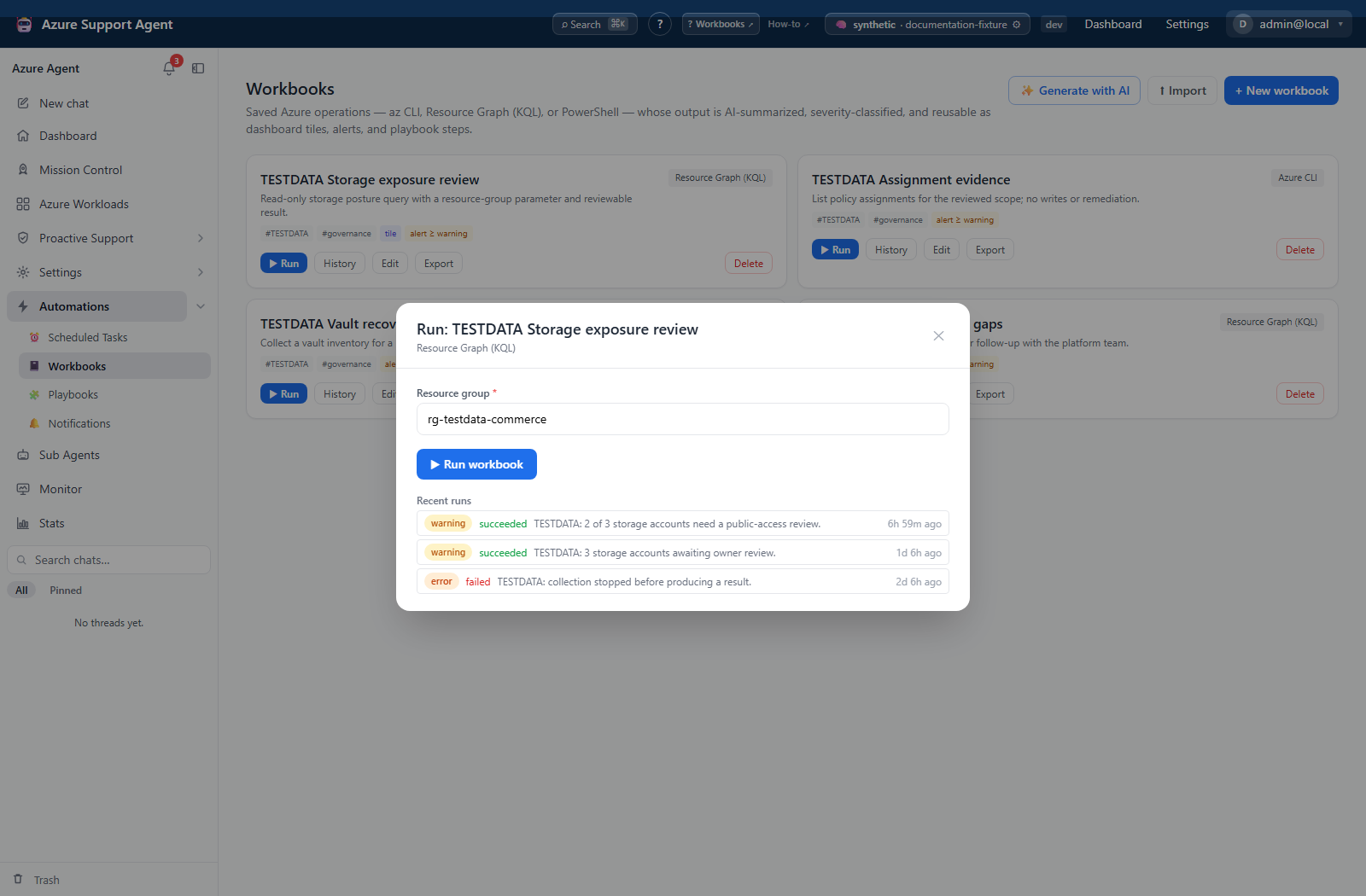
Screenshot note: The catalog and saved results below are browser fixtures. No Resource Graph query, CLI/PowerShell command or AI call ran during capture. Opening the Run dialog did not execute Run workbook, and the history rows do not demonstrate fresh execution or backend persistence.
Permissions and runtime prerequisites
workbooks.read authorizes listing, JSON export, run history, and tiles. workbooks.write authorizes saving, deletion, import, AI drafting/enhancement, saved execution, and draft Test run. There is no separate workbooks.run permission. The current automation shell disables panel buttons/inputs without write access, including History/Export, even though the corresponding APIs use read permission.
| Runtime | Actual execution and prerequisites |
|---|---|
| Resource Graph (KQL) | Read-only Azure Resource Graph query, not a Log Analytics workspace query. Service-principal connections use Azure CLI; other supported connections use an ARM token/REST path. The single-query path is bounded to 1,000 rows. |
| Azure CLI (az) | Executes a validated, allowlisted host command. Command execution must be enabled, the binary installed, and the connection’s identity authorized for the operation. |
| PowerShell | Passed to the same host-command runner; a body without a PowerShell prefix is wrapped in pwsh -NoProfile -Command. The binary must be installed and explicitly allowlisted. This is not a general-purpose sandbox or a guarantee of Azure identity binding for arbitrary scripts. |
An explicit run connection takes precedence over the workbook’s default; otherwise the deployment default is used. An unavailable/disabled explicit connection can fall back to that default, so recheck scope after import or connection changes. The saved-run dialog edits parameters, not the connection; set the intended default in Edit.
The library lists the current application tenant’s definitions plus legacy/global definitions. Normal creation stamps the current tenant, but a workbook import retains the bundle’s tenant field rather than automatically retargeting it. An import from another tenant can therefore be absent from the destination list; import success is not proof of correct tenant placement.
AI output processing and drafting require the active AI provider and may send operation/output context to it. Saving a definition alone does not query Azure. Never store secrets in body text, defaults, or extracted fields.
Starter catalog
On initialization, an empty workbook registry is seeded with these eight editable definitions. There is no separate template picker or playbook starter catalog.
| Starter | Runtime / input | Purpose and initial output settings |
|---|---|---|
| Public storage accounts | KQL | Firewall default-action Allow matches; extraction/diff, warning alert, severity tile. This is not a complete public-exposure test. |
| Storage connectivity triage | KQL / account | Network rules and private-endpoint properties for one account; extraction, no alert/tile initially. |
| Expiring certificates (Key Vault, 30 days) | az / vault | Lists certificate expiration values; the AI extraction interprets the 30-day/7-day thresholds. Warning alert and severity tile. |
| Orphaned managed disks | KQL | Unattached disks, counts/GB and diff; number tile, no alert initially. Does not delete disks. |
| NSG rules allowing Any inbound | KQL | Matching inbound allow rules; extraction, error alert, severity tile. Does not calculate end-to-end reachability. |
| VMs without backup protection | KQL | VM/protected-item join; extraction and count tile, no alert initially. Review backup evidence before treating a match as a confirmed protection gap. |
| Tag compliance (owner tag missing) | KQL | Owner-tag count/percentage; extraction/diff and number tile, no alert initially. |
| Resource health snapshot | KQL | Availability states other than Available; extraction, error alert, severity tile. |
Starter commands and AI classifications are starting points for review, not guaranteed complete assessments of an estate.
Editor, results, and refresh
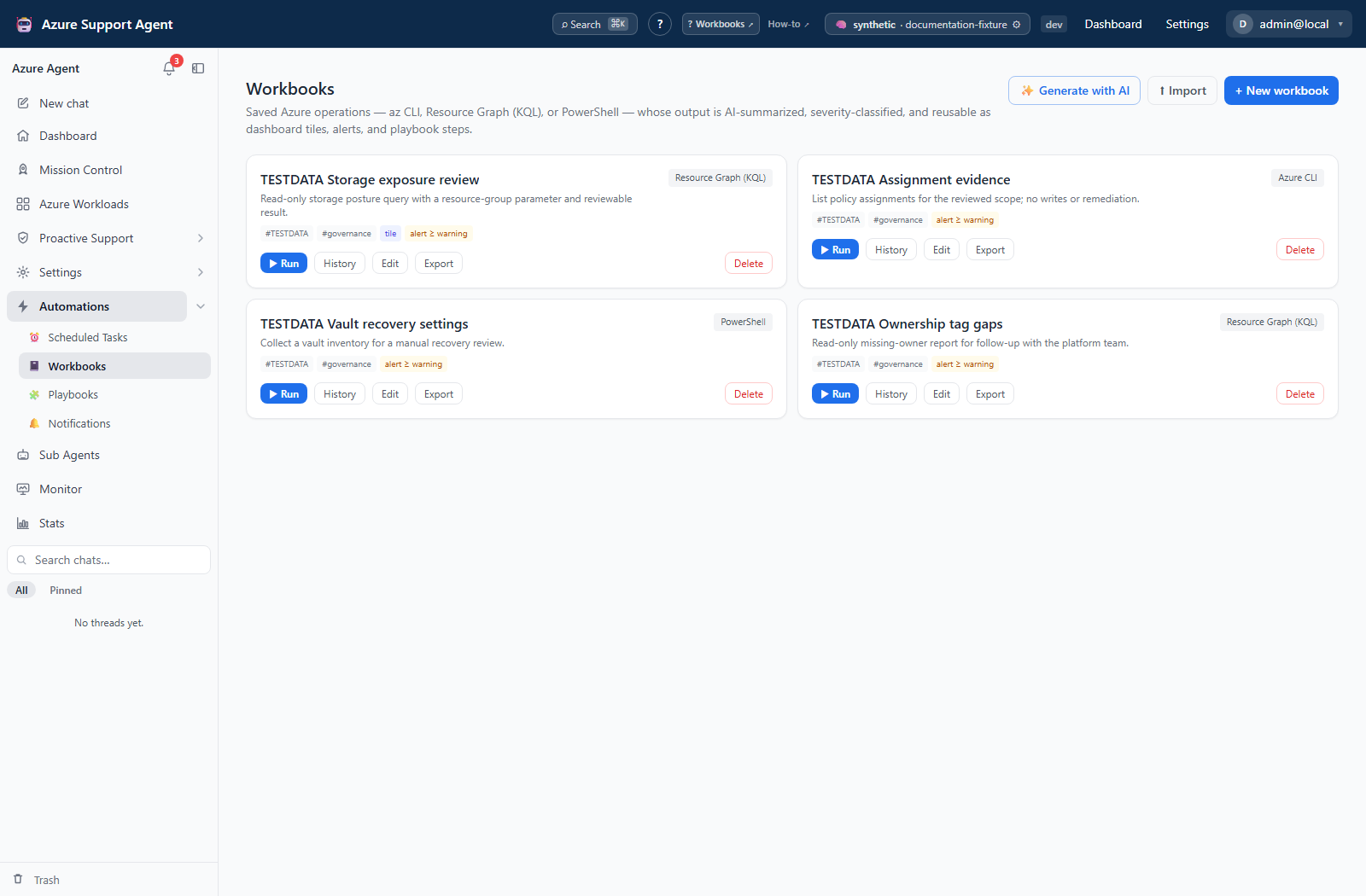
The library offers New workbook, Generate with AI, Import, and per-card Run, History, Edit, Export, Delete. Editing opens a modal with name, runtime, description, body, default Azure connection, tags, and parameters (key, label, default, required marker).
AI enhancement interview/generation endpoints exist, but the current workbook page has no Enhance button. Generate with AI opens a new draft; it is not a saved-workbook revision or automatic update.
Substitution replaces {{key}} with a provided value or its default. Missing placeholders become empty strings. The required marker is not enforced by the executor, and substitution does not escape values for KQL or shell syntax. Inspect the rendered command in saved history and supply narrow, trusted inputs.
AI’fy the output offers Summarize, Classify severity, Extract to schema, and Diff vs last run. Extraction is AI-generated JSON, not schema-enforced validation. Diff compares top-level structured keys with the latest successful run; it does not check that parameters, connection, or extraction schema match. With no previous structured result, current keys appear as additions. AI-disabled or failed-extraction results have no structured diff.
Emit alert event sends workbook.severity on successful execution or workbook.failed on failed execution only when alerts are enabled and the returned severity meets the threshold. Dashboard tile offers Severity, Number, or Text; Number reads the selected key from the latest run’s structured object. Neither a tile nor an alert creates a recurrence—use Scheduled Tasks.
Run status reflects captured execution success; severity is a separate interpretation and can be AI-generated. Read raw output/errors even when the severity looks reassuring. AI receives at most 24,000 output characters; stored output is limited to 60,000 characters and stored command text to 4,000. Results are bounded evidence, not necessarily the complete remote response.
How to test and save a workbook
- Open a starter with Edit, select New workbook, or use Generate with AI to populate a draft. AI generation does not save or execute it.
- Review body, runtime, connection, every parameter, and output/alert/tile settings. Use a read-only operation and an explicitly intended connection first.
- Enter test values and select Test run only when executing the body is authorized. It is not an interpolation-only preview: the UI sends confirmation enabled.
- Inspect raw output, structured result, narrative, severity, status, duration, and error. Correct the draft and select Save.
- Select Run, enter the saved-run parameters, then Run workbook. Open History to inspect the persisted run.
Expected result: Draft testing returns an execution result without a workbook-history row or workbook alert; saved execution records its result and may emit a configured alert.
Verification: Compare the test and saved-run outcomes, scope, and rendered Command in History. A test can change Azure/host state even though it leaves no workbook-run record.
History, portability, and cleanup
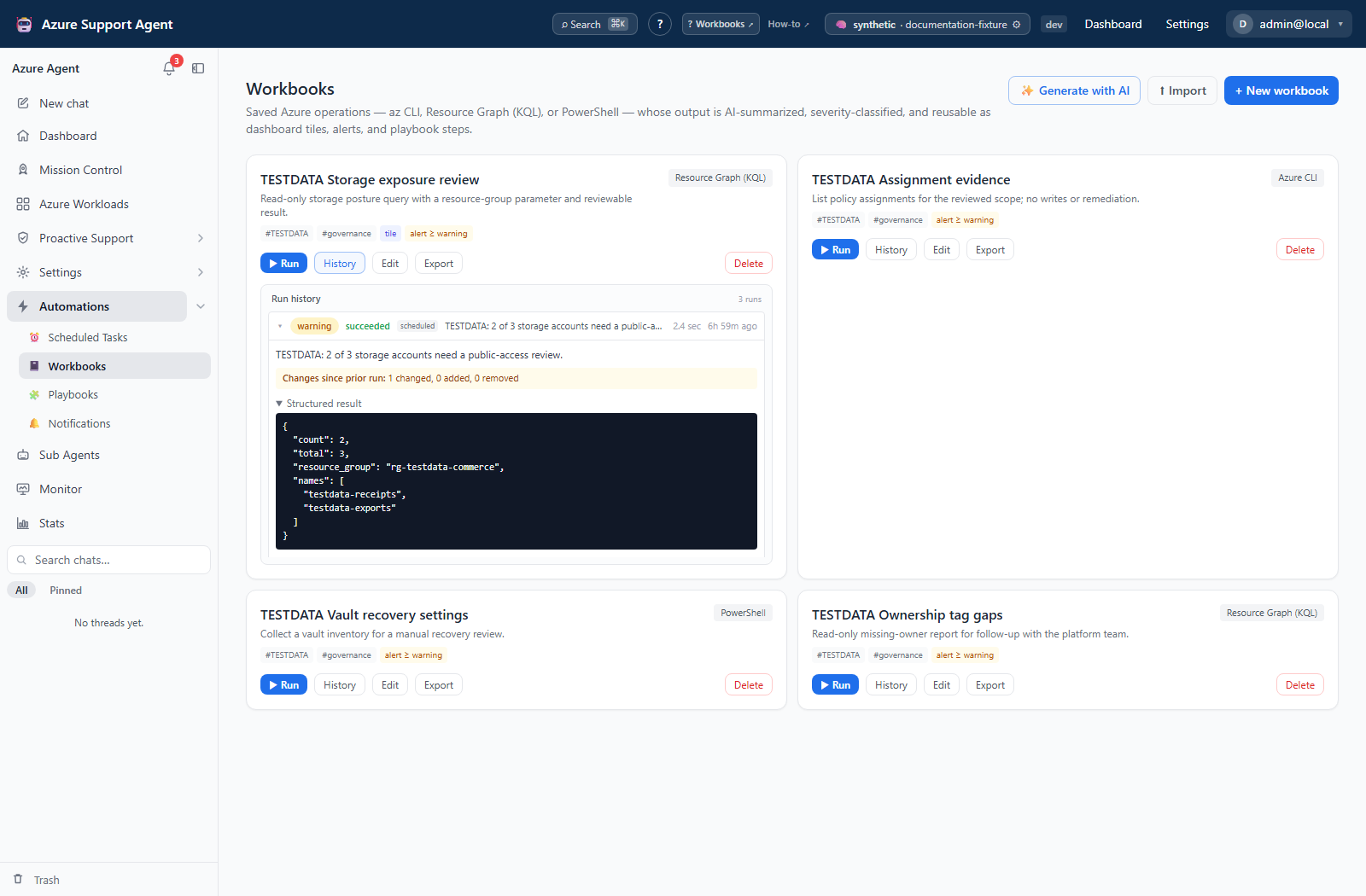
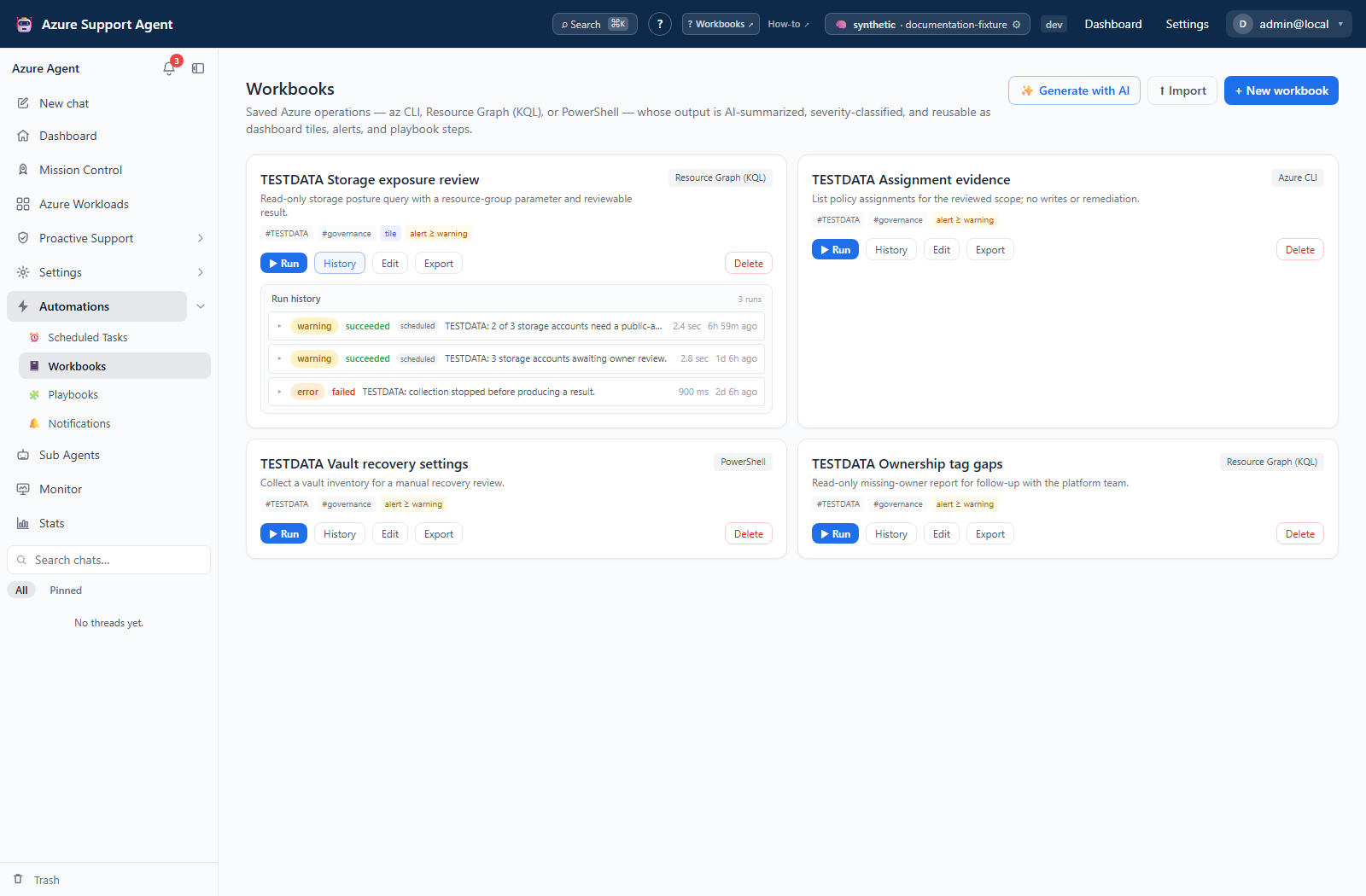
History expands the latest 25 of the API’s default 50 rows; the Run dialog shows eight recent summaries. The history API is tenant-scoped and caps requests at 200. It exposes raw output, structured results, command, diff, and errors. History polls while a returned row is running, but this executor normally inserts its row only after execution finishes. There is no live-output stream, cancel, resume, or retry-failed control in the workbook surface.
Export downloads a version-1 definition bundle, not run output/history. Body, defaults, connection/tenant fields, AI settings, alert, and tile settings can remain in it; export is not automatic sanitization. Import creates a new definition and suffixes colliding names with (imported) or (imported N), rather than updating an existing workbook. Repeating a single-workbook import creates another definition.
Deleting a workbook removes its definition immediately; there is no confirmation, archive, restore, or history-purge action here. Run rows are stored separately, but the deleted card no longer provides a way to open them. Pause referencing tasks and review playbook steps before deletion. Reimport creates a new ID and does not repair old references or undo previous external writes.
Safety and recovery limits
The command runner checks its binary allowlist and command syntax; recognized mutating command tokens require a writable connection and confirmation. The workbook’s kind label is not the enforcement mechanism. Do not treat this token-based check as a sandbox or as proof that an arbitrary PowerShell script is read-only.
Saved Run does not send confirmation, so a recognized mutating command returns a failed result requiring confirmation; this page has no follow-up approval dialog. Playbook steps likewise do not pass confirmation. Do not use the draft Test run as a workaround for a rejected saved operation.
Execution precedes history persistence. If a request is interrupted or history cannot be written, the command may already have completed externally. Inspect the destination before rerunning; there is no durable mid-command checkpoint or automatic rollback.
Troubleshooting
| Symptom | Cause and resolution |
|---|---|
| Blank or wrong scope in command | Missing values substitute as empty text; required markers are advisory. Check exact keys/defaults and the rendered command, then correct the input. |
| Execution disabled / binary not allowed / not installed | Ask an administrator to review command-execution policy and host support. Do not broaden the allowlist merely to make an unreviewed script run. |
| Saved Run requires confirmation but Test run succeeded | These actions send different confirmation values. Stop and review the intended write process; saved Run has no approval continuation. |
| Structured output or number tile is empty | Enable Extract to schema and inspect the actual JSON keys; AI failure falls back to a narrative with no structured result. |
| Diff is missing or misleading | Check extraction, Diff mode, and whether the prior successful run used the same scope/schema. No baseline means additions, not proof of environmental change. |
| Import rejected | Check azsupagent.bundle, version 1, kind workbook, and a named workbook object. Format acceptance is not code/scope validation. |
| Imported workbook is absent from the list | The exported tenant field can differ from the current tenant. Have an administrator review the import; recreate a reviewed definition through New workbook in the intended tenant rather than assuming import is a tenant-migration action. |
| No history after an uncertain run | Testing intentionally stores none; execution/persistence failures may also leave none. Check the remote outcome before starting a new complete run. |