Automations and connectors
Use these guides to build reusable operations, schedule them, route their results, and connect all 18 implemented external destinations.
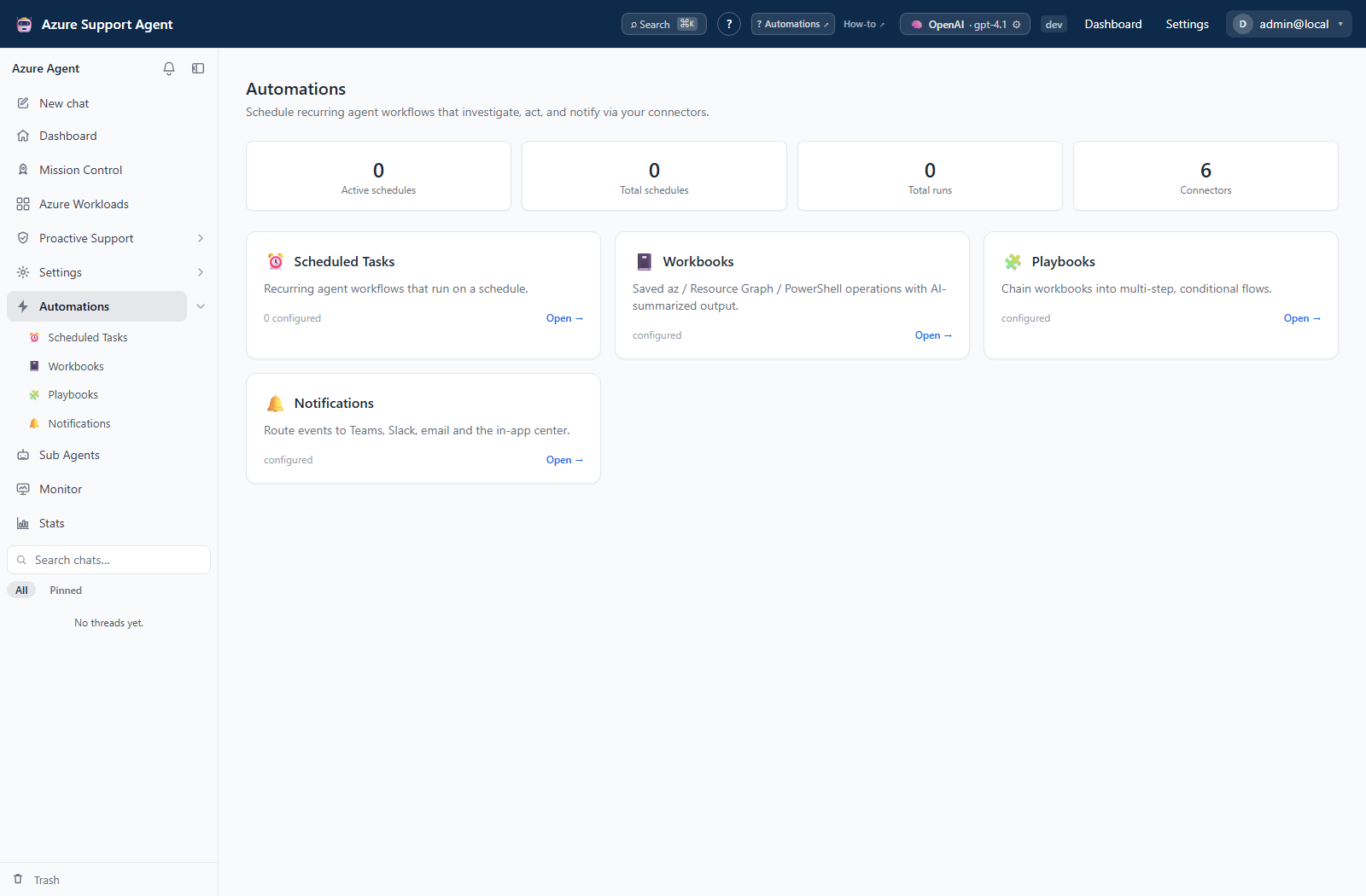
Automation workflows
- Schedule and operate tasks
- Build and run workbooks
- Build and run playbooks
- Route and review notifications
- Create and manage Sub Agents
Connector workflows
Start with Manage connector lifecycle. Provider recipes follow the same categories as the connector gallery:
- Messaging and ChatOps — Microsoft Teams, Slack, Microsoft Outlook, Email (SMTP)
- Ticketing and ITSM — Jira, ServiceNow, PagerDuty
- Observability and SIEM — Splunk, Grafana, AWS Security Hub, Cortex XSOAR, Sumo Logic, CrowdStrike Next-Gen SIEM
- Queues and storage — Azure Service Bus Queue, Amazon SQS, Amazon S3
- Automation and orchestration — Azure Logic Apps
- Custom webhooks — Webhook
The implemented type identifiers are teams, slack, outlook, email, jira, servicenow, pagerduty, splunk, grafana, securityhub, xsoar, sumologic, crowdstrike_ngsiem, servicebus, sqs, s3, logicapp, and webhook.
Test versus Send test
Test is configuration-only or a lightweight authentication/read probe. It does not intentionally create tickets, messages, incidents, findings, queue messages, or storage objects. A successful configuration-only test proves only that required values are present.
Send test performs a real delivery and can have downstream effects. The UI and API support it only for this allowlist: Teams, Slack, Email (SMTP), Outlook, Webhook, PagerDuty, Splunk, Grafana, Logic Apps, Sumo Logic, and CrowdStrike Next-Gen SIEM. The button is not available for Jira, ServiceNow, XSOAR, Service Bus, SQS, S3, or Security Hub; use each guide’s safe verification procedure instead.
Permissions
Connector management requires connectors.manage. Feature pages list their own permissions. Use least-privilege provider identities and non-production destinations while validating a new integration.
Task authoring uses tasks.write, but immediate execution separately needs tasks.run and history needs tasks.read. Workbook and playbook execution use their respective write permissions. Agent exports use agents.read at the API, while the current UI’s read-only panel disables export controls without agents.write. Notification feed/read-state access (notifications.read) is separate from rule management (notifications.manage); read state is shared within the tenant, not personal.
How to validate the whole automation chain
- Follow the workbook, playbook, or Sub Agent guide above to inspect scope, parameters, runtime, and write policy before any execution.
- Run a reviewed read-only operation and inspect its actual output. Workbook Test run is real execution without workbook history, not a harmless preview.
- Create a paused scheduled task and use Run now only after checking for existing runs. Inspect both task history and the target’s evidence.
- Configure a disabled notification rule, verify the connector separately, then enable the rule for one controlled producer event.
- Confirm the event in-app and at the intended destination before enabling recurrence. Avoid selecting both direct task delivery and rule routing to the same destination unless duplicate messages are intentional.
Expected result: Each link—definition, execution, recurrence, rule match, and external delivery—is verified independently.
Verification: A saved definition, Task started acknowledgement, success badge, and connector Test each prove different things. Check actual outputs and destinations; none alone proves the whole chain completed.
Recovery and evidence
Pause schedules before changing or deleting their referenced definitions. Task archive is reversible and retains task history; permanent deletion is not. Workbook/playbook deletion has no archive/restore, and replaying a failed playbook starts the full sequence rather than only failed steps. Disabling a Sub Agent does not stop its scheduled or existing-chat references. Notification delivery has no resend/retry screen and cannot retract external artifacts. The linked feature guides describe these limits and the evidence to inspect before another run.
Table of contents
- Create and manage Sub Agents
- Schedule and operate tasks
- Build and run workbooks
- Build and run playbooks
- Route and review notifications
- Manage connector lifecycle
- Configure messaging connectors
- Configure ticketing connectors
- Configure observability connectors
- Configure queue and storage connectors
- Configure Logic Apps connector
- Configure custom webhook connector