AI Providers
Permissions: settings.read to inspect provider configuration, model visibility, and OAuth status; settings.write to save, test, refresh models, or change OAuth state
Purpose
App route: /admin/providers The provider screen exposes the provider catalog implemented by the application, including hosted, OAuth, routing, and local OpenAI-compatible options. The exact providers and fields shown by your build are authoritative.
Prerequisites and data sources
Tabs and actions
With settings.read alone, the section is rendered read-only and mutation controls are disabled. Provider/model saves, model refresh and test streams, OAuth authorize/refresh/sign-out actions, and visibility changes require settings.write and are audit logged where implemented.
Freshness and scope behavior
Workflow overview
Configure a provider
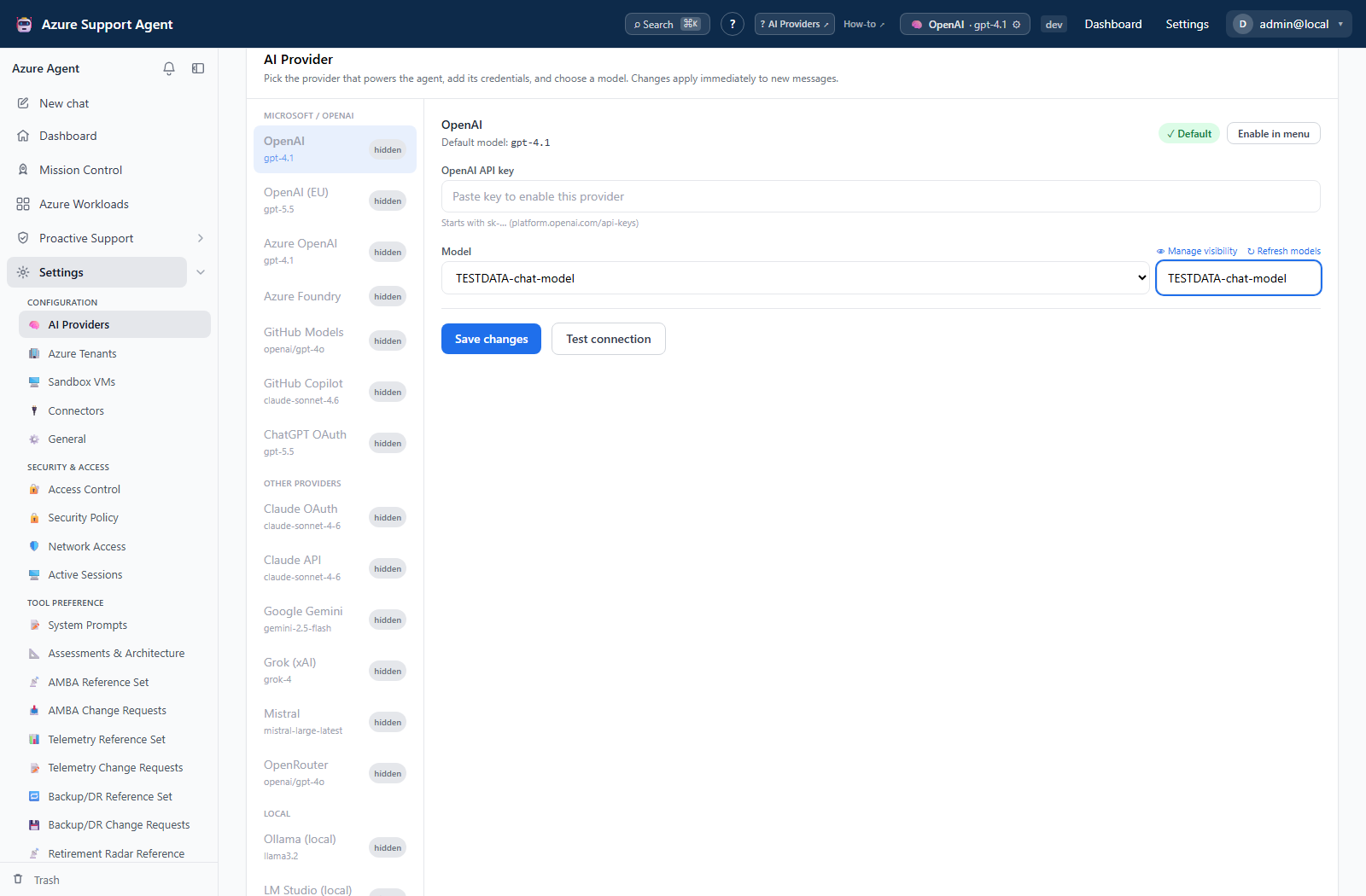
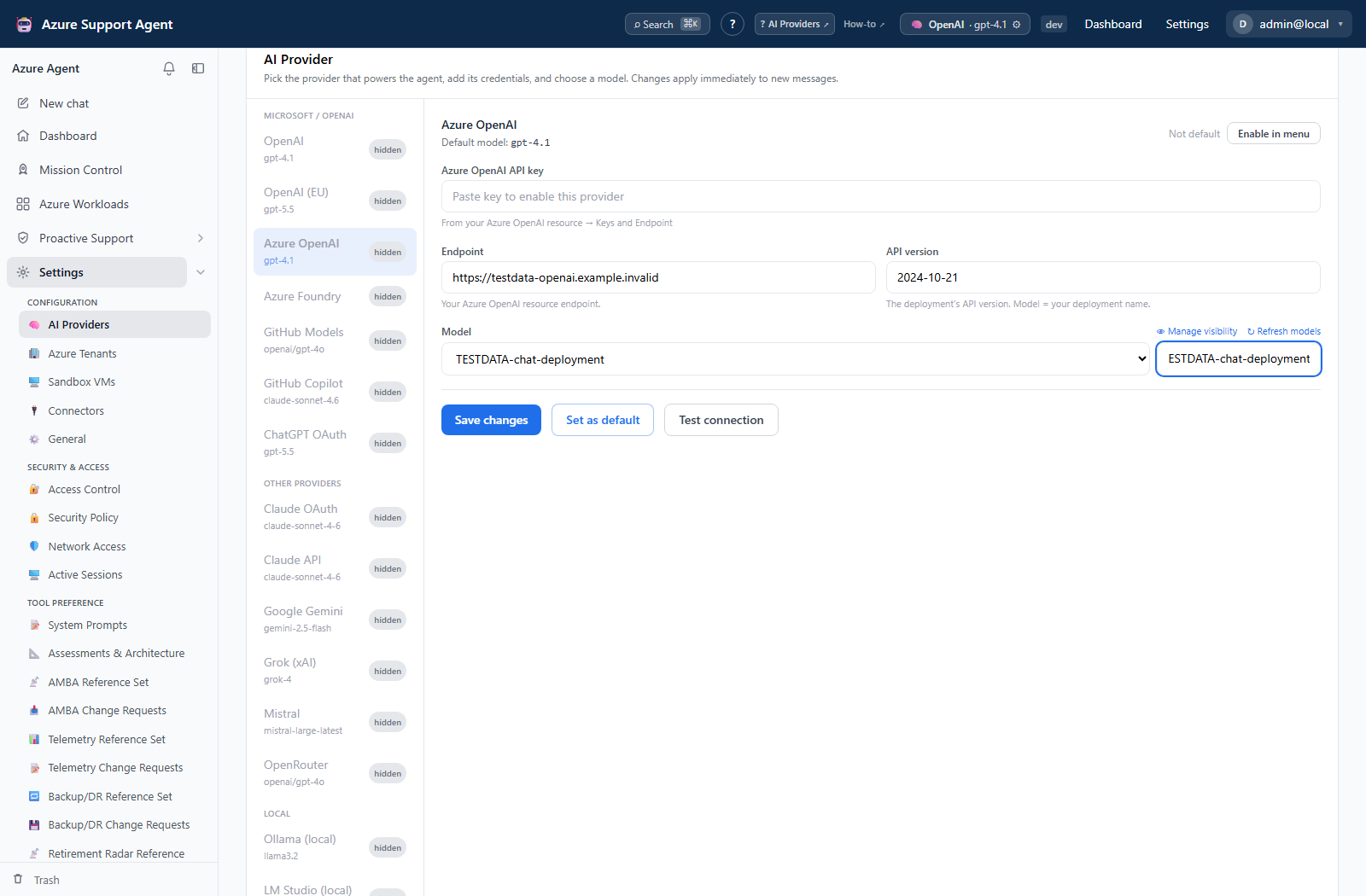
- Select a provider and enter its model, credential or OAuth sign-in, and optional base URL/API version where shown.
- For OpenRouter, use Free only only if free-route limitations are acceptable.
- Save, then Refresh models or Test provider. Diagnostics cover configuration, endpoint/DNS, connection, authentication, request, and first-token phases.
- Use Manage visibility to hide inappropriate models from the picker.
- Mark unused providers disabled and sign out OAuth providers when retiring them.
Credentials are masked and not returned to the browser. Leaving a saved secret field blank preserves the existing value. Local providers such as Ollama or LM Studio still need network reachability from the application container.
Unsaved configuration examples
These local test-data forms illustrate the fields before save. No actual OAuth sign-in, provider request, or Azure connectivity was verified during capture; a default label or model name is not proof of a working provider.
Interpretation of results
Exports, history, scheduling, and integrations
No dedicated export, history, scheduling, or integration controls are documented for this feature page.
Safety and limitations
Governance
AI is inactive until configured. Provider requests may send prompts, retrieved Azure evidence, and conversation context to that provider; review residency, retention, contractual, and model policies before enablement. Model lists and costs can change independently of the app.
Troubleshooting
| Symptom | Resolution |
|---|---|
| DNS/connect fails | Verify endpoint URL, container egress, proxy/firewall, and TLS. |
| Authentication fails | Rotate/re-enter the key or complete OAuth again; verify required scopes. |
| No models | Refresh, check provider account entitlements, and inspect hidden/free-only filters. |
| First token times out | Test a smaller model/request and review provider throttling. |