Approvals
Mutating tool calls are classified write and normally enter awaiting_approval. An Approval record links the request to its tool call, requester, decision, approver, reason, and timestamps. Approving authorizes execution; it does not guarantee the external system accepts it.
Review checklist
- Confirm requester, tenant/connection, target scope, and exact operation.
- Read generated command/payload and before/after preview.
- Check least privilege, blast radius, idempotency, rollback, maintenance window, and cost.
- Reject ambiguous or secret-bearing requests with a reason.
- After approval, inspect execution result and independently verify Azure/destination state.
- Attach evidence and outcome to the case/change record.
auto_execute_writes can bypass the wait and should remain disabled unless an equivalent approved control exists. A connection marked read-only blocks destructive execution even when a user can approve. Coverage change requests often update references or create proposed IaC; approval does not mean generated infrastructure was deployed.
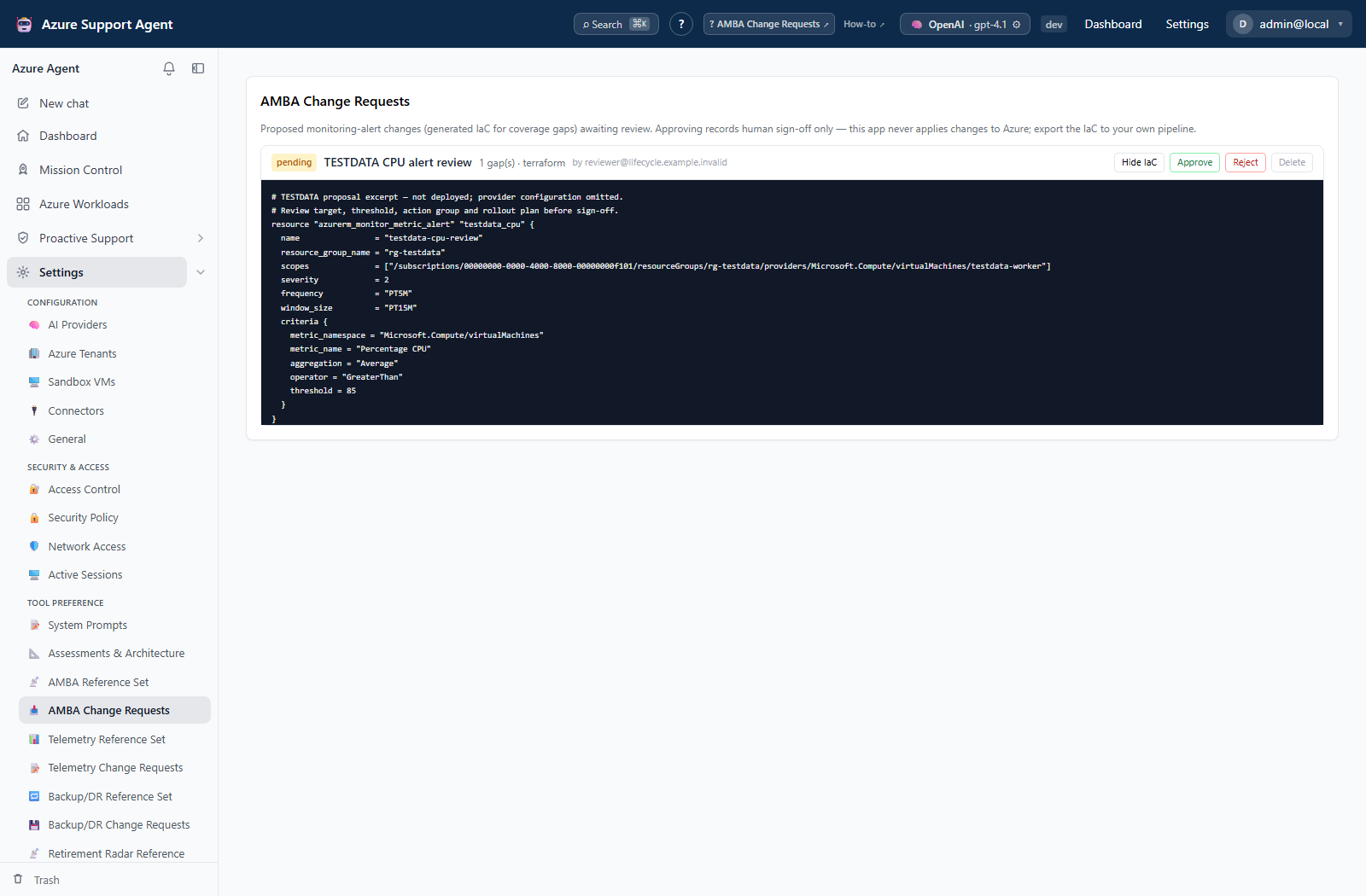
Inspect a pending AMBA proposal
Open Settings → AMBA Change Requests and expand View IaC to inspect the proposed change before deciding. This proposal-review surface is distinct from a generic tool-execution approval: AMBA approval records human sign-off only. Any deployment of exported IaC belongs in your separately approved pipeline.
Connection policy is not an approval decision
Review the connection’s safety configuration under Settings → Azure Tenants before considering a write request. The Read-only for this tenant control is safety configuration, not the approval queue, an approver decision, or the auto_execute_writes setting. Turning off read-only is not itself per-action approval or evidence of execution. Use the checklist above to review the actual request and its result.