Build architectures, Memory, and Know-Me
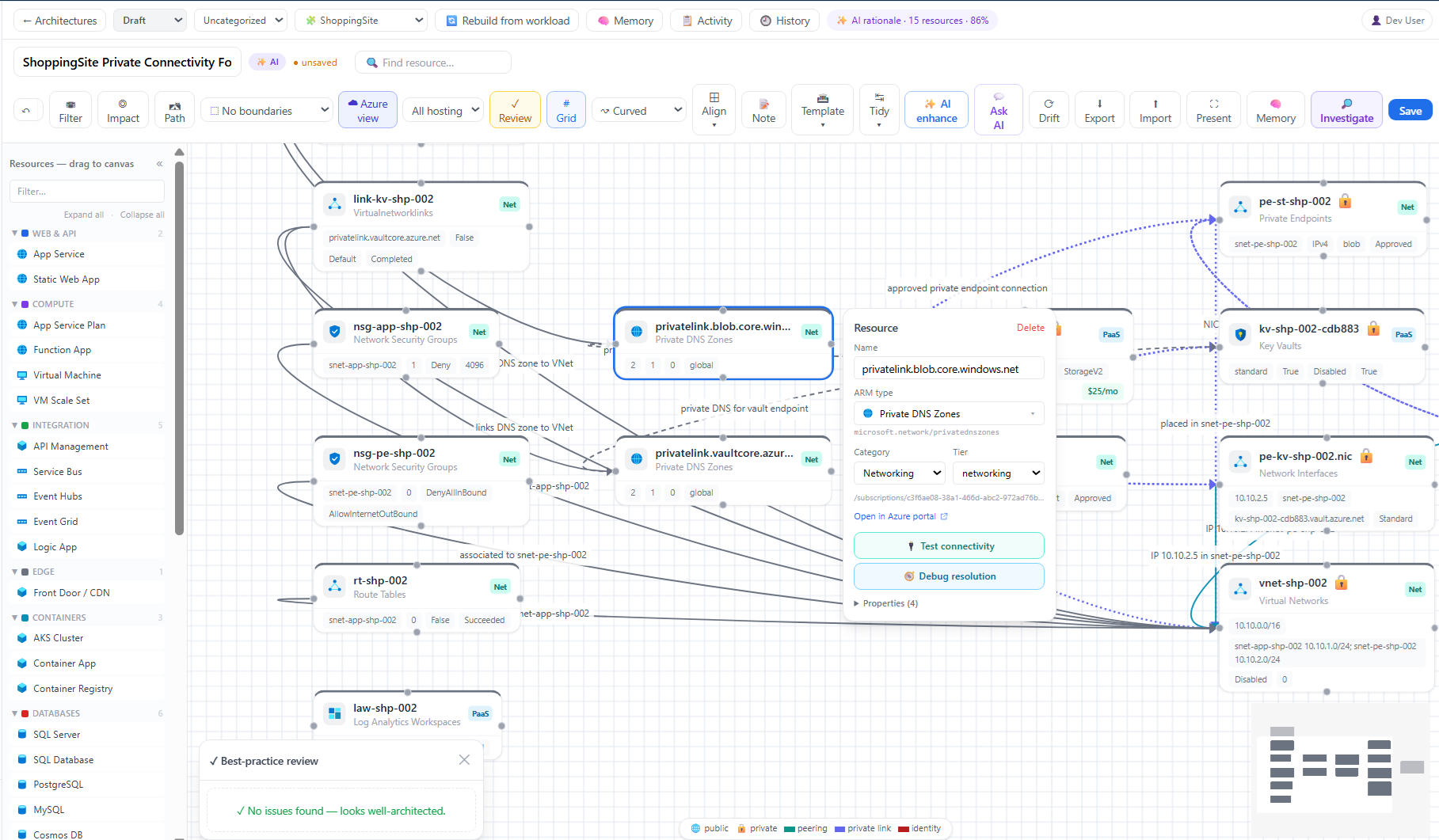
Screenshot note: The Know-Me views below use synthetic browser-only content in the current native UI. Saved fields are modeled local results, not a published document or real AI output. No AI inference, DNS lookup, SSH probe, or investigation was performed.
Prerequisites
architectures.read;architectures.writefor create, edit, generate, lifecycle, restore, and delete.- A workload and readable inventory for reverse-engineering/drift; an active AI provider for generated diagram context, Memory, and Know-Me.
Route
Architectures: /architectures, /architectures/{id}, /architectures/{id}/memory, /architectures/memory. Know-Me: /knowme, /knowme/{id}.
How to create and maintain a manual architecture
- Open
/architecturesand create a blank architecture. - Name it, link the workload, and optionally place it in a collection.
- Drag components from the catalog, set meaningful metadata, and connect relationships with correct direction/type.
- Group and arrange nodes by tier, region, environment, subscription, resource group, vNet, or trust boundary.
- Run lint/tidy tools, add dependencies Azure cannot discover, and save a deliberate milestone.
- Use ⬆ Import only for a supported Mermaid flowchart and review appended nodes/edges.
Expected result: A saved, workload-linked diagram reflects reviewed intent rather than only deployable resources.
Verification: Compare resource nodes and edges with inventory, deployment definitions, network design, and service-owner knowledge.
How to reverse-engineer or rebuild with AI
- Ensure workload membership and connection are current.
- From
/architectures, select ✨ Reverse-engineer architecture, choose workloads, and start jobs. - Monitor phases; cancel only when the run should stop and dismiss completed job records when no longer useful.
- Open each generated diagram and correct nodes, edges, labels, layout, and external dependencies.
- For an existing linked diagram, use the rebuild/re-reverse-engineer control only after preserving important manual context through save/revision/export.
Expected result: A generated draft is saved for review; it is not automatically authoritative.
Verification: Account for all intended workload resources and explicitly document undiscoverable SaaS, on-premises, traffic, and business dependencies.
How to check drift
- Open
/architectures/{id}and select ⟳ Drift. - Wait for comparison with live Azure Resource Graph.
- Review matched diagram resources, Gone from Azure, and New in Azure.
- Decide whether each difference is intended, inventory delay, or diagram debt.
- Update the diagram manually or rebuild after preserving reviewed annotations.
- Run drift again.
Expected result: The report shows in-sync status or explicit added/removed differences.
Verification: Independently confirm changed resources and rerun after save; drift does not prove runtime connectivity.
How to manage architecture revisions and exports
- Open History and preview a prior version read-only.
- Compare it with current content before choosing Restore this version.
- Confirm restore; current content is saved to history first.
- From ⬇ Export, choose PNG, SVG, Mermaid, JSON, or the offered Bicep/Terraform skeleton.
- Treat IaC skeletons as starting artifacts, not deployable representations.
Expected result: Restores are non-destructive and exports represent the current saved diagram.
Verification: Reopen current/history after restore and inspect the downloaded file for scope and sensitive topology.
How to generate and maintain architecture Memory
Current Memory UI: Memory is a separate source document with section/raw editing, live Markdown preview, and read-only revision preview/diff. Apply raw edits with Raw → Sections before saving or exporting. Its PDF-labeled print action prints Markdown text; it is not the Know-Me PDF exporter. A completeness count or saved state does not verify the content.
- Open 🧠 Memory from the reviewed diagram.
- Select sections/templates and add approved grounding notes.
- Generate with AI or author manually; review live preview and evidence.
- Correct commands, thresholds, dependencies, known issues, ownership, and qualifiers.
- Regenerate only weak sections when possible.
- Enable Memory for investigations only after approval.
- Use history to preview/restore and Markdown/PDF controls offered by the page.
Expected result: Architecture Memory contains reviewed operational context suitable for investigations and downstream documents.
Verification: Compare generated time with architecture update time and test the most important runbook steps safely.
How to generate, guided-fill, edit, and publish Know-Me
- Open
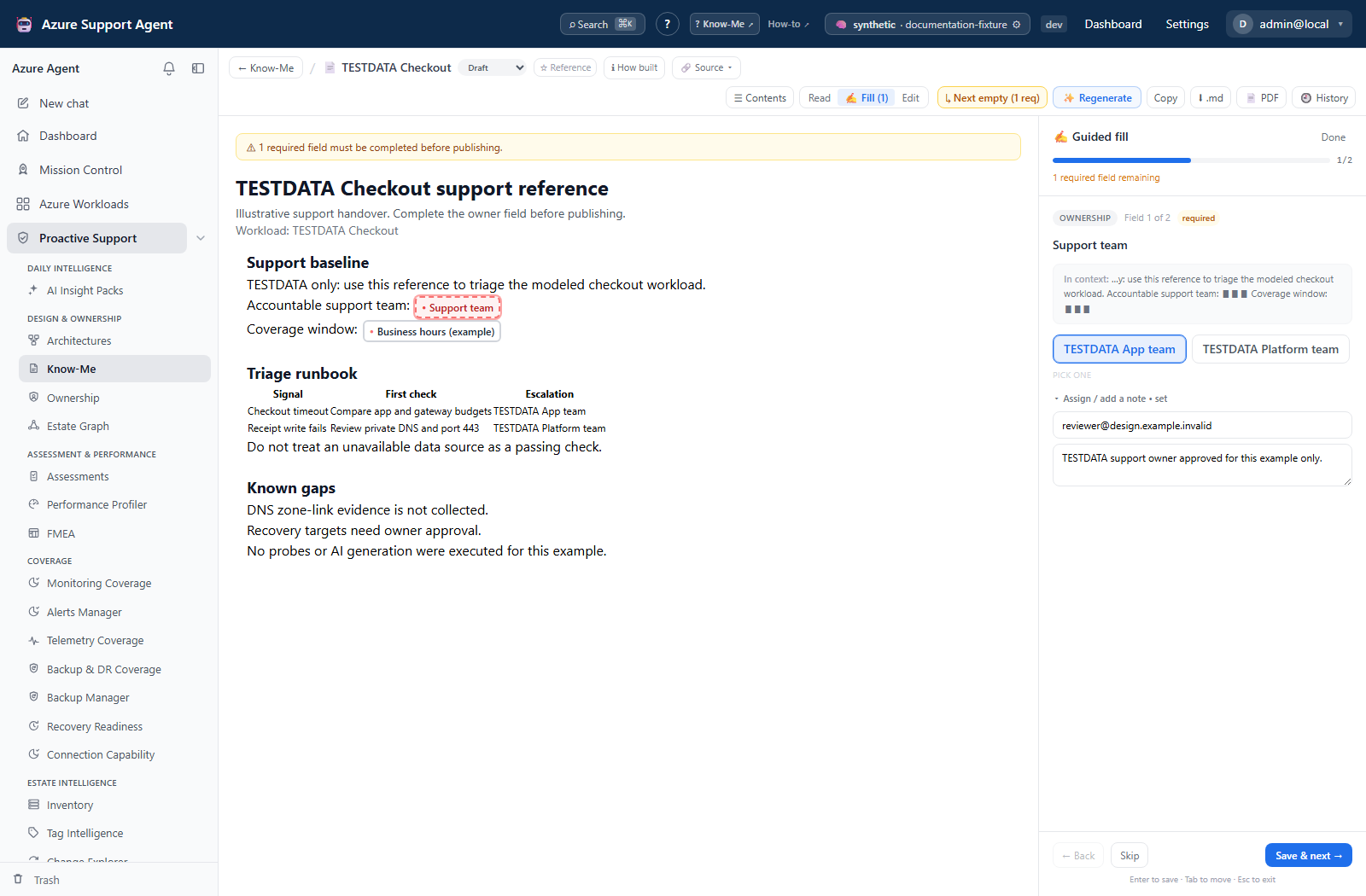
/knowmeand choose ✨ Build from workload for the workload→architecture→Memory→Know-Me pipeline, or create + New from a buildable architecture. - Open the document and review source, completion, evidence (How built), and stale-Memory warning.
- Click an open or filled field chip to pick a suggested value or type an approved value; use Save, Clear, or Cancel.
- Use ✍️ Fill for the whole document or one section; add assignee/note where useful.
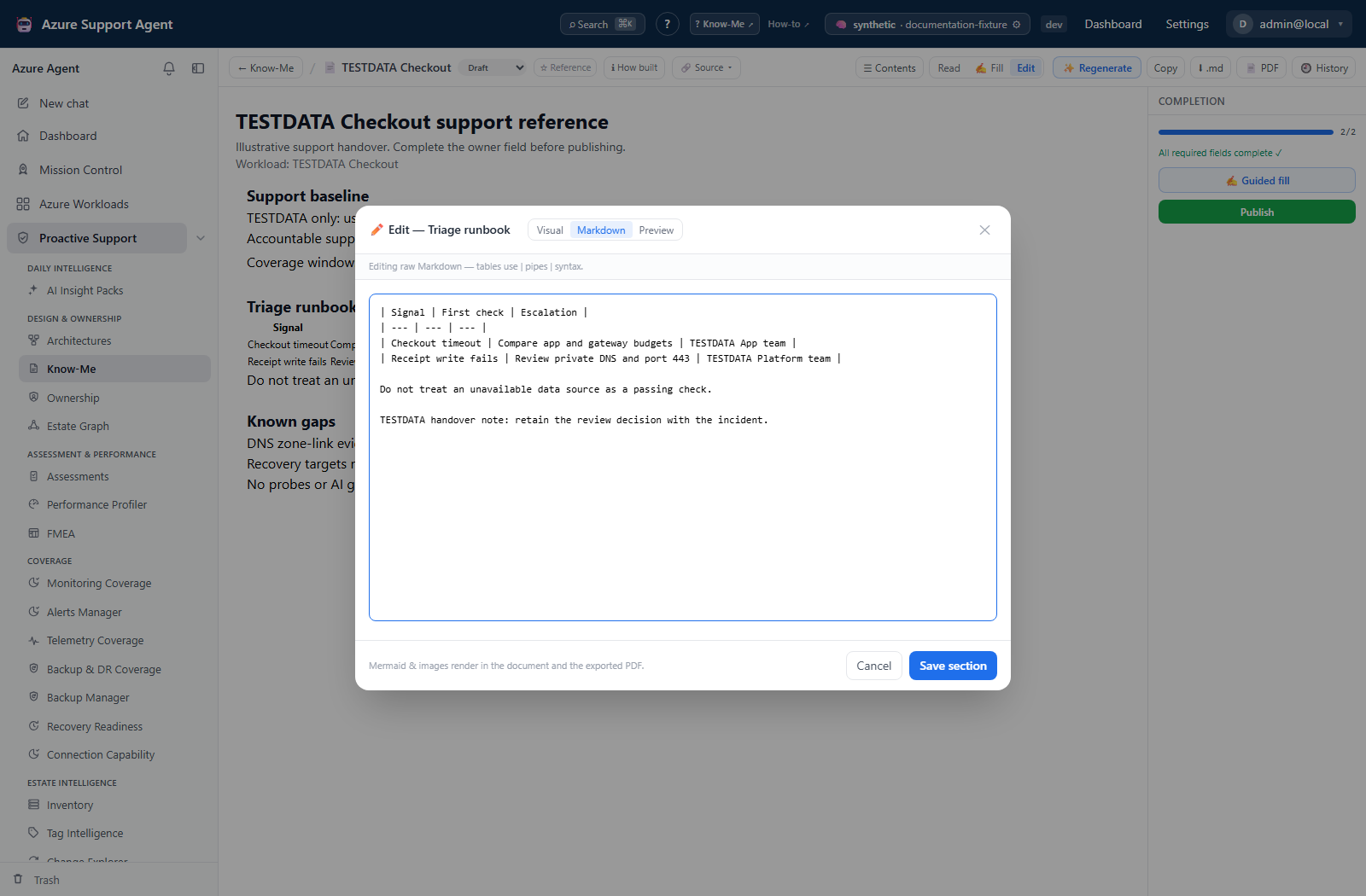
- Use section ✏️ editing for visual/Markdown content and Preview for tables, Mermaid, and images.
- Use the per-section ✨ control to regenerate only weak content; cancel if grounding is wrong.
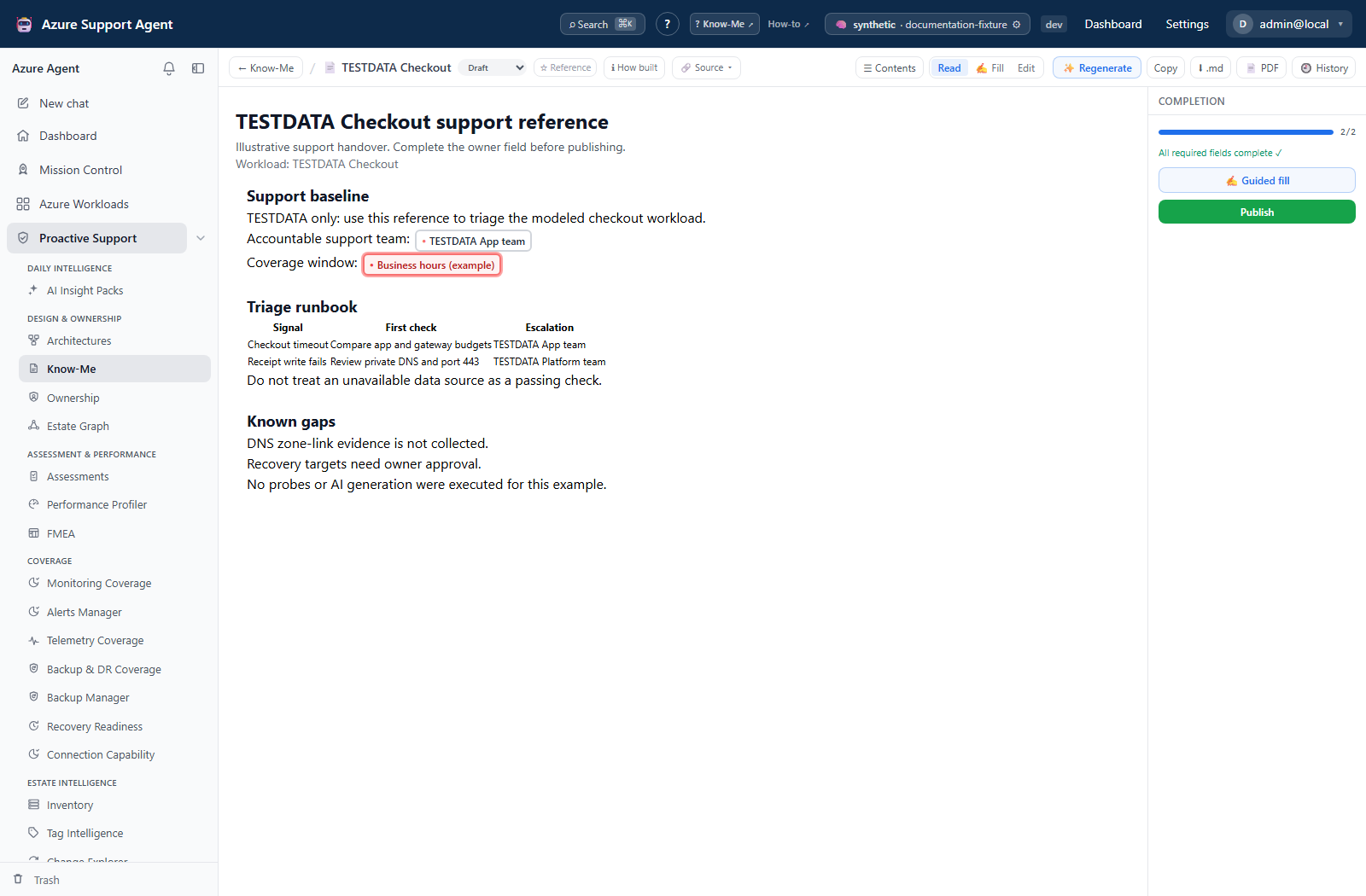
- Move through Draft → In review → Published/Archived as shown. Set the exclusive Reference document for the workload when appropriate.
- Export Markdown or PDF only after auto-save completes.
Expected result: A human-completed, architecture-grounded support reference is published without replacing reviewed sections unnecessarily.
Verification: Required completion passes, field values remain editable, stale-source warning is resolved, and exported content matches the current revision.
Safety and rollback
- Generated diagrams, Memory, and Know-Me are drafts; never invent people, IDs, SLAs, RTOs, or RPOs.
- Save milestones before rebuild/regeneration. Revision restore creates a new current state.
- Diagram/Memory/Know-Me exports can reveal topology and operational procedures.
- Soft-deleted diagrams/Know-Me can be restored; purge/empty Trash are permanent. Architecture dependencies should be reviewed before purge.
- Memory deletion may be immediate; export/revision safeguards apply only where the UI provides them.
Troubleshooting
| Symptom | Resolution |
|---|---|
| Reverse-engineering finds no resources | Refresh workload inventory and verify connection/scope. |
| Drift is unexpected | Check live inventory timing, workload link, and manually modeled components. |
| Memory/Know-Me is generic | Improve diagram and grounding notes; regenerate only affected sections. |
| Know-Me build is unavailable | Ensure an active workload, linked architecture, Memory prerequisite, provider, and write permission. |
| Export misses typing | Wait for save/auto-save, then export persisted current content. |
| Concurrent edits conflict | Reload latest and reapply changes; avoid editing the same document in multiple tabs. |