Inspect Azure and EntraID MCP tools
Prerequisites
- Product permission
settings.readto open the Admin tool catalogs. - Both
settings.readandsettings.writeto change Azure, built-in, or Entra per-tool and bundle exposure, routing budgets, skills, or default-assistant Entra exposure. - A running Azure MCP server configuration.
- A working deployment identity or Azure credential chain.
- Entra MCP enabled in General settings.
- A default service-principal Azure connection using a client secret or certificate.
- Microsoft Graph application permissions and administrator consent required by the intended operation.
Route
- Open
/admin/entratools. - Open
/admin/tenants. - Open
/admin/tools.
How to inspect Azure MCP and built-in tools
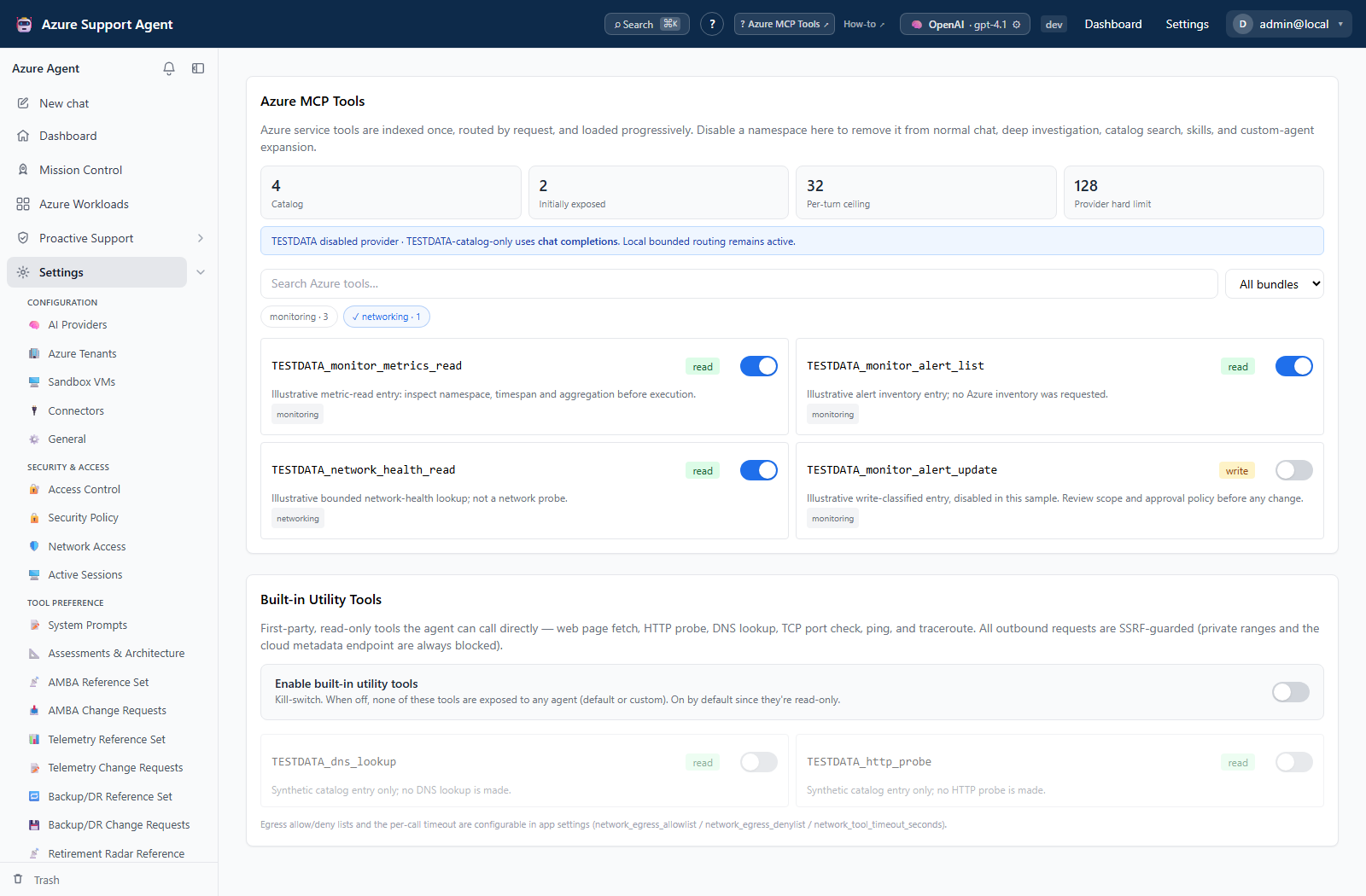
- Review the full catalog, initially exposed count, per-turn ceiling, and provider hard limit.
- Search by tool name or description, or filter by an Azure domain bundle.
- Review each live Azure MCP tool’s name, description, bundle, and classification.
- Review the built-in utility catalog shown on the same route.
- Compare the catalog with General settings for routing budgets, MCP read-only mode, built-in enablement, disabled tools, egress policy, command execution, and timeouts.
- For a required tool, confirm its target Azure connection and least-privilege Azure RBAC.
- Use the tool in a bounded read-only workflow before considering a write.
Expected result: The required tool is visible with an understood classification and policy boundary.
Verification: Run one harmless read and confirm its scope and result. A write label does not grant permission or automatic execution; approval, connection policy, product permission, and Azure RBAC still apply.
How to change tool exposure safely
- Open
/admin/toolsor/admin/entratoolswith an active role containing bothsettings.readandsettings.write. - Record the current global and per-tool state and the workflows that depend on it.
- Change one Azure, built-in, or Entra tool/bundle toggle, or the default-assistant Entra exposure switch.
- Reload the page and confirm the saved state.
- Start a new bounded chat and verify the intended tool is present or absent. Do not use a write operation merely to test visibility.
- Review the Audit Log/settings change record where implemented.
Expected result: Tool exposure changes for subsequent agent runs without executing the tool or changing Azure/Entra data.
Verification: Test catalog visibility with a settings.read-only role, then test one harmless read with the approved execution role and connection.
How to inspect and validate EntraID MCP tools
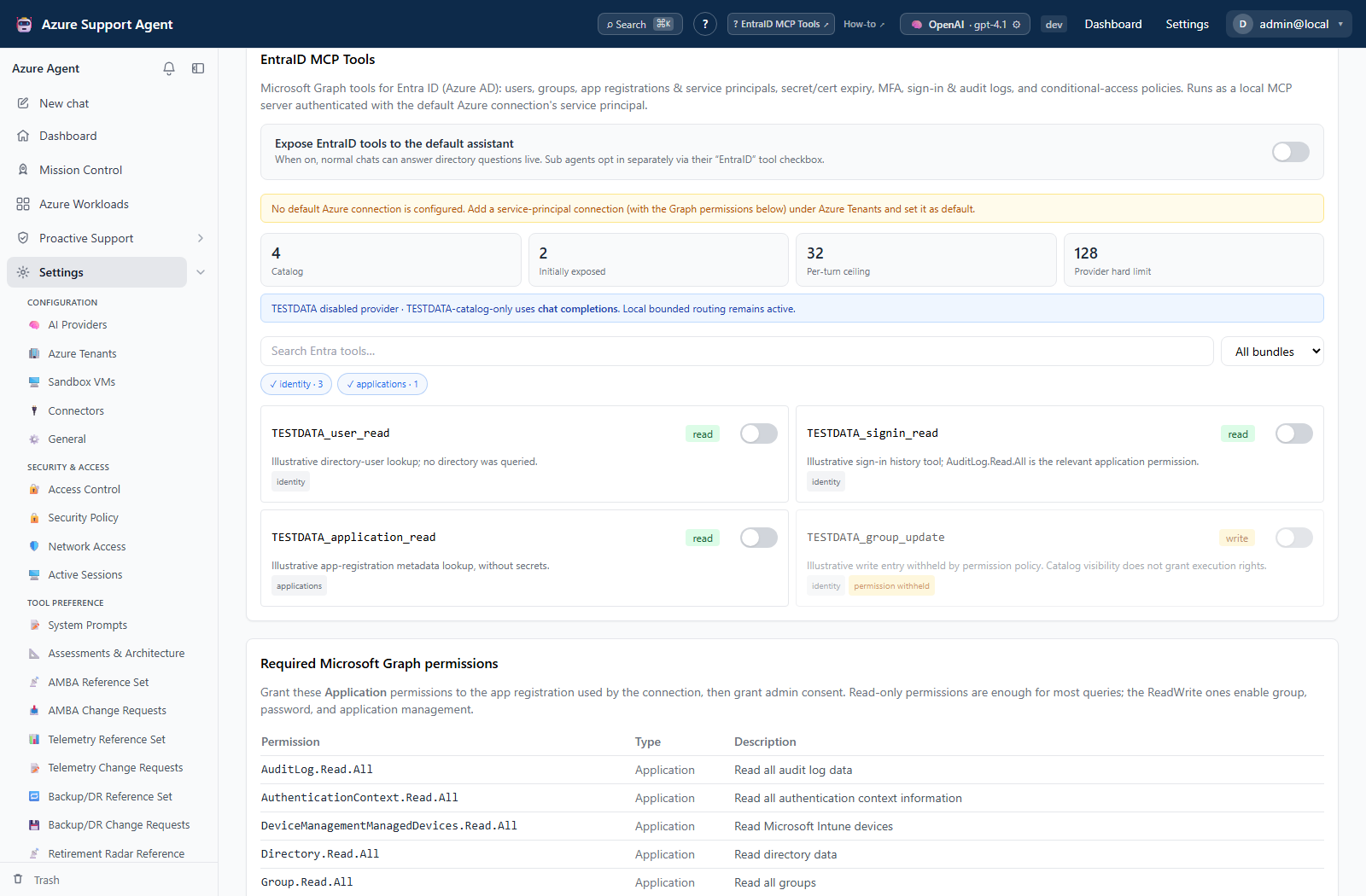
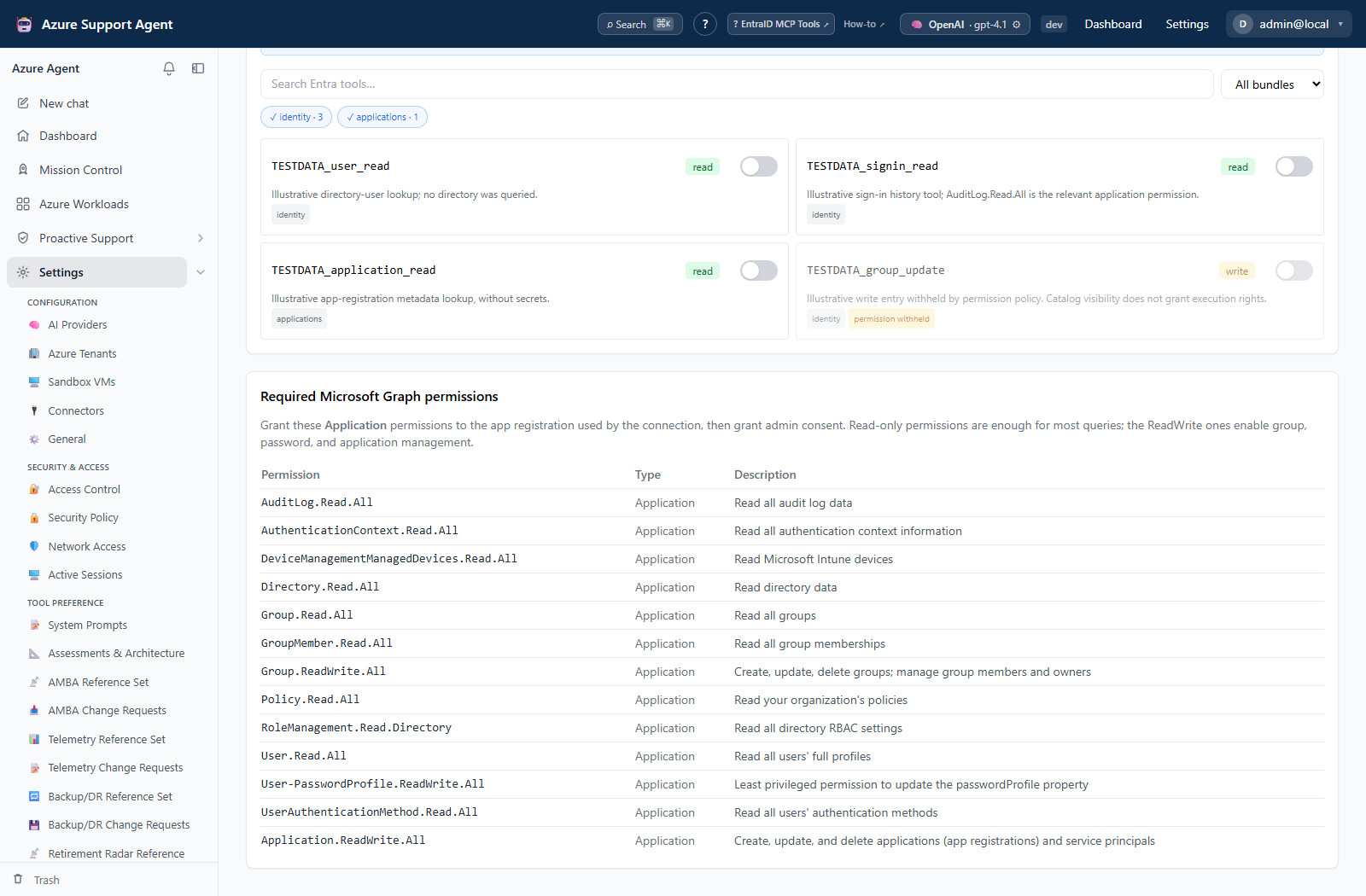
- Review server/connection status and catalog budgets, then inspect tool name, description, bundles, classification, and permission-withheld badges.
- If the connection is not ready, open
/admin/tenantsand choose Validate EntraID on the intended service-principal connection. - Review satisfied and missing Microsoft Graph application permissions.
- Grant only permissions required by the intended read or write, then provide administrator consent.
- Revalidate the connection and reload
/admin/entratools. - Run a bounded directory read before any approved mutation.
How to validate progressive discovery
- Enable the Entra MCP catalog and leave progressive routing enabled.
- Send a greeting. The routing telemetry should show only the four internal discovery schemas.
- Ask a Conditional Access question. The initial surface should contain the CA bundle, not unrelated Azure IAM or network tools.
- Ask the model to search for an ownerless-applications capability. Confirm
search_toolsloads a small bounded set and the matching read tool executes on the next round. - Confirm every selected/expanded count remains below the configured ceiling and provider limit.
- Review the
chat.turnaudit metadata for source/domain counts, schema bytes, selected names, and selection reasons. Prompt contents and tool arguments are not recorded as routing telemetry. - Verify the provider transport label. Direct OpenAI models that require Responses for function tools should say
responses; this is independent from the optional native tool-search toggle.
Expected result: The Entra page reports an enabled, configured catalog and the intended tool can authenticate to Microsoft Graph.
Verification: Confirm the validation report and a narrowly scoped read. Tool visibility does not prove permission to every directory object or authorize a write.
Safety and rollback
Graph directory writes can have broad impact. Keep safe defaults and approval gates, and never expose client secrets or certificate private material. Remove newly granted Graph consent to roll back excess privilege; disable Entra MCP to remove the integration from runtime use.
Catalog content depends on the connected server version. Keep MCP read-only enabled unless approved writes are required. Roll back exposure by restoring read-only mode or disabling the relevant built-in tool; revoke excess Azure roles separately.
Troubleshooting
| Symptom | Resolution |
|---|---|
| Connection validation is unsupported | Use a service-principal secret or certificate method, not a host-chain or pasted ARM token. |
| Catalog is empty | Check entra_mcp_enabled, default connection state, server configuration, and application logs. |
| Validation reports missing permissions | Add only the named Microsoft Graph application permission and admin consent. |
| Catalog is unavailable | Check MCP process/package configuration, network/package access, application logs, and health. |
| Write tool is absent | Confirm whether MCP read-only intentionally filters it. |
| Tool is visible but unauthorized | Grant only the exact Azure role and scope required, then retest. |
| Catalog is visible but a toggle returns forbidden | The active role has settings.read only. Switch to an approved role containing settings.write as well. |
| Provider reports an oversized tools array | Keep progressive routing enabled and lower the initial/per-turn budgets if customized. The provider adapter now rejects over-limit requests before sending them. |
| Provider says function tools and reasoning are incompatible in Chat Completions | The adapter should retry once through Responses when supported, or once with reasoning_effort=none for compatible gateways that lack Responses. It must not silently remove tools. |