Troubleshooting index
| Symptom area | Start here |
|---|---|
| Sign-in, forbidden, session, credential, approval, audit | Security troubleshooting |
| Azure feature is empty or half-blind | Connection Capability and Azure tenants |
| Coverage score/gap differs from expectation | Coverage and Reference sets |
| Retirement, reservation, quota, telemetry, evidence, case | Lifecycle & Investigation |
| Task/workbook/playbook/notification run | Automations |
| External delivery/ticket/SIEM/queue | Connectors |
| Provider/model failures | AI providers |
| Cannot reach a host, or a name resolves to the wrong address | Network and DNS Diagnostics |
| A diagnostic must run from inside the network | Sandbox VM Diagnostics |
| Fleet or background run stuck, partial, or lost after restart | Durable Work Batches |
| General limits/thresholds/timeouts | General settings |
Always capture scope, connection, generated time, run/request ID, exact error, and whether the data was cached. Remove secrets and personal data before sharing diagnostics.
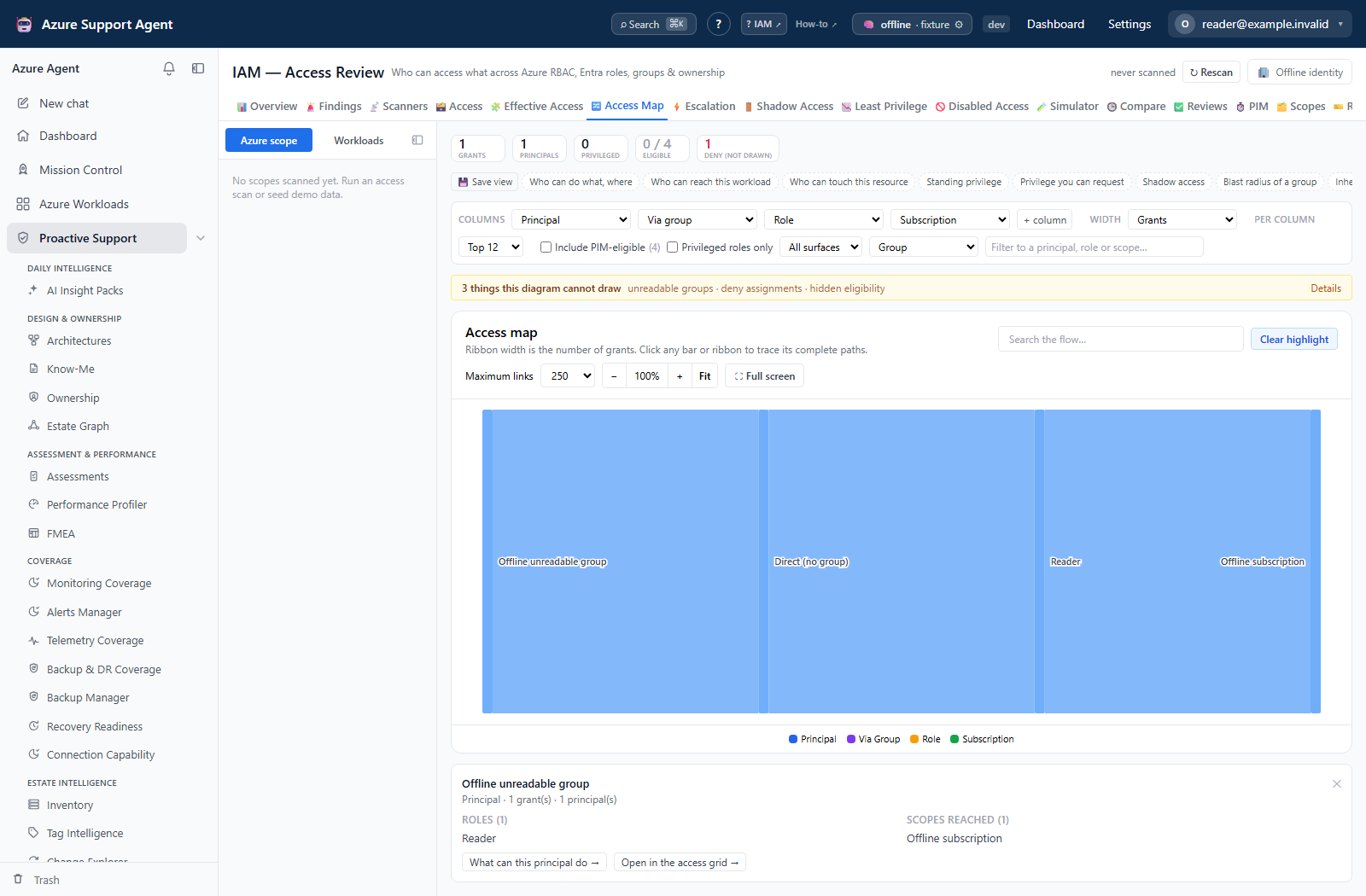
Example: incomplete visibility is not zero access
An IAM Access Map can display a group’s grant even when its membership cannot be expanded. Follow the connection-capability and access guides above to investigate the missing evidence rather than interpreting an incomplete diagram as an empty directory.