Investigations
Connect symptoms, changes, and evidence. Preserve the reasoning behind your next step.
See your Azure estate.
Know where to act.
Connect architecture, operational signals, and investigation evidence in one place. Understand what needs attention—and review your next step before making a change.
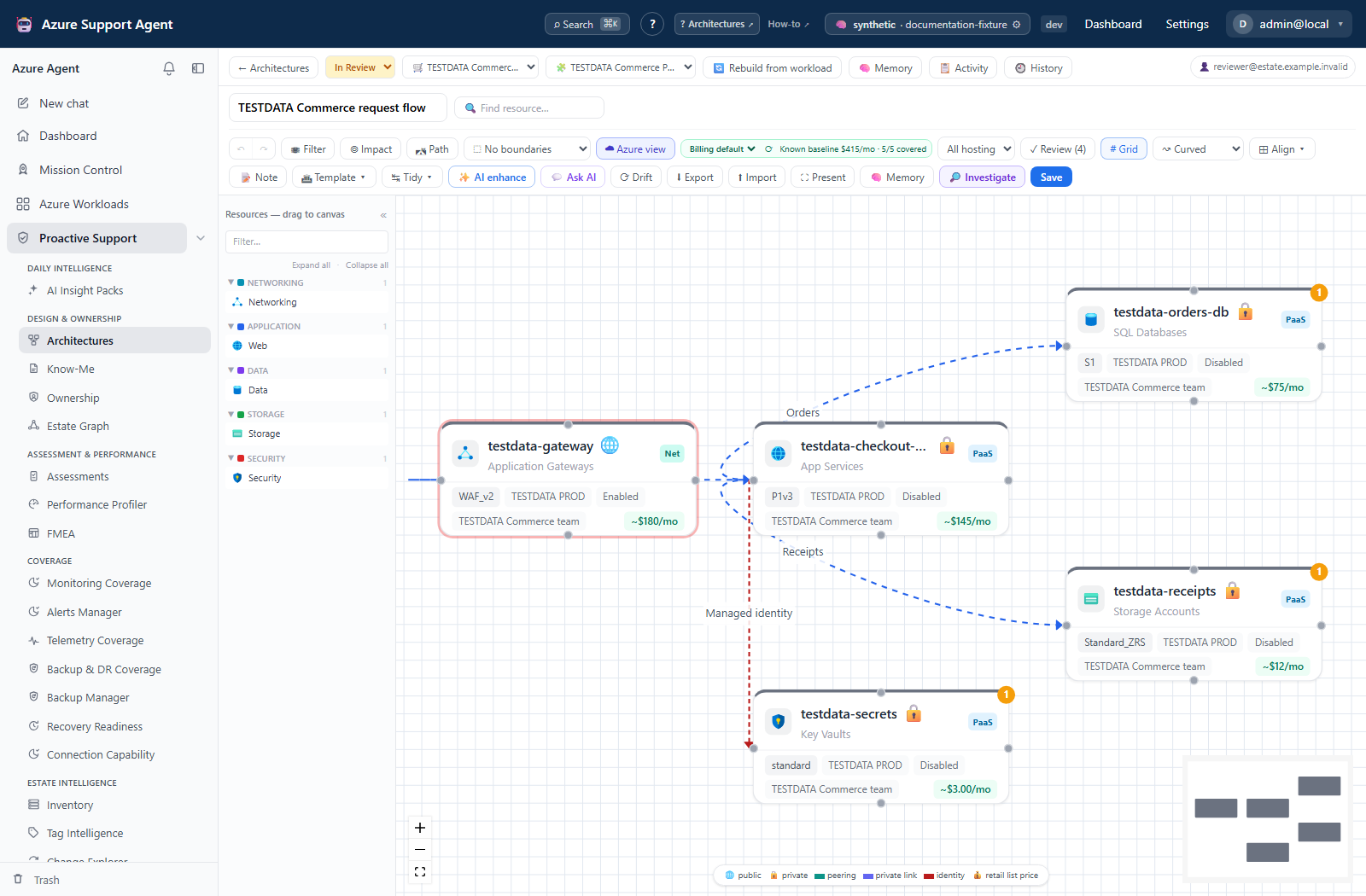
Explore a connected application, inspect its resources, and put dependencies in context before assessing impact.
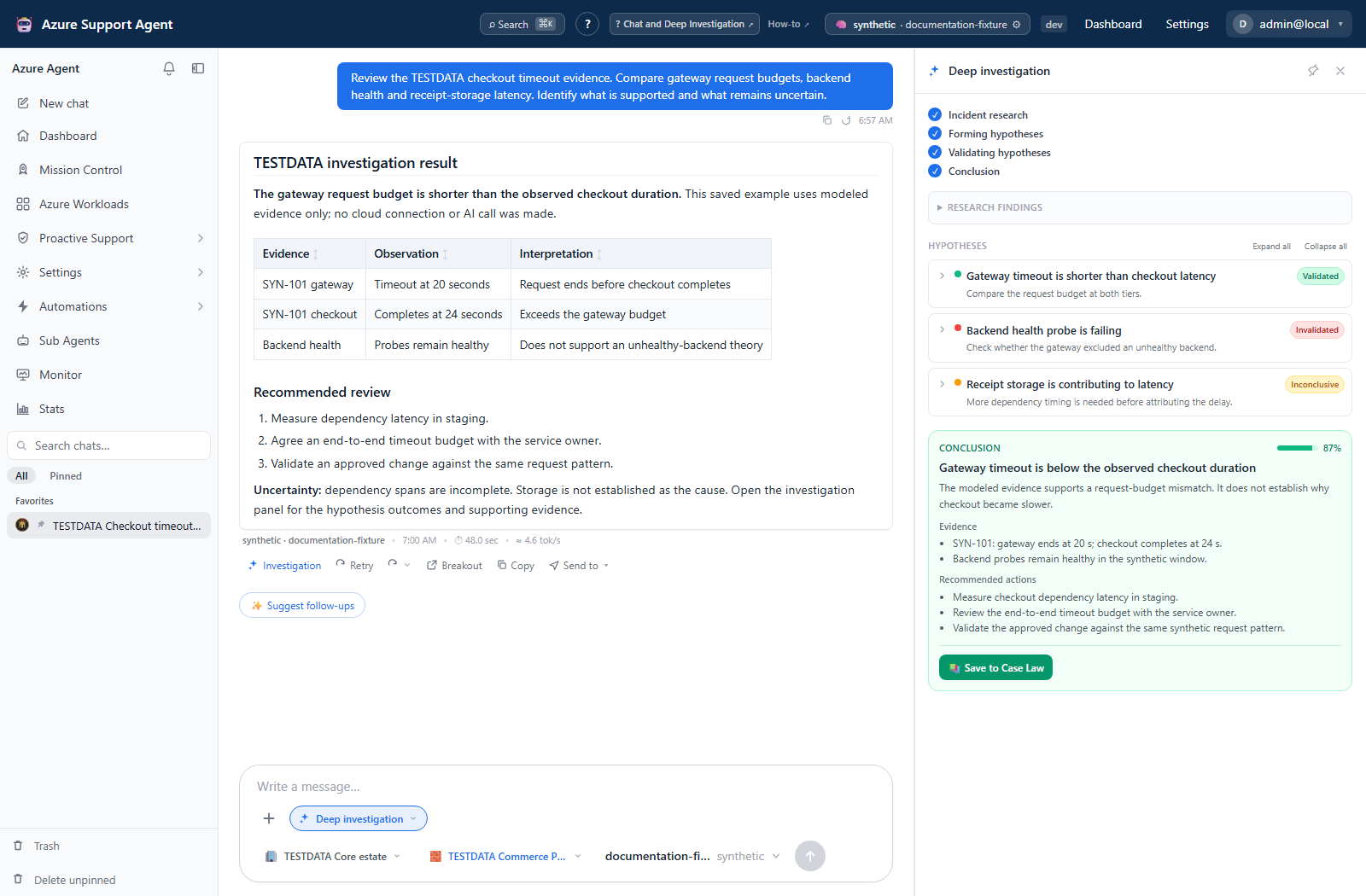
Read competing hypotheses, supporting observations, uncertainty, and proposed next steps together.
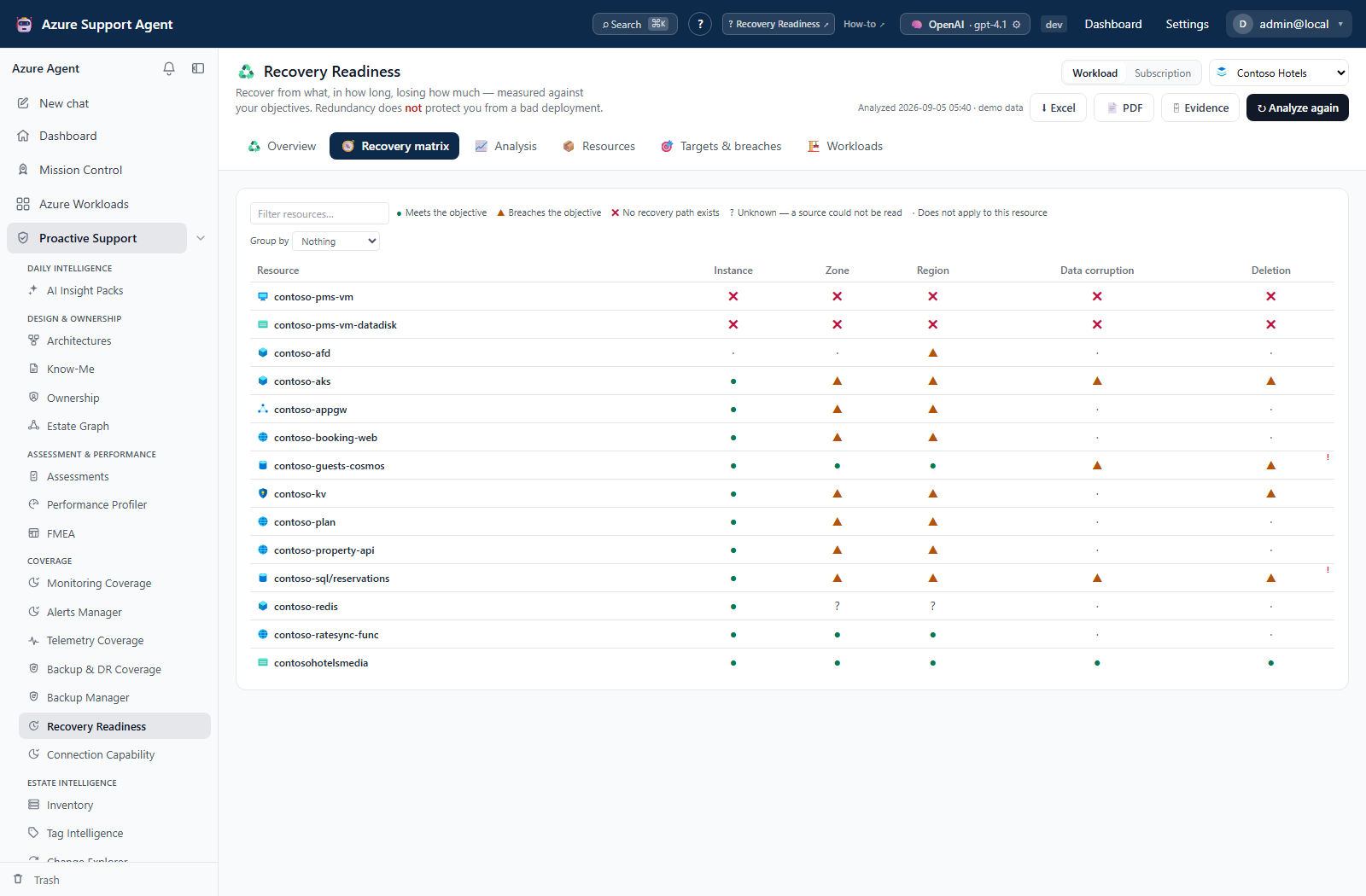
Compare failure scenarios, resource-level outcomes, and missing evidence instead of treating unknown as healthy.
Use Mission Control to review saved support-system results and choose which finding needs a closer look.
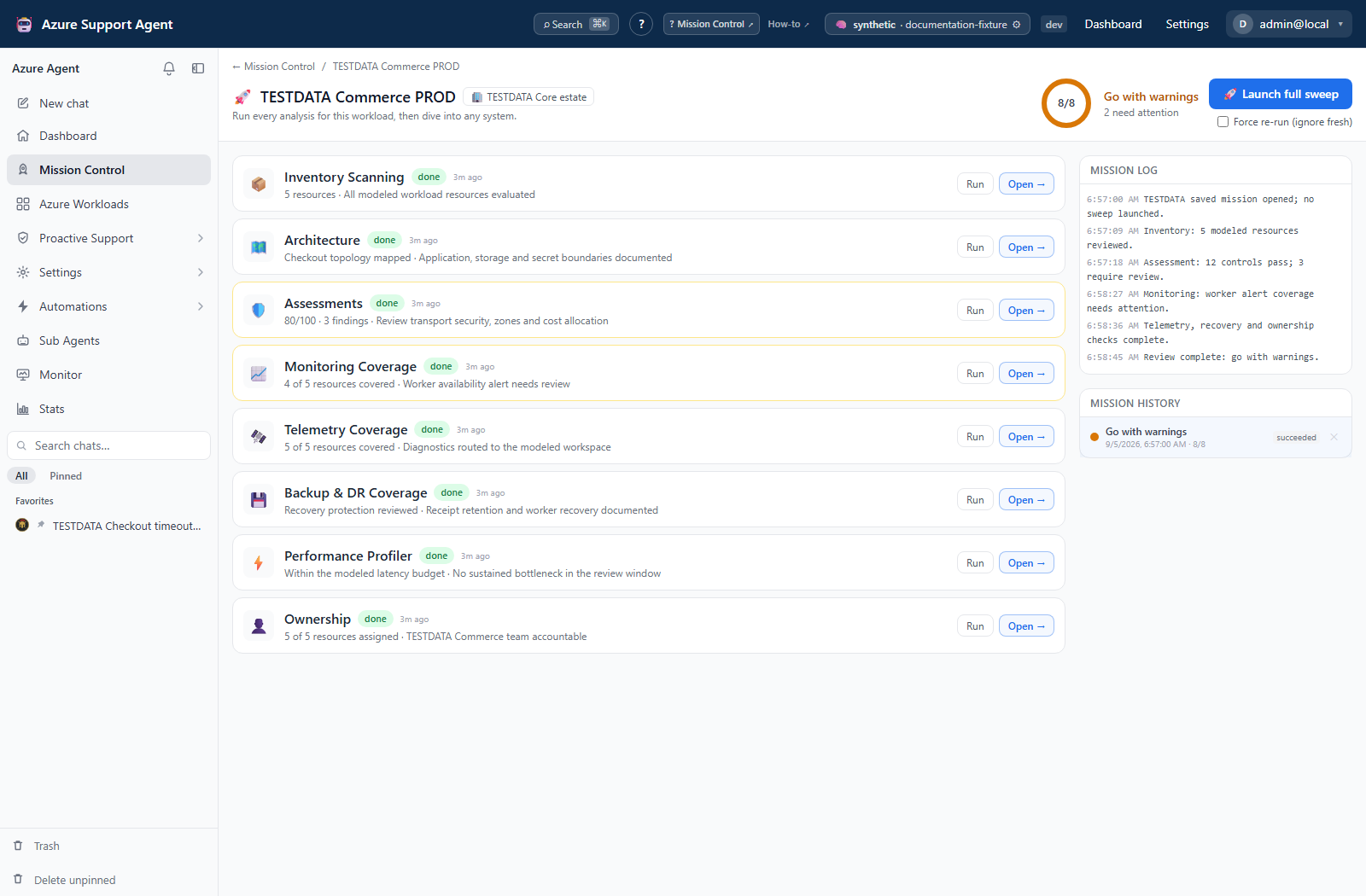
Real application views, fictional example data. Each preview illustrates a separate workflow—not a single end-to-end execution. Open any image full-size to inspect the details.
Start with the question you need to answer. Keep scope, source freshness, and evidence limits in view.
Connect symptoms, changes, and evidence. Preserve the reasoning behind your next step.
Discover application boundaries, explore dependencies, and assess design concerns.
Review policy, identity, and access paths. Separate findings from coverage gaps.
Identify protection gaps, inspect backup operations, and question recovery assumptions.
Understand inventory, cost, ownership, and change across your selected estate.
Turn reviewed procedures into reusable operations, schedules, and notification routes.
Review prerequisites, deploy into your subscription, and configure your first connection.
Follow a workflow with prerequisites, expected results, safety notes, and verification.
Configure access, providers, and integrations, or inspect how the application is built.
Start from a read-oriented posture and grant only the access each workflow requires. Before making changes, review the feature's permissions, confirmation and approval behavior, scope, and rollback options. A preview is not permission to execute. Read the security overview.