Coverage
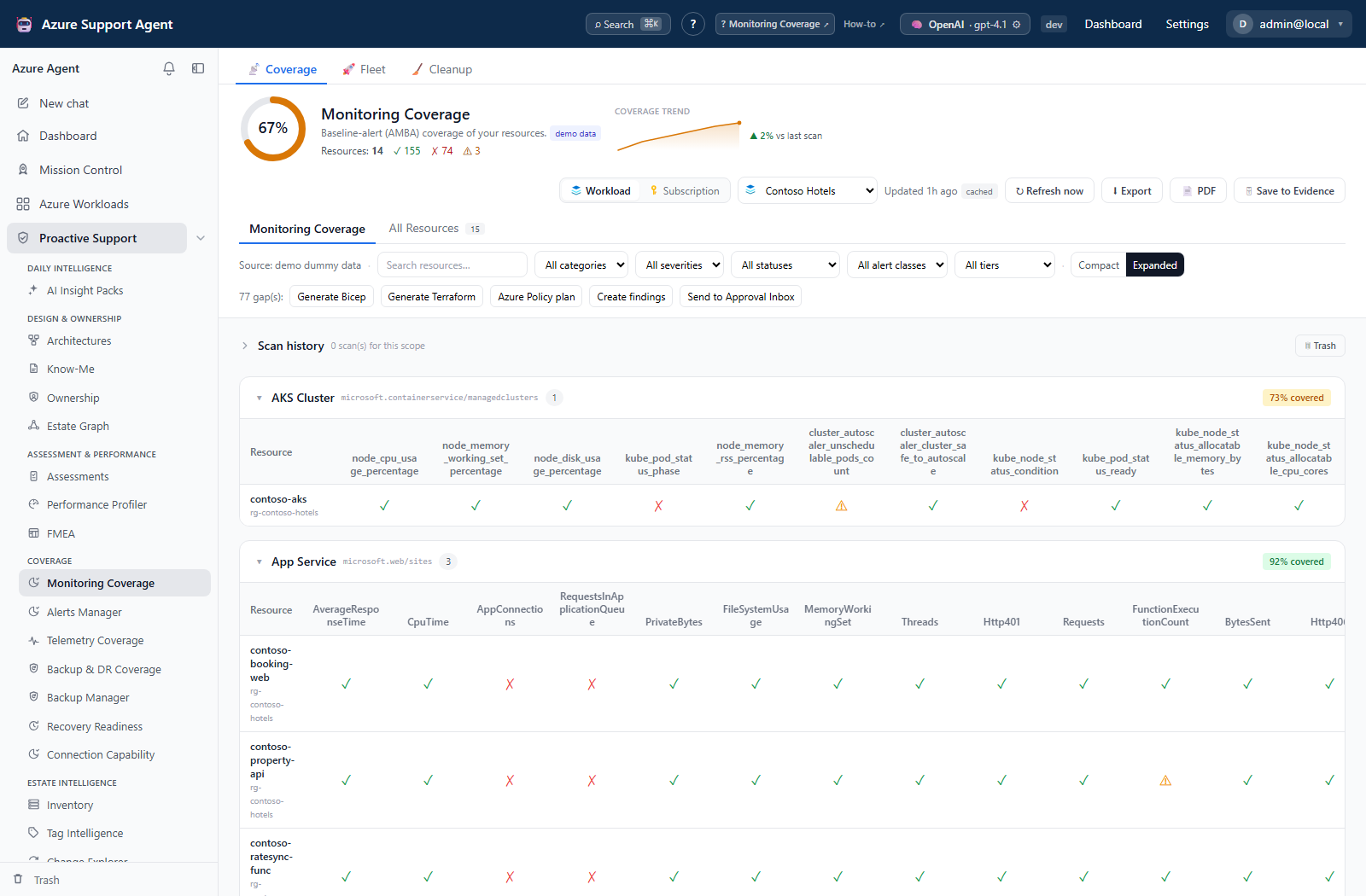
Coverage views compare the estate with operational baselines and expose the connection blind spots that can make an assessment incomplete. Monitoring, Telemetry, and Backup & DR Coverage load saved snapshots through Load coverage (or restore the last loaded scope); use Refresh now for new collection. Connection Capability instead computes an inferred matrix, with optional live token checks. Other tools below have their own collection and write workflows.
| Guide | Use it to |
|---|---|
| Monitoring Coverage | Compare metric, log-search, and Activity Log alerts with the AMBA reference, including routing and suppression evidence. |
| Alerts Manager | Triage fired alerts and safely manage rules, action groups, and proposed changes. |
| Telemetry Coverage | Find missing diagnostic settings, categories, and approved destinations. |
| Backup & DR Coverage | Review property-based protection checks; verify missing live job/restore/DR-pair evidence separately. |
| Backup Manager | Triage backup jobs and manage policies, vaults, DR drills, cost, and proposed changes. Sweep every workload from Fleet, and reclaim stored analyses from Cleanup. |
| Recovery Readiness | Recover from what, in how long, losing how much. Per-scenario RTO and RPO derived from redundancy, backup frequency and replication, measured against objectives you agree. |
| Connection Capability | See which configured connections can reach each required Azure surface. |
Shared operating model
- Choose the intended Azure connection and workload or subscription scope.
- Check the generated time, age, and stale indicator before interpreting a score.
- Refresh explicitly if the saved result is absent or too old for the decision.
- Investigate gaps and unreadable resources separately; an unreadable result is not proof of non-compliance.
- Preview and review every generated artifact. Deployment remains an external, operator-controlled step unless a feature explicitly presents an approved write action.
- Re-scan after remediation to verify the observed state.
For the coverage trio, a workload’s configured connection is authoritative; the picker is locked in workload mode. Latest-snapshot, history-list and trend queries use tenant/scope rather than a connection-specific history. History View retrieves a run by ID, but PDF/evidence actions do not accept that historical run ID. In subscription mode, changing the connection does not prove that an old snapshot was collected with that connection—refresh and verify scope/timestamp before sharing it.
All three Fleet tabs initially read cached workload summaries, but Scan selected starts a server-owned batch (up to 500 requested workload IDs and three concurrent coverage items per feature). Progress survives navigation/reload; interrupted work can be requeued after worker recovery. Cancel pending cancels queued items, not a rollback of already-running scans; Retry failed includes partial/cancelled items. Single-scope background refresh and durable Fleet batches are different mechanisms.
coverage.read permits scans, downloads, finding registration, immediate connector ticket creation, evidence capture, and saved-run deletion/restore/purge. It is not a promise of zero application writes. coverage.manage is required for reference updates and submitting/deciding/deleting coverage change requests; connections.read opens the capability matrix. Destination screens retain their own permissions, such as assessments.read, evidence.read, inventory.read, architectures.read, or chat.use.
Export is full loaded JSON, unaffected by table filters. PDF and evidence actions fetch the latest server-cached result, which can differ from the screen. Reference History → Restore creates a new version; run restore recovers a trashed snapshot; neither rolls back Azure. Coverage change requests record review and a manually set applied status, not deployment. Ticket creation is a separate external write.
An optional Nightly fleet refresh setting under /admin/settings (off by default; changing it requires settings.write) warms workload caches through a separate scheduled batch. It calls snapshot collection directly, not the coverage refresh endpoints, so it need not add coverage run-history/trend entries. Cache TTL controls stale display, not scan scheduling. Cleanup presets likewise select runs for an immediate action rather than creating a retention schedule.
Coverage is evidence, not a guarantee. Azure permissions, scan caps, unsupported resource types, and connection capabilities can reduce the observed estate.