Access Control
Permission: users.manage
Purpose
App routes: /admin/access, /admin/users, /admin/roles, /admin/groups, /admin/identity
Prerequisites and data sources
users.manage. This capability makes its holder an effective administrator; do not place it in a narrow custom role.- A tested recovery account and a reviewed direct/group assignment plan.
- The live grouped permission catalog returned by the Access Control API.
Tabs and actions
Users
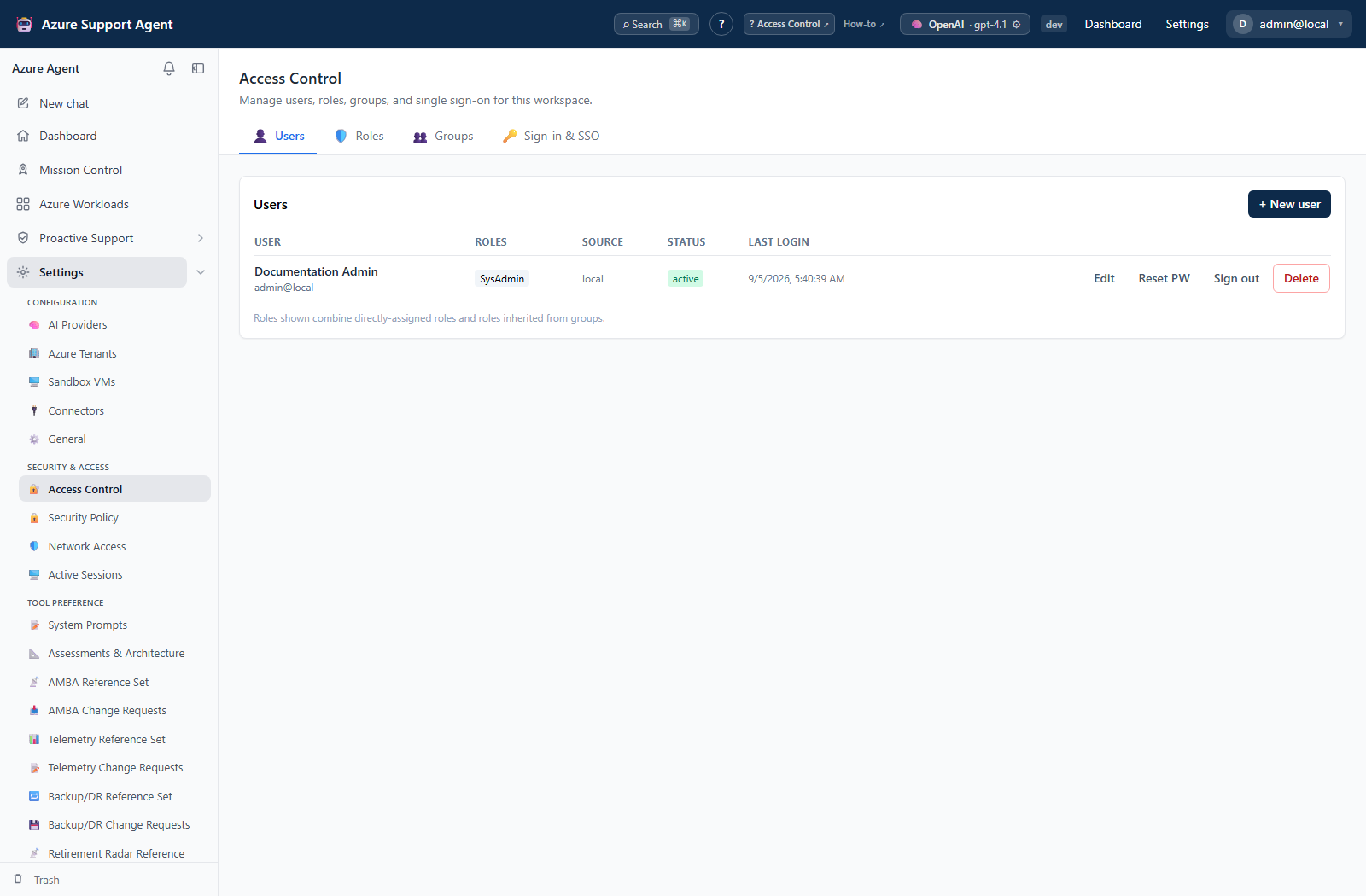
Create a local or SSO-only user with username, email, display name, optional initial password, direct roles, groups, and first-sign-in password-change requirement. Edit status/assignments, reset a local password, sign out all sessions, or delete. The list shows effective roles (direct plus inherited), auth source, status/lock, and last login.
New SSO users should remain in the safe noaccess role until reviewed. Password reset signs out active sessions.
Roles
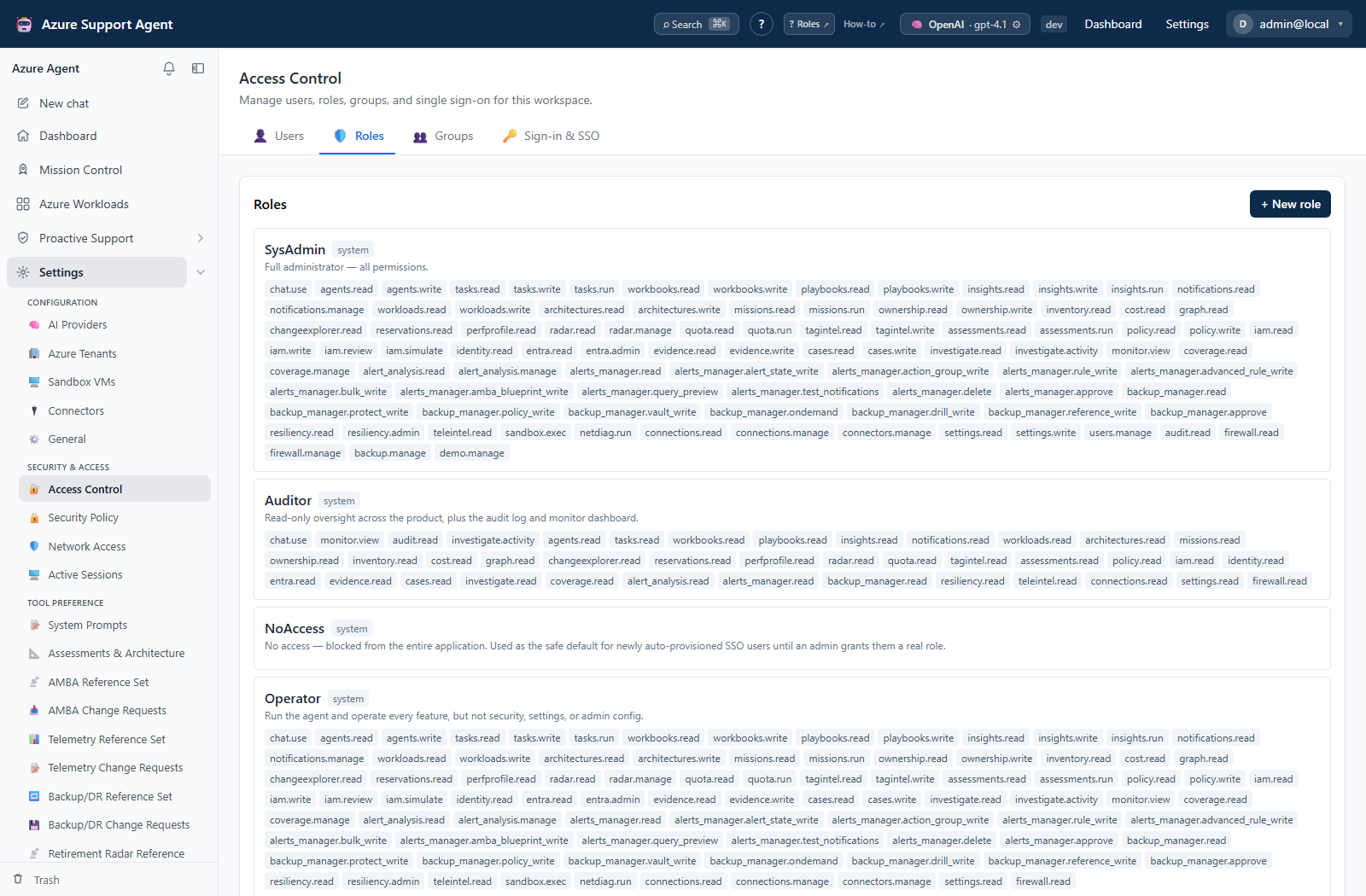
Built-in system roles cannot be edited or deleted. Current built-ins are admin, operator, auditor, user, and noaccess. Create custom roles by selecting exact capabilities from the grouped catalog. Avoid wildcard assumptions: API enforcement uses the displayed capability strings.
Built-in intent is deterministic: SysAdmin has every permission; Operator has all except the six reserved administration permissions; Auditor has read capabilities plus Chat, Monitor, Audit Log, and privileged-activity reading; User has Chat, Workloads, Architectures, and Ownership reads; NoAccess has none. A custom role containing users.manage is an effective administrator and passes all product-permission guards.
Groups
Local groups have name, description, and roles granted to members. Users receive the union of direct and group roles. Group assignment is useful for governance, but periodic review is required because a single broad group role can expand every member’s access.
Sign-in & SSO
Create OIDC or SAML 2.0 providers. OIDC fields include issuer, optional discovery URL, client ID/secret, scopes, group claim, and optional account-selection prompt. SAML fields include entity ID, SSO URL, signing certificate, and optional email/name/group attributes. Configure display/button label and enabled state.
Use the exact generated redirect URI, ACS URL, and metadata URL shown after creation. Test connection validates discovery/JWKS or certificate configuration but cannot replace a real user round trip. OIDC uses authorization code with PKCE; SAML assertions are signature-validated.
Freshness and scope behavior
Role and group changes affect backend authorization on subsequent requests. The browser’s navigation uses the permission set returned by /api/auth/me, so refresh identity or start a new session when validating an administrator-made assignment change. Selecting Active Role performs that refresh automatically and invalidates cached feature queries.
Workflow overview
Users normally receive the union of direct and group roles. The account menu can scope the current session to one assigned role. A direct URL without the required capability shows Access not granted before the feature mounts, while the backend independently enforces the same capability. A zero-permission session receives the NoAccess wall and can only resolve identity, edit its own profile, switch an assigned role, or sign out.
Interpretation of results
- Assigned roles includes direct and group-derived roles and supplies the Active Role choices.
- Effective permissions is the unscoped union, or one role’s exact permissions after an active-role selection.
- Hidden navigation is not the security boundary. A
403 Missing permissionresponse is the authoritative backend decision. - NoAccess means authentication succeeded but no application data capability is active.
Exports, history, scheduling, and integrations
No dedicated export, history, scheduling, or integration controls are documented for this feature page.
Safety and limitations
Keep a tested recovery administrator before editing access or SSO. Do not use users.manage as a shortcut to expose one Access Control tab; it grants effective administration across the product. Group roles can broaden every member at once. Test a custom role with both an allowed route and a direct denied route before wider assignment.
Troubleshooting
| Symptom | Cause and resolution |
|---|---|
| A role cannot be edited or deleted | Built-in roles are source-seeded and immutable. Create a custom role instead. |
| A user still has a removed capability | Another direct or group role contributes it, or the session is still showing cached identity. Review all assignments and refresh/re-authenticate. |
| Active Role removes navigation | The session is restricted to that one assigned role. Select another assigned role or start a new session to return to the unscoped union. |
| A shared URL shows Access not granted | The active permission set does not satisfy the route requirement. Grant the exact capability; do not rely on a role label. |
| The NoAccess wall appears | Switch to another assigned role from the account menu, or have an administrator assign an approved role. |
| A custom role opens every feature | Remove users.manage unless full effective-administrator access was intended. |