Operate ownership records and attestations
Screenshot note: These synthetic browser-only fixtures illustrate directory, assignment, and coverage review, not live backend records or verified identities. No cloud collection, assignment, attestation, or tag write was performed for these screenshots.
Prerequisites
ownership.readfor directory, assignment, coverage refresh, suggestions, estate, export, import preview, and tag preview;ownership.writefor record mutations, confirmed import, suggestion acceptance, attestation, tag apply, and revert.- Identity/Graph access for federated search and a readable Azure connection for scoped subjects/coverage.
- Azure tag write permission only for Apply tags.
Route
Open /ownership; tabs are /ownership/directory, /ownership/assignments, /ownership/coverage, /ownership/suggestions, /ownership/estate, and /ownership/attestation.
How to create or import the owner directory
- Open Directory and create a person, team, or service owner manually, or search the federated directory.
- Use stable identity links and a valid organizational contact; do not create duplicates for aliases.
- For bulk load, select Import, upload the supported CSV/Excel input, and inspect preview errors/warnings.
- For a multi-sheet workbook, choose the intended sheet; check the inferred mapping and ensure Display name is mapped. Files over 8 MB are rejected.
- Validate a small sample, confirm the import of at most 10,000 mapped rows, then search the resulting directory.
- Export the directory as CSV or Excel when an offline review is required.
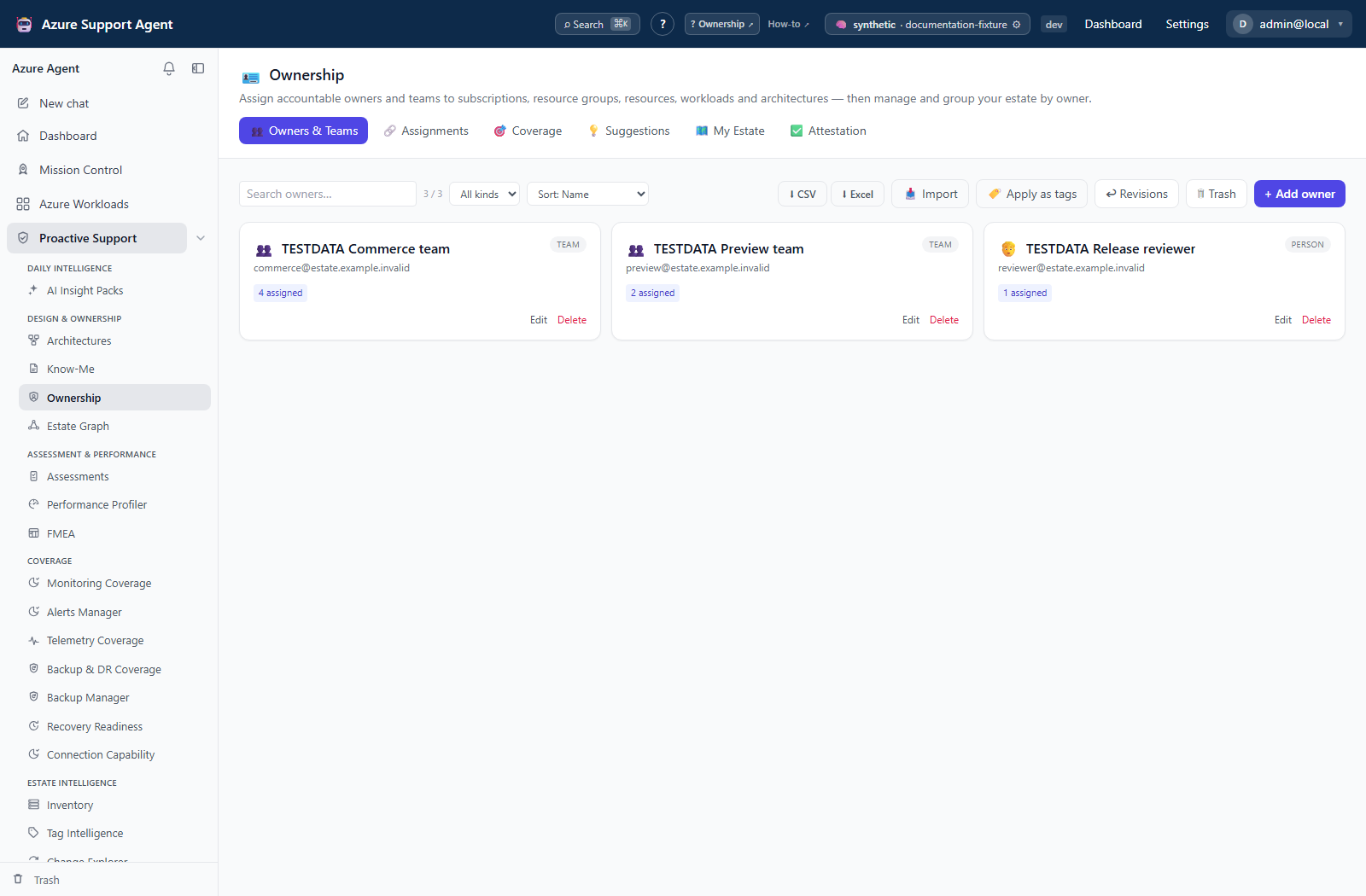
Expected result: Tenant-wide owner records have stable identity, kind, contact, source, and optional team/delegation metadata.
Verification: Search imported owners, inspect duplicates, and compare export row counts with the confirmed import.
How to create and maintain assignments
- Open Assignments, select the connection/scope, and choose + Assign.
- Pick an owner and subject: subscription, resource group, resource, workload, or architecture.
- Select the accountability role, primary status, and notes where shown.
- Save; use bulk assignment or transfer only after reviewing the entire target set.
- Remove obsolete assignments to Trash and restore when removal was accidental.
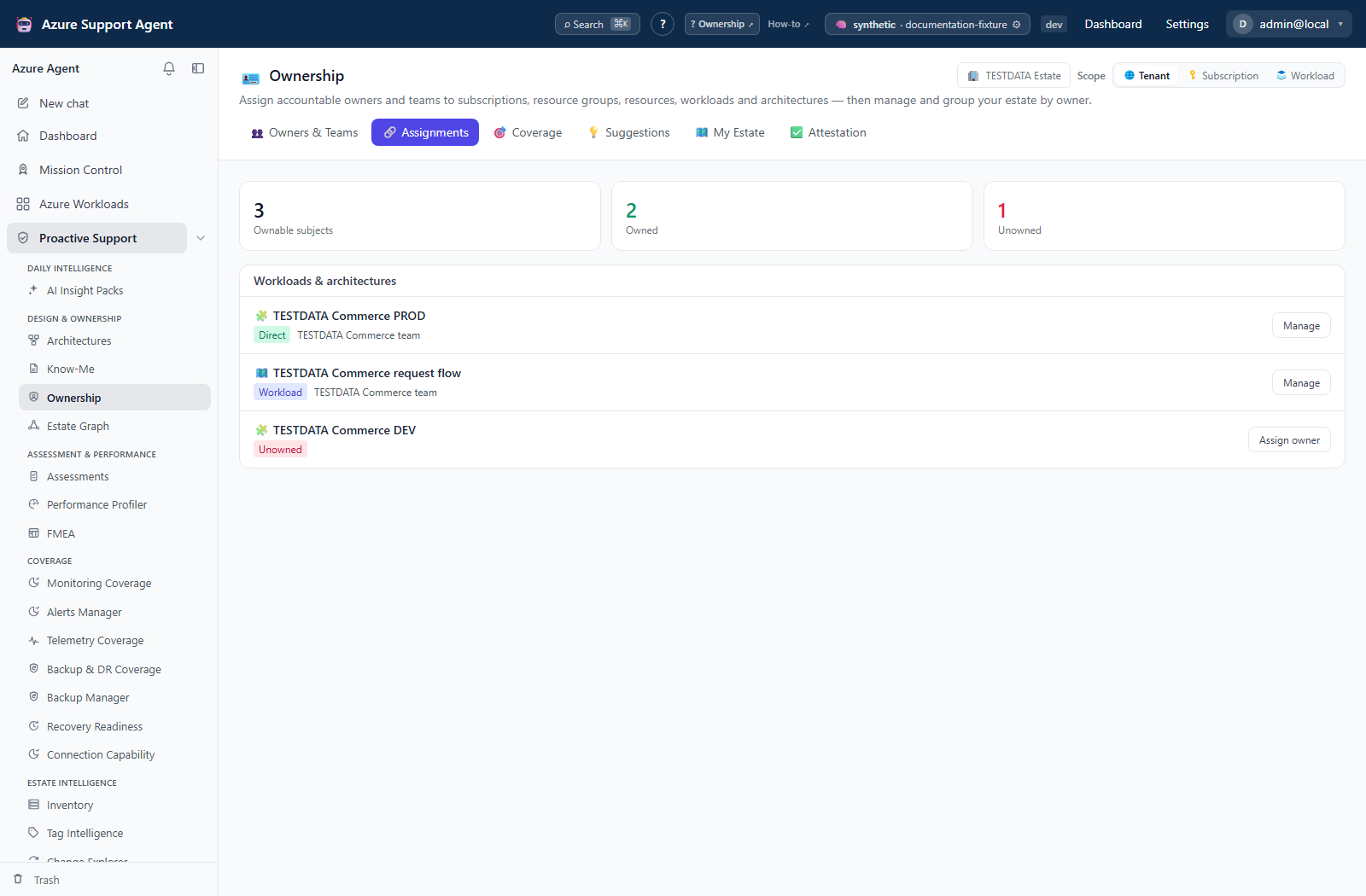
Expected result: Accountability resolves for the selected subject; no Azure RBAC role is granted.
Verification: Open Coverage/My Estate and the consuming workload/architecture view; confirm owner, role, subject ID, and tenant.
How to refresh coverage and review suggestions
- Open Coverage, select connection and scope, then explicitly Load or Refresh; opening the tab does not scan automatically.
- Review percentage, denominator, gaps, role/source breakdown, and trend.
- Prioritize unowned critical workloads/resources rather than percentage alone.
- Open Suggestions and inspect RBAC, directory, naming, tag, or workload evidence and confidence.
- Accept only when the candidate is accountable—not merely privileged—or create an explicit assignment instead.
- Refresh coverage and verify the gap closes.
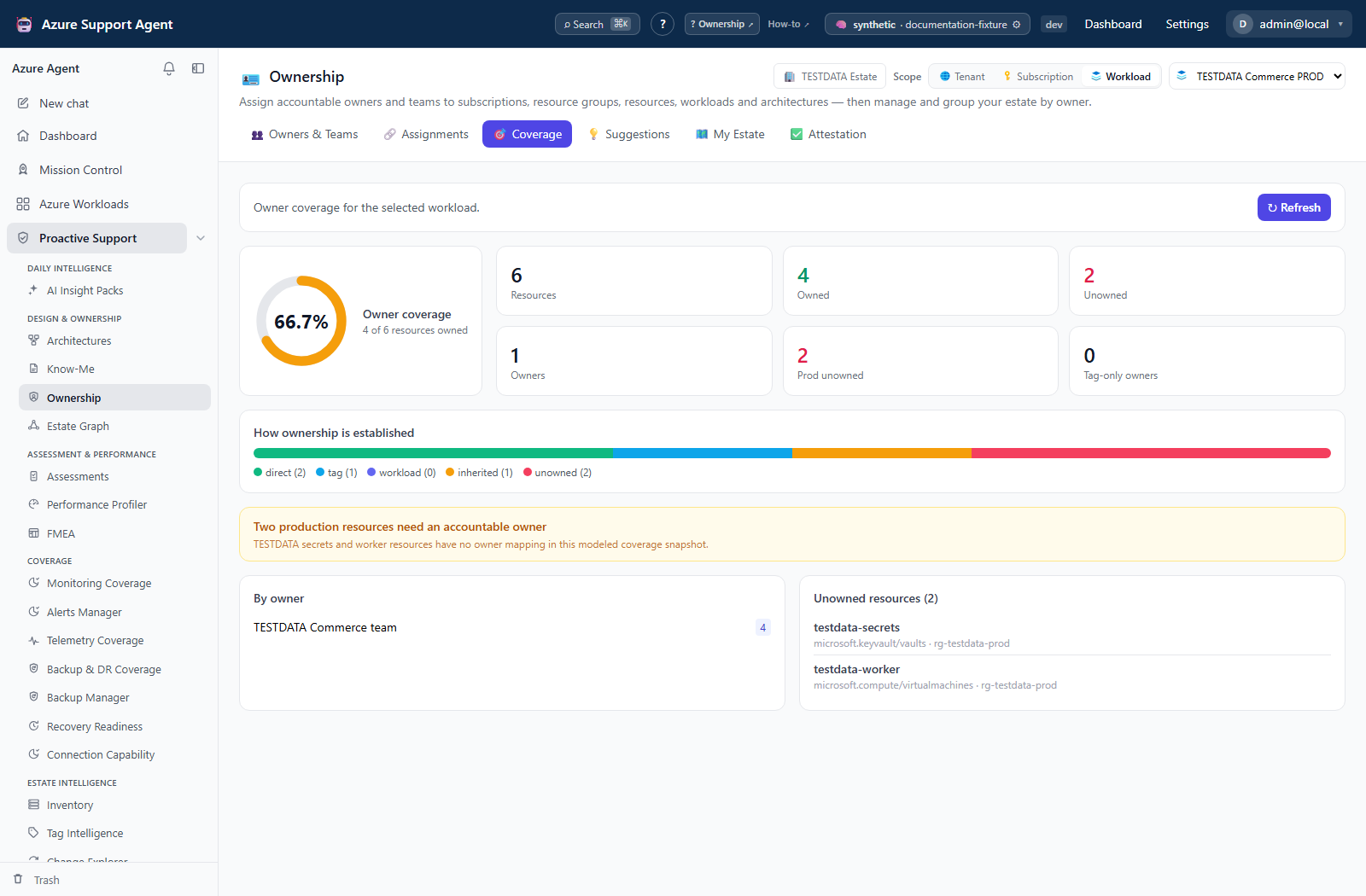
Expected result: Coverage is current for the scope and approved suggestions become explicit assignments.
Verification: Check refreshed timestamp and confirm accepted subject/role in Assignments.
How to review My Estate and attest
- Open My Estate and select yourself or an owner to inspect attributed subjects.
- Correct stale directory or assignment records before sign-off.
- Open Attestation, select the intended scope, and review evidence, status, and due information.
- Select Attest for each assignment that has been confirmed; the current UI does not implement defer, escalation, or bulk attestation.
Expected result: A timestamped attestation is recorded against each confirmed assignment; items become stale again after 90 days.
Verification: Reload Attestation and confirm actor/time/decision; remember that attestation is historical, not continuous compliance.
How to preview and apply ownership tags
- From the ownership tag workflow, select Apply tags and choose the intended subjects/tag mapping.
- Run preview and inspect every before/after value, target count, connection, and policy/casing conflict.
- Confirm only after Azure write access, naming policy, locks, inheritance, and tag limits are understood.
- Apply, then inspect Tag revisions and refresh Azure inventory/ownership coverage.
- Use the available revision/revert action where implemented; otherwise restore through the approved Azure/IaC process.
Expected result: Only previewed resources receive approved ownership tag values and the change is recorded.
Verification: Query Azure tags and compare with the revision’s before/after set; do not use the button response alone as proof.
Safety and rollback
- Ownership records do not grant RBAC.
- Directory exports contain personal/organizational information.
- Imports and bulk actions require preview/sample validation; inconsistent identifiers create duplicates.
- RBAC-derived suggestions may identify administrators rather than owners.
- Tag application is an Azure mutation. Preview first and use tag revision/revert or approved IaC rollback.
- Soft deletion is recoverable; purge/empty Trash is permanent.
Troubleshooting
| Symptom | Resolution |
|---|---|
| People search is empty | Check query length/spelling, identity connector, Graph permission, and eventual consistency. |
| Coverage is low | Verify scope, inventory freshness, subject kind, and duplicate/deleted owner records. |
| Suggestion is wrong | Reject it and create an explicit assignment after inspecting evidence. |
| Assignment is missing elsewhere | Check exact subject identifier, tenant/connection, then refresh the consumer. |
| Tag apply fails | Check Azure RBAC, locks, policy denial, tag limits, and preview scope. |
| Attestation scope seems wrong | Reconfirm workload/subscription scope; connection selection is not a substitute for subject verification. |