Automations
Automations turns reviewed operations into repeatable runs. Open /automations for the overview and its permission-filtered cards. Active schedules, total schedules, total runs, and connector count summarize stored application state, not current Azure health. The connector count is shown only with connectors.manage; task metrics require tasks.read.
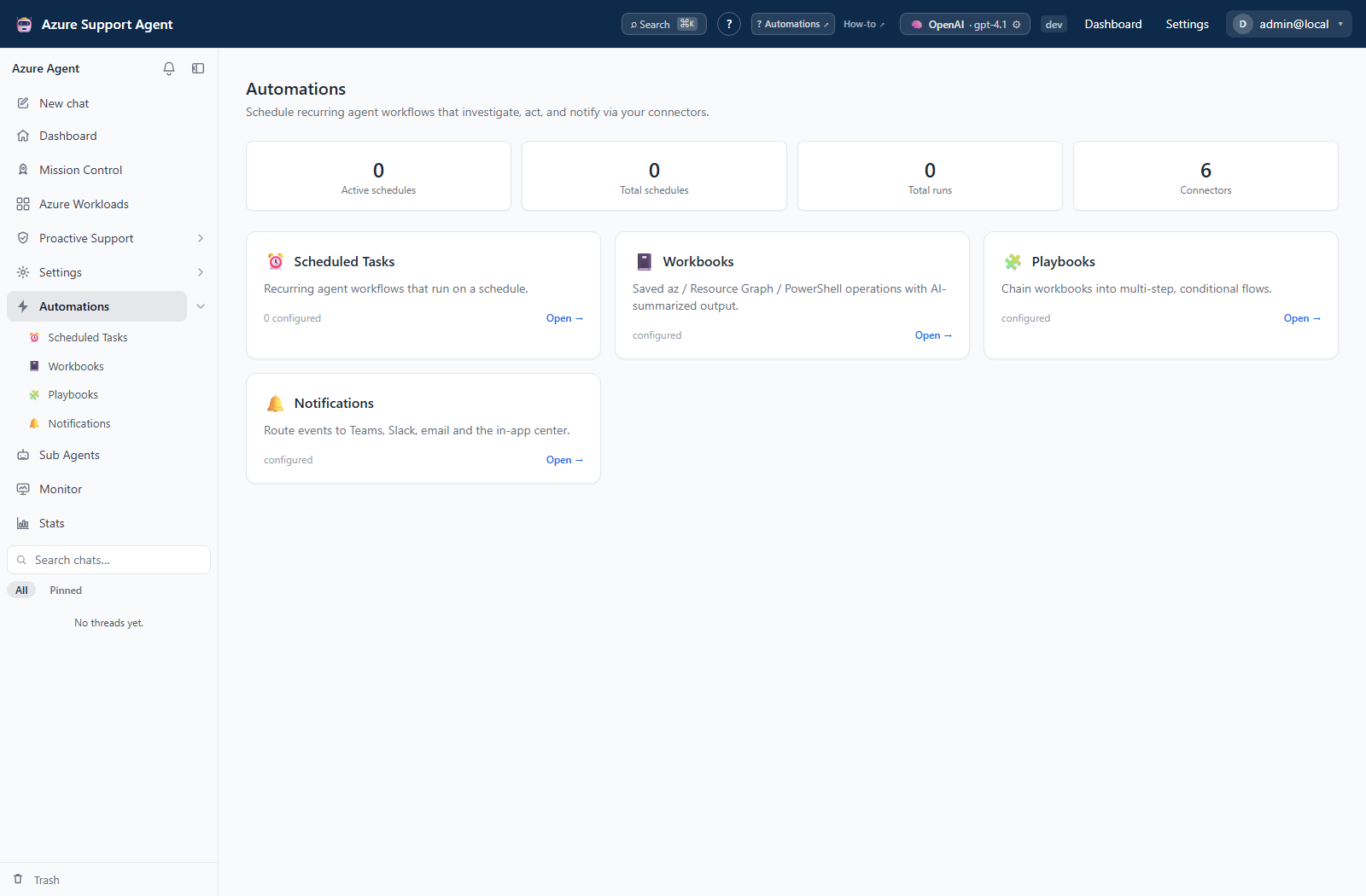
| Guide | Purpose |
|---|---|
| Scheduled Tasks | Run agents, assessments, workbooks, or playbooks on a recurrence. |
| Workbooks | Save parameterized Azure CLI, Resource Graph/KQL, or PowerShell operations. |
| Playbooks | Chain workbooks with conditions and output mappings. |
| Notifications | Manage the in-app center and event-routing rules. |
| Sub Agents | Configure reusable personas, models, and least-privilege tool sets. |
Permissions and effects
| Surface | Read / change boundary |
|---|---|
| Tasks | tasks.read for lists/history/preview; tasks.write for definitions and lifecycle; tasks.run for manual execution. |
| Workbooks | workbooks.read for lists/history/export/tiles; workbooks.write for authoring, import, AI drafts, tests, and runs. |
| Playbooks | playbooks.read for lists/history/export; playbooks.write for authoring, import, AI drafts, and runs. |
| Notification center / rules | notifications.read for the tenant feed and shared read state; notifications.manage for rules. |
| Sub Agents | agents.read for catalog/export; agents.write for changes/import/AI design; chat.use for chat execution. |
The current automation shell disables entire authoring panels for read-only roles, so some History/Export controls are disabled despite read-authorized APIs. Connector pickers require connectors.manage; agent model configuration/diagnostics require settings.read.
Definition edits are stored application writes, not Azure deployments. Workbook tests/runs and playbook runs execute operations; agent runs may use read or write tools; notifications can create external messages, incidents, objects, or workflow invocations. Azure/provider permissions are separate from application permissions.
How to choose and validate an automation workflow
- Use a Workbook for one reviewed operation, a Playbook for an ordered workbook chain, or a Sub Agent for an AI-led task with explicit instructions/tool policy.
- Constrain connection, parameters, and destinations. Validate manually and inspect raw evidence, not only AI severity or a success badge.
- Create a Scheduled Task with Schedule enabled turned off; use Run now only after reviewing effects, then inspect both task and target histories.
- Add notification rules deliberately. Keep an explicit in-app route if all events must remain visible after enabling filtering rules.
- Enable recurrence after verification and pause schedules before changing/removing referenced definitions.
Expected result: A tested operation becomes recurring without confusing stored configuration with executed changes.
Verification: Confirm target output and actual destination effects. Read the feature’s recovery limits: playbooks are not transactional, workbook Test run is real execution, agent Autonomous mode removes the interactive write gate, and task archive is not cancellation.
Recovery boundaries
Task archive/restore preserves task history; permanent task deletion removes only that schedule and its task runs. Workbook/playbook/agent deletion has no corresponding trash workflow. No shared automation retry/undo exists: inspect partial evidence and any external effects before starting a new full run. See automation how-to guides for feature-specific procedures.