Know-Me
Purpose
Know-Me turns architecture memory into a support-facing workload reference. It captures operational context that a diagram alone cannot express: triage steps, dependencies, known issues, thresholds, escalation guidance, and human completion items.
Application routes: /knowme, /knowme/:id; architecture memory is also available at /architectures/:id/memory and /architectures/memory.
Screenshot note: These are synthetic documents in the current native UI. Saved fields, Memory history, and generation metadata are browser-only examples, not real AI output or diagnostic results. No AI calls, DNS lookups, or SSH probes were performed.
Common use cases
- Give on-call engineers a workload-specific starting point.
- Record known failure symptoms, safe checks, and escalation contacts.
- Ground deep investigations in reviewed architecture context.
- Preserve operational knowledge across team changes.
- Supply reviewed context for FMEA and other AI-assisted workflows.
Prerequisites, permissions, and data
architectures.readallows viewing Know-Me and architecture memory.architectures.writegates Know-Me creation, edits, AI generation, reference/lifecycle changes, revision restore, assets, and deletion. Memory has different endpoint guards: its AI generation and revision restore currently usearchitectures.read; normal Memory save/delete usearchitectures.write.- A linked architecture and workload provide the best grounding.
- AI generation requires a configured provider and uses the diagram, accessible live resource context, known weaknesses, and optional imported grounding notes.
- Human-authored notes are treated as operational context; do not paste secrets, tokens, customer data, or unapproved personal information.
Index and editor
The index shows existing documents grouped by workload, buildable architecture suggestions with Memory, source and status badges, last update, and Trash. A workload can have multiple Know-Me documents; Reference selects one canonical document and clears that flag on its siblings. Reference selection is separate from publication status.
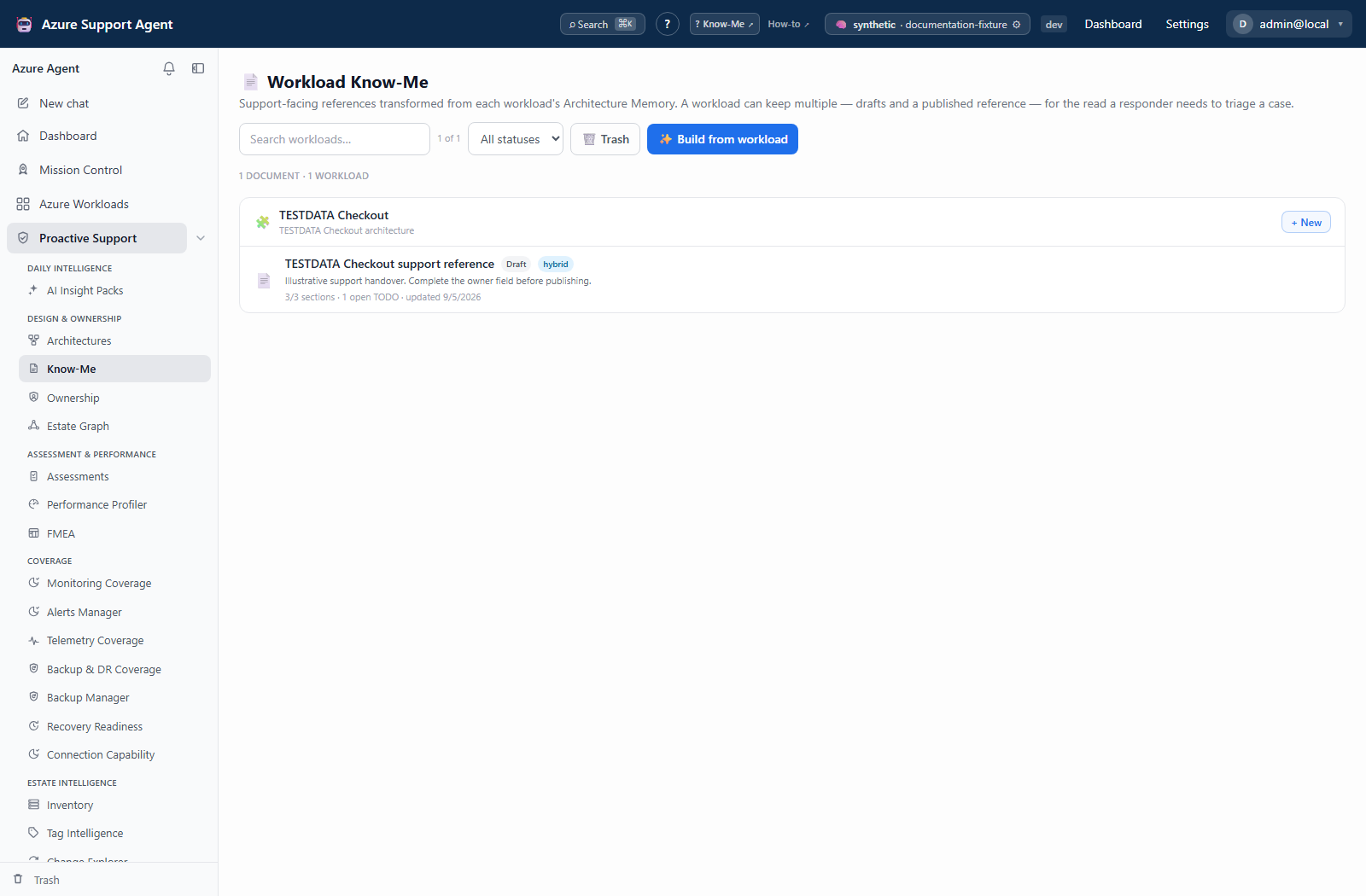
Build from workload reuses an architecture or creates one, generates missing/empty Memory, then creates a new Know-Me. It does not automatically refresh existing non-empty Memory. Review source freshness first. Retained documents can show workload deleted or orphaned architecture context; do not treat these as current buildable workloads.
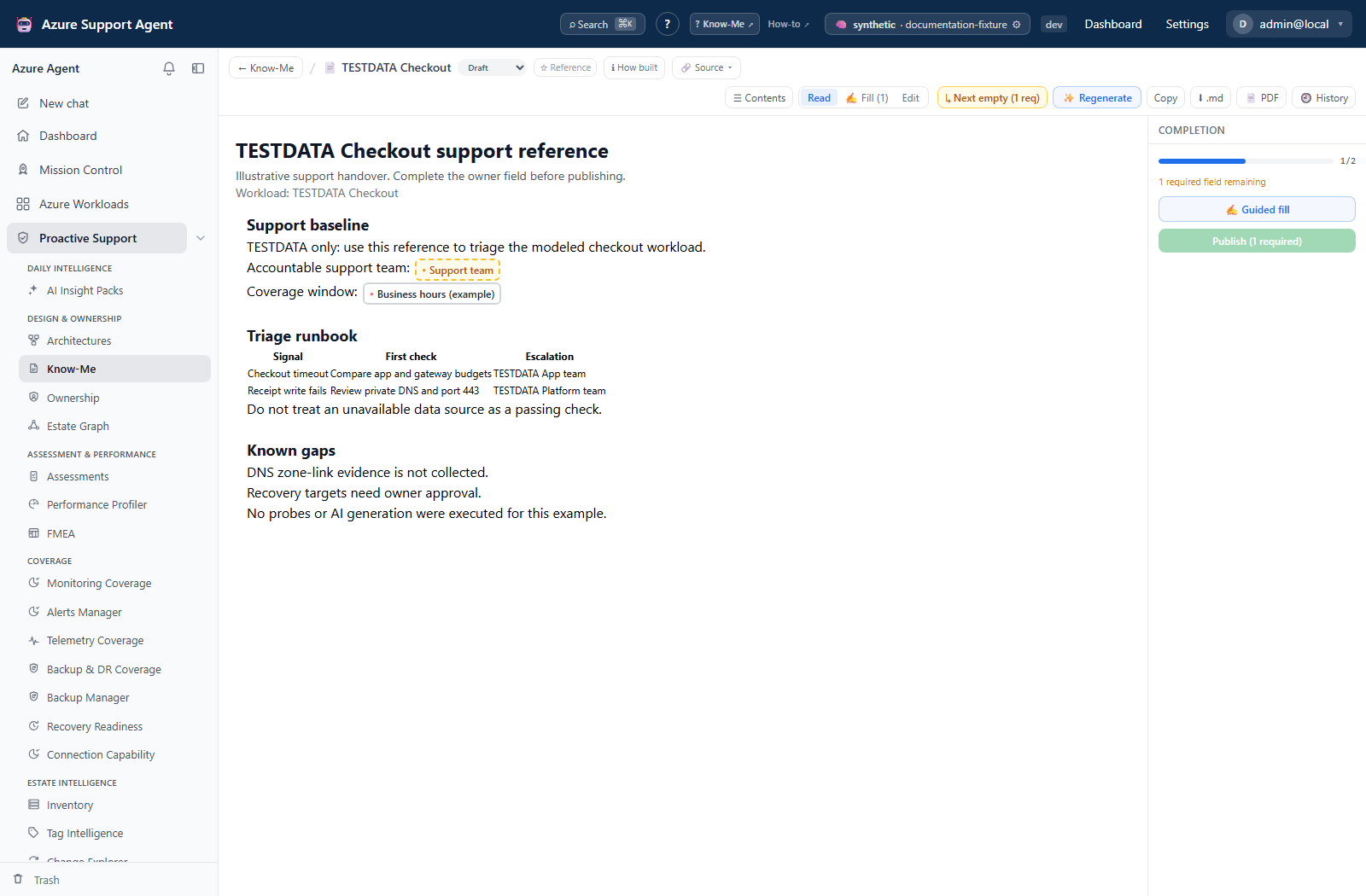
The Know-Me document has Read, Fill, and Edit modes. Field chips remain editable after completion; Next empty cycles through unfilled fields. Fill walks the whole document or a single section, with typed validation, suggestions, assignee, and note. Suggestions are options to verify, not accepted facts. The completion rail’s Publish button waits for required fields, but the status selector/API is not an independent approval gate.
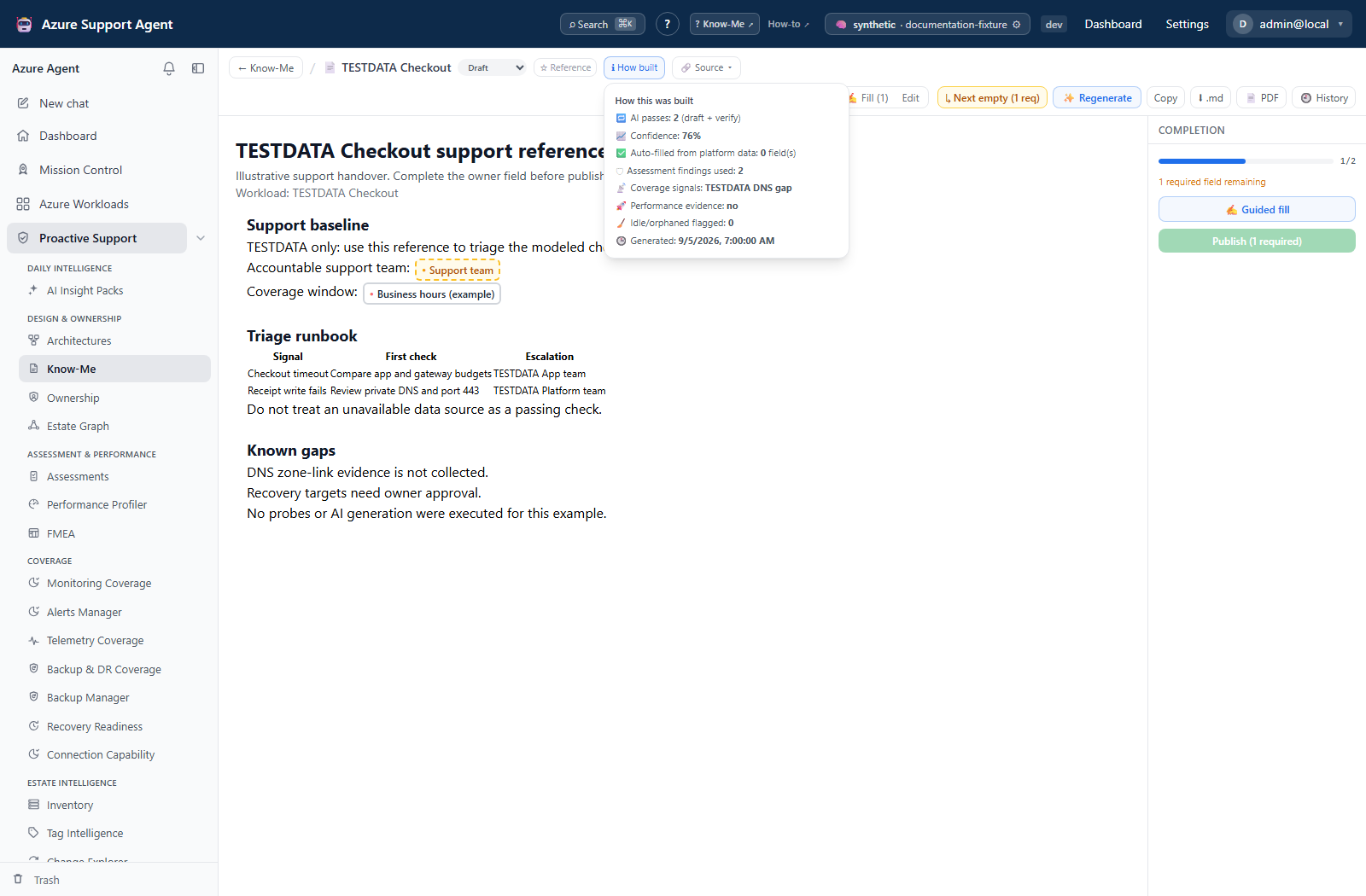
Each section’s editor has Visual, Markdown, and Preview tabs, table editing, architecture/Mermaid insertion, and image upload/paste. Save section persists the edit; closing the dialog is not a save. Uploads are limited to 8 MB and can create an asset before the section is saved. How built shows generation passes and the assessment, coverage, performance, and idle-resource evidence used; Source opens related records.
Architecture Memory is a separate source document
Architecture Memory uses a two-pane editor:
- Section editor: structured cards for operational topics, with per-section regeneration.
- Live preview: the combined Markdown document as support users will read it.
- Templates: quickly select a relevant set of memory sections.
- Import grounding notes: add authoritative context before generation.
- Generate with AI: draft all selected sections from available evidence.
- Investigate: hand the linked workload and memory to a deep investigation.
- Enabled for investigations: controls whether this memory is injected into linked investigations.
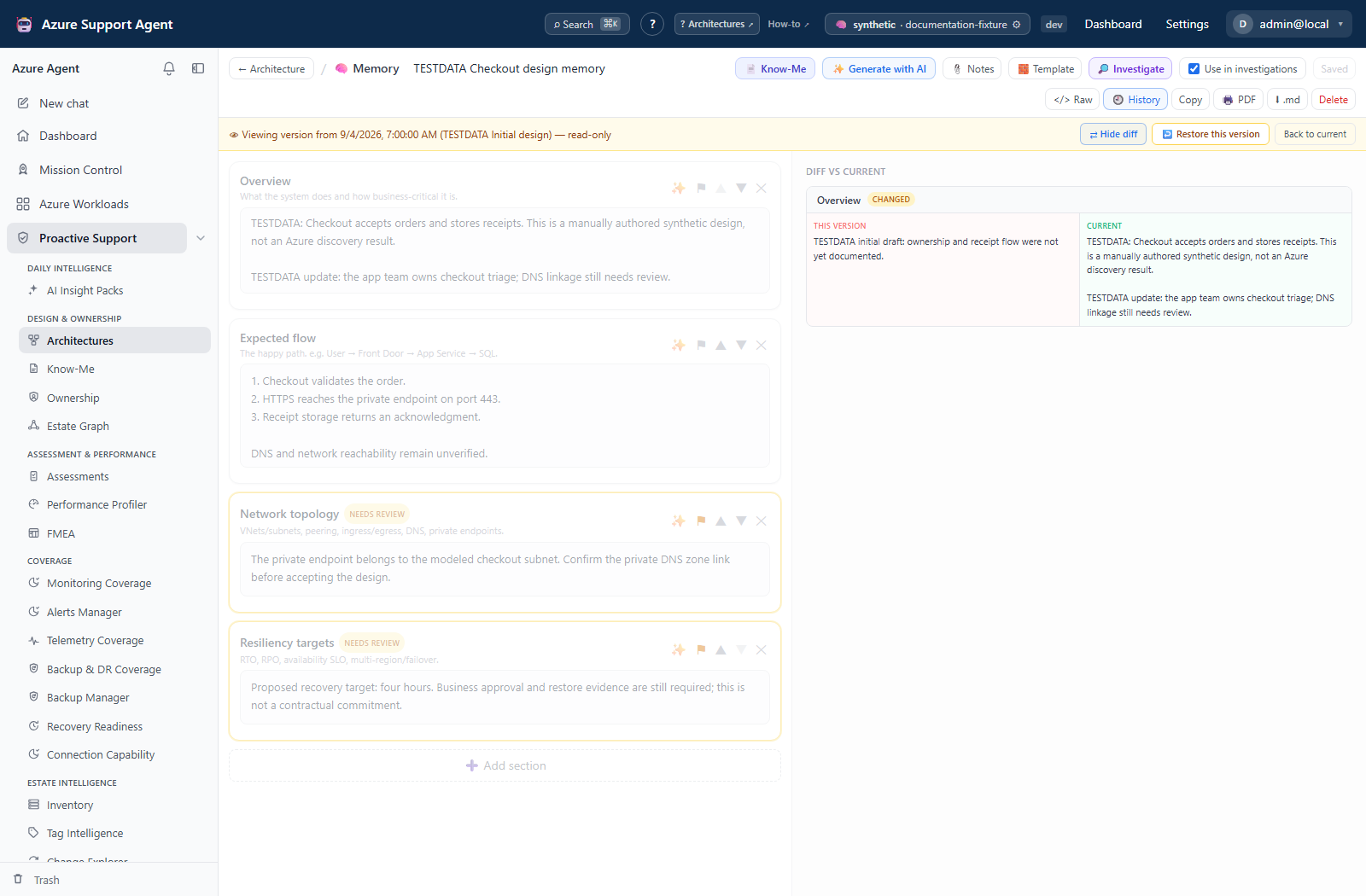
- History: preview a saved revision, compare it with current content, and restore it non-destructively.
Memory also provides raw Markdown editing, section ordering, review flags, and heuristic diagram-coverage suggestions. Switch Raw → Sections to apply raw edits before saving or exporting. Section edits auto-save after 800 ms; the completeness meter counts non-empty sections, not verified facts. Applying a template adds missing sections without replacing existing content, whereas full AI generation overwrites every section for which the model returns content.
Recommended content
A useful Know-Me document should state:
- workload purpose, critical user journeys, and service boundaries;
- primary dependencies and ownership/escalation paths;
- health signals, expected ranges, and where to query them;
- known issues and distinguishing symptoms;
- safe first-response checks and explicit stop conditions;
- recovery prerequisites, validation steps, and rollback considerations;
- unresolved questions and dates for review.
Avoid generic advice. A short, verified instruction is safer than a long speculative runbook.
Workflow
- Open the reviewed architecture and select Memory.
- Choose a template or add the required sections.
- Add approved grounding notes and generate a draft, or author manually.
- Verify commands, links, thresholds, dependencies, and contacts with the owning team.
- Regenerate only weak sections so reviewed material is not replaced unnecessarily.
- Enable Memory for investigations after human review; then create/open its separate Know-Me document.
- Complete the Know-Me fields, review How built, save section changes, and set the appropriate lifecycle/reference state.
- Export a reviewed copy and revisit both documents after architecture changes.
Interpret status and freshness
Source badges distinguish generated, edited, and hybrid material. A generated-at timestamp describes when AI last drafted content, not when every source was observed. The editor warns when architecture changes are newer than generated memory. Treat that warning as a review requirement.
If lifecycle states such as Draft, In review, or Published are shown, use them as governance signals. Published content should be changed through a new reviewed revision, not silently assumed current forever.
Know-Me’s stale warning compares Memory update time with Know-Me generation time. Full-document generation continues server-side when its browser stream is closed, and the page can reconnect to an in-flight document generation. Closing/cancelling the stream is not proof the server stopped or rolled back a saved draft. This is navigation survival, not a guarantee of server-restart recovery.
Exports, history, and integrations
- Know-Me exports persisted content as Markdown or a branded PDF; the PDF includes embedded document assets.
- Memory’s Copy/Markdown/print controls use the local section state. Its print window contains Markdown text, not the Know-Me PDF renderer.
- Revision history stores snapshots; restoring an older revision first preserves the current version, making restore non-destructive.
- Investigate creates a deep-investigation handoff grounded in the linked workload and memory.
- Know-Me supports FMEA, architecture workflows, and operational handoffs.
Safety and limitations
- AI-generated runbook steps can be unsafe, obsolete, or environment-specific. Test and approve them before use.
- Never include credentials or secret values. Link to an approved secret-management process instead.
- Memory can become stale after topology, deployment, ownership, or operating-model changes.
- Deleting architecture memory is immediate and cannot be undone; revision restore applies only while history exists.
- Enabling memory for investigations increases its influence on AI responses but does not make it authoritative.
- Know-Me revision restore restores title, sections, completion fields, status, source, and AI metadata; it is not a rollback of description, Reference selection, or deleted assets. Preserve needed assets before purging.
- Memory’s investigation renderer prioritizes diagnostic sections within a default 4,000-character budget. An enabled document is not necessarily injected in full.
Troubleshooting
| Symptom | Checks |
|---|---|
| Generate is unavailable | Save the memory/architecture first and verify write permission and AI provider health. |
| A section is generic | Add precise grounding notes, verify architecture detail, and regenerate only that section. |
| Stale warning appears | Review recent architecture changes, update content, and regenerate where appropriate. |
| Investigate is disabled | The button needs a linked workload. Link one on the architecture; separately verify Use in investigations before relying on injected Memory. |
| History is empty | Save meaningful edits first; revisions are created from persisted changes. |
| Memory export omits raw typing | Raw text has not been applied to sections. Switch back to Sections, save, and export again. |
| Know-Me export omits recent typing | Save the field or Save section first; the export reads persisted content, not an open editor draft. |