Ownership
App routes: /ownership and /ownership/:tab
Product permissions: ownership.read; mutations require ownership.write.
Purpose
Ownership records accountable people, teams, and services and associates them with subscriptions, resource groups, resources, workloads, and architectures. It also measures coverage, proposes candidates from directory and RBAC evidence, presents owner-centric estates, and records attestations.
Prerequisites and data sources
| Requirement | Detail |
|---|---|
| Read | ownership.read to view directory, assignments, coverage, suggestions, estates, and attestations. |
| Write | ownership.write to create or change records and accept mutating actions. |
| Directory | Local owner records; optional Entra, OIDC, SSO, and RBAC-backed people-picker results depend on configured identity access. |
| Azure scope | Connection and subscription/workload scope for scans, subjects, coverage, and suggestions. |
| Tagging | Azure write permission is required only when applying ownership records as resource tags. |
The owner directory and My Estate are shared across Azure connections within the application tenant. Coverage scans use a connection and a workload/subscription scope. Assignments and Suggestions use subject-scope filters, but their backing registries are not partitioned by the connection selector. Attestation deliberately hides the connection picker. A connection selection is not an ownership-data isolation boundary.
Tabs and actions
Directory
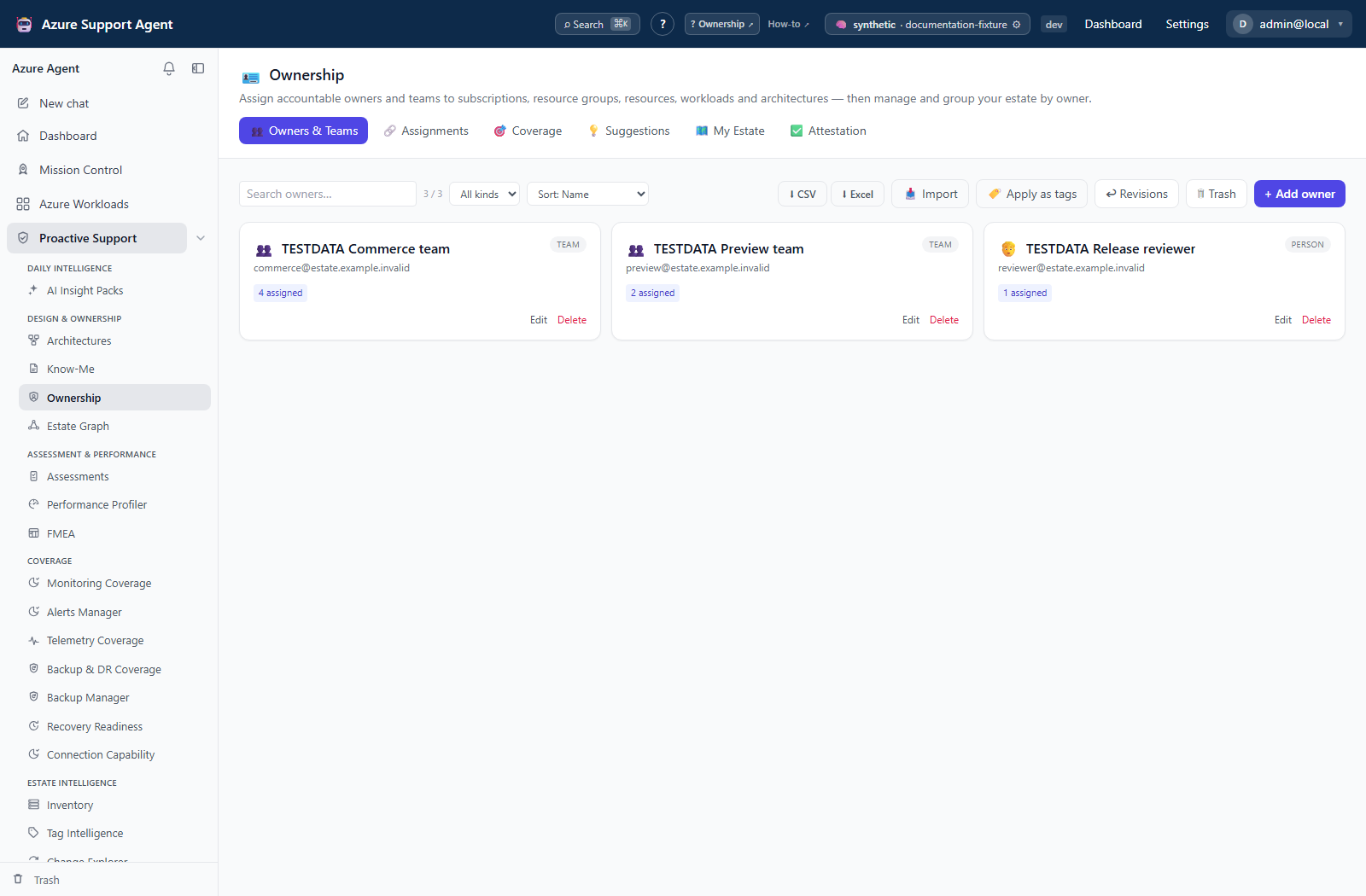
Create people, teams, or service owners manually or through the federated people picker. The owner editor has From directory and Manual nested tabs and supports temporary delegate cover. Search, filter by kind, sort, edit, soft-delete, restore, permanently purge, or empty Trash. Use Import for CSV/Excel bulk data, download a template, choose workbook sheets, review inferred mappings, export CSV/Excel, and review Trash.
Apply as tags is a separate Azure mutation. Preview the target set and values, confirm permissions and naming policy, then review tag revision history so an approved change can be traced or reverted where supported.
Assignments
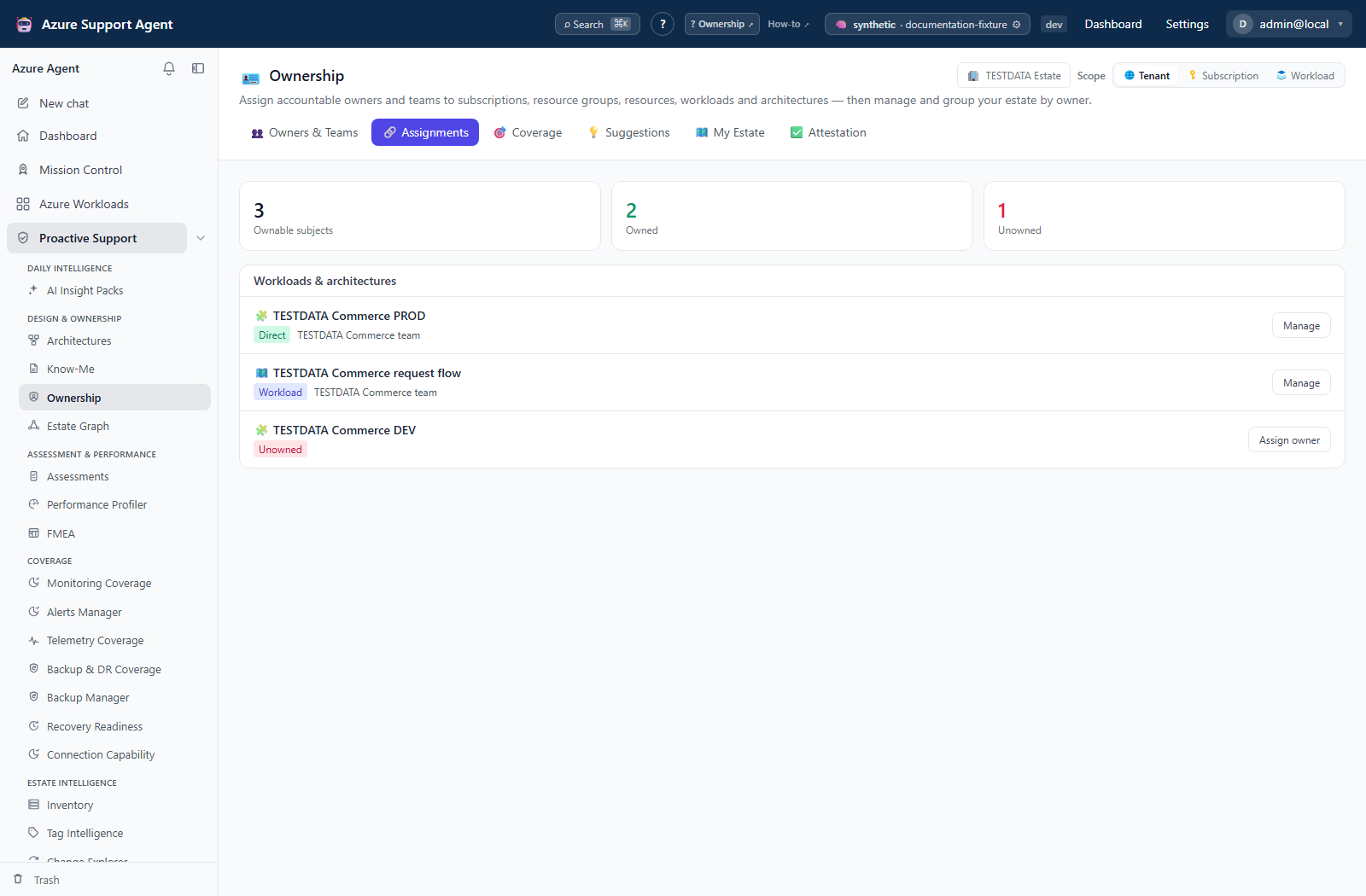
The Assignments tab lists workloads and architectures with Assign owner or Manage on each row. The dialog chooses an existing owner, accountability role, and Primary flag, and removes current assignments. It is not a generic + Assign subject picker. The registry/API supports six subject kinds—management group, subscription, resource group, resource, workload, and architecture—and API bulk/transfer/assignment-Trash operations; these are not all controls in this tab. Workload scope selects the workload subject itself, not every contained resource. Assignments record accountability and do not grant Azure RBAC permissions.
Coverage
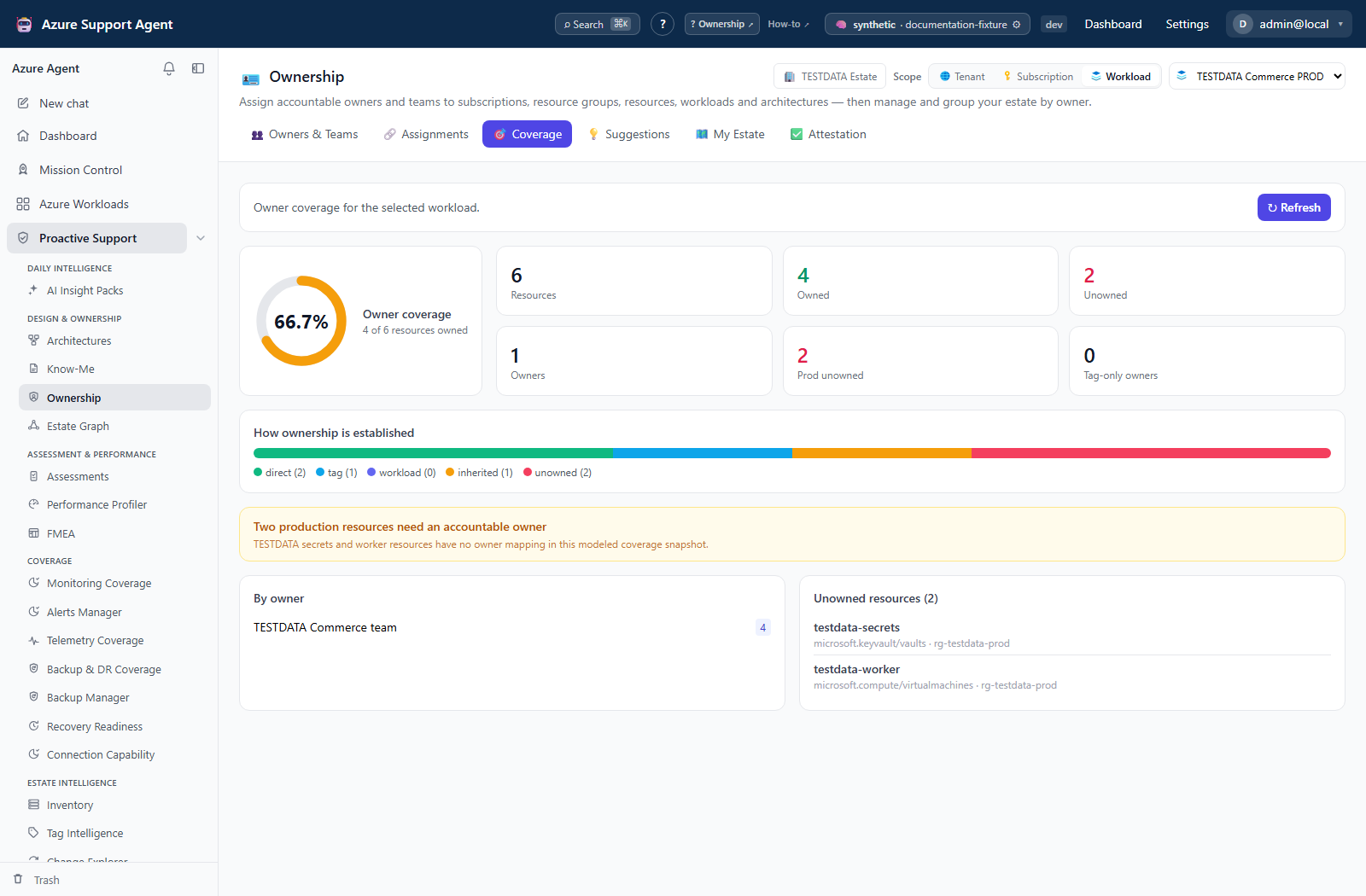
Review owned versus unowned subjects, coverage percentage, gaps, and trend. A high percentage can still hide critical unowned systems, so inspect the gap list and scope denominator.
Suggestions
Review proposed owners derived from available signals such as RBAC assignments, directory groups, and existing workload context. Accept only after confirming the candidate is accountable—not merely technically capable or historically active. Dismiss hides a suggestion in the current tab session; it does not persist a rejection decision and the suggestion can reappear after reopening.
My Estate
Select an owner to see the subjects attributed to that owner. Use this view for handoff, review, and contact validation; it is not an authorization boundary.
Attestation
Record owner sign-off for scoped assignments. Items are never, stale at 90 days, or fresh; the implemented action attests one assignment at a time. Attestation proves that a user recorded confirmation at a time; it does not prove current Azure compliance.
Freshness and scope behavior
Load coverage retrieves a stored snapshot; Refresh performs a read-only Azure scan and stores a trend point. Coverage requires a specific workload or subscription, not whole-tenant scanning. The current page nudges a rescan after 24 hours; loading a snapshot does not enforce the API module’s declared six-hour TTL or automatically refresh old data. Suggestions combine cached inventory tags, RBAC evidence, and orphan-tag promotion signals.
Usage scenarios
- Onboard accountable owners from a workbook: open
/ownership/directory, upload CSV or Excel, choose a sheet when required, review the AI-suggested column mapping and row preview, then import owners and any resolvable assignments withownership.write. - Close an unowned workload gap: refresh
/ownership/coveragefor the workload, inspect cached tag/RBAC evidence in/ownership/suggestions, accept a verified candidate to create an explicit assignment, and refresh coverage to verify the denominator and gap changed. - Publish ownership as Azure tags: from Directory, open Apply as tags, preview conflicts and skipped unowned resources, confirm the live write, inspect per-resource results in Revisions, and revert the saved recovery copy only after checking for later tag changes.
Maintain the ownership lifecycle
- Build or import the owner directory and remove duplicates.
- Select the correct Azure connection and narrow scope.
- Create explicit assignments for high-criticality workloads first.
- Review Coverage and prioritize unowned critical subjects.
- Inspect Suggestions, accepting or rejecting each with human validation.
- Ask owners to review My Estate and complete attestations.
- Export the current records for review; optionally apply approved tags through previewed changes.
- Re-run coverage after organizational or workload changes.
Interpretation of results
- Assigned means an ownership record exists; it does not mean the owner has RBAC access.
- Unowned means no assignment resolved through current records and scope.
- Suggested is evidence-based but unapproved.
- Coverage depends on the selected subject set and current inventory.
- Attested is a historical declaration and should be checked for expiry or changed conditions.
Exports, tag history, and integrations
- Export the owner directory as CSV/Excel, including assignment counts. Import can also create resolvable assignments; directory export is not a full round-trip backup of every assignment.
- Tag-application revision history records proposed/applied ownership-tag changes and supports the available review or revert flow.
- Assignment changes are available to workload, architecture, inventory, and graph experiences that resolve ownership.
- Directory lookups can integrate with configured Entra, OIDC/SSO, and RBAC sources.
Safety and limitations
- Ownership records do not modify RBAC or confer authority.
- RBAC-derived suggestions can identify administrators rather than accountable service owners.
- Tag application writes to Azure and can conflict with policy, casing rules, inherited tags, or automation. Always preview.
- Tag preview is recalculated on apply, not a frozen plan approval. A custom literal value applies to all target resources without owner lookup. The current dialog does not send the section’s connection selection; verify the connection actually used before any write, especially for a non-default workload connection.
- Apply merges the chosen tag and captures current tags before writes. Revert replaces each target’s entire tag set with its captured prior state; it can erase later unrelated tag changes and is not conflict-aware. Partial apply/revert is possible. Review each resource outcome rather than treating a saved revision as proof of success.
- Import can create duplicates or overwrite intended values if identifiers are inconsistent.
- Purging Trash is permanent.
- Import preview accepts files up to 8 MB and returns at most 5,000 rows for the dialog to submit; the confirm mapper processes at most 10,000 rows. Subscription tag-plan collection is capped at 5,000 resources, the plan returns 2,000 items, and the UI displays the first 200. Aggregate counts can therefore exceed the displayed or applied set; narrow large operations and verify actual targets.
- Directory exports contain personal and organizational information; handle them under applicable privacy rules.
Troubleshooting
| Symptom | Checks |
|---|---|
| People picker returns no results | Verify identity connector configuration, Graph permissions, query spelling, and connection health. |
| Coverage is unexpectedly low | Confirm scope, inventory freshness, assignment subject type, and deleted/duplicate owner records. |
| Suggestion seems wrong | Inspect the underlying RBAC/group evidence; reject it and create an explicit assignment. |
| Assignment is not visible elsewhere | Confirm subject identifier and tenant, then refresh the consuming view. |
| Tag apply fails | Check Azure write rights, locks, policy denials, tag limits, and the previewed resource set. |
| Import reports errors | Validate required columns, kinds, stable identifiers, encoding, and duplicate rows. |
Screenshot walkthrough
These synthetic browser fixtures illustrate an accountability review, not verified directory identities, live ownership coverage, or applied assignments or tags.
1. Review accountable people and teams
2. Examine assignment coverage at the subject level
3. Prioritize scoped ownership gaps