Reservations Monitor
Permission: reservations.read
Purpose
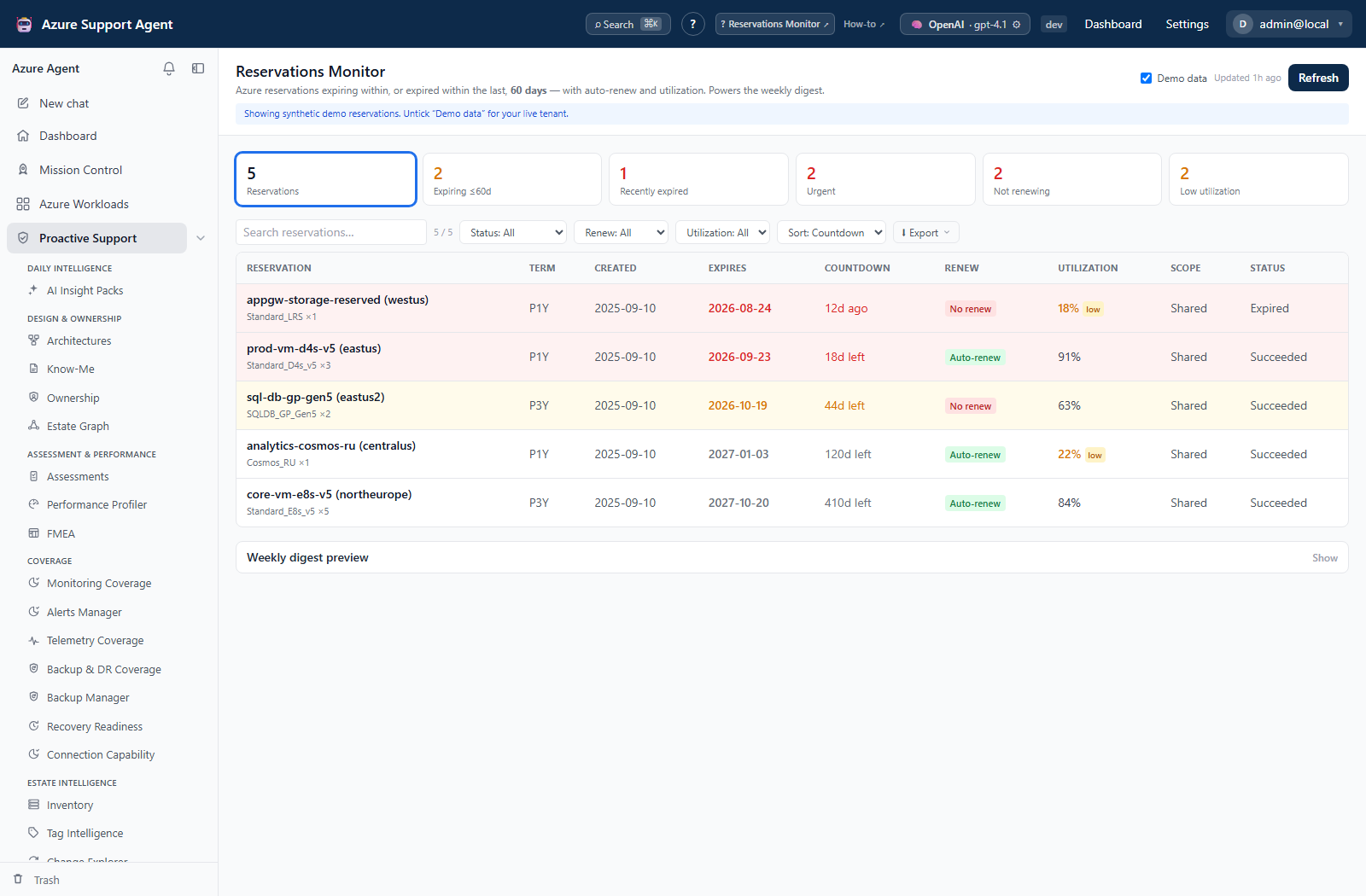
App route: /reservations Reservations Monitor reads billing/tenant-scoped Azure reservation data into a connection-specific cache and highlights expiring, recently expired, non-renewing, and low-utilization orders. It does not buy, exchange, renew, or cancel reservations. reservations.read permits both cached reads and Refresh; there is no separate reservations write permission or approval step for collection.
Prerequisites and data sources
Use a selected Azure connection whose identity can read reservation orders, normally with Reservations Reader at the appropriate reservation-order or tenant scope. Subscription Reader alone may not suffice. Demo reservation collection is synthetic and makes no Azure calls. Digest delivery uses the default Azure connection, plus configured recipients and compatible email connectors; it does not follow the connection currently selected in this page.
How to review expiry, renewal, and utilization
- Clear Demo data and select the intended connection, or enable Demo data for synthetic reservation rows.
- Check snapshot age; use Refresh for current reservation state.
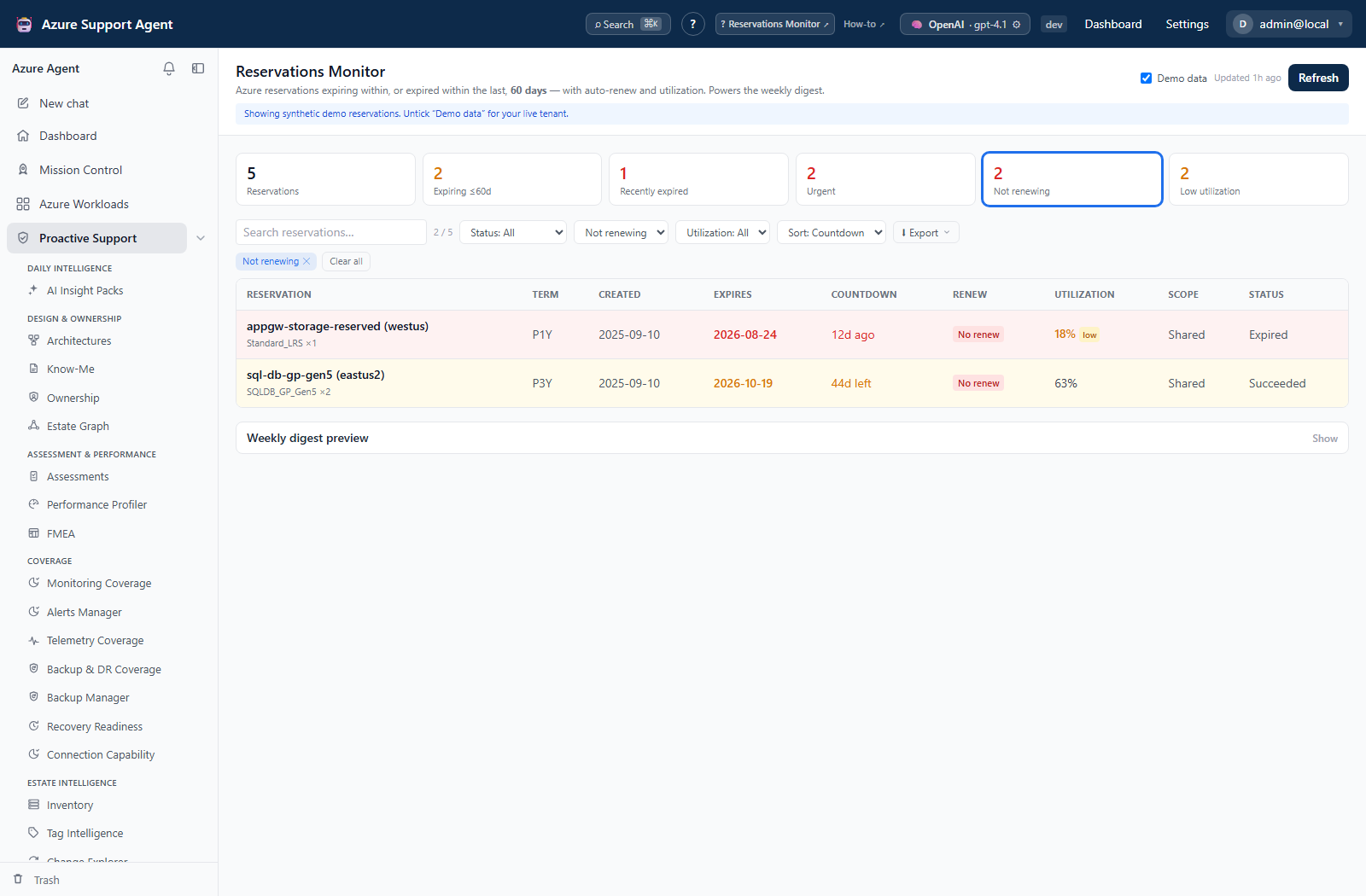
- Filter status, renewal mode, utilization, or search by display name/SKU/scope.
- Sort by Countdown, Utilization, or Name. KPI tiles set filters; remove chips or select Clear all to restore the broader view. There is no SKU/region sort or per-row detail drawer.
- Review term, quantity, creation/expiry dates, auto-renew state, utilization, scope, provisioning status, and countdown. Billing plan and order ID are available in CSV/JSON exports rather than separate table columns.
- Validate the financial decision against Cost Management and reservation-owner records before any action outside this monitor.
Expected result: An order-level review of expiry and renewal risk without modifying commercial commitments.
Verification: Match the connection and source order. One row represents an order; SKU, quantity, renew state, and utilization primarily come from its first child reservation, not an aggregate of all children. Utilization prefers a daily aggregate and flags values below 25%; unavailable values remain unknown, not zero or a recommendation to cancel.
The default window is ±60 days. Expiring soon covers today through the window end; Recently expired covers the preceding window; later expiry is Active and older expiry is Expired. Unknown dates remain unknown. Red covers expiry within 30 days or recent expiry, amber covers the rest of the upcoming window. The main list retains orders outside the window; the digest selects only in-window orders.
How to export the current review
- Apply search, filters, and sort, and confirm the displayed count.
- Open Export and select Rich HTML report, CSV (Excel), JSON, or Copy as Markdown. All use the current filtered/sorted rows without recollecting Azure data.
- Use the printable HTML report for a browser print/PDF workflow; PDF is not a separate server-generated export. If clipboard access is blocked, Copy as Markdown downloads a Markdown file instead.
- Store the artifact as sensitive financial/operational data, and remove retained copies according to organizational policy.
Expected result: A point-in-time handoff containing the selected rows.
Verification: Reconcile one representative row and the exported count. JSON includes snapshot time, filters, and whole-snapshot summary counts; summary KPIs in JSON/HTML/Markdown do not shrink to match the filtered row set. CSV contains row fields, not the complete report metadata.
How to preview a digest and check its delivery boundary
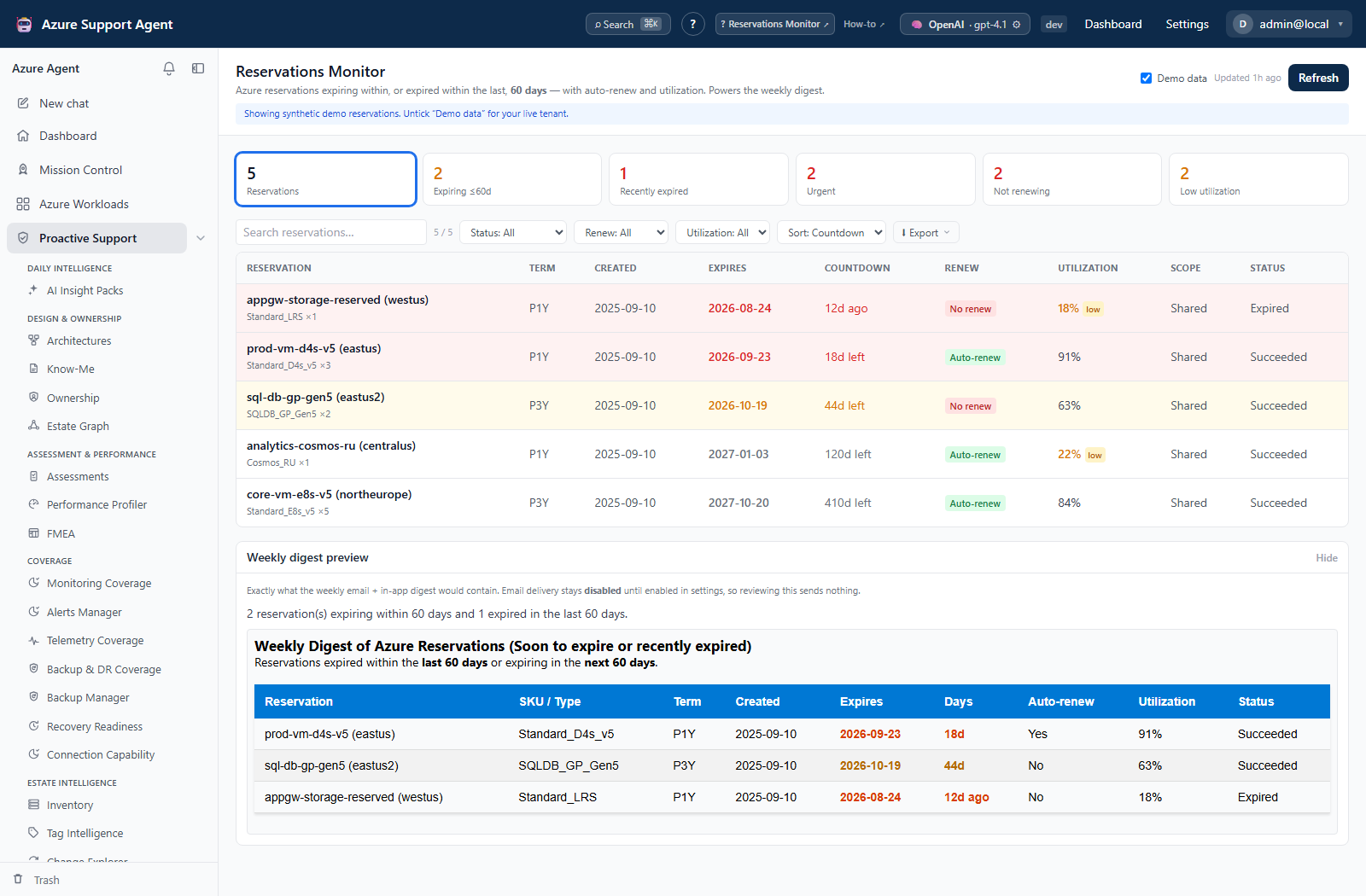
- Expand Weekly digest preview. It selects the cached selected connection’s in-window items, regardless of table filters, and displays generated HTML and a summary. Preview sends nothing and cannot edit/remove individual digest rows.
- Compare the selected connection with the deployment’s default connection before treating preview as the next scheduled email. The scheduler collects fresh data using the default connection and a separate cache key, so preview and scheduled content can differ.
- Ask the administrator to verify deployment digest settings and routing. Backend settings define daily/weekly cadence, weekday, local time/time zone, recipients, and connector IDs; delivery is off by default. The current General settings UI has no reservations digest editor, and its update schema does not accept these keys, so there is no verified click-to-enable or test-send workflow here.
- If delivery is already enabled, verify the in-app notification and each intended external destination. Explicit email delivery needs recipients and an enabled connector exposing
email_send; arbitrary connector IDs are not interchangeable with email senders.
Expected result: A safe preview and a clear distinction between cached review, configured scheduling, and actual external delivery.
Verification: Confirm delivery in the destination, not merely the scheduler’s period marker. The marker is recorded after a send attempt even when channels fail, so the same scheduled period is not automatically retried. Unknown time zones fall back to UTC; there is no resend button on this page.
How to recover from stale or incomplete collection
- Check Updated and any error banner before interpreting an empty list. Opening the page reads cache only; Refresh recollects and overwrites it. The default freshness interval is six hours, not a history-retention period.
- If order collection is unauthorized, correct reservation-scope access with the Azure administrator, then refresh once. If only renew/utilization data is absent, check the child reservations in the authoritative billing view.
- For a large estate, reconcile against the complete order list externally. This collector reads the first response page, expands at most 200 orders, and does not follow continuation links. Child-query failures become empty child data without an explicit partial-warning flag.
- Preserve required exports before refreshing: failures can replace the previous cache with an empty/error snapshot. There is no last-good restore, historical snapshot browser, import, or Trash control for reservation snapshots.
Expected result: The review distinguishes “no visible orders” from unreadable, capped, or stale source data.
Verification: Confirm a new generated time and representative order/child values after correction. A recent timestamp or absent error banner alone does not establish complete collection. Commercial changes and their rollback remain outside this feature.
Troubleshooting
| Symptom | Cause and resolution |
|---|---|
| Empty live list | Confirm the selected connection and reservation-order access, then refresh. A failed refresh can overwrite previously visible rows. |
| Stale values | Refresh and compare generated time with the configured cache TTL. |
| Utilization unavailable | Azure may not return utilization for that product/order; do not infer zero. |
| Digest does not arrive | Confirm enabled deployment settings, default connection, cadence/time zone, recipients, and an email-capable connector. Failed channels still advance the period marker; involve the administrator rather than expecting a page-level retry. |