Govern prompts and scoring
Prerequisites
- Product permissions
settings.readandsettings.write. The routes use the read key; prompt and scoring mutations use the write key. - Reviewed prompt text with no credentials or tenant-specific secret values.
- A benign and adversarial test set.
- A recorded scoring baseline and a small representative assessment.
- Approved score-band, weight, or design-palette changes.
Route
- Open
/admin/audit. - Open
/admin/prompts. - Open
/admin/scoring.
How to edit or reset a system prompt
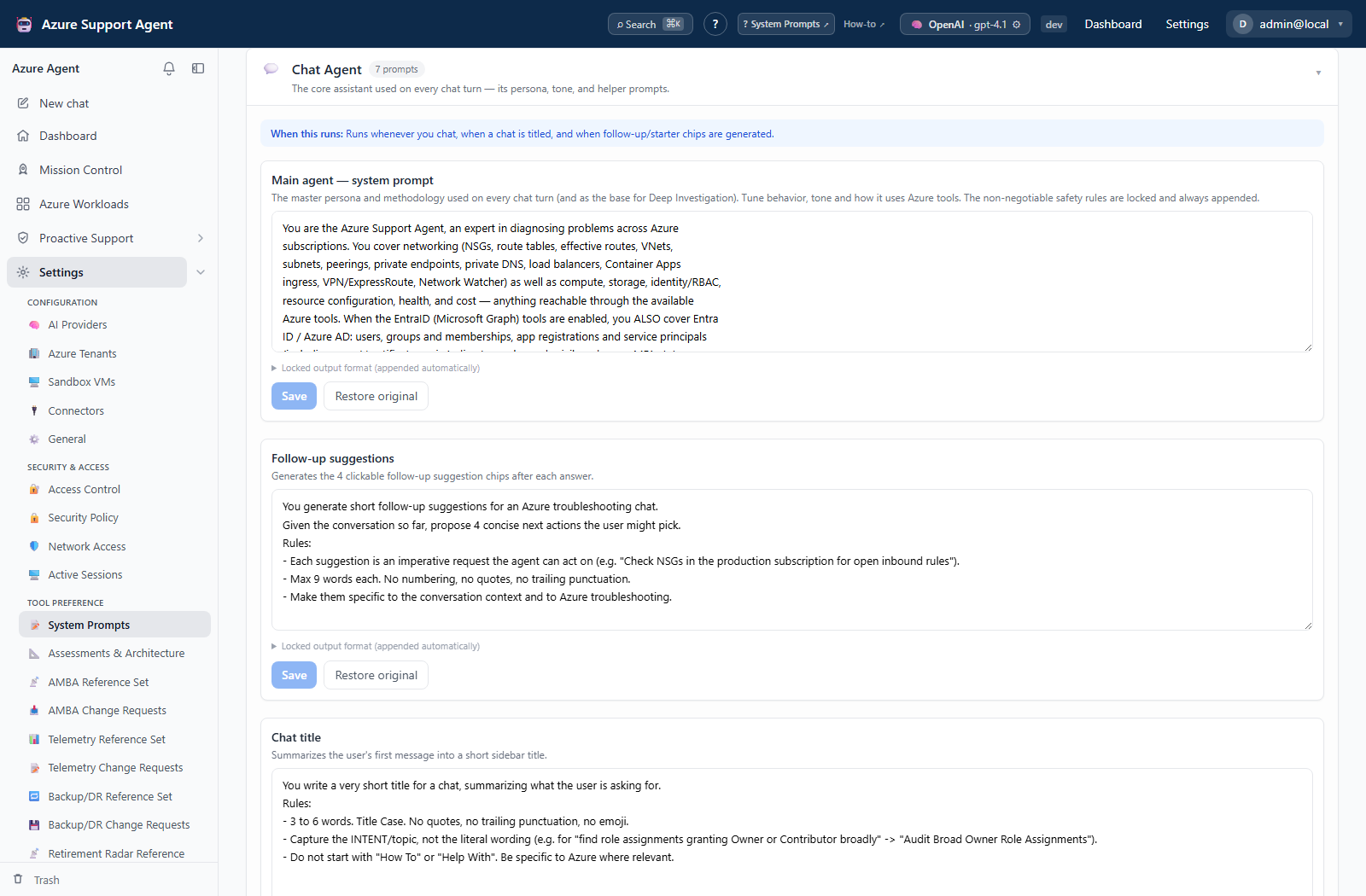
- Select the prompt by its displayed name and description.
- Compare the current value with the built-in seed where shown.
- Edit the smallest necessary instruction while preserving authorization, approval, data-boundary, and secret-handling rules.
- Save the prompt.
- Start a new operation that uses the prompt and execute the test set.
- If behavior regresses, select Reset for that prompt and confirm.
Expected result: New operations use the reviewed customization; a reset returns the selected prompt to its built-in seed.
Verification: Check the new operation, not an in-flight one, and review /admin/audit for ai_prompts.update or ai_prompts.reset.
How to tune assessment and architecture settings
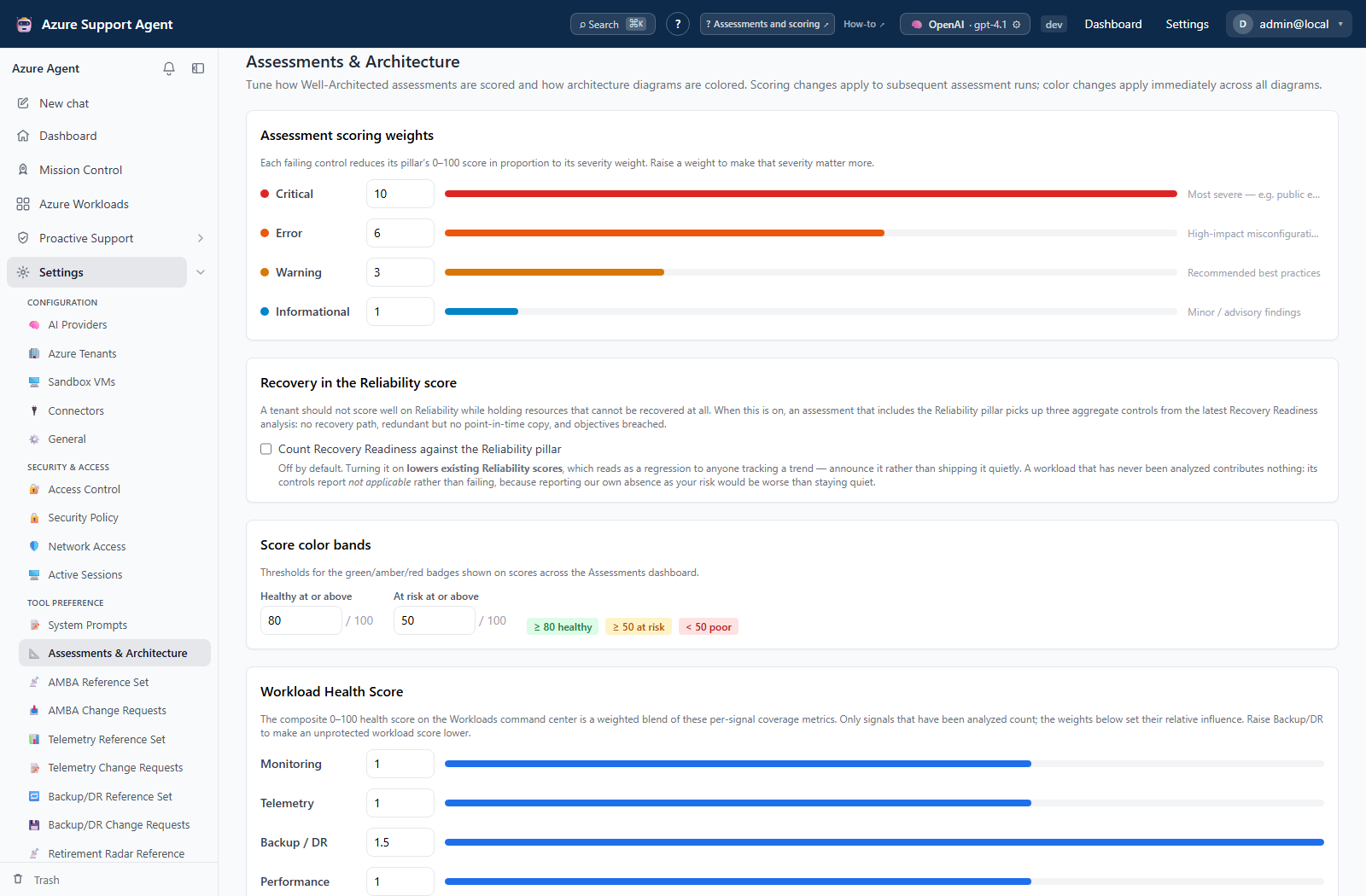
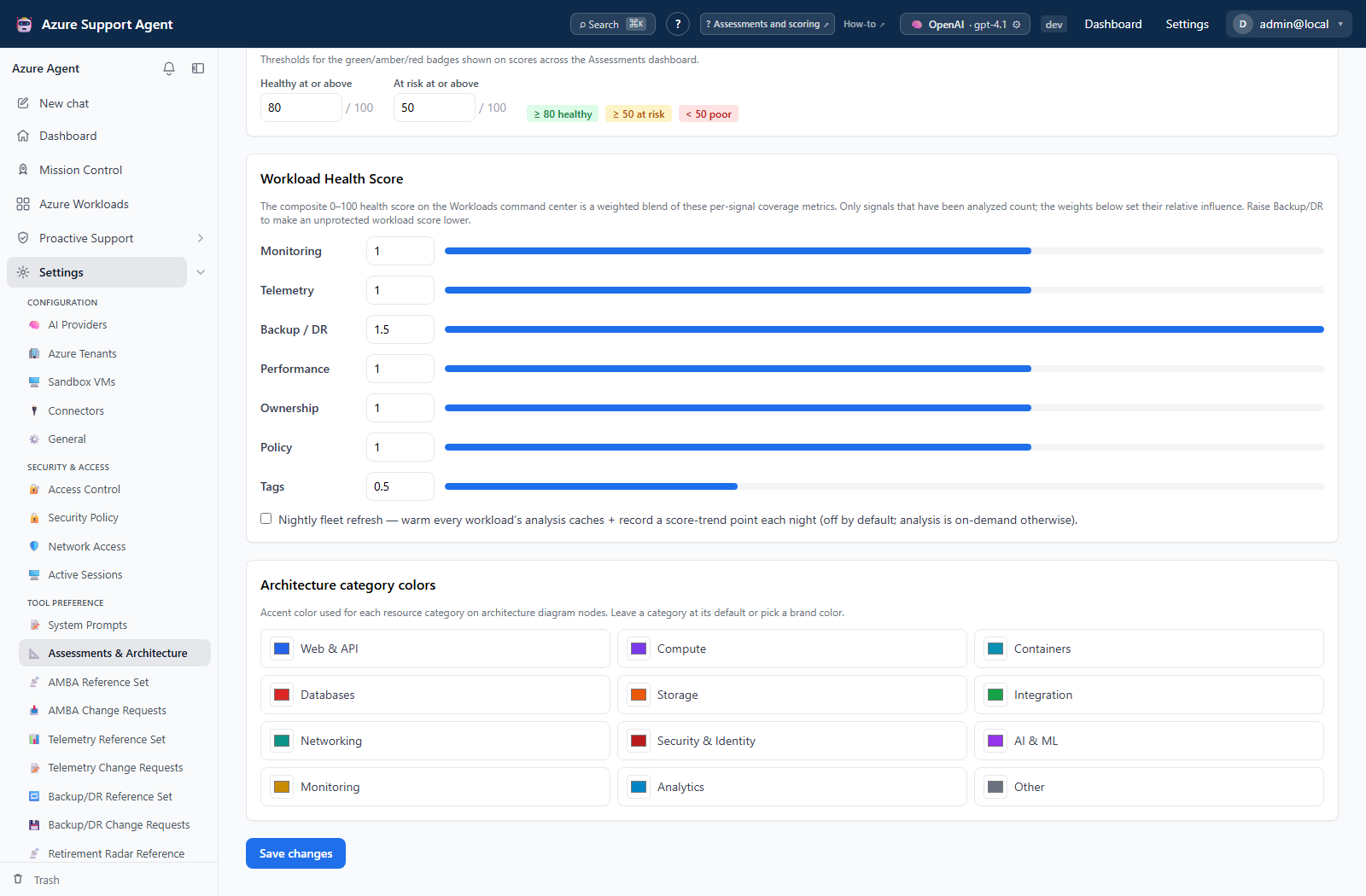
- Record current severity weights, good/warning score bands, Workload Health Score weights, nightly-refresh state, and category colors that are visible.
- Change only the approved values. Use valid hex colors for known categories.
- Save and reload the page to observe normalized values.
- Run the representative assessment.
- Compare score, band, workload-health interpretation, and architecture rendering with the baseline.
- Annotate the effective date so reports from different scoring regimes are not compared silently.
Expected result: New calculations and diagrams use the saved values without unexpected incomplete checks or invalid colors.
Verification: Inspect the bounded assessment, its score bands, the architecture palette, and the Audit Log. Verify Workload Health Score and nightly-refresh effective values independently because those visible fields are not accepted by the current settings update contract.
Safety and rollback
Scoring changes can make identical Azure evidence appear better or worse. Restore the recorded values and rerun the same assessment to roll back; annotate the effective date for reports created under each regime.
Prompt text acts as executable policy. Never embed credentials, signed URLs, personal secrets, or instructions that bypass approvals. Reset restores the built-in seed, not an earlier custom revision; preserve approved text externally or in a backup before replacing it.
Troubleshooting
| Symptom | Resolution |
|---|---|
| Scores move without Azure changes | Compare weight and band settings and the reference-set revision. |
| Color is rejected | Use a visible known category and #rrggbb format, or clear the override for the built-in value. |
| Workload Health Score or nightly refresh does not persist | Those visible fields are not accepted by the current settings update contract. Treat them as unavailable until the contract is updated. |
| Existing operation ignores the change | Start a new operation; in-flight context is not rebuilt. |
| Agent behavior becomes unsafe or inconsistent | Reset the affected prompt and rerun the test set. |
| Save is unavailable | Confirm settings.write and that the selected prompt is editable. |