Lifecycle & investigation
These tools turn time-sensitive estate signals into an accountable investigation record. They are read-oriented by default: refresh or scan explicitly, interpret scope and freshness, then hand material evidence into a finding, ticket, or case.
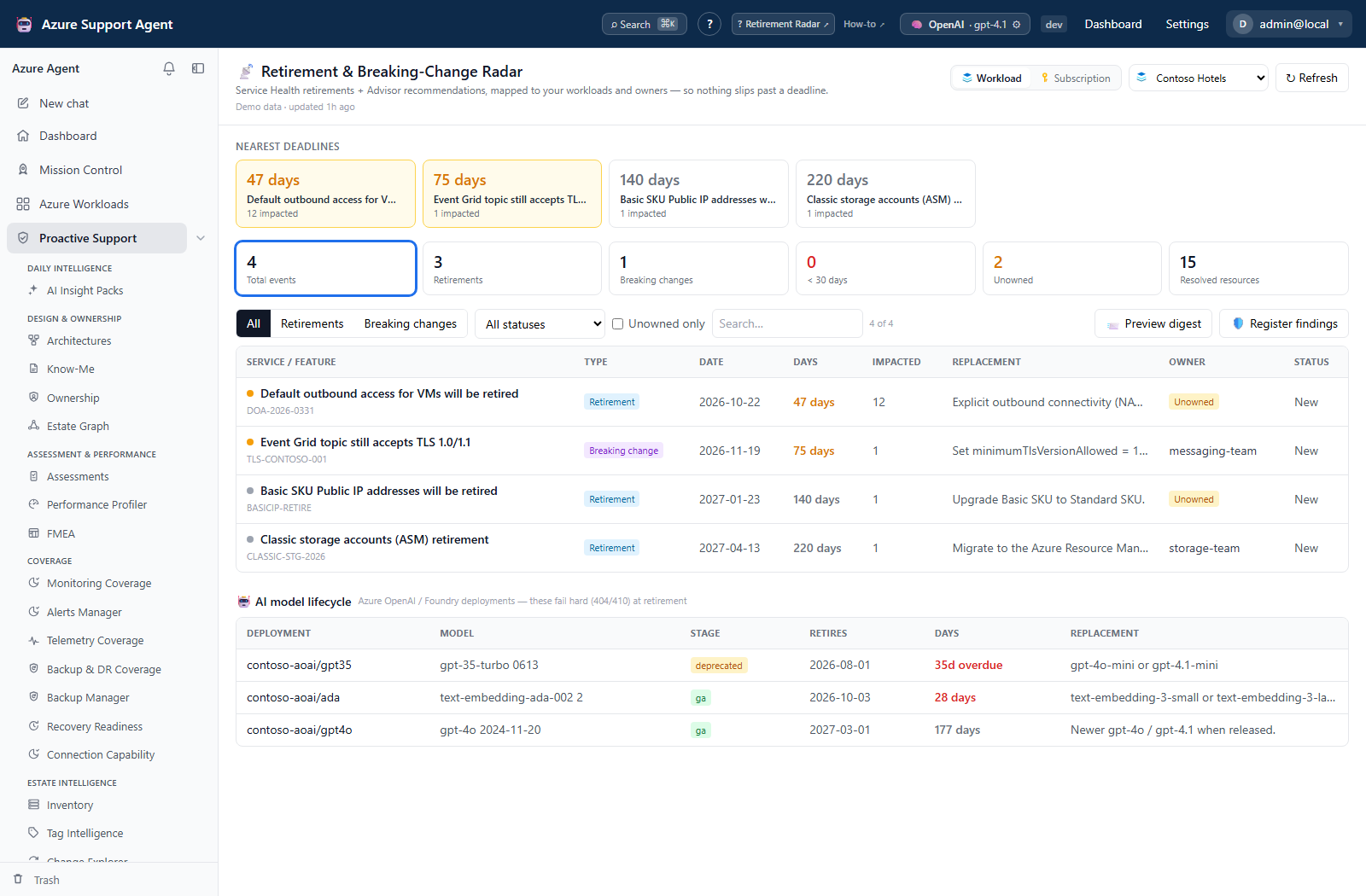
| Guide | Use it to |
|---|---|
| Retirement Radar | Map Azure retirements and breaking changes to affected workloads. |
| Reservations Monitor | Track reservation expiry, renewal mode, and utilization. |
| Quota Monitor | Find regional capacity headroom before deployments fail. |
| Telemetry Intelligence | Translate questions to bounded KQL and correlate failures. |
| Evidence Locker | Capture hash-stamped point-in-time evidence. |
| Case Files | Preserve investigation, remediation, and verification history. |
How to choose the right evidence workflow
- Use Radar for lifecycle notices, Reservations for billing-order expiry, Quota for quota headroom, or Telemetry Intelligence for query-based failure investigation. Select the intended connection and supported workload/subscription scope; Telemetry Intelligence has no component picker in its current UI.
- Check generated time, cache age, and any truncation or unreadable indicators.
- In Quota, Load reads cache and Run scan collects. Radar and Reservations read cache on selection and collect on Refresh. Telemetry Intelligence requires Load telemetry before its query sections activate.
- Validate AI narrative against displayed queries and source rows.
- Preserve decision-grade evidence in Evidence Locker and record its ID in Case Files. Structured case attachments use an API integration; neither page supplies a case attachment picker. Record fresh verification before closure rather than assuming the status button checks it.
Expected result: A source-checked signal becomes a durable incident record without confusing data collection with remediation.
Verification: Confirm scope, source age, known collection gaps, and the destination record. Quota/Reservations cache replacement, Radar’s conditional last-good retention, evidence Trash, and case soft deletion have different recovery semantics; use the relevant guide before cleanup.
How to check permissions and side effects before acting
- Obtain each feature’s read permission to enter its page. Case mutations need
cases.write, evidence mutations needevidence.write, Quota scans needquota.run, and Radar changes/refresh needradar.manage. - Do not interpret every
.readcapability as “no writes”:reservations.readpermits cache refresh,teleintel.readalso permits new findings and external tickets, andevidence.readpermits export and authenticated shared reads. - Review connector destinations before ticket selection, which sends immediately in Radar, Telemetry Intelligence, and Evidence Locker. Their ticket pickers additionally require
connectors.manage, and workload/subscription-tree pickers needworkloads.read. Previewing a digest sends nothing; scheduled delivery is a separate configuration/automation concern. - Perform Azure quota increases, migrations, commercial reservation changes, and code fixes only through the appropriate separately approved process. These six pages do not apply those Azure changes or supply their rollback.
Expected result: Permissions and approval decisions match the action’s actual application, external-service, or Azure effect.
Verification: Check the requested record or destination receipt after each material action. A visible control, success toast, or configured retention label is not proof of authorization, complete collection, delivery, or erasure.
Never place live tenant IDs, resource IDs, webhook URLs, tokens, or personal data in screenshots or examples.