Back up, restore, and manage demo data
Prerequisites
- Product permission
backup.manage. - Approved storage for the downloaded archive.
- For restore, a valid application backup JSON or ZIP and a current pre-change export.
- Product permission
demo.manage. - Confirmation that synthetic records will not be mixed into production reports, notifications, or exports.
Route
- Open
/admin/audit. - Open
/admin/backup. - Open
/admin/demodata.
How to export and restore selected data
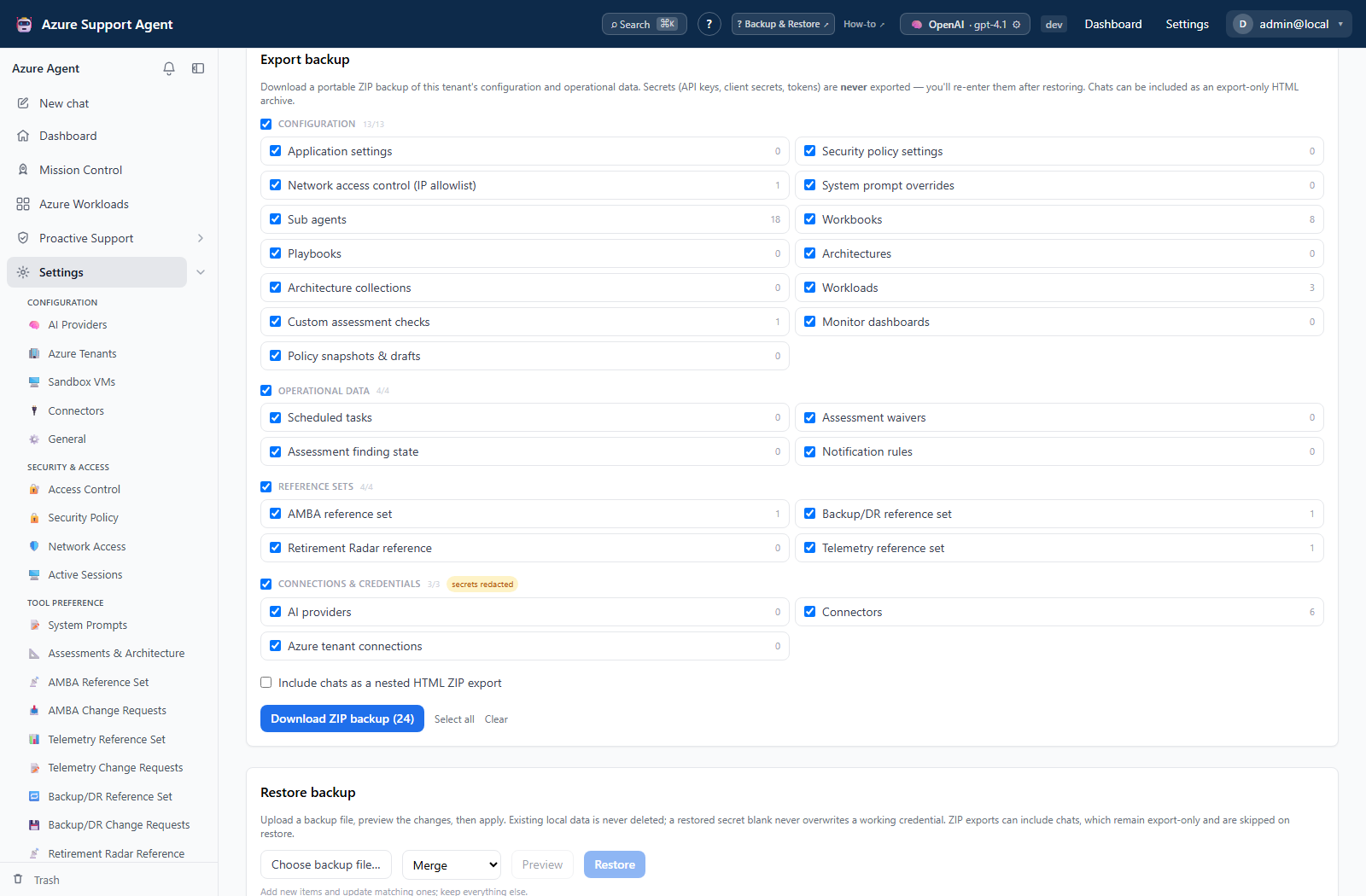
- Review the section catalog and counts by configuration, data, reference, and credential tier.
- Select only required sections. Select the chat archive only if needed; chat HTML is export-only and is not restored.
- Select Download ZIP backup and store the archive under organizational controls.
- For restore, select the JSON or ZIP file and choose the intended sections.
- Choose a conflict mode: merge updates/adds matching items while keeping unrelated local items; overwrite can replace selected collections; skip keeps existing matching items and adds only new ones.
- Select Preview changes and inspect create, update, skip, and secrets-required counts.
- Confirm tenant and mode, then select Restore.
- Re-enter each secret named by the result in its owning page and test it. Exported API keys, client secrets, certificates/private material, tokens, passwords, and signed endpoints are redacted rather than disclosed.
Expected result: The archive downloads successfully, or the selected sections restore with the previewed conflict behavior and an explicit list of credentials to re-enter.
Verification: Reload affected pages, compare counts and reference versions, test providers/connections/connectors, inspect schedules and disabled states, and review /admin/audit for backup export/import events.
How to seed and remove Demo Data
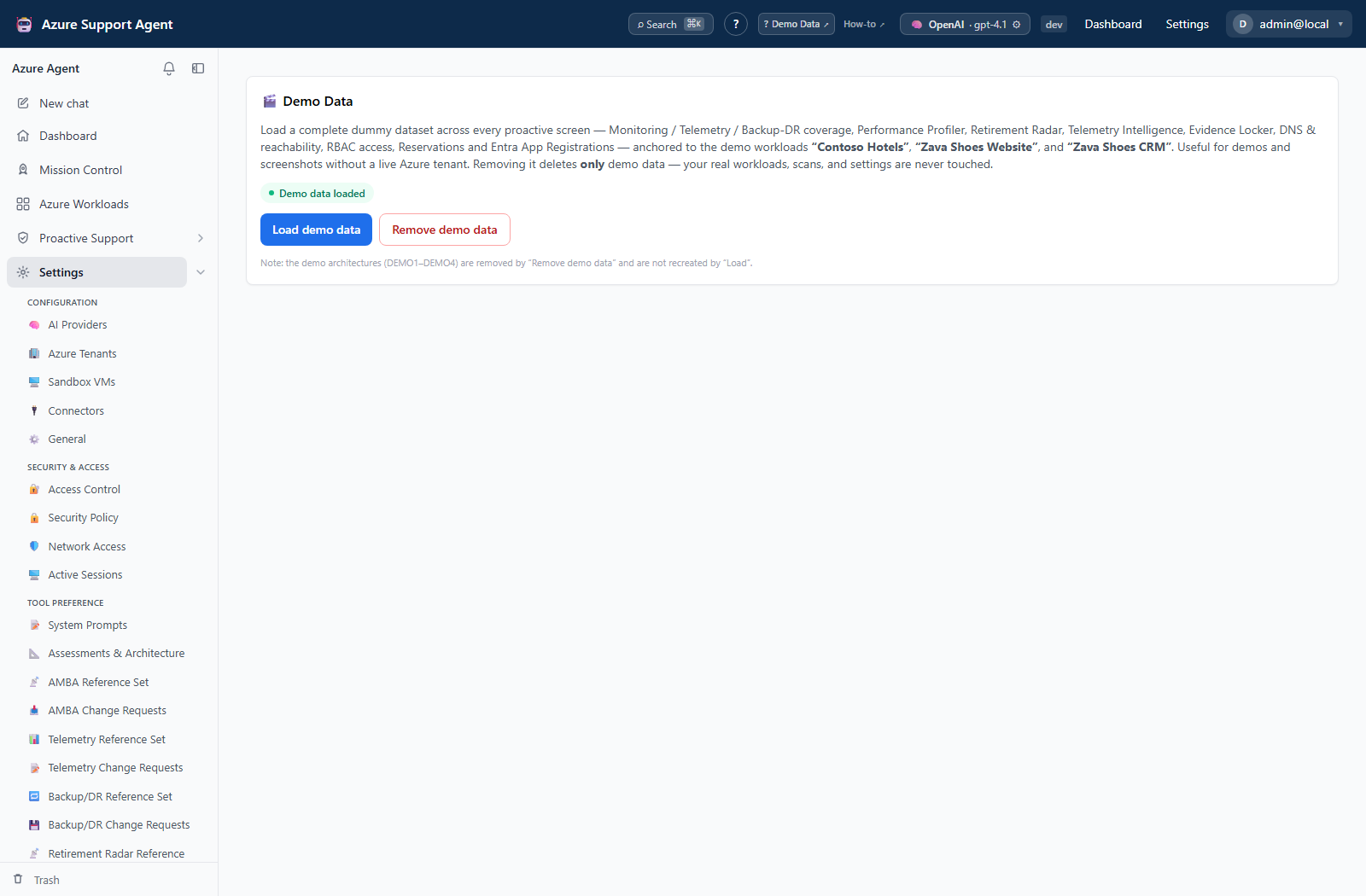
- Review the current demo status and counts.
- Select the seed/load action and confirm.
- Explore only records clearly identified as demo. Seeded demo connectors are disabled and contain non-functional placeholders.
- Before sharing output, verify that its workload, source, or identifier is demo-marked.
- Return to
/admin/demodata, select Purge, review the confirmation, and proceed when the synthetic set is no longer needed.
Expected result: Synthetic feature records appear after seed and demo-marked records are removed after purge without contacting Azure.
Verification: Check demo status and representative feature counts, then review Audit Log entries for seed or purge. Confirm real workload records remain present.
Safety and rollback
Purge is irreversible for the demo records. It targets demo-marked sources and identifiers, not real workloads, but verify context before confirming. There is no rollback for edits made manually to demo records; reseed to recreate the supported synthetic set.
Always preview and export current state before restore. Merge and skip are safer when local-only records must remain; overwrite can remove local-only items from selected collections. Existing local secrets are preserved when an imported value is redacted, but their validity is not guaranteed. Roll back by importing the pre-change archive with a reviewed mode and re-entering credentials as needed.
Troubleshooting
| Symptom | Resolution |
|---|---|
| Seed action is unavailable | Confirm demo.manage. |
| Demo connectors do not deliver | Expected: they are disabled and use fake credentials. |
| Purge leaves a record | Confirm it is demo-marked; do not delete a real record merely because it resembles demo content. |
| File is rejected | Use a supported JSON manifest or ZIP containing the backup manifest; check size and structural limits. |
| Preview differs from expectation | Stop and recheck tenant, selected sections, IDs, and conflict mode. |
| Restored integration fails | Re-enter its write-only secret and test external permissions and reachability. |
| Chats do not restore | This is expected; the nested chat archive is export-only. |