Change General settings safely
Prerequisites
- Product permissions
settings.readandsettings.write. The route uses the read key; saving uses the write key. - An approved reason, current value, expected value, and representative verification workflow.
- A current backup for broad or high-impact changes.
Route
- Open
/admin/audit. - Open
/admin/settings.
How to change an application setting
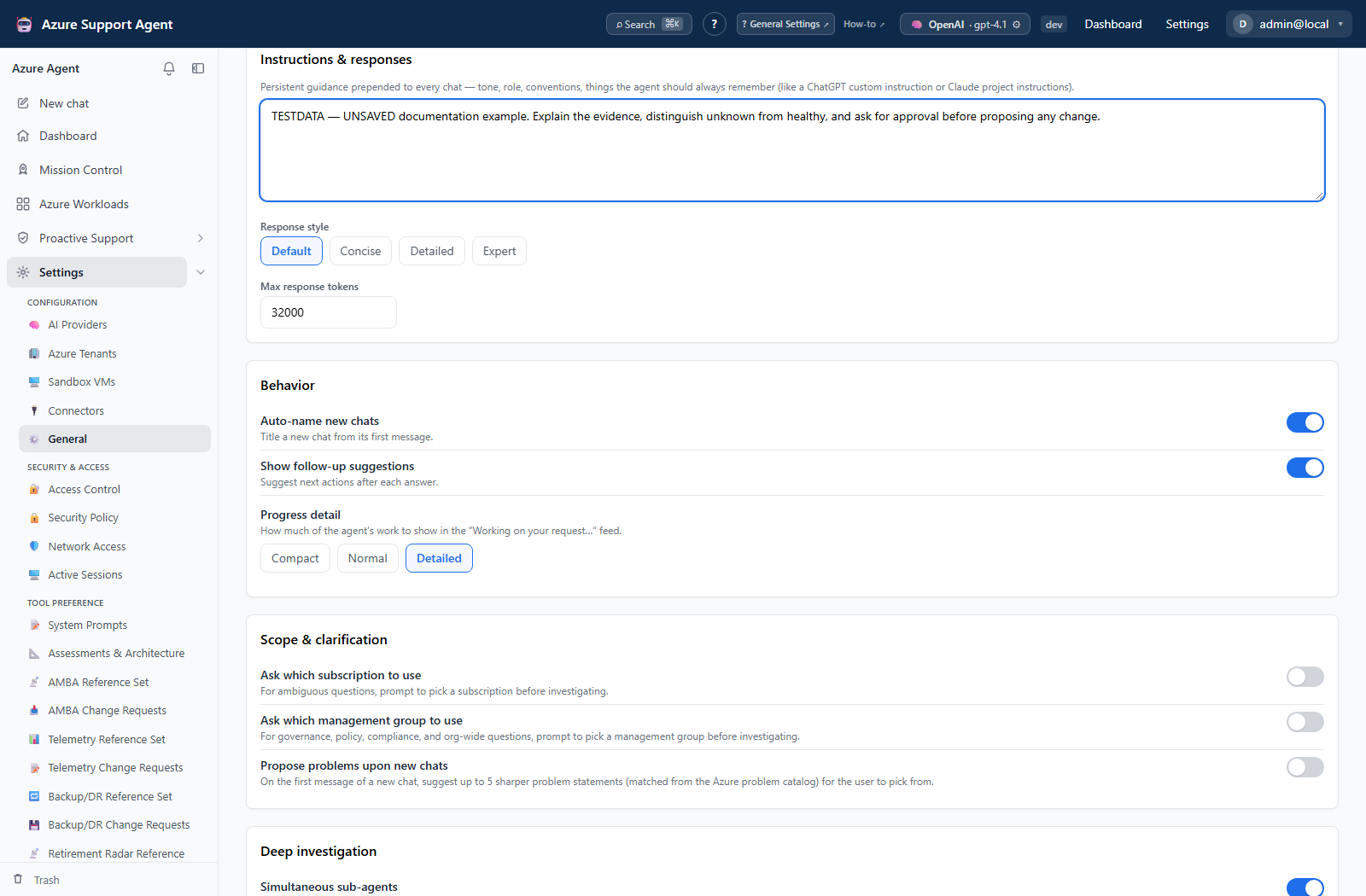
- Find the setting by its visible label. Configure only controls present in the current build.
- Record the current value and the affected workflows.
- Change the smallest related set. High-impact controls on this page include MCP read-only mode, automatic writes, command execution, deep parallelism, Resource Graph pacing, profiler concurrency, retries, and timeouts.
- Save and review the values returned by the page; numeric bounds, lists, schedules, time zones, durations, thresholds, and colors are normalized or validated by the backend.
- Reopen
/admin/settingsand confirm the effective value. - Run one bounded workflow affected by the change.
- Review
/admin/auditforsettings.update.
Expected result: The validated value persists and the representative workflow changes only as intended.
Verification: Confirm the saved value after reload, inspect the workflow result for truncation/timeouts or newly exposed actions, and check the audit timestamp and actor.
How to tune Performance Profiler capacity
- In
/admin/settings, record the five values under Performance Profiler capacity. - Leave Fleet workloads in parallel at its default
1unless a bounded measurement supports2or3. - Use Delay between Fleet starts to spread authentication and discovery; the default is 1,000 ms.
- Keep Azure Monitor calls in parallel at the process-wide default
2until throttle and host-load evidence supports a change. - Set Metric request attempts as total attempts including the first. The default is
3; the accepted range is 1–6. - Set Workload timeout as the collection ceiling. The default is 1,200 seconds; the accepted range is 60–7,200.
- Save and reload the page. Start delay, metric concurrency, attempts, and timeout apply to subsequent work.
- If Fleet workload concurrency changed, restart the application because worker count is created at startup. The SQL-backed Fleet batch resumes after restart.
- Run the same small Fleet selection and time range used for the baseline.
- Compare duration, succeeded/partial/failed counts, throttle/retry/timeout counters, Azure CLI process count, and host capacity. Review
/admin/auditforsettings.update.
Expected result: The bounded batch uses the intended limits without an unacceptable increase in throttling, partial attempts, Azure CLI processes, or host load.
Verification: Confirm effective values after reload, restart when worker width changed, and verify that the durable batch retains its ID and reaches a terminal state.
Safety and rollback
Validate changes in a non-production scope first, and preserve a known-good configuration for rollback. Restore profiler capacity one value at a time and restart when Fleet worker width changed.
Keep MCP read-only and automatic-write protections aligned with organizational approvals. Command and Sandbox toggles expose execution surfaces; network allow/deny lists affect egress. To roll back, restore the recorded value, save, rerun the same verification, or restore the prior configuration backup when many settings changed.
Troubleshooting
| Symptom | Resolution |
|---|---|
| Value changes after save | Use the returned value; backend validation may clamp or normalize the input. |
| A tool disappears | Check MCP read-only, Entra enablement, built-in disabled tools, and egress controls. |
| Fleet still uses old workload concurrency | Restart the application; Fleet worker count is created at startup and durable SQL work resumes afterward. |
| Profiler partial/failed count rises after tuning | Lower metric concurrency, increase start delay, and inspect throttled, retried, timed-out, and failed-check counters. |
| Profiler failures take much longer | Restore the previous metric-attempt count or timeout; both extend the worst-case failure window. |
| An existing chat ignores a behavior change | Start a new operation because in-flight AI context is not rebuilt. |