Configure custom connectors
Prerequisites
connectors.manage.- A public HTTPS endpoint that accepts JSON and is safe to test.
- Optional approved headers and an HMAC signing secret agreed with the receiver.
Route
- Open
/automations/connectors.
How to configure a generic webhook
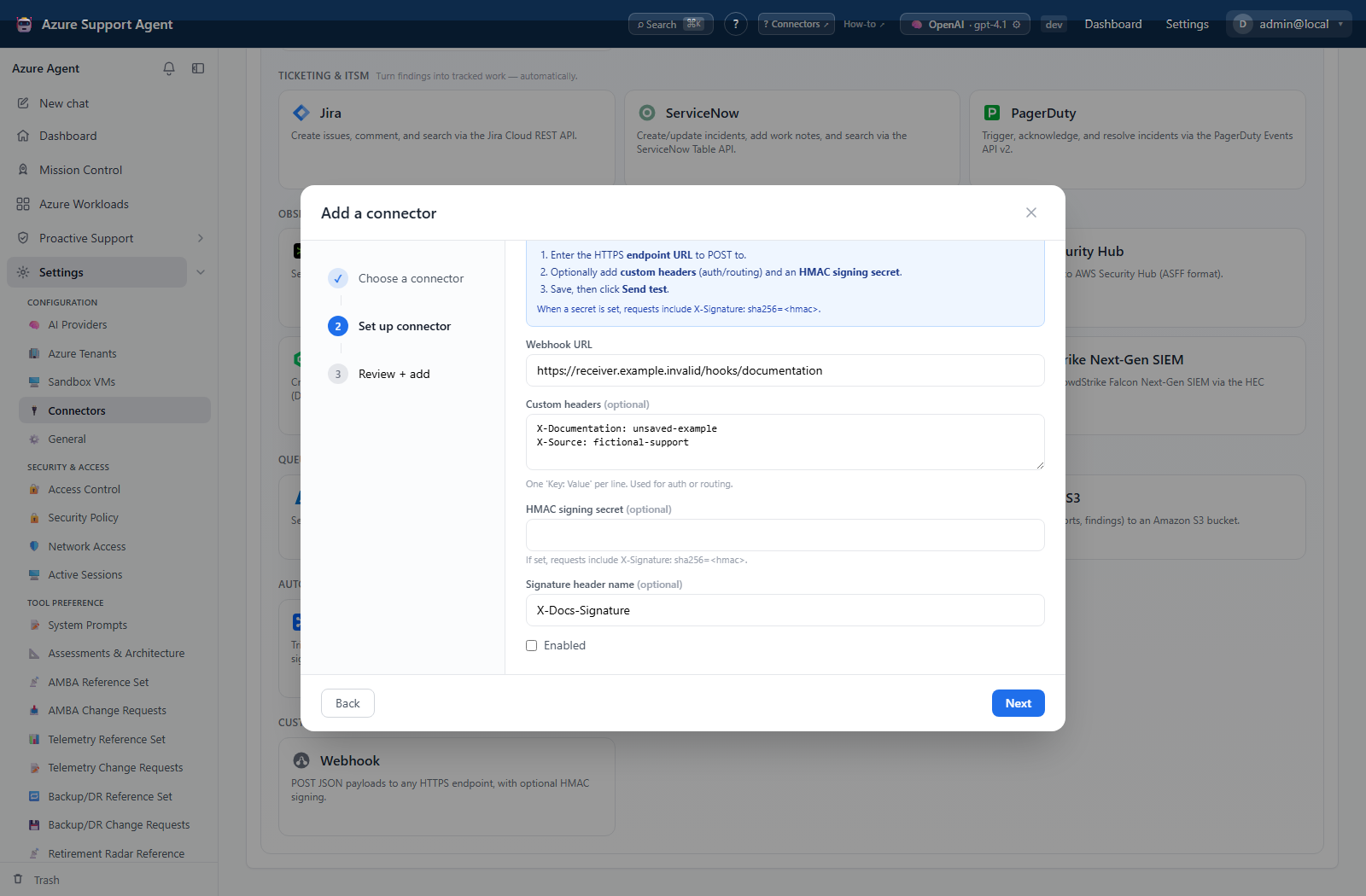
- Add Webhook and enter the HTTPS endpoint URL.
- Optionally enter custom headers, one
Key: Valueper line, for routing or authentication. - Optionally set a signing secret and signature header name; the receiver must validate HMAC-SHA256 in
sha256=<hex>format. - Save disabled and select Test; it only confirms that a URL is stored.
- Configure the receiver to log a correlation time without exposing headers or body secrets.
- Enable and select Send test; this performs a real JSON POST.
- Confirm receiver status, parsed envelope, and signature validation before automated use.
Expected result: Test reports configured; Send test produces one receiver request with title, message, severity, and facts.
Verification: Match the request time and receiver result. If signing is enabled, verify the signature over the exact UTF-8 request body before parsing it.
Safety and rollback
Validate changes in a non-production scope first, and preserve a known-good configuration for rollback.
Only public HTTPS endpoints are accepted; private/internal destinations are blocked. Send test can trigger arbitrary receiver behavior, so use a non-production endpoint or dry-run route. Disable the connector, reverse receiver-side actions, revoke headers/tokens, and rotate the signing secret if disclosed.
Troubleshooting
| Symptom | Resolution |
|---|---|
| Receiver executes an unintended action from Send test | Disable the connector, inspect the receiver’s idempotency and test-route controls, reverse the downstream action, and rotate any exposed secret. |
| Test succeeds but no request arrives | Test checks only URL presence; inspect DNS, firewall, certificate, and receiver logs. |
| URL rejected | use HTTPS and a publicly resolvable non-private destination. |
| Authentication fails | verify header formatting and rotate/re-enter the credential. |
| Signature mismatch | compare raw bytes, selected header name, shared secret, and sha256= prefix. |
| Receiver rejects JSON | expect the standard envelope unless a calling workflow explicitly supplies a custom payload. |
| Connector lifecycle | Review connector configuration and retry. |
| Notifications | Review connector configuration and retry. |