Manage Sandbox VMs
Prerequisites
- Product permission
sandbox.exec. - A dedicated reachable SSH host, port, user, and one authentication method shown by the form: password, private key, or key with passphrase.
- Approval to run diagnostics and, separately, any mutating command or
sudooperation.
Route
- Open
/admin/sandboxvms.
How to register and test a Sandbox VM
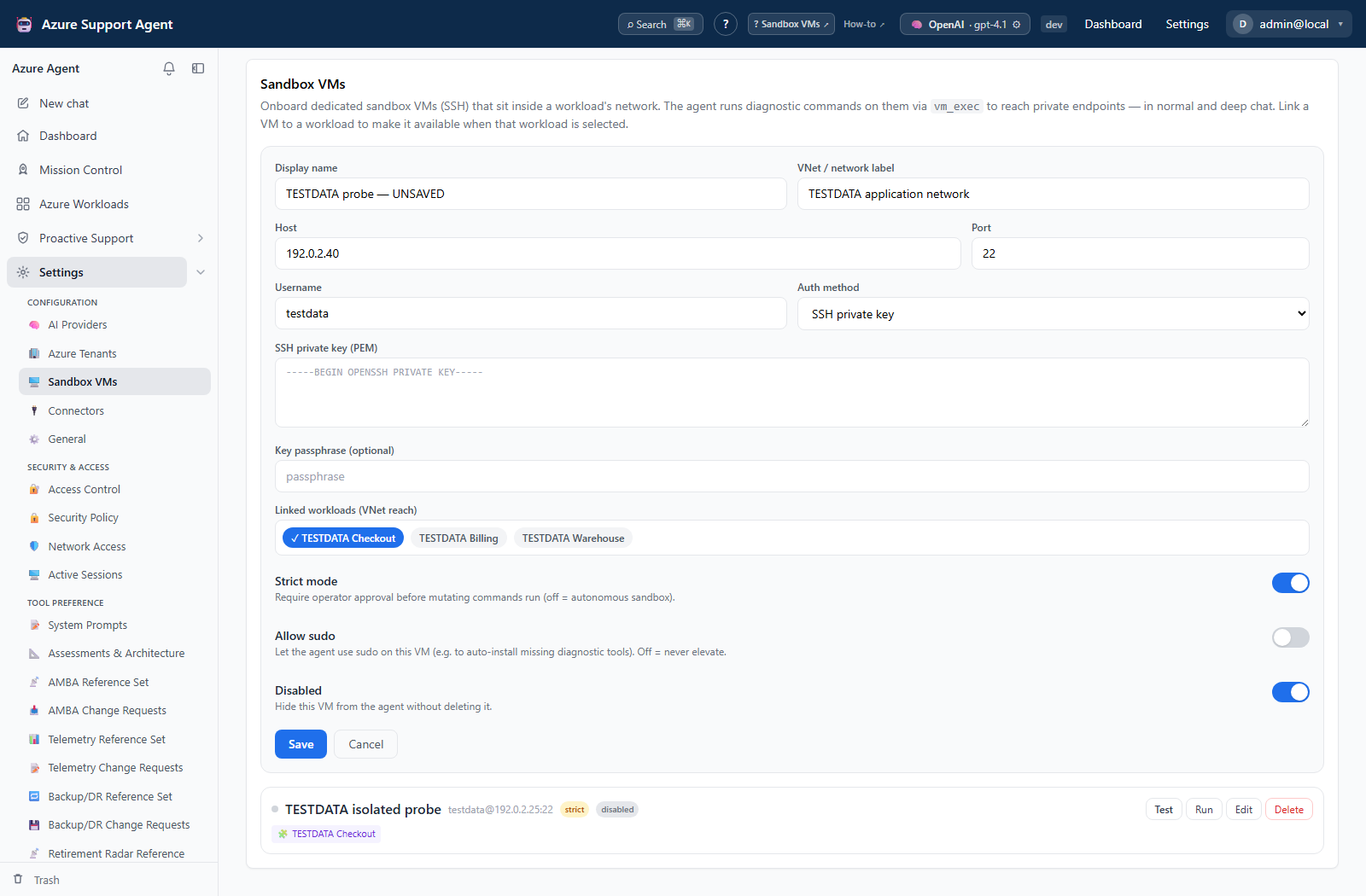
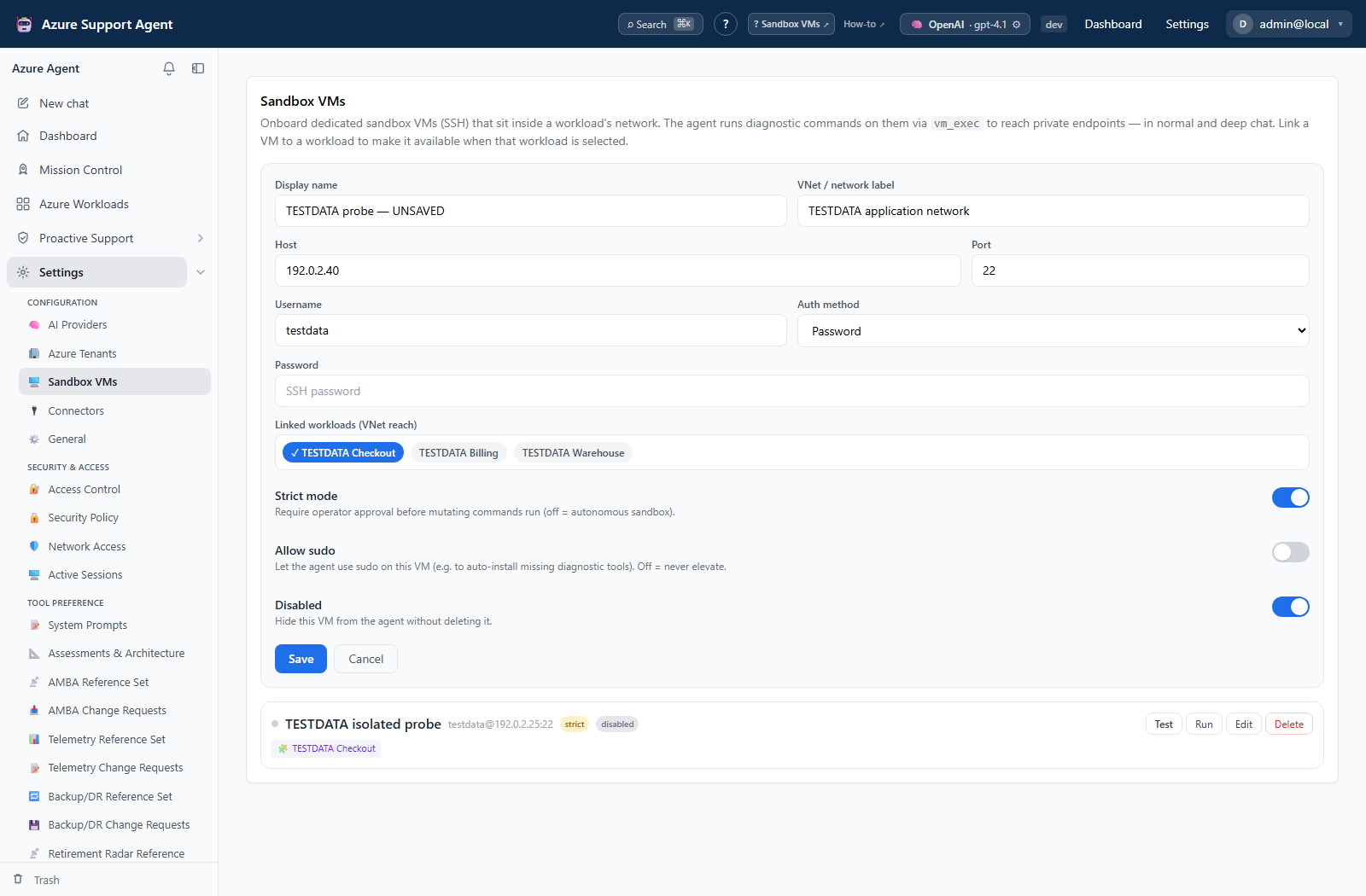
- Select Add VM and enter display name, host, port, username, and the displayed SSH authentication fields.
- Keep Strict mode enabled. Leave Allow sudo off unless the diagnostic account and procedure require it.
- Add workload associations or a VNet label only when they are visible and useful for scoping.
- Save. SSH passwords, keys, and passphrases are write-only; blank secret fields on edit retain the stored values.
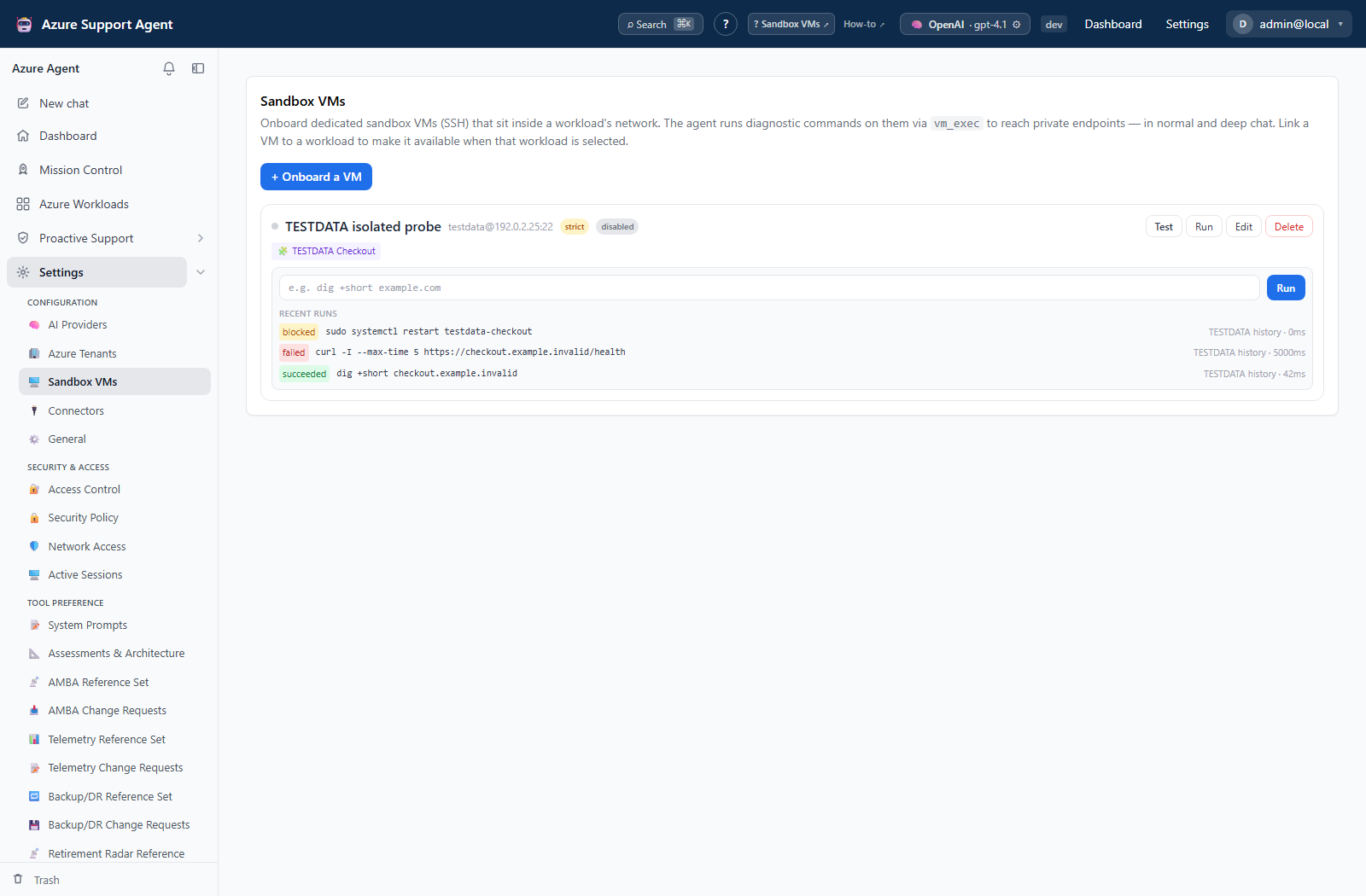
- Select Test to establish SSH, capture the host-key fingerprint, detect the OS, and probe installed tools.
- In the console, begin with a read-only identity or version command.
- Review exit code, standard output, standard error, and run history before attempting another command.
Expected result: The VM reports a successful SSH test with environment details, and a bounded diagnostic command completes with an auditable run record.
Verification: Confirm the detected host and tools match the intended VM. Verify exit code and output rather than treating command submission as success.
Safety and rollback
Validate changes in a non-production scope first, and preserve a known-good configuration for rollback.
Commands run on the remote host and may be irreversible. Keep strict mode on, use least privilege, avoid secrets in commands, and capture state before mutation. Disable the VM to stop normal use without losing configuration. Application deletion does not undo remote commands or revoke SSH credentials; perform remote rollback and rotate access separately.
Troubleshooting
| Symptom | Resolution |
|---|---|
| Command ran on the wrong sandbox VM | Stop further runs, verify the selected VM and workload links, inspect run history, reverse the remote change, and rotate credentials if output exposed them. |
| SSH test fails | Check DNS, route, firewall/NSG, port, username, key format, and source-network allowlisting. |
| Host key differs | Stop and verify the expected fingerprint before accepting a changed host. |
| Tool is missing | Install it through the VM’s approved maintenance process; automatic installation changes the host. |
| Command fails or times out | Narrow the command and review stderr, remote permissions, strict confirmation, and configured timeout. |