Overview and prerequisites
Azure Support Agent combines a FastAPI API, a React application, and Azure and Entra MCP integrations in one container image. It stores application state in PostgreSQL or SQLite and uses a configured model provider for chat, discovery grouping, and other AI-assisted workflows.
Before you begin
Azure access
You need:
- An Azure subscription and permission to create resources in the target resource group.
- Permission to assign an Azure role if the application’s managed identity will read a subscription or management group. If another team controls role assignments, arrange this before onboarding.
- A supported connection identity: managed identity, service principal, or a short-lived Azure CLI token for testing.
Reader at the intended discovery scope is the normal starting point. Some product areas require additional data-plane or Microsoft Graph access. Do not grant write roles merely to complete initial setup.
AI provider
Bring at least one supported provider or local endpoint. The application supports API-key, OAuth, and local-server configurations, depending on the provider. Providers remain disabled until a user with settings.read and settings.write configures one through the read-gated Settings route. Resource enumeration can use Azure Resource Graph without an LLM, but AI grouping and chat require a working model.
Operator access
Plan two kinds of authorization:
- Azure authorization controls what a connection can inspect or change in Azure.
- Application permissions control which product features a signed-in user can use.
Built-in application roles are SysAdmin (admin), Operator, Auditor, User, and NoAccess; custom roles select exact capabilities. Chat requires chat.use, workload viewing requires workloads.read, and workload editing requires workloads.write. Navigation follows the active permission set, and entering a denied route directly does not bypass backend enforcement.
Browser and network
Use a current browser with JavaScript, cookies, and Server-Sent Events allowed. The browser must reach the application HTTPS endpoint. The container also needs outbound access to the selected model provider and the Azure endpoints used by enabled integrations.
Deployment choices
| Choice | Best for | Data store |
|---|---|---|
| One-click Azure template | Fast evaluation and a managed Azure footprint | Azure Database for PostgreSQL provisioned by the template |
| Manual Container Apps deployment | Custom images, sizing, networking, and lifecycle control | PostgreSQL or persistent SQLite on Azure Files |
| Local development | Contributors and isolated testing | Docker Compose services or local configuration |
The one-click template creates a Container App, Container Apps environment, PostgreSQL Flexible Server, storage account/Azure Files, and Log Analytics workspace. PostgreSQL is normally the main ongoing cost. Review current Azure pricing for your region before deployment.
Security decisions
- Choose the smallest Azure scope that contains the workloads you intend to inspect.
- Store passwords, client secrets, and provider keys as secrets; never place them in documentation, source control, or screenshots.
- Use HTTPS and secure cookies in production.
- Prefer managed identity where available to avoid a long-lived Azure client secret.
- Treat AI output as advisory. Verify evidence and review proposed changes before approval or execution.
- Decide whether Microsoft Graph features are needed before granting Graph application permissions.
Choose coverage tools after setup
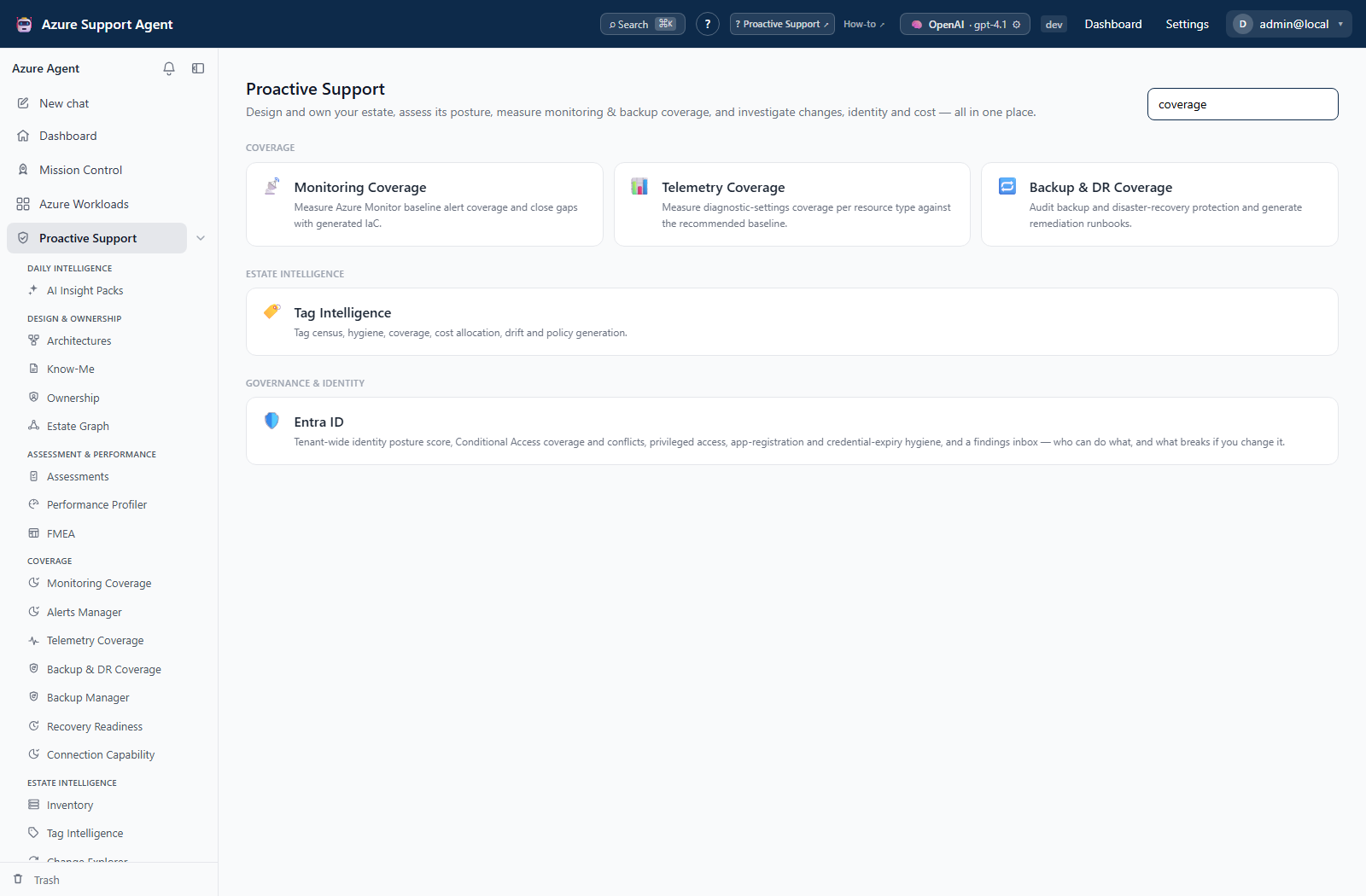
After first-run setup, open /proactive and search for coverage to find Monitoring Coverage, Telemetry Coverage, and Backup & DR Coverage. This is a capability directory, not the Dashboard or a set of scan results.
Readiness checklist
- Deployment owner can create the required Azure resources.
- Identity owner can grant Reader at the intended scope.
- A supported model/provider is available.
- A strong temporary bootstrap password has been prepared securely.
- The production URL and outbound network path are approved.
- Data retention, regional placement, and cost have been reviewed.