Configure AI providers
Prerequisites
- Product permissions
settings.readandsettings.write. The route and provider/status reads use the read key; save, test, model refresh, visibility, and OAuth mutations use the write key. - A provider account, approved model, and either the credential or OAuth access required by the provider card.
- Network egress from the application to a hosted endpoint, or reachability to an Ollama or LM Studio endpoint.
Route
- Open
/admin/providers. - Open
/admin/usage.
How to configure and verify an AI provider
The following local test-data examples show the fields for steps 1–2 only. Both forms are unsaved: no actual OAuth sign-in, provider request, or Azure connectivity was verified. Complete the save and verification steps with your own approved configuration.
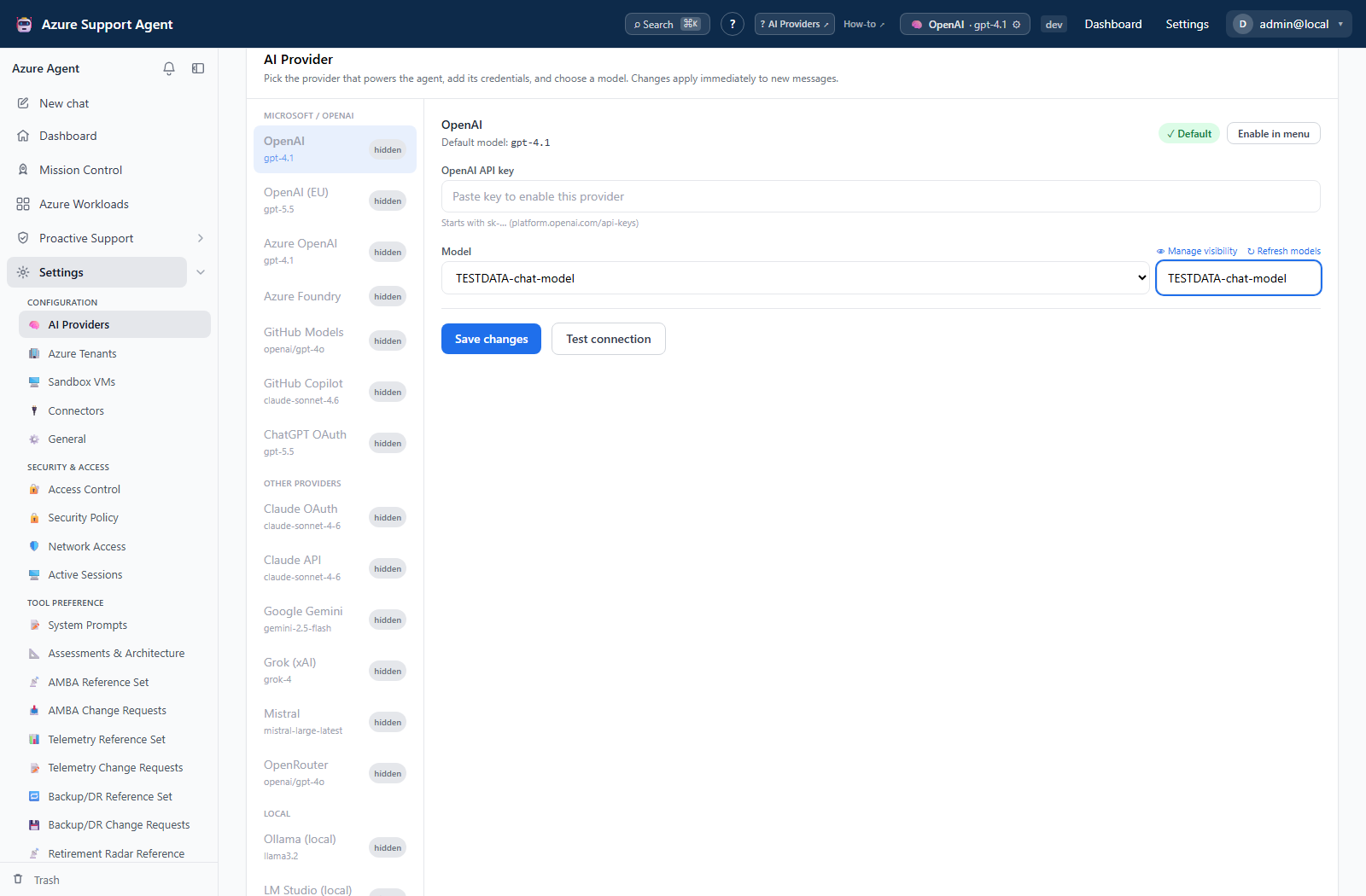
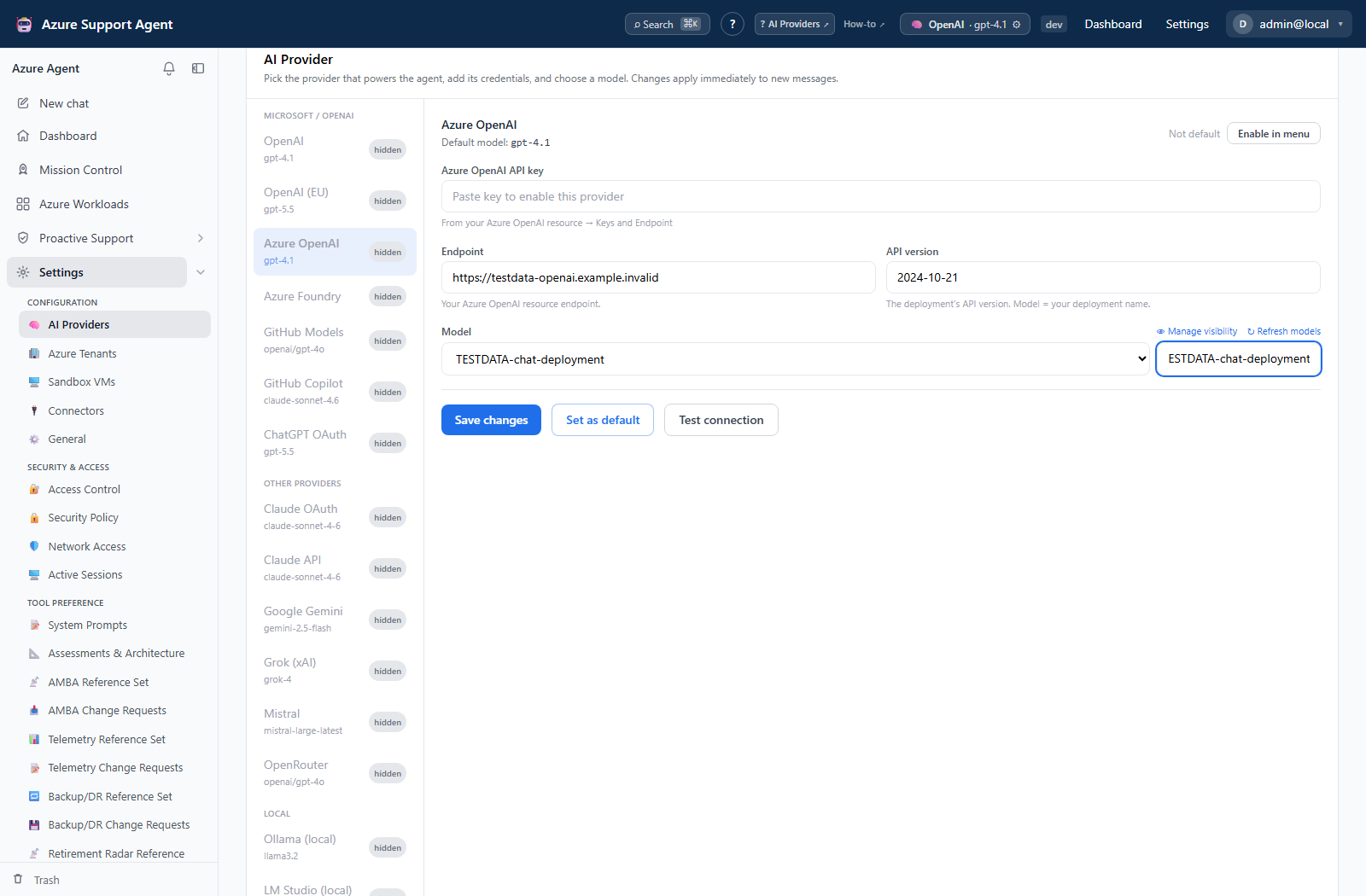
- Select a provider card. The live catalog is authoritative; it includes key-based, OAuth, Azure OpenAI, routing, and local OpenAI-compatible providers supported by the build.
- Enter only fields displayed for that provider: model, credential or OAuth sign-in, and an endpoint or API version when shown.
- Save the provider. A blank saved secret field preserves the existing write-only value; entering a value replaces it.
- Select Refresh models and inspect the discovery stages. Apply Free only or model visibility filters only when shown.
- Select the intended model and active provider, then save.
- Select Test provider and review configuration, endpoint/DNS, connection, authentication, request, and first-token diagnostics.
- Start a new, non-sensitive chat to confirm runtime selection.
Expected result: The provider is enabled, the intended model is selectable, and the staged test completes successfully.
Verification: Reopen /admin/providers, confirm the active provider and model, then check /admin/usage after the test chat. The credential remains masked; it is never displayed back to the browser.
Safety and rollback
Validate changes in a non-production scope first, and preserve a known-good configuration for rollback.
Provider requests can transmit prompts and retrieved context outside the application. Confirm residency, retention, and contractual policy first. To roll back, restore the previous active provider/model, disable the new provider, or sign out its OAuth session. Rotating a secret requires entering the replacement; do not try to recover the stored value.
Troubleshooting
| Symptom | Resolution |
|---|---|
| Test response comes from an unintended provider or model | Reopen the active-provider selection, verify endpoint and model entitlement, save the intended provider, and repeat the minimal test. |
| DNS or connection stage fails | Check the visible endpoint, container egress, proxy/firewall, and TLS trust. |
| Authentication fails | Re-enter the key or complete OAuth again; confirm account scope and expiry. |
| Model list is empty | Refresh, check account entitlement, and clear hidden or free-only filters. |
| First token times out | Try an entitled model and review provider throttling and the configured request timeout. |