Configure observability and SIEM connectors
The screenshots show native unsaved, disabled setup or review screens, not working integrations. Credential secrets are empty; entered domains are non-resolving and account, role, and destination values are fictional. No save, authentication, test, event ingestion, finding import, or annotation creation is demonstrated.
Prerequisites
connectors.manage.- Enabled Splunk HTTP Event Collector, HEC URL/token, and optional index/sourcetype.
- Grafana base URL, service-account token, and optional datasource UID.
- Permission to read health/alerts and create annotations when used for delivery.
- Security Hub enabled in the target account/region.
- AWS account ID and either static keys or an assumable role; the execution identity needs
securityhub:BatchImportFindingsfor real use. - XSOAR URL/API key; XSOAR 8 or XSIAM also requires the API key ID.
- Permission to read the user endpoint and create incidents only when required.
- Hosted Collector HTTP Logs & Metrics Source URL and optional source category/host/name.
- Falcon/LogScale HEC ingest URL and bearer ingest token from the same connector.
Route
- Open
/api/health. - Open
/automations/connectors.
How to configure Splunk HEC
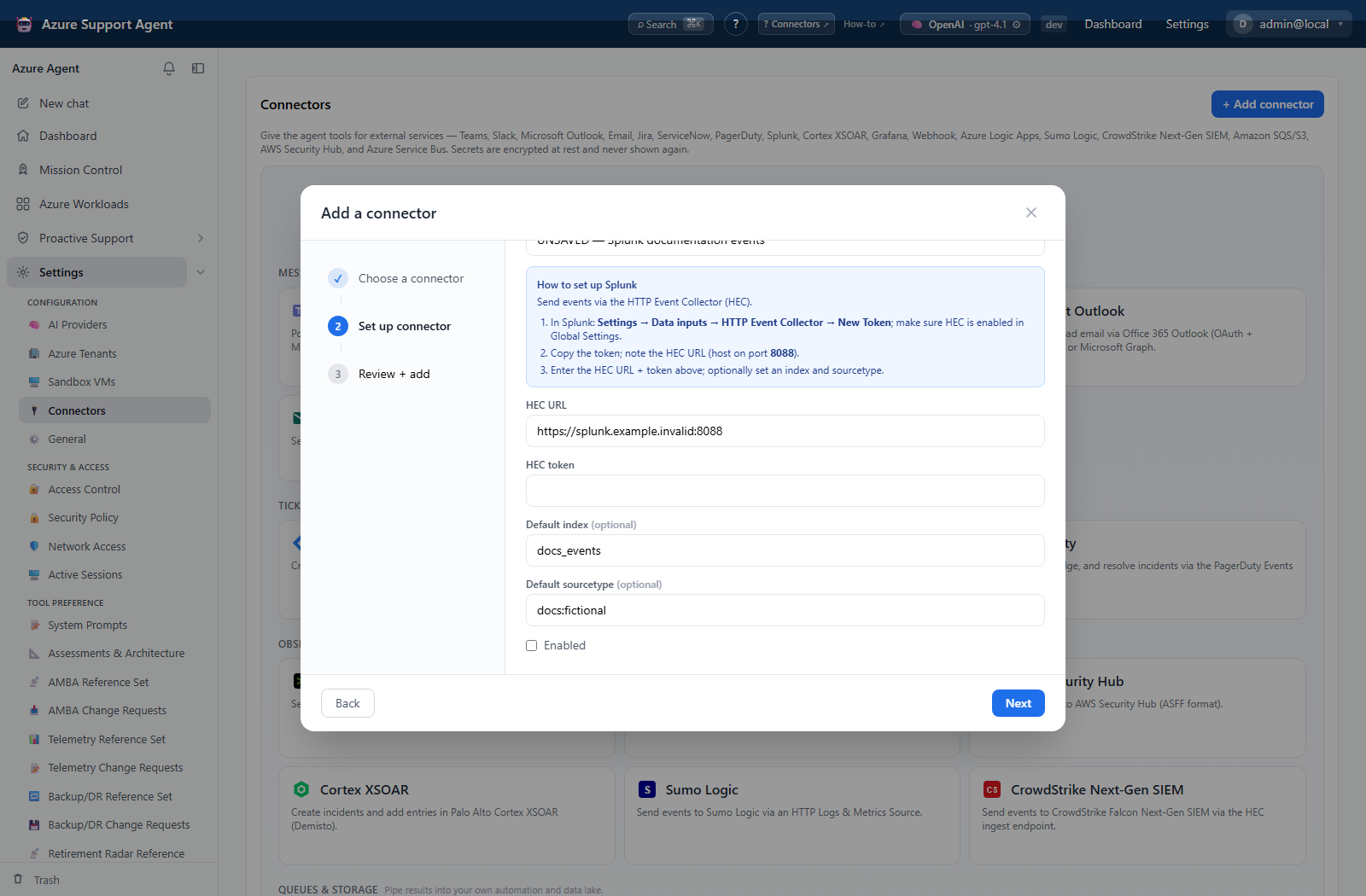
- Add Splunk, enter the HEC endpoint and secret token, set approved index/sourcetype, and save disabled.
- Select Test; it only confirms both values are stored.
- Enable and select Send test to ingest a real event.
- Search the intended index around the test time and verify source/sourcetype.
Expected result: Test reports configured; Send test ingests one event.
Verification: Find the event in Splunk and confirm index, sourcetype, title, and time.
How to configure Grafana
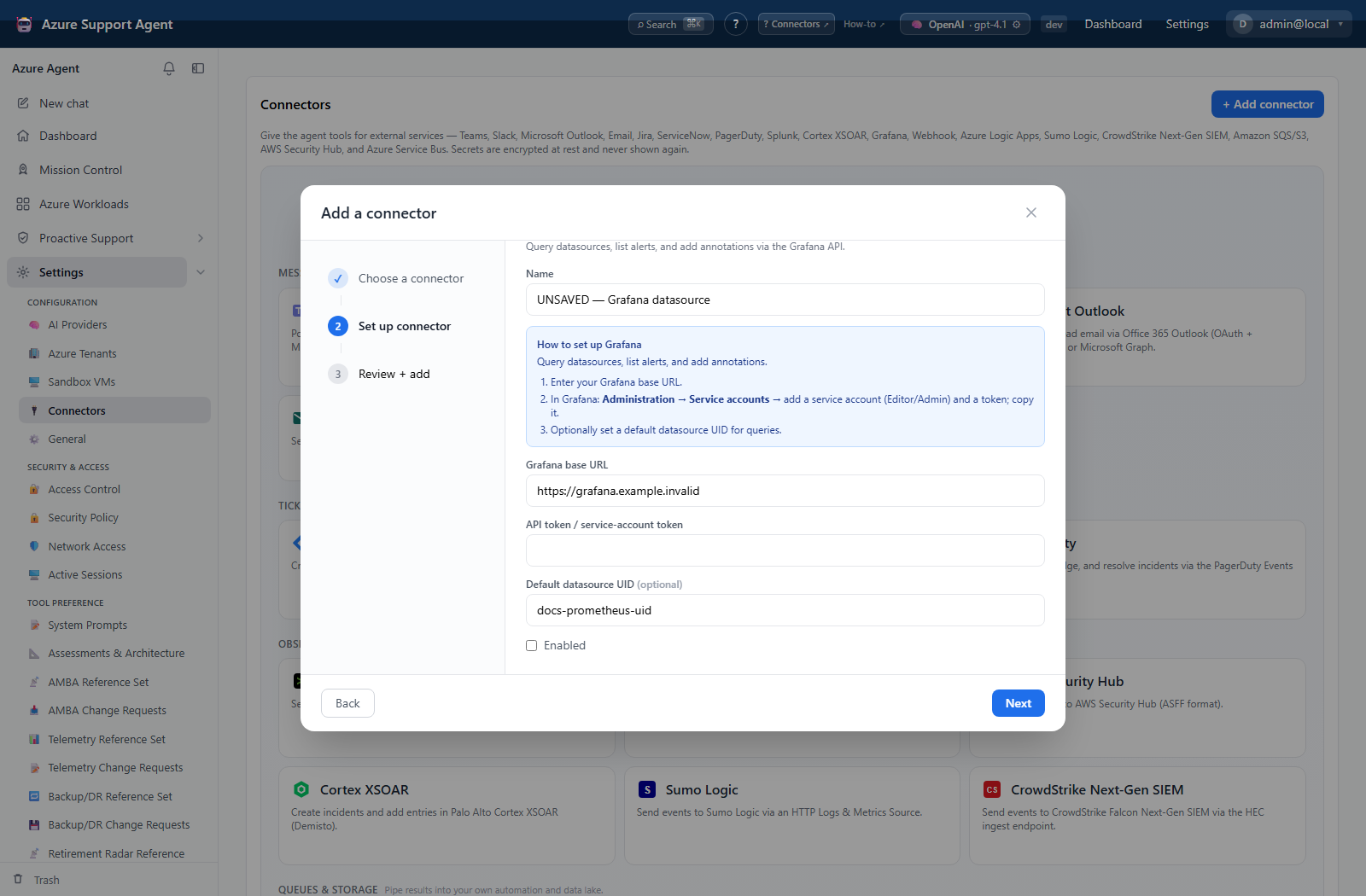
- Add Grafana, enter the URL/token and optional datasource UID, and save disabled.
- Select Test; it calls the read-only
/api/healthendpoint. - Enable and select Send test; notification delivery creates a real Grafana annotation.
- Locate the annotation and confirm its tags and time.
Expected result: Test reports reachable; Send test creates an annotation.
Verification: Check Grafana annotations on the relevant time range.
How to configure AWS Security Hub
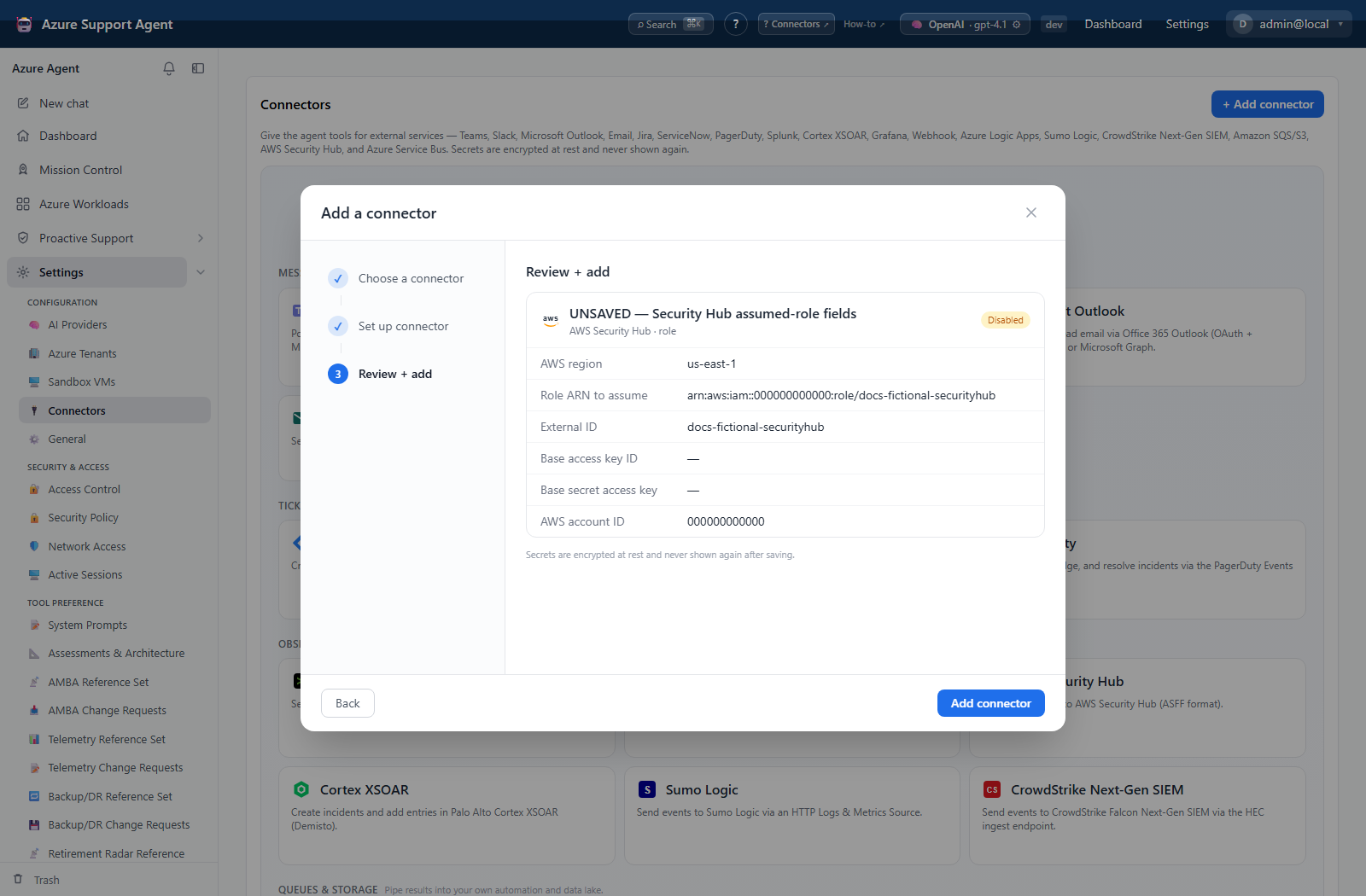
Compare the keys and role screenshots in the SIEM reference when choosing the identity fields to configure.
- Add AWS Security Hub; choose Keys or Role, enter region/account ID and credentials or role details, then save disabled.
- Select Test; it calls STS
GetCallerIdentityand creates no finding. - Compare the returned ARN with the intended account and role, then enable.
- There is no Send test UI/API support. If import must be proven, use an explicitly approved, uniquely identifiable low-severity test finding through a controlled workflow.
- Archive/suppress the test finding according to Security Hub procedures.
Expected result: Test identifies the AWS principal without writing a finding.
Verification: Confirm ARN, account, region, Security Hub enablement, and—only for an approved import—the expected ASFF finding.
How to configure Cortex XSOAR
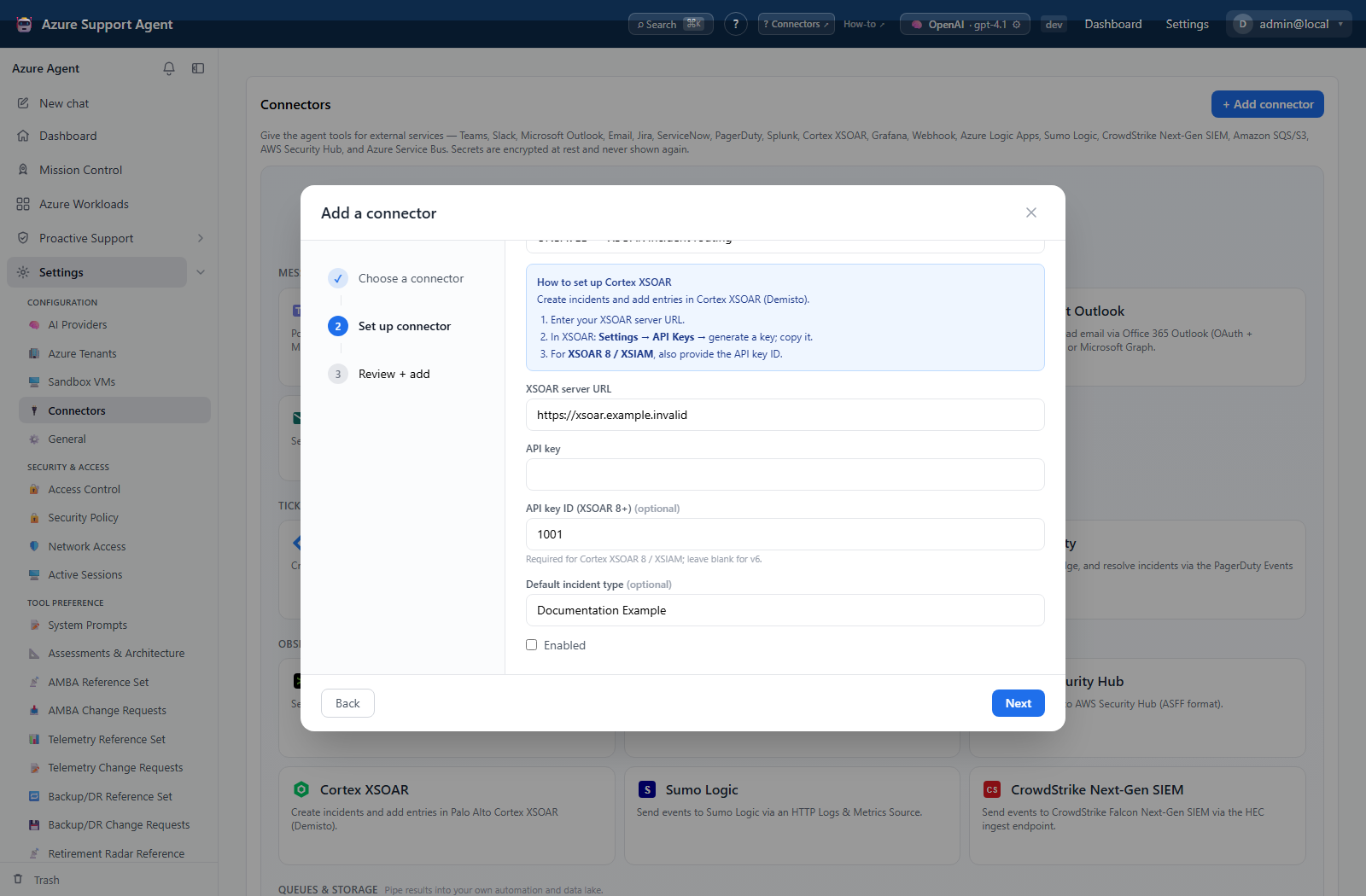
- Add Cortex XSOAR, enter URL/key, optional key ID and default incident type, then save disabled.
- Select Test; it performs a read-only
GET /userauthentication probe. - Confirm authentication and enable.
- There is no Send test UI/API support. Verify with read access first; use a controlled non-production incident workflow only when explicitly approved.
- Close/delete the controlled incident according to XSOAR policy.
Expected result: Test authenticates without creating an incident.
Verification: Confirm the expected XSOAR identity/version; verify any approved test incident in the intended tenant/type.
How to configure Sumo Logic
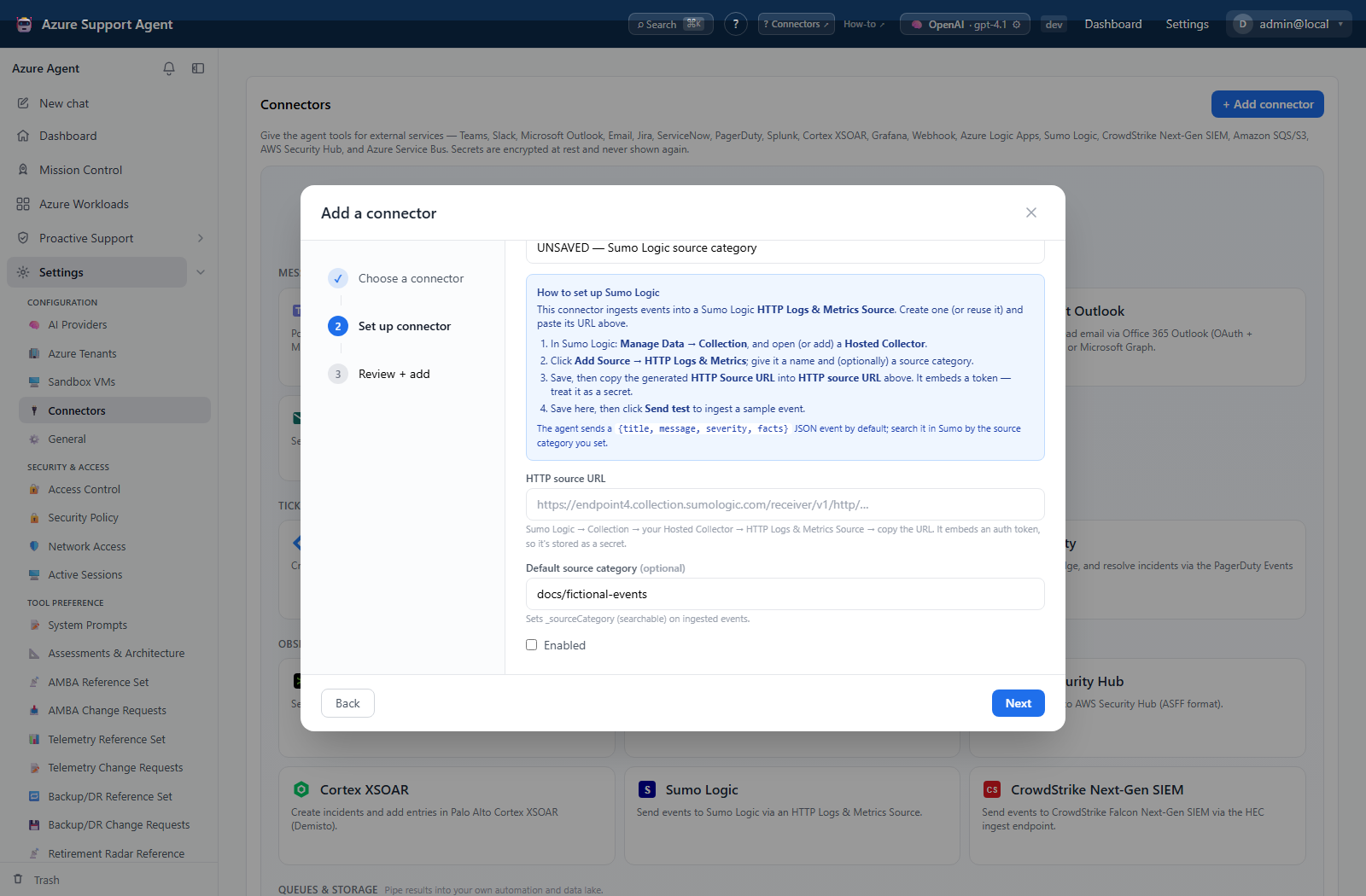
- Add Sumo Logic, enter the secret source URL and optional metadata, and save disabled.
- Select Test; it only confirms that the source URL is stored.
- Enable and select Send test to ingest a real event.
- Search the configured source category around the test time.
Expected result: Test reports configured; Send test ingests an event.
Verification: Confirm event content and _sourceCategory, _sourceHost, or _sourceName metadata when configured.
How to configure CrowdStrike Next-Gen SIEM
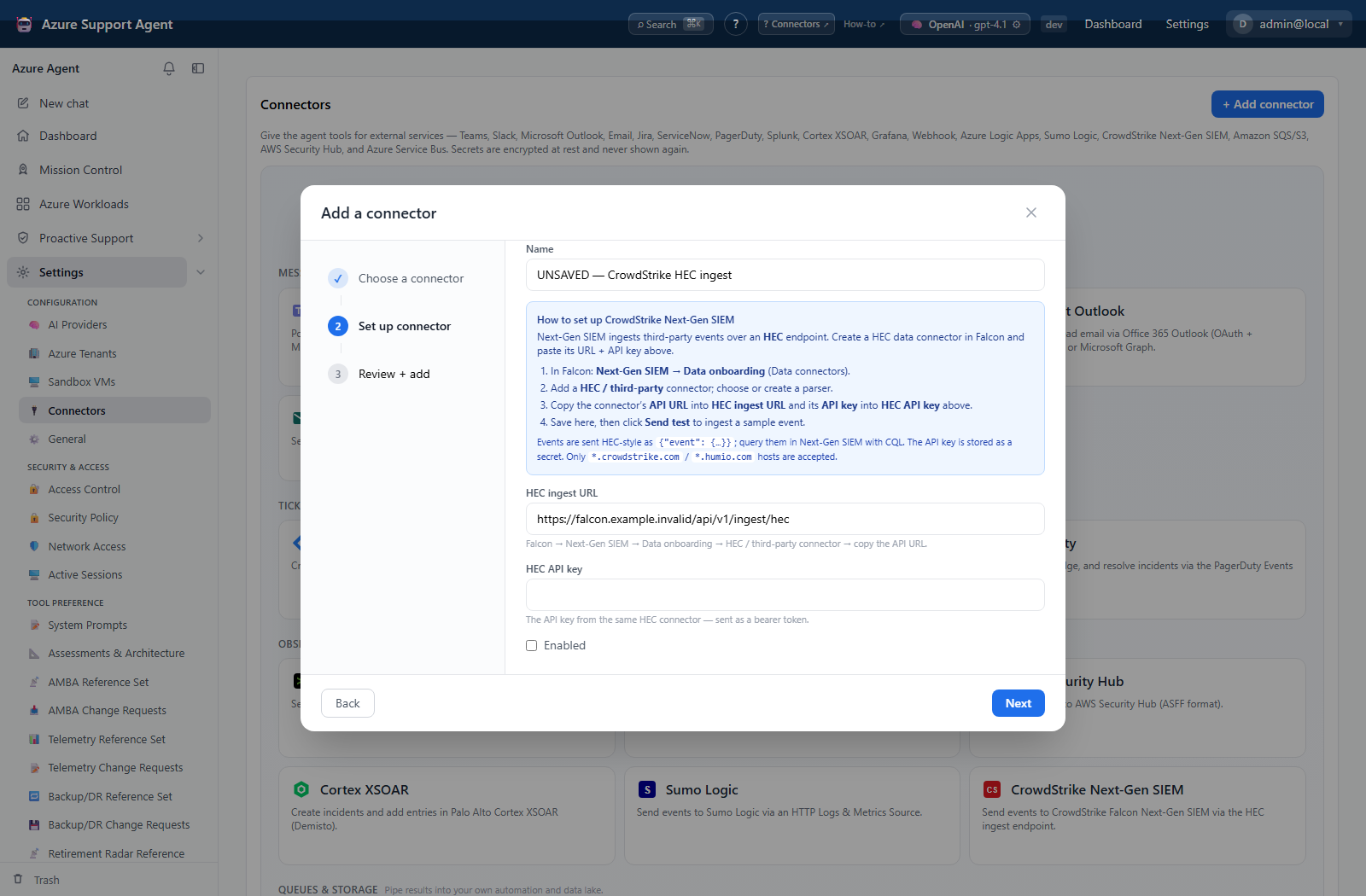
- Add CrowdStrike Next-Gen SIEM, enter the approved HEC URL/token, and save disabled.
- Select Test; it only confirms both values are stored.
- Enable and select Send test to ingest a real HEC-style event.
- Query the selected repository/parser around the test time.
Expected result: Test reports configured; Send test ingests one event.
Verification: Confirm the event envelope, parser/repository, timestamp, and fields in Falcon Next-Gen SIEM/LogScale.
Safety and rollback
Use a non-production dashboard/time range where possible. Remove the annotation if required, disable the connector, and rotate the token.
Prefer role mode and least privilege. Disable the connector, revoke keys/role access, and handle any controlled finding in Security Hub. Absence of Send test is intentional.
Use a dedicated key. Disable the connector, revoke the key, and clean up controlled incidents. Absence of Send test is intentional.
Use a test source/category. Disable the connector, follow retention procedures for test data, and rotate a disclosed source URL.
Use a test repository/parser. Disable the connector, follow data-retention procedures, and rotate an exposed token.
Use a test index first. Disable the connector, delete/expire the event according to retention policy, and rotate an exposed HEC token.
Troubleshooting
| Symptom | Resolution |
|---|---|
| Splunk reports success but the event is not searchable | Confirm HEC index routing, token index permission, event timestamp, and ingestion delay in Splunk before resending. |
| Check HEC enablement, endpoint path/port, token, TLS trust, index permission, and ingestion delay | Configuration success does not contact Splunk. |
| Connector lifecycle | Review connector configuration and retry. |