Plan policy rollouts and use AI tools
Prerequisites
- Product permission
policy.read;policy.writeto save a local simulation or draft. - A current inventory, exact test scope, policy intent, and an enabled AI provider for AI phases.
- External approval and deployment tooling for any Azure change.
Route
/policy/rollout, /policy/ai, and /policy/history.
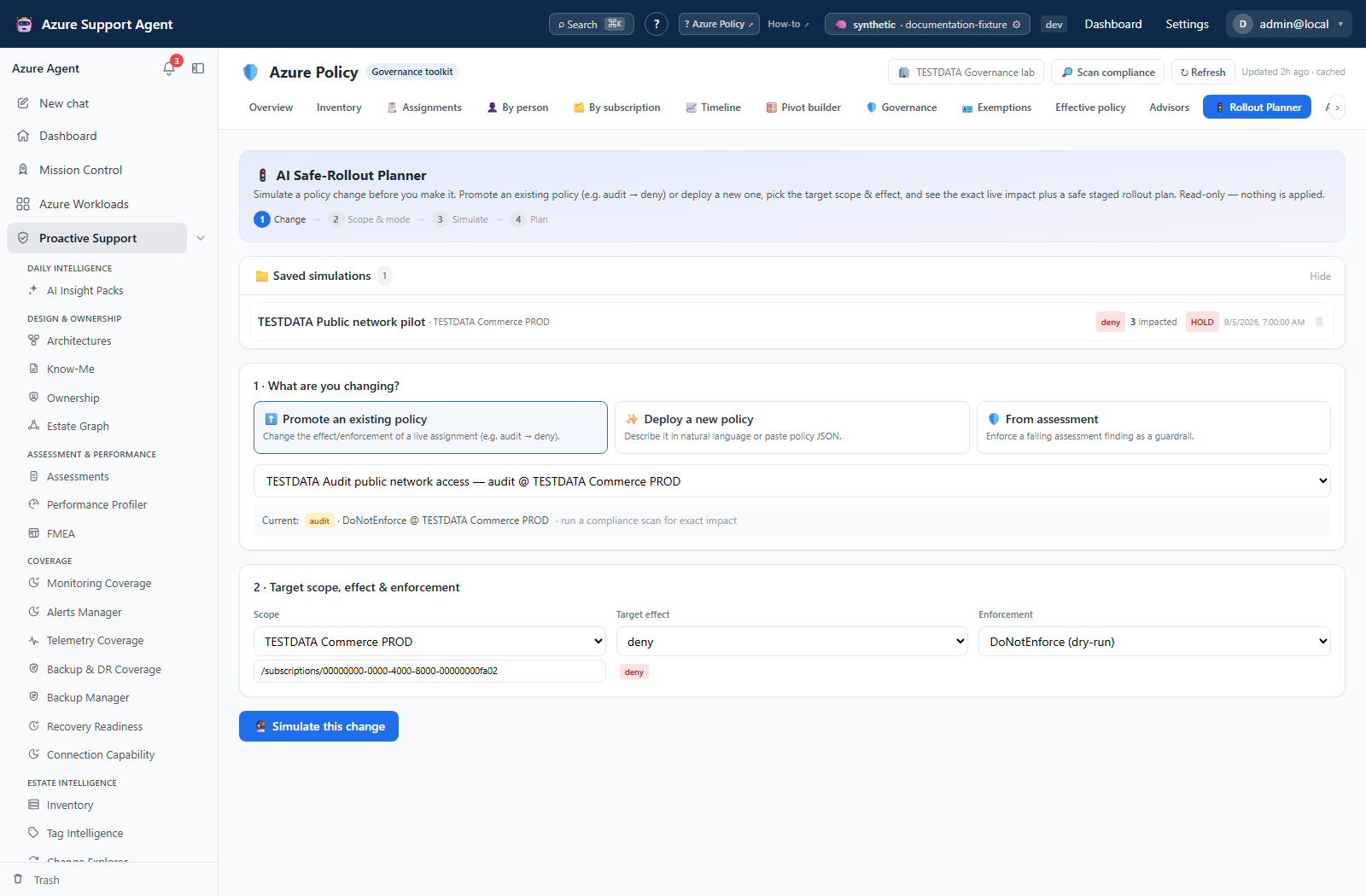
Screenshot note: The rollout form is unsaved and Simulate was not clicked. The result was opened separately from synthetic saved history, and the explanation is a prepared response, not an LLM answer. No AI call, backend save or Azure deployment occurred.
How to simulate a staged rollout
-
Open
/policy/rollout. - Choose deploy, promote, or finding mode.
- Provide non-sensitive intent or policy JSON, exact scope, and target effect.
- Select Simulate and follow streamed author, what-if, blast-radius, and plan events.
- Inspect whether translation is supported, match count, sample, exclusions, remediation identity, and exemption guidance.
- Review the proposed audit, limited/sample enforcement, and full-enforcement stages.
- Verify the completed result appears under Saved simulations. The UI attempts autosave with
policy.write; a displayed result alone does not prove it was saved. Save as planned guardrail separately records an assessment handoff, not a deployed assignment. - Implement externally only after peer review, approval, audit telemetry, and rollback preparation.
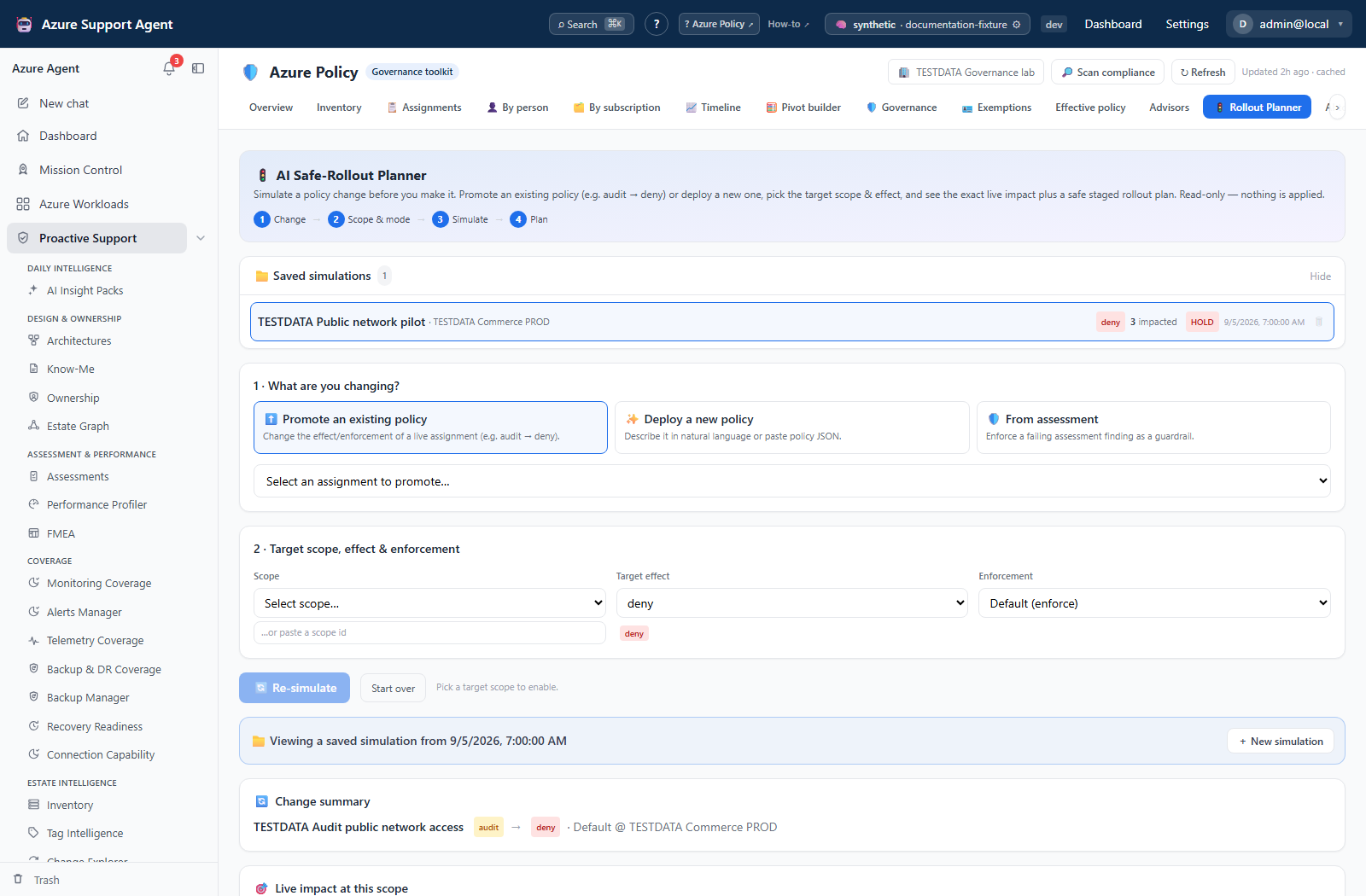
Expected result: A read-only staged plan and impact estimate; no Azure definition or assignment is deployed.
Verification: Test the policy in audit at a non-production scope, inspect fresh compliance, and exercise representative create/update operations before enforcement.
Assessment handoffs can queue multiple findings, and Tag Intelligence can prefill generated definitions. A combined run executes each selected finding separately; inspect each success/error and do not treat summed impact as unique resources. Stop, navigation and the three-minute client timeout stop waiting for the stream, not a cloud rollback.
How to author or explain a policy with AI
-
Open
/policy/aiand use the Natural-language authoring or Explain this policy card; these are parallel cards, not sub-tabs. - For Author, describe the resource type, condition, effect, exclusions, and parameters without real identifiers.
- For Explain, paste sanitized policy JSON.
- Validate generated JSON syntax, aliases, mode, effect, parameter types, and provider behavior against Microsoft documentation.
- Pass the reviewed proposal into Rollout Planner; do not deploy raw model output.
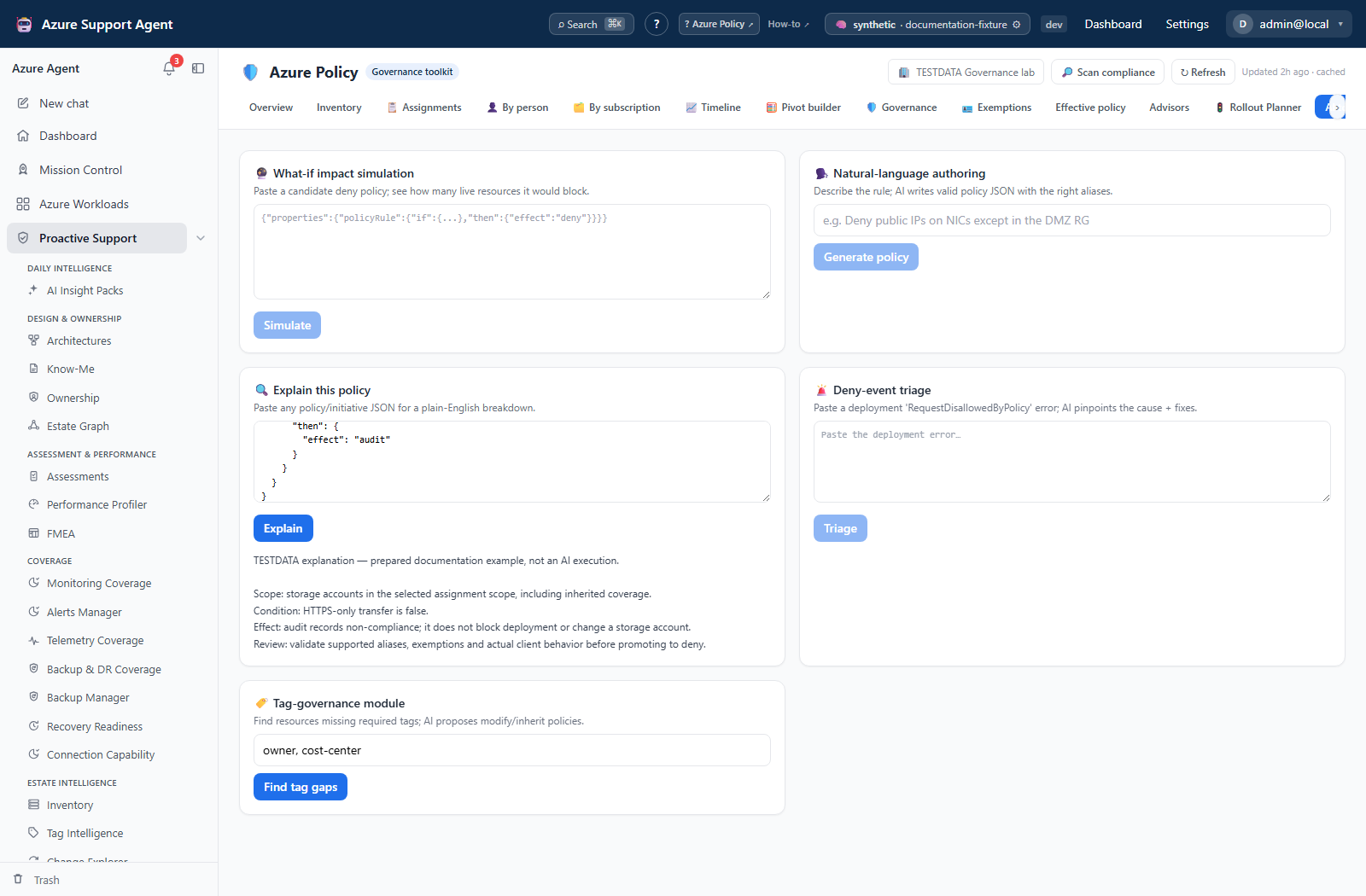
Expected result: A draft policy or plain-language explanation suitable for expert review.
Verification: Run policy validation/linting, compare aliases with Azure, and perform a bounded audit test.
How to triage a deny or propose tag governance
-
In
/policy/ai, use Deny-event triage with a redacted deployment error, or enter required tag keys in Tag-governance module and select Find tag gaps. The latter reads the selected connection, not a pasted inventory. - Review the suggested blocking assignment, rationale, and fix or proposed tag rules.
- Resolve effective policy at the failing scope and confirm the assignment ID in Azure.
- Prefer fixing the deployment or approved policy design over creating a broad exemption.
- Simulate any proposed tag policy before external rollout.
Expected result: A hypothesis and proposal, not a confirmed root cause or applied change.
Verification: Re-run the failed operation in an approved test after the external correction and confirm the expected policy evaluation.
Safety and rollback
Never paste secrets, tokens, full customer payloads, real object IDs, or personal data into AI inputs. Simulation and AI tools are Azure-read-only, but saving creates local records. Azure rollback must be designed in the deployment mechanism: remove or revert the assignment/definition, restore prior IaC, and account for resources modified or deployed by Modify/DINE.
Freshness and partial results
What-if asks AI for a Resource Graph predicate and uses at most 25 sample resources. Unsupported translation or a query error is unknown impact, even if a numeric count is zero. Subscription/resource-group targets narrow the query; management-group targets do not expand descendants, and resource IDs narrow only to their resource group. The standalone What-if and Tag-governance cards do not inherit workload narrowing. Tag governance uses at most eight nonblank keys.
Authoring sends up to 1,500 intent characters, Explain up to 12,000 JSON characters, What-if up to 8,000, and Triage up to 4,000 error characters plus 40 candidate assignments. Avoid relying on omitted tails of a large input. Resource Graph is eventually consistent, and AI can invent aliases or capabilities. Compliance and assessment counts can be reused from earlier evidence; GO is not approval or guaranteed deny safety.
Troubleshooting
| Symptom | Resolution |
|---|---|
| Stream stops with an error | Preserve the redacted input, check AI/provider status, and retry with narrower intent. |
| What-if is unsupported | Use an external audit assignment and representative deployment tests. |
| Match count looks too small | Check scope, inventory age, rule translation, resource type, and ARG limits. |
| AI JSON is invalid | Correct syntax and validate aliases/effects before simulation. |
| Saved plan is not in Azure | Expected: saved simulations are local analysis records only. |