Security Policy and Active Sessions
Permission: users.manage
The per-IP protection here is reactive — it responds after failed sign-ins. To stop unknown addresses reaching the sign-in page at all, see Network Access.
Purpose
App routes: /admin/policies, /admin/sessions
Prerequisites and data sources
Tabs and actions
Freshness and scope behavior
Workflow overview
Safe change procedure
Keep at least one tested recovery path before disabling local login. Shortening absolute lifetime affects future validity checks. After SSO/policy changes, test in a private browser before ending the existing administrator session.
Interpretation of results
Exports, history, scheduling, and integrations
Active Sessions
The table shows user, active/expired state, IP, user agent, and last seen. Toggle Show expired sessions, refresh, revoke one session, or revoke expired sessions in bulk. Revocation forces reauthentication for that session; user-level Sign out is available in Access Control.
Safety and limitations
Security Policy
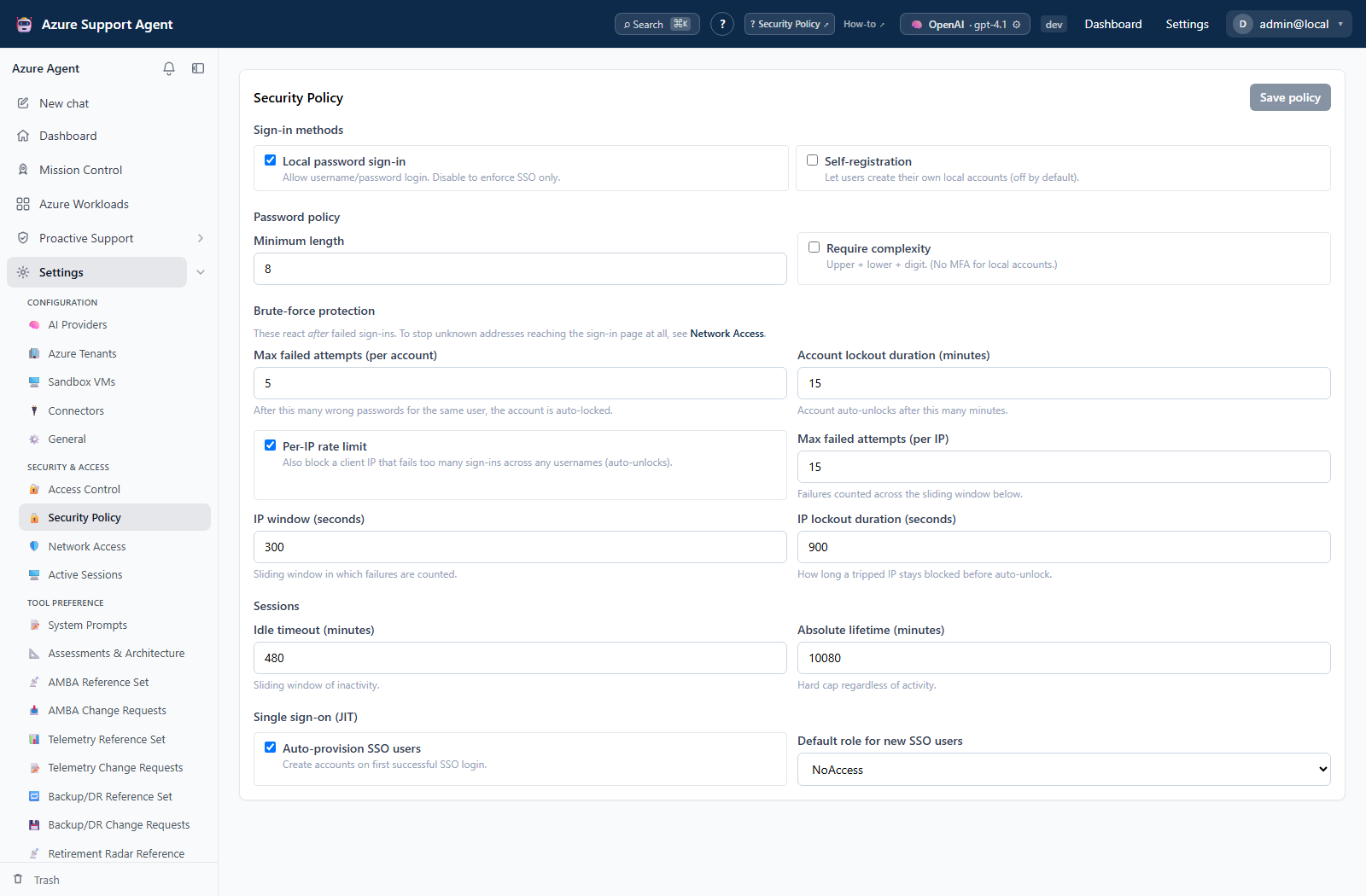
Visible settings are:
- Sign-in methods: local password sign-in and local self-registration.
- Password policy: minimum length and complexity (upper, lower, digit).
- Account protection: per-account maximum failures and lockout duration.
- IP protection: enablement, maximum failures, sliding-window seconds, and IP lockout seconds.
- Sessions: idle timeout and absolute lifetime, both in minutes.
- SSO JIT: auto-provision and default role for a new SSO user.
The implementation does not expose local-account MFA controls in this screen. Complexity is not a substitute for SSO/MFA at the identity provider. Keep JIT’s default role at noaccess or another explicitly reviewed least-privilege role.
Troubleshooting
Use the checks below when results differ from expectations.