Inventory Azure Policy and assignments
Prerequisites
- Product permission
policy.read. - An ARM/Resource Graph connection with Reader visibility over every intended scope.
- Policy Insights read access when compliance is required.
- A current workload definition when using workload scope.
Route
/policy/overview, /policy/inventory, and /policy/assignments.
Screenshot note: The inventory and register below are browser fixtures, not results of a live Azure scan. Counts, attribution and compliance are illustrative; missing evidence remains unknown.
How to build a current policy inventory
-
Open
/policy/overviewand select the connection and workload scope. - Read the generated time, age, cache state, and any
never loadedmessage. - Select Refresh to force a live inventory pull, or Scan compliance to include Policy Insights summaries. A page visit alone is cache-only; Refresh retains compliance once enabled in that page session.
- Open
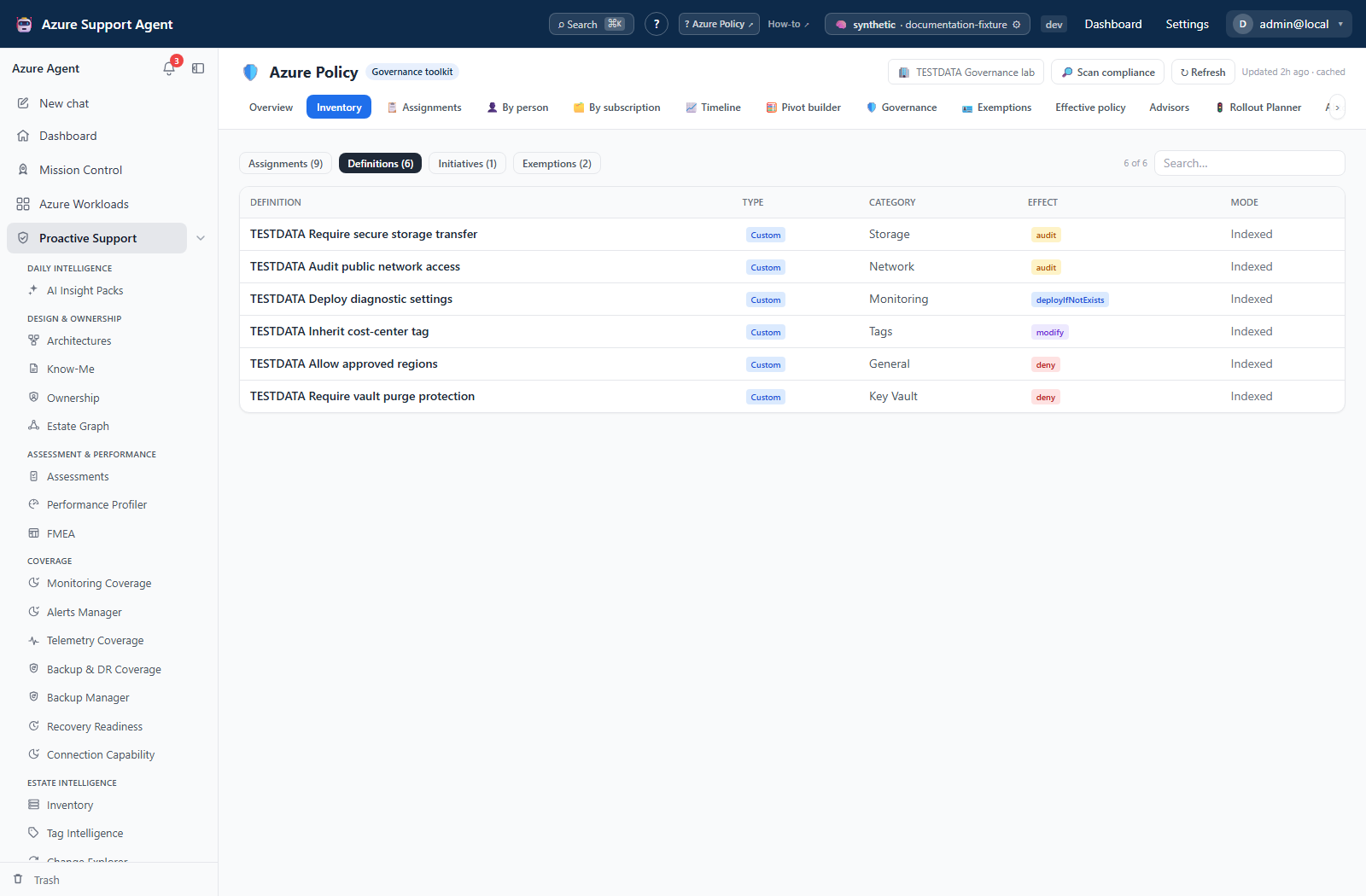
/policy/inventoryand review definitions, initiatives, assignments, exemptions, and the scope tree. - Confirm that expected management groups and subscriptions appear before using totals.
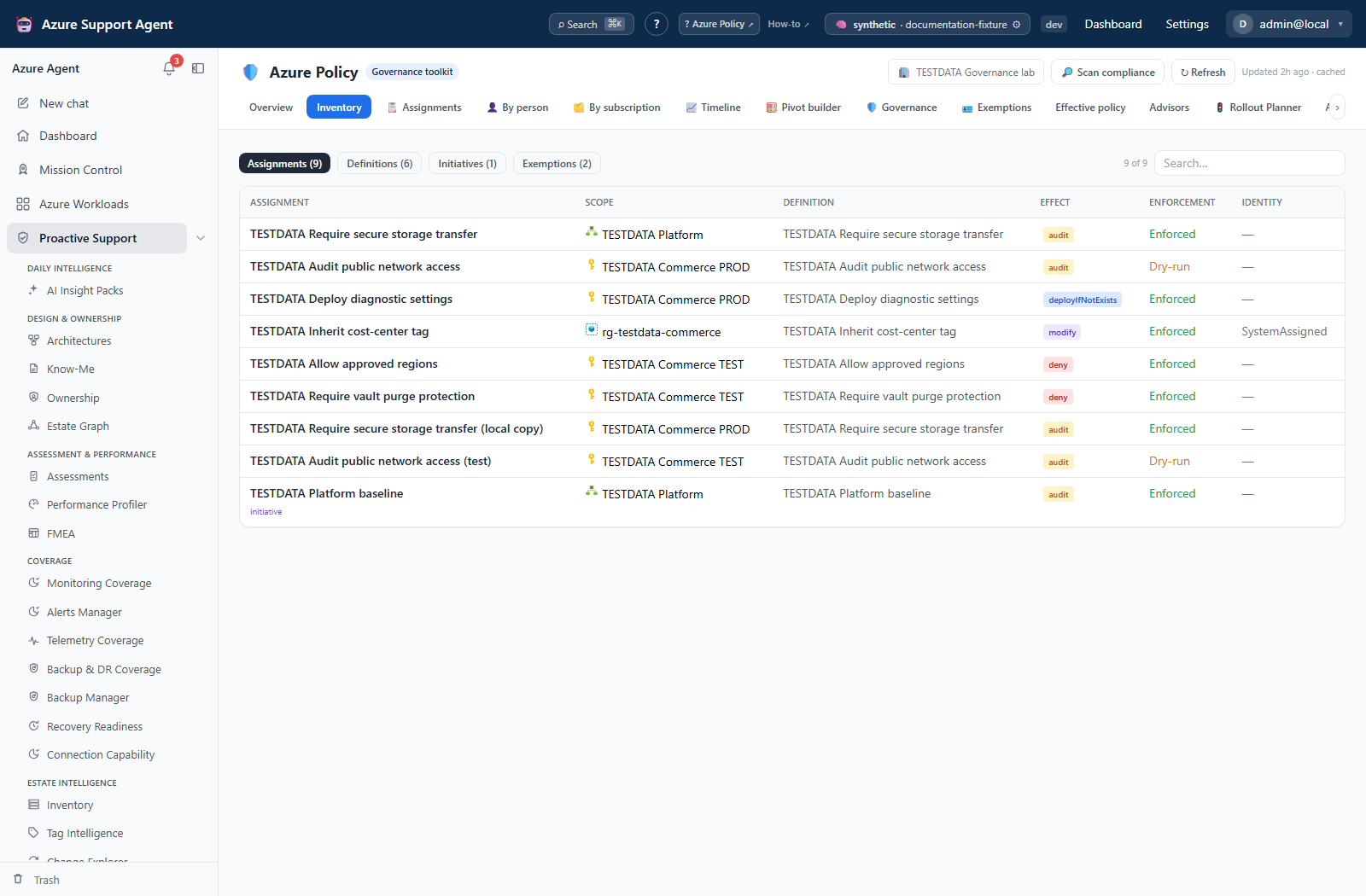
Expected result: A scope-bounded snapshot containing the policy objects visible to the selected connection, plus compliance only when requested and available.
Verification: Compare a known assignment and its scope with Azure Policy. Confirm generated time is after the scan, inspect errors, and compare subscription coverage. Definitions/assignments are capped at 2,000 each and initiatives/exemptions at 1,000 each before workload filtering; compliance summarizes at most 24 subscriptions. Not every cap has a UI warning.
How to review and export assignments
-
Open
/policy/assignmentsafter selecting the same connection and workload. - Use All enforcement, scope-kind and assigner filters, or search assignment/policy text. The register has no separate effect filter.
- Read the register’s attribution, creation date, description and enforcement columns. Use Inventory for effect and identity type, and the Azure assignment for full parameters, identity and
notScopes; the register does not open a detail drawer. - Export the filtered rows with CSV or Excel.
- Open the file locally and confirm the row count and filters match the UI.
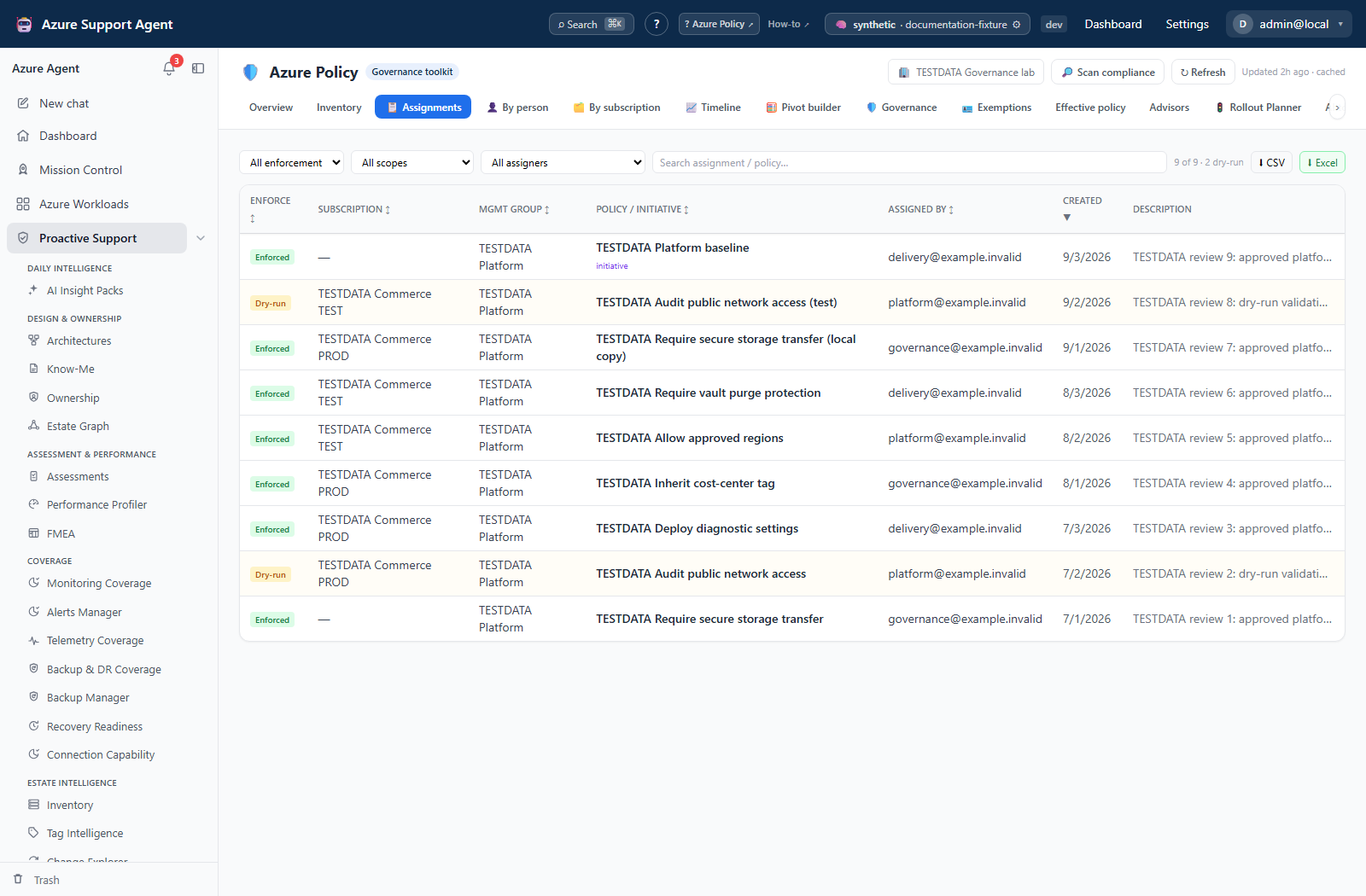
Expected result: A reviewable assignment register whose export reflects the selected data set.
Verification: Spot-check one direct assignment, one inherited assignment, and any DoNotEnforce assignment against Azure. Treat missing compliance as unknown, not compliant.
Safety and rollback
Inventory, compliance collection, filtering, and export do not change Azure. A scan can be slow and can consume API quota. Narrow scope before rescanning. Downloaded files can contain resource and identity metadata; store and delete them under organizational data-handling rules. There is no Azure rollback because no Azure write occurs.
Freshness and partial results
Policy cache is persistent and does not expire automatically. A page visit does not prove the data is current. Resource Graph response-size limits can truncate large inventories, and Policy Insights may be unavailable because of permissions or API failure. Workload filtering can intentionally hide assignments outside the workload.
Troubleshooting
| Symptom | Resolution |
|---|---|
| Never loaded | Run the explicit live scan for the selected connection and scope. |
| Assignment is missing | Check workload filtering, Azure visibility, inherited scope, cache age, and truncation warnings. |
| Compliance is blank | Verify Policy Insights permission and subscription coverage, then scan with compliance enabled. |
| Export has fewer rows | Clear unintended filters and verify whether export is scoped to the current register. |
| Scan is slow | Reduce workload/subscription scope and avoid concurrent rescans. |