Azure MCP Tools and EntraID MCP Tools
Permissions: settings.read to inspect catalogs; settings.write to change built-in or Entra tool exposure settings. A custom role using those controls through the UI needs both keys.
Purpose
App routes: /admin/tools, /admin/entratools
Prerequisites and data sources
settings.readand a reachable Azure MCP process for the live Azure catalog.settings.readand a configured default Azure connection for the Entra catalog.settings.writeonly when changing Azure, built-in, or Entra per-tool exposure,entra_mcp_enabled, routing budgets, skills, or native-search settings.- Azure RBAC or Microsoft Graph application permissions remain separate from product permission and are checked when a tool runs.
Tabs and actions
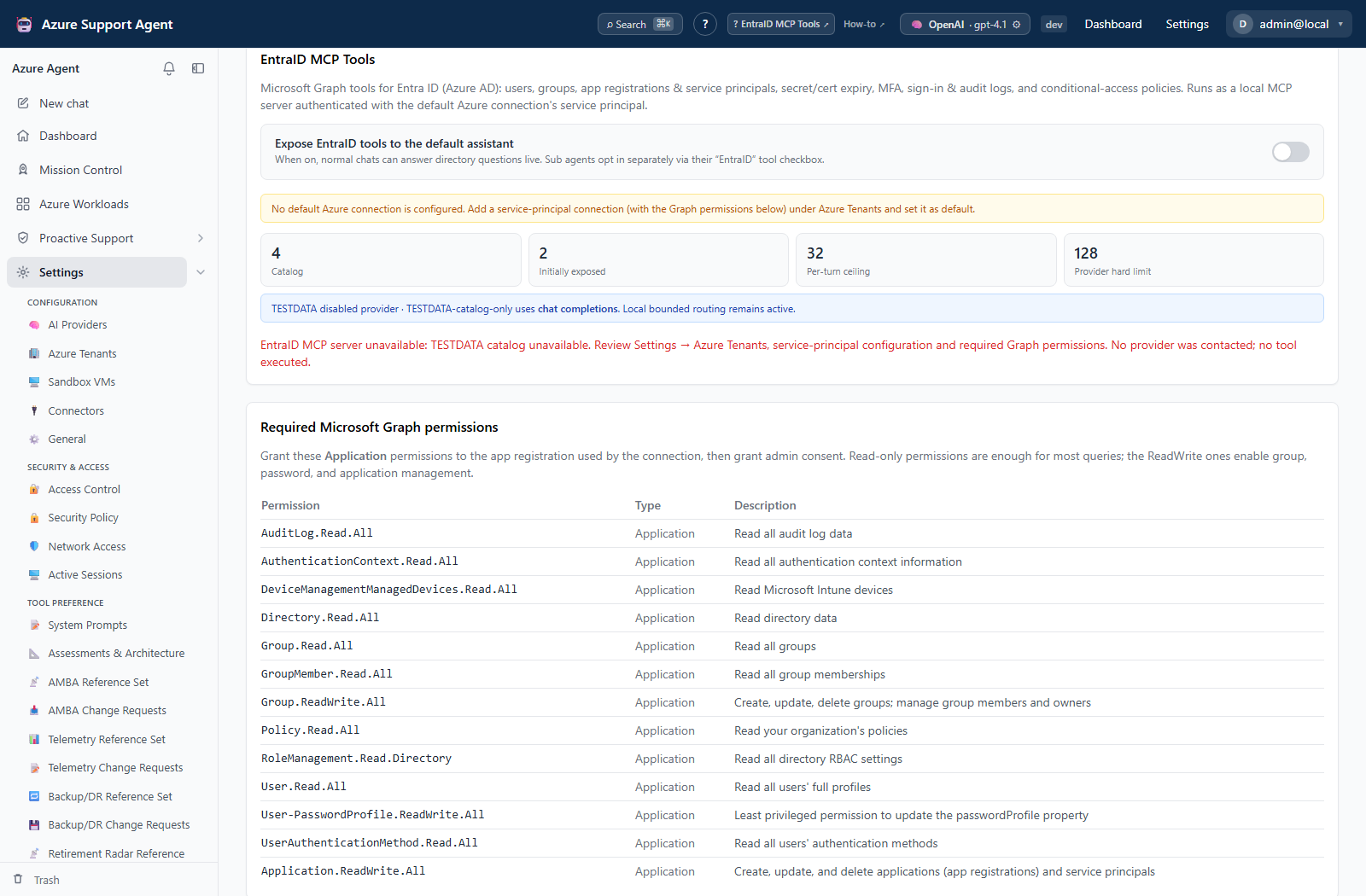
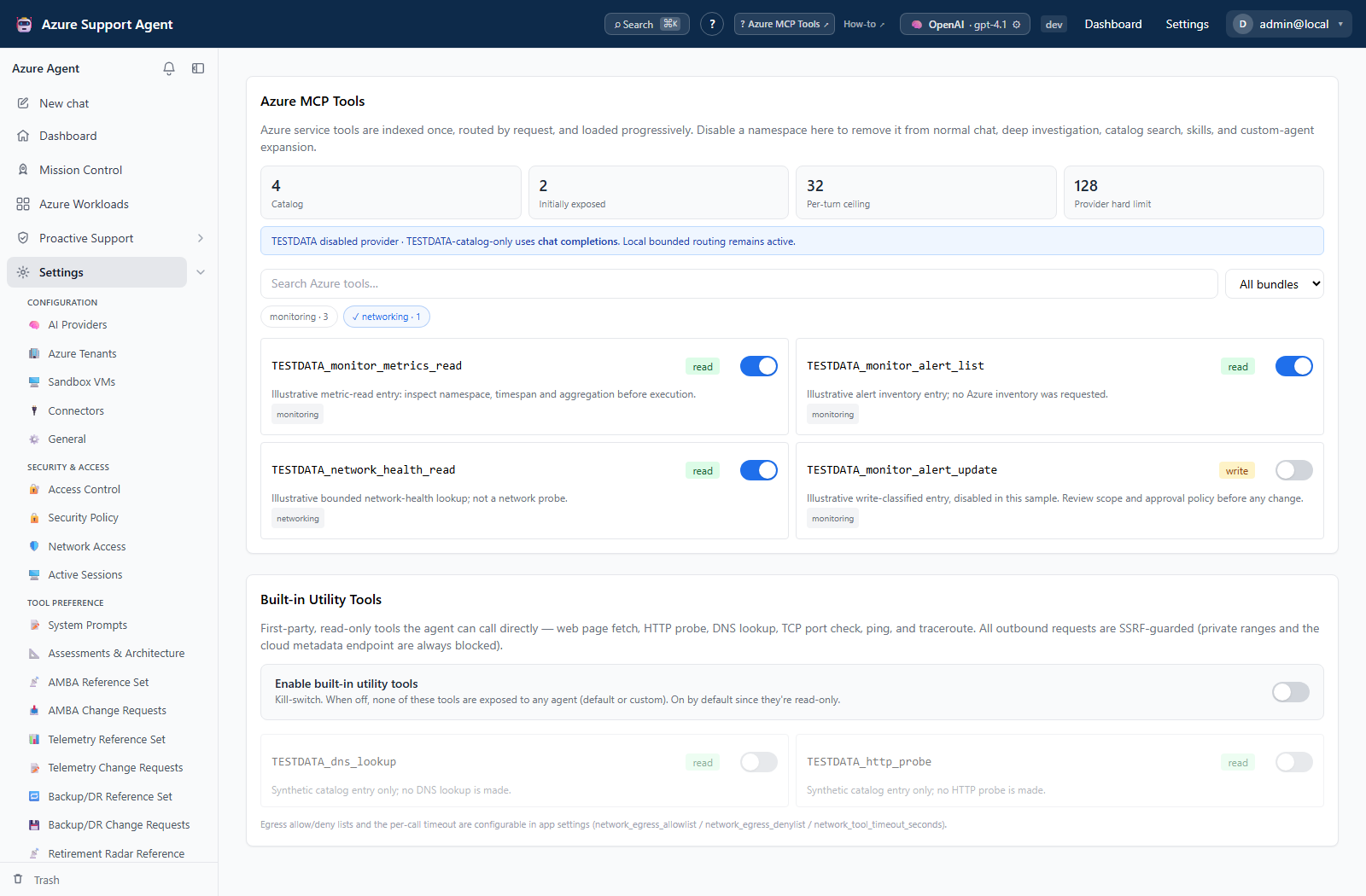
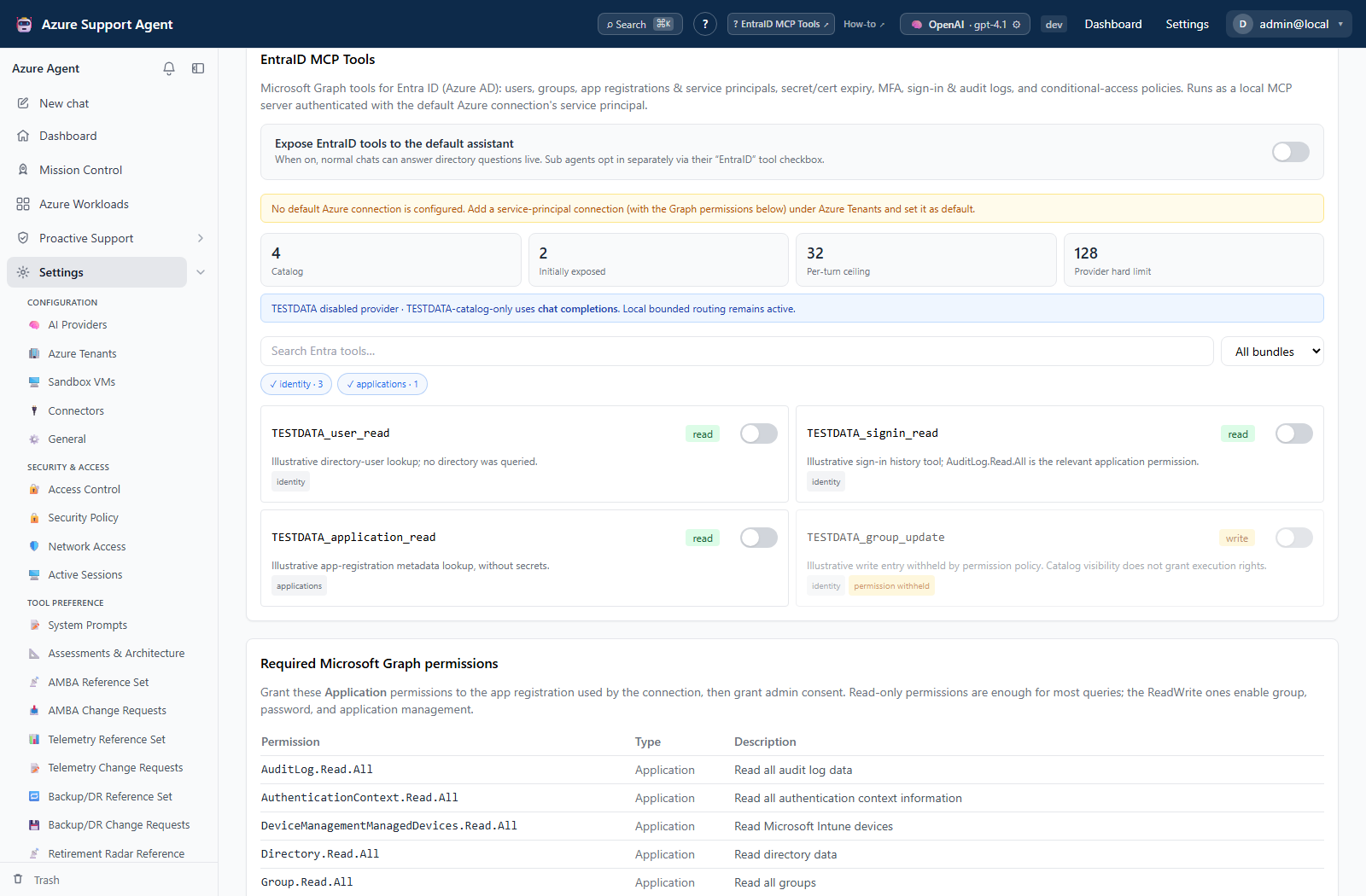
/admin/toolslists live Azure MCP tools and built-in first-party utilities withreadorwriteclassifications. Azure tools can be searched, filtered by bundle, and disabled individually or by bundle. Built-in utilities retain their global and per-tool switches./admin/entratoolslists the Entra MCP tool catalog, connection readiness, and required Graph application-permission guidance. Entra tools can be searched, filtered by domain bundle, and disabled individually or by bundle. Exposing Entra tools to the default assistant changesentra_mcp_enabledand requiressettings.write.- Both pages show full catalog size, initially exposed count, per-turn ceiling, and the current provider’s hard definition limit. A catalog larger than a provider limit is normal: the router only exposes relevant schemas and loads more on demand.
- Catalog inspection does not execute a listed tool. Tool execution happens later through Chat, a sub-agent, or another owning workflow and remains subject to its own product, approval, connection, Azure/Graph, egress, and audit controls.
Freshness and scope behavior
The Azure catalog depends on the connected MCP server and is cached by the server client. The Entra list depends on local MCP availability and the default connection. A catalog can change after server/package/configuration changes; reload after changing enablement. Tool visibility does not prove that the selected connection can authorize every listed operation.
Workflow overview
Azure MCP Tools
The page lists the live tool name, description, bundle, and read or write classification from the connected MCP server. It also shows built-in diagnostics/utilities. Catalog content depends on server availability and version; the live page is authoritative.
Disabling an Azure namespace removes it from normal chat, deep investigation, local catalog search, skill-driven expansion, and custom-agent routing. Azure namespace tools can carry a coarse write classification because the actual operation is selected by a command argument; the runtime reclassifies each call and keeps mutations behind the write policy.
General settings control mcp_read_only, built-in tool enablement/disabled list, egress policy, command execution, and timeouts. A write label means approval and connection policy apply; it is not permission to execute automatically.
EntraID MCP Tools
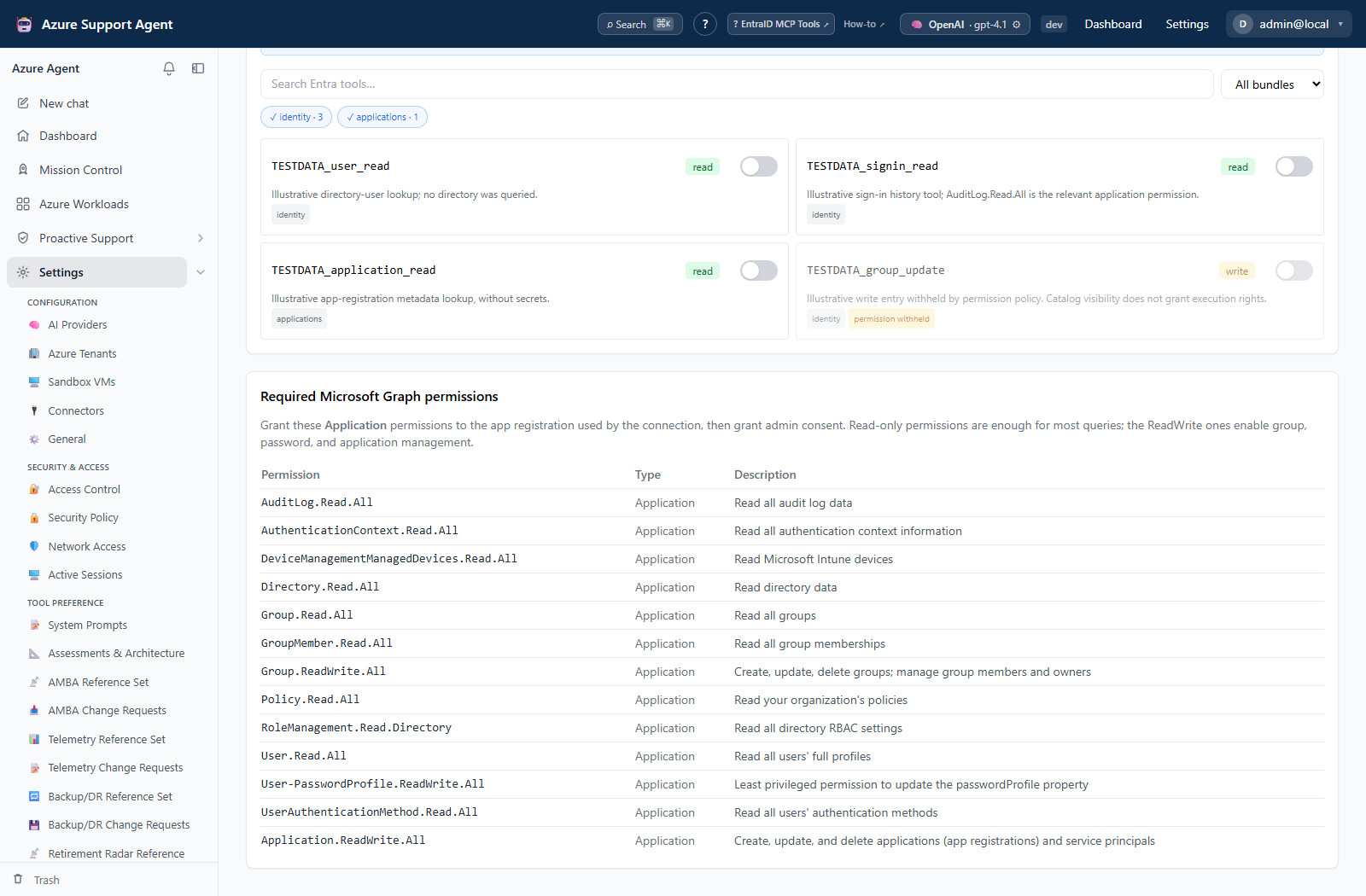
The page lists Microsoft Graph tools available from the Entra MCP integration and reports server/connection state. entra_mcp_enabled is the master default-assistant setting. Global per-tool and bundle controls further narrow the eligible catalog. The selected Azure connection still needs the exact Graph application permissions and administrator consent required by a tool.
Behavioral-history tools remain withheld unless the caller has investigate.activity, even if an administrator enabled the broader Entra catalog. Read-only prompts do not initially expose mutating Entra tools; a clear write request and the existing approval policy are still required.
Progressive discovery and skills
The default operating surface is 24 schemas, with a 32-schema per-turn ceiling. The model can use the internal search_tools or load_tool_bundle capabilities to add permitted tools. Large tool results are represented by a bounded preview plus a turn-local artifact id that can be read in pages; raw JSON is never cut mid-object.
On-demand skills initially contribute only a name and short description. Loading a skill adds its workflow instructions and requests its associated bundles. A skill is guidance, not authorization: global disablement, product permissions, custom-agent scopes, read/write classification, approvals, and tenant binding are reapplied.
Advanced settings control the initial budget, per-turn ceiling, tools per search, skills, and the experimental direct-OpenAI native tool-search path. The provider-independent local router remains the fallback for every provider and unsupported model.
Provider transport is selected independently per provider and model. A model can require the OpenAI Responses API for ordinary function tools without supporting native deferred tool_search. For example, direct OpenAI gpt-5.6-sol uses Responses automatically with the same bounded local surface, while older Chat-compatible models keep Chat Completions. Claude, GitHub Copilot, and ChatGPT Codex retain their provider-specific adapters. A definitive compatibility error can teach the process one transport fallback; the same rejected endpoint is not retried indefinitely.
Interpretation of results
readandwritedescribe the tool’s operation class; they are not role grants.- A missing write tool can be an intentional result of MCP read-only mode.
- A visible Entra tool can still fail if the default connection lacks the exact Graph application permission or administrator consent.
- A
settings.read-only role can inspect the catalog. Any setting update remains backend-gated bysettings.write, even if a control is visible in the current client.
Exports, history, scheduling, and integrations
No dedicated export, history, scheduling, or integration controls are documented for this feature page.
Safety and limitations
Keep MCP read-only enabled unless approved write tools are required. Built-in network utilities are classified read-only and enforce SSRF/egress controls, but they still create outbound network requests. Entra tools include directory writes when Graph permissions permit them; exposing a tool does not waive approval or least-privilege requirements. Never copy Graph credentials, tokens, or certificate private material into documentation or tool prompts.
Troubleshooting
| Symptom | Resolution |
|---|---|
| Server unavailable | Verify process/container configuration, endpoint, logs, and health. |
| Empty catalog | Check enablement and server version; reconnect/restart through the normal local operational process. |
| Tool fails with authorization | Grant only the documented Azure/Graph permission and retest the connection. |
| Write tool absent | mcp_read_only may intentionally hide it. |
| Catalog exceeds the provider limit | Keep progressive routing enabled. Review the initial/per-turn budgets and global bundle policy; do not restore a full eager catalog. |
| Relevant tool was not initially exposed | The agent can call search_tools; confirm the tool was not globally disabled or excluded by the custom agent. |
Model says tools require /v1/responses | The direct OpenAI adapter should select Responses automatically. Verify the provider/model transport shown on the tool page; native tool_search can remain disabled. |
| Catalog opens but an enable toggle returns forbidden | The active role has settings.read but lacks settings.write. Switch to an approved role containing both keys. |