Review reservations and renewal risk
Route
Open /reservations.
Prerequisites
- Product permission
reservations.read. - A selected Azure connection whose identity can read reservation orders; subscription Reader alone may not grant billing/tenant-level access.
- Approved connector and digest settings only when routing notifications.
How to review expiry, renewal, and utilization
-
Open
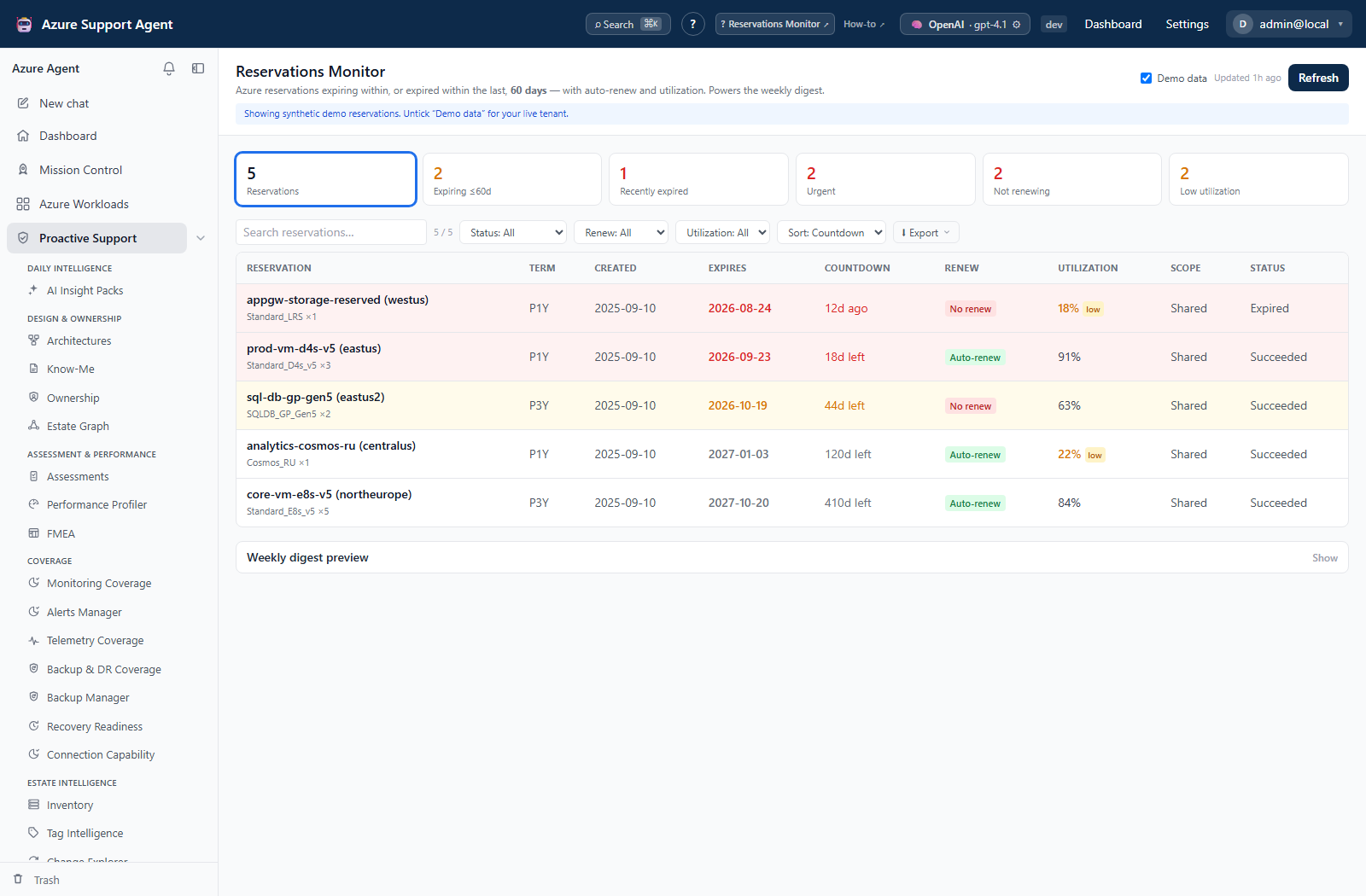
/reservations; clear Demo data for live review or enable it for synthetic reservation rows. - Select the intended connection and check snapshot age.
- Select Refresh for current Azure state.
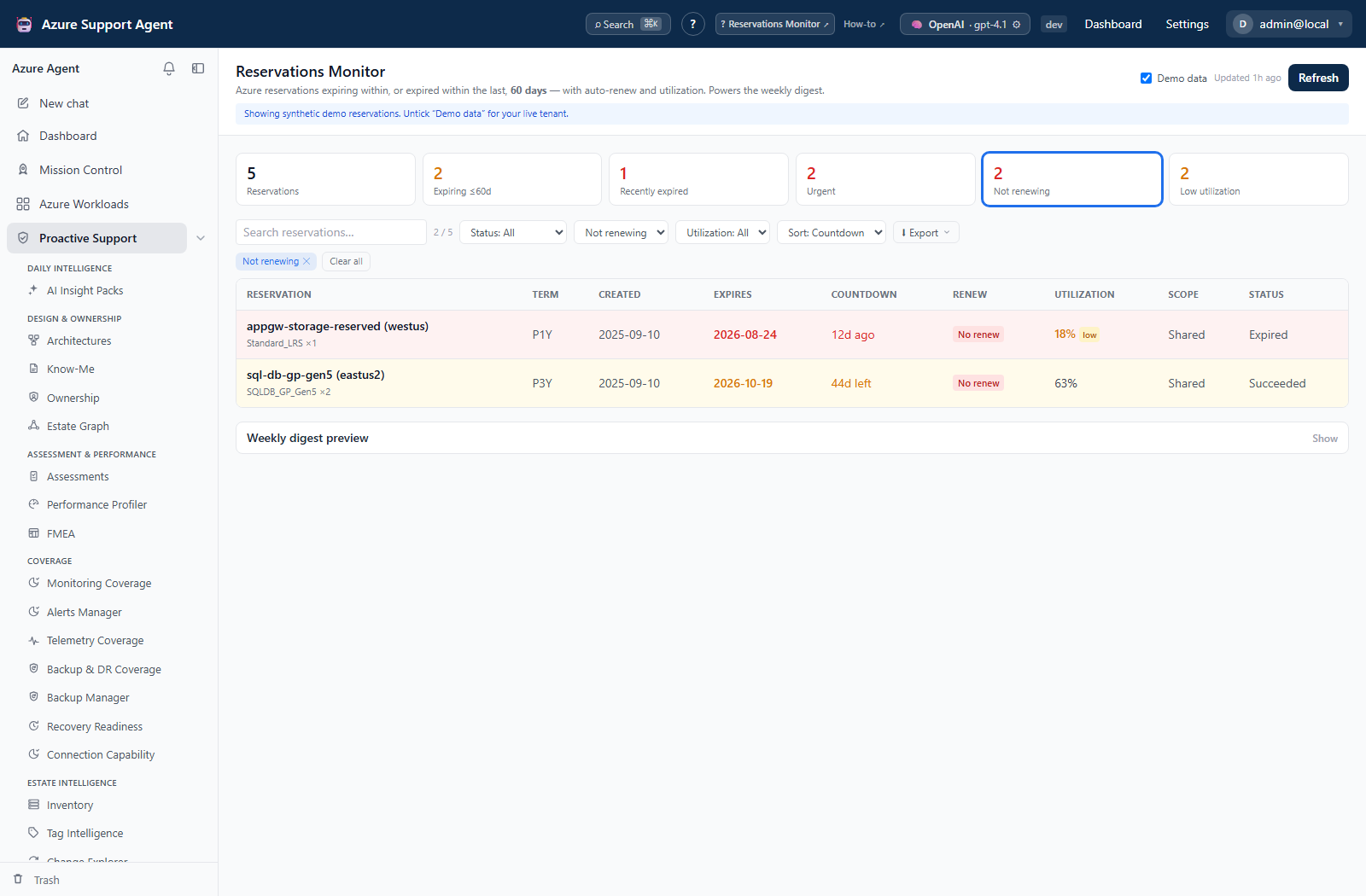
- Use KPI tiles or filters for status, renewal mode, utilization, and search. The expiry window is a deployment setting, not a page slider; clear chips to remove unintended filters.
- Sort by Countdown, Utilization, or Name. SKU and region are not sort choices.
- Inspect term, quantity, scope, creation/expiry, auto-renew, utilization, and provisioning status. Use CSV/JSON for billing plan and order ID; rows do not open a detail drawer.
- Confirm financial ownership and current order state in Cost Management before action.
Expected result: A tenant-scoped list of expiring, recently expired, active, non-renewing, and low-utilization reservation candidates.
Verification: Spot-check order, expiry, renew state, quantity, and utilization in the authoritative billing view. Renew, SKU, quantity, and utilization primarily describe the first child reservation, not a whole-order aggregate. Unavailable utilization is unknown, not zero; values below 25% are highlighted.
How to export a bounded reservation review
-
Apply intended filters and sorting.
- Open Export and choose CSV (Excel), JSON, Rich HTML report, or Copy as Markdown. Clipboard failure falls back to a Markdown download; the HTML report is printable for a browser PDF handoff.
- Open the output and confirm row count and connection context. JSON includes filters and snapshot time; CSV is a row-only export. JSON/HTML/Markdown summary counts describe the full snapshot, even when rows are filtered.
- Store the artifact as sensitive financial/operational data and remove it when no longer needed.
Expected result: A point-in-time report containing the currently selected reservation data.
Verification: Reconcile totals and one representative row with the UI and Azure.
How to preview a digest and verify configured routing
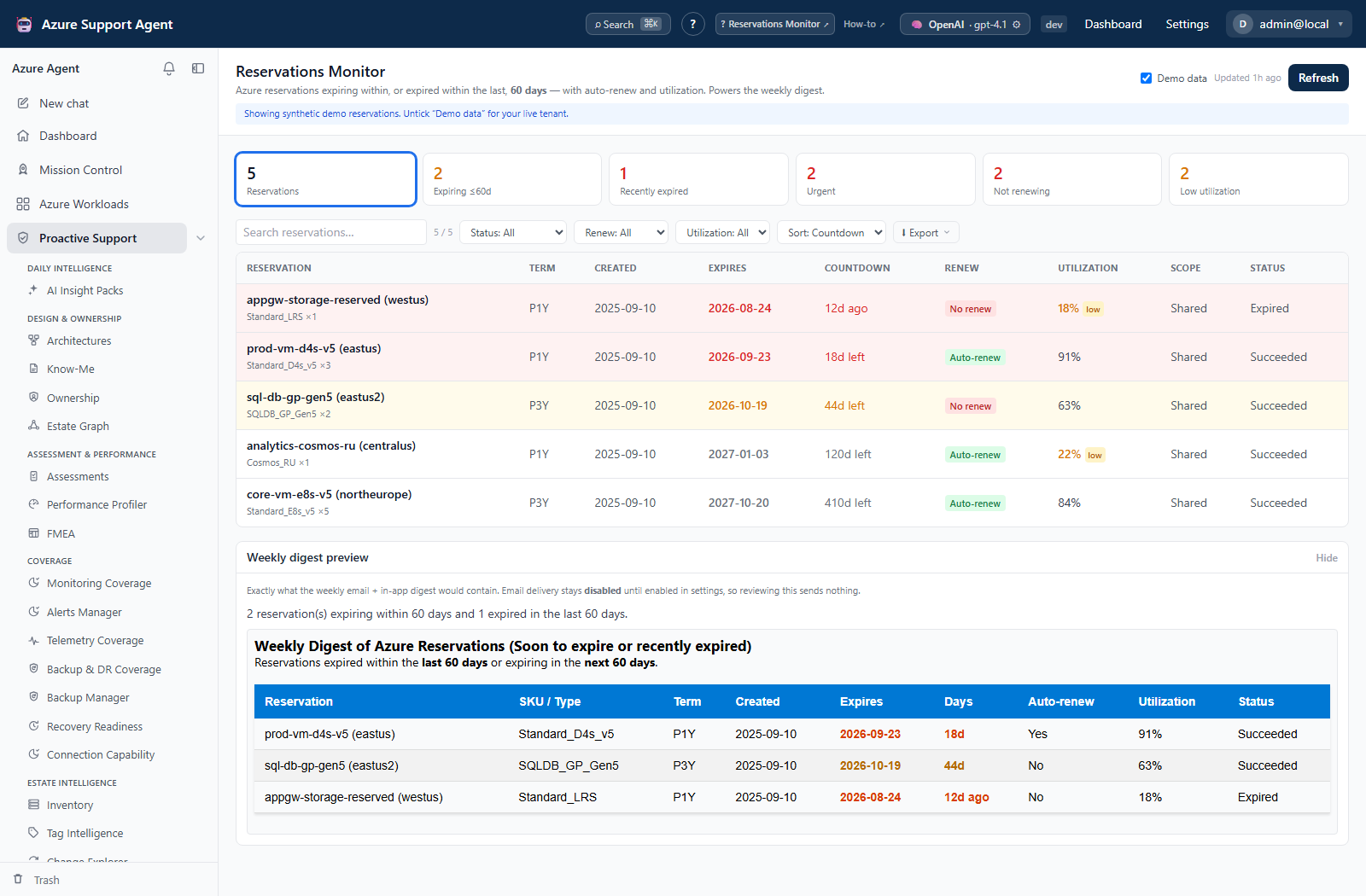
- Expand Weekly digest preview and review the HTML and summary. Preview reads the selected connection’s cached ±window items, not the current table filters, and sends nothing.
- Refresh first if the cached dates are stale. The preview has no row editor or removal action; validate unexpected entries in the source billing system.
- Confirm that the deployment’s default connection is the intended scheduled source. The scheduler recollects from that connection, independently of the currently selected preview connection.
- Ask the administrator to verify the configured daily/weekly cadence, time zone, recipients, and email-capable connector IDs. Delivery is disabled by default. The current General settings UI and settings-update schema do not expose a working reservations-digest configuration path; do not assume saving unrelated settings enables it.
- For an already enabled digest, check the in-app notification and intended destinations after the due period. This page provides no test-send/resend action.
Expected result: A reviewed preview, with scheduled delivery treated as a separate deployment configuration and external write.
Verification: Confirm receipt in each destination, not just a saved period marker. A failed channel still advances the marker, preventing automatic same-period retry; invalid time zones fall back to UTC. Preview connection and scheduled default-connection data must be reconciled separately.
How to investigate missing or partial reservation data
- Confirm the selected connection and Updated time, then inspect any error banner. Page entry reads cache, while Refresh writes the latest collected application snapshot.
- Resolve order-level authorization errors before refreshing again. For missing utilization/renew state, verify child data directly in the billing view; child-query errors are not surfaced as a distinct partial banner.
- Compare large estates externally: collection expands at most 200 orders from the first response page and does not follow continuation links. The main table can contain orders outside the digest window; absence is not explained by that window alone.
- Preserve a required export before the next refresh. There is no historical snapshot restore or cleanup UI, and a failed refresh can replace the prior cache.
Expected result: Missing orders and unknown fields are investigated as collection limitations rather than interpreted as healthy renewal posture.
Verification: Reconcile representative parent/child records and document unresolved coverage. A successful HTTP response does not prove complete billing inventory.
Safety and rollback
The monitor is Azure-read-only and cannot buy, exchange, renew, or cancel reservations. Exports and digests can disclose financial data. Correct routing by disabling/editing digest settings; Azure commercial decisions require a separate approved process and rollback feasibility depends on Microsoft’s reservation terms.
Freshness and partial results
The snapshot is cached and may lag exchanges, renewals, utilization, or billing changes until refresh. The default freshness interval is six hours. The ±60-day default bounds digest selection and expiry bands, not the entire main list. Reservation access is tenant/billing scoped, so subscription Reader alone may not be enough.
Troubleshooting
| Symptom | Cause and resolution |
|---|---|
| Live list is empty | Verify selected connection and reservation-order permissions, then refresh; the default connection separately controls scheduled delivery. |
| Utilization is absent | Treat as unknown and verify product support/source data. |
| Values differ from billing portal | Align tenant, order, time window, and generated time. |
| Export misses rows | Clear unintended filters and compare with the loaded order count; source paging/expansion caps cannot be removed by an export. |
| Digest does not arrive | Verify configured enabled state, default connection, schedule/time zone, recipients, and email-capable connector health. A failed attempt may already have advanced the period marker. |