Manage Azure tenant connections
Prerequisites
- Product permission
connections.manage. - Tenant and client identifiers plus credentials for a method offered by the form: service-principal secret, service-principal certificate, host/default credential chain, or pasted Azure CLI token. See Azure Tenants to choose one.
- Least-privilege Azure RBAC at the intended scope; Graph administrator consent only when Entra features are required.
Route
- Open
/admin/tenants. - Open
/capability.
How to add and verify an Azure tenant connection
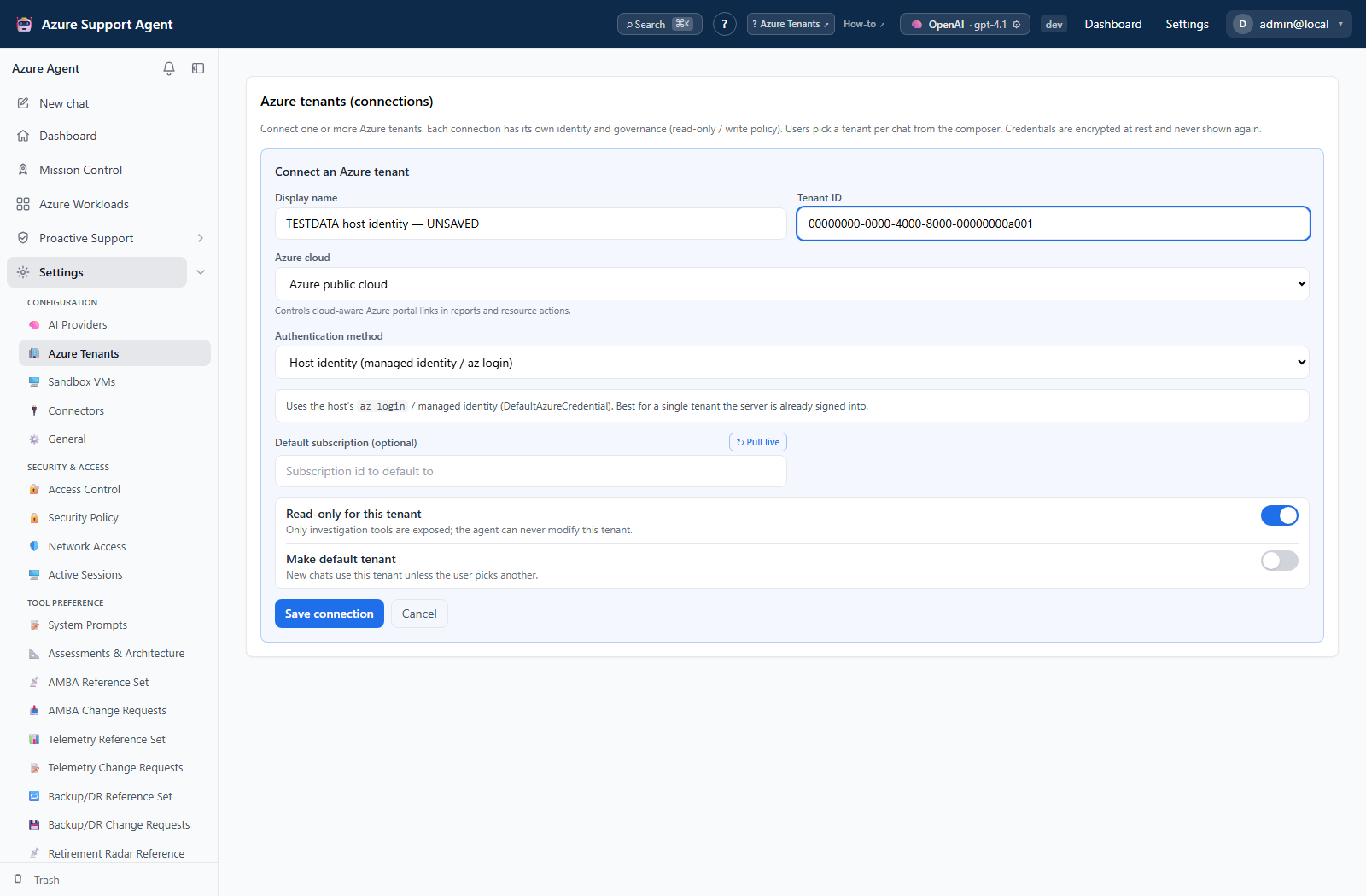
- Select Add connection and provide a non-sensitive display name.
- Choose an authentication method and complete only its visible fields. Each method has its own Azure-side setup — follow its page: service principal (client secret), service principal (certificate), host identity, or pasted Azure CLI token.
- Set the default subscription or Log Analytics workspace only when required by workflows.
- Keep Read only enabled and automatic writes disabled during onboarding.
- Save. Secret, certificate, and token fields are write-only; blank values on a later edit preserve stored values.
- Select Test to acquire an ARM token and enumerate visible subscriptions.
- Select Discover to review subscriptions and management groups, then correct the default scope if needed.
- For a service-principal connection used with Entra, select Validate EntraID and review the Microsoft Graph permission report.
- Select Set default only if this connection should be used when a feature does not choose one explicitly.
Expected result: The connection reports a successful ARM test, shows the expected Azure scopes, and—when requested—passes the Entra capability validation.
Verification: Open /capability and compare the connection’s ARM, Resource Graph, Graph, Log Analytics, and write-gating cells with the intended use. A token test proves current acquisition, not access to every resource.
Safety and rollback
Validate changes in a non-production scope first, and preserve a known-good configuration for rollback.
Only one connection is default. Prefer Disabled over deletion while assessing dependencies. To roll back, restore the previous default and settings, disable the new connection, and remove newly granted Azure roles or Graph consent after confirming no workflow needs them. Deleting a connection does not revoke its external credential; rotate or revoke that credential at its authority.
Troubleshooting
| Symptom | Resolution |
|---|---|
| A connection resolves the wrong tenant or subscription set | Disable it, verify tenant and client identifiers plus the selected default, then retest before enabling dependent scans. |
| Test cannot acquire an ARM token | Check tenant/client identifiers, credential validity, authority, clock, and network egress. |
| No subscriptions are visible | Check Azure RBAC and tenant selection; authentication success alone grants no resource scope. |
| Entra validation is unavailable | Use a service-principal secret or certificate connection; host-chain and pasted ARM token methods do not provide application Graph authentication here. |
| Entra validation reports missing access | Grant only the Graph application permissions required by the intended tools and provide admin consent. |