Configure queue and storage connectors
These types do not expose Send test in the UI/API because it would write a queue message or storage object.
The screenshots show native unsaved, disabled setup and review screens. Credential secrets are empty; account, role, and destination values are fictional, and entered domains are deliberately non-resolving. No save, authentication, test, queue message, or object write is demonstrated. In real Role mode, blank base keys may use the host credential chain; no STS call was made for these examples.
Prerequisites
connectors.manage.- A queue and either a namespace connection string with Send rights or namespace FQDN, SAS policy name, and SAS key.
- AWS region, queue URL, and static keys or an assumable role.
sqs:SendMessageon the target queue for real use.- AWS region, default bucket/key prefix, and static keys or an assumable role.
s3:PutObjecton the intended prefix for real use.
Route
- Open
/automations/connectors.
How to configure Azure Service Bus Queue
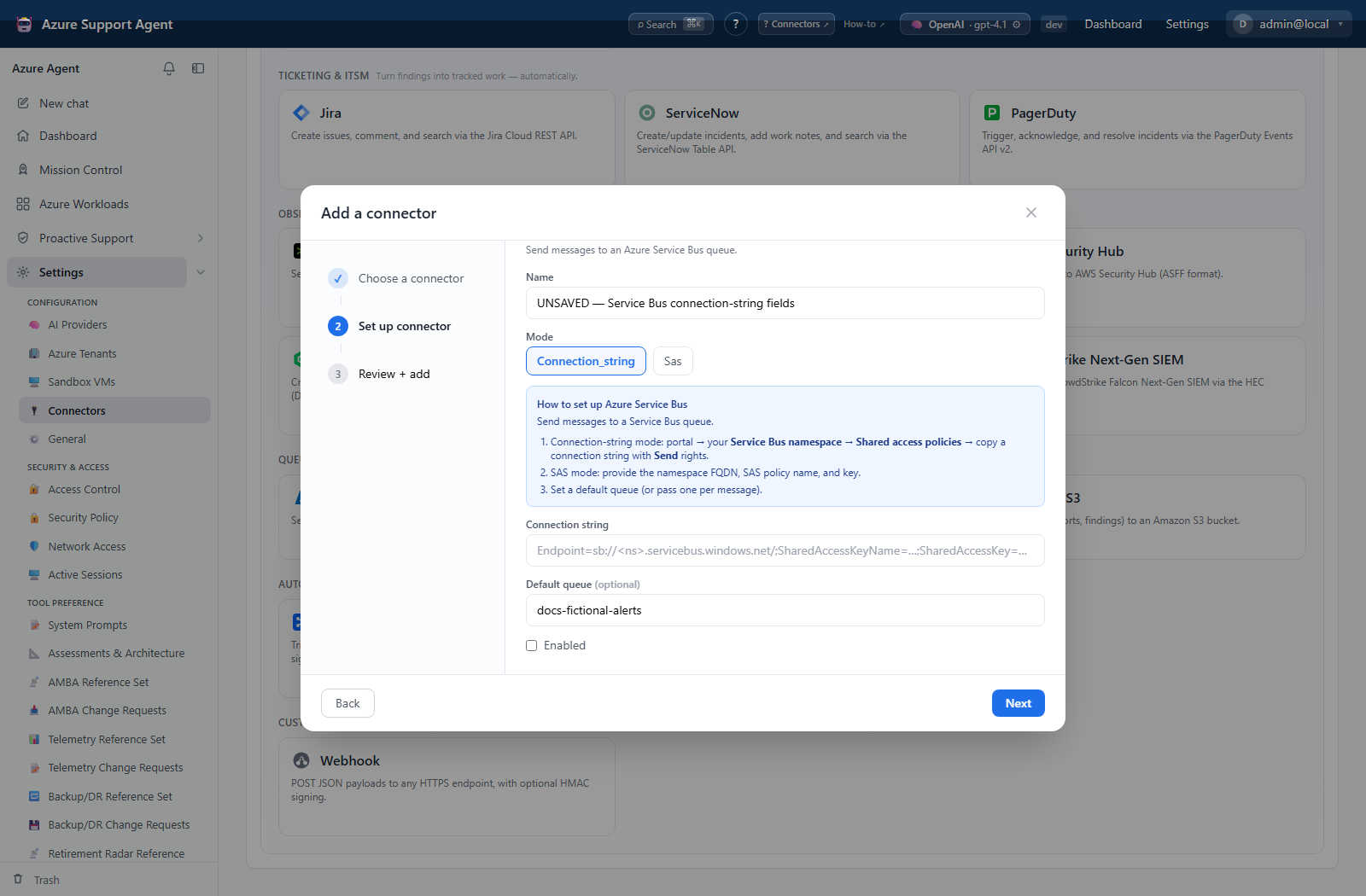
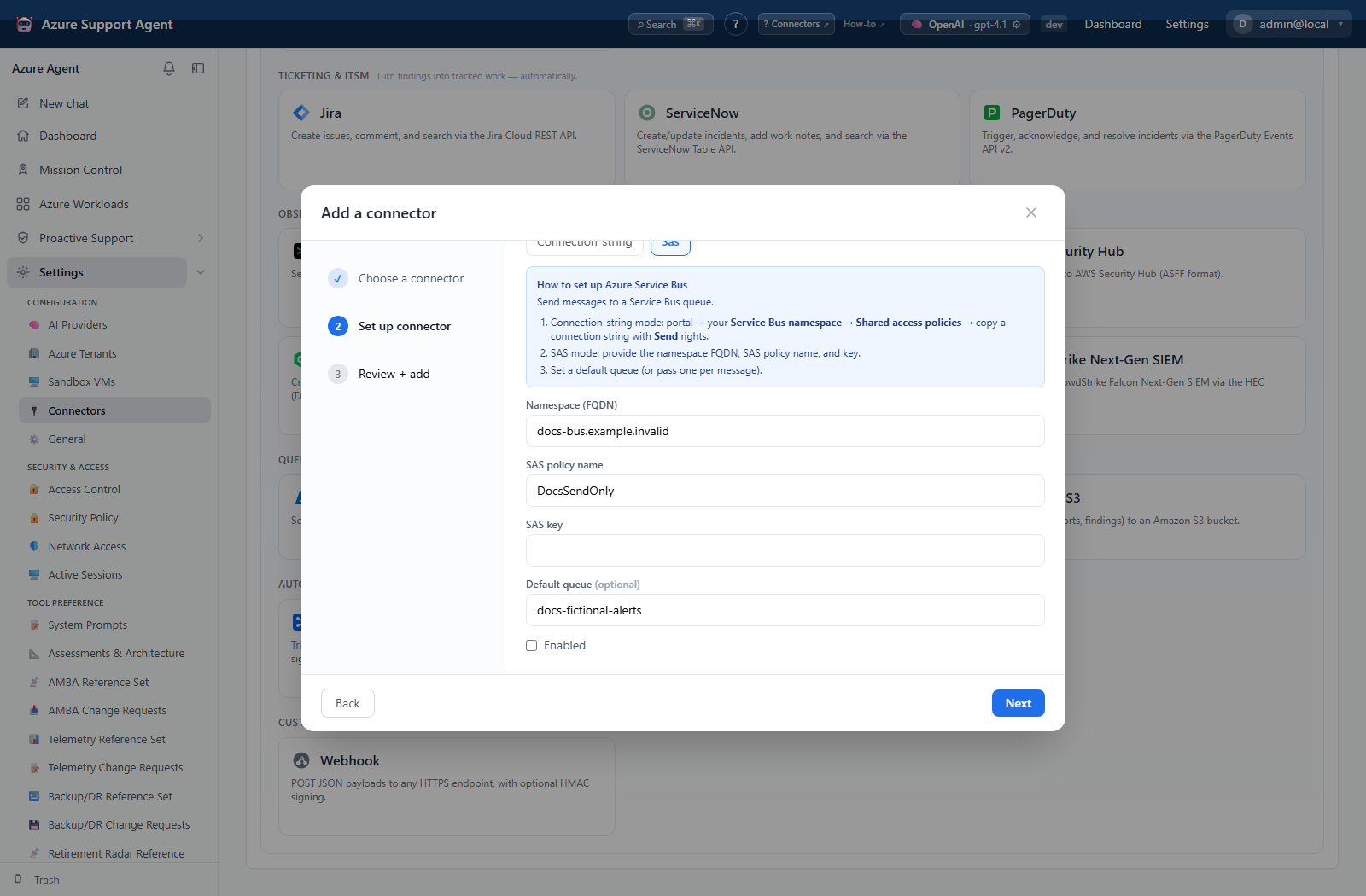
- Add Azure Service Bus Queue and choose Connection string or SAS.
- Enter the credentials and a default queue when calls should not supply one, then save disabled.
- Select Test; it only checks that mode-required credential fields are present.
- Enable after independently confirming queue existence and Send scope.
- There is no Send test UI/API support. If end-to-end proof is required, send a controlled message through an approved workflow to a disposable/test queue and consume or remove it through normal queue processing.
Expected result: Test reports configured without connecting or sending a message.
Verification: Confirm namespace, queue, policy Send permission, and—only for a controlled workflow—the message in queue metrics/receiver logs.
How to configure Amazon SQS
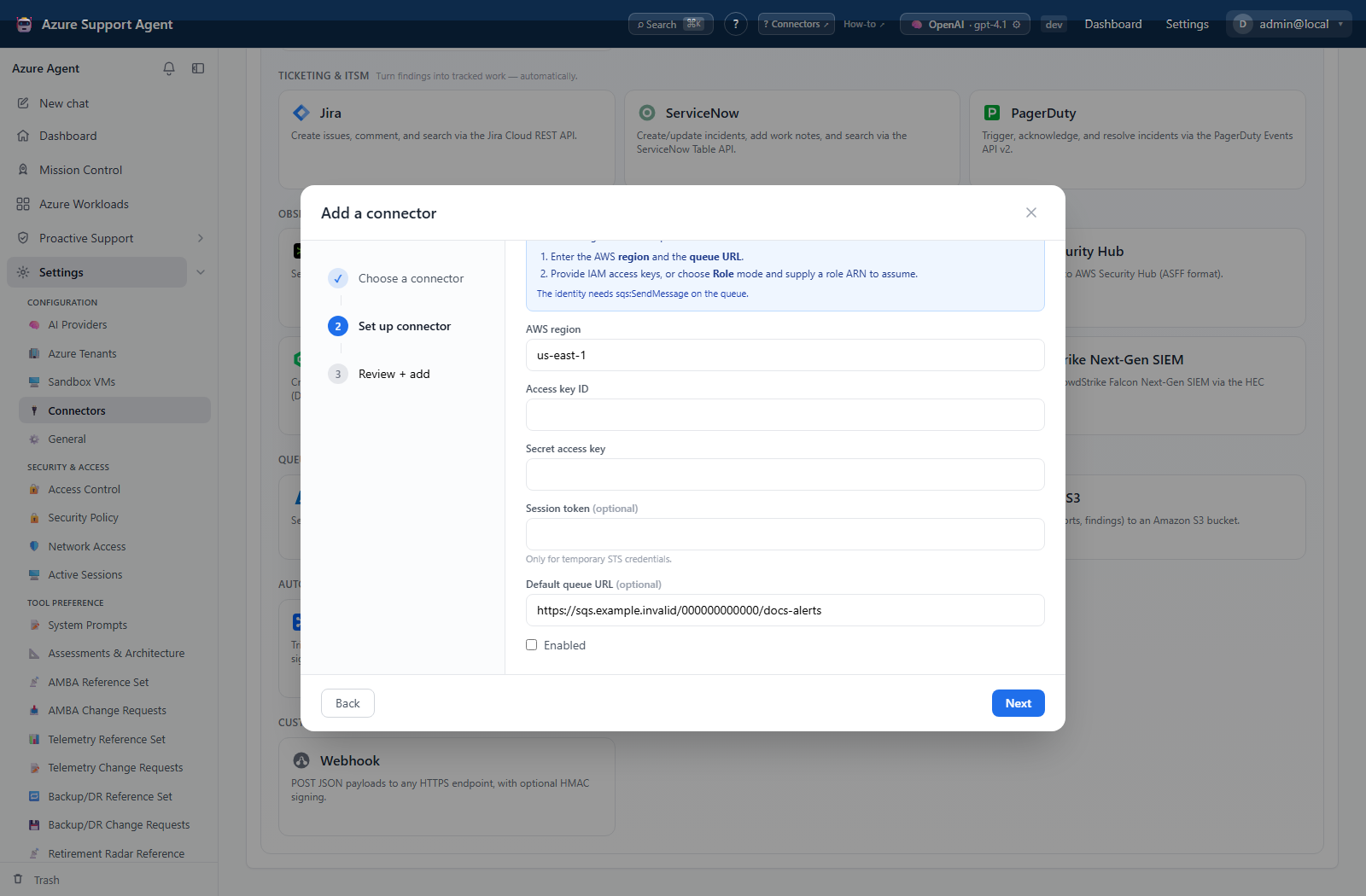
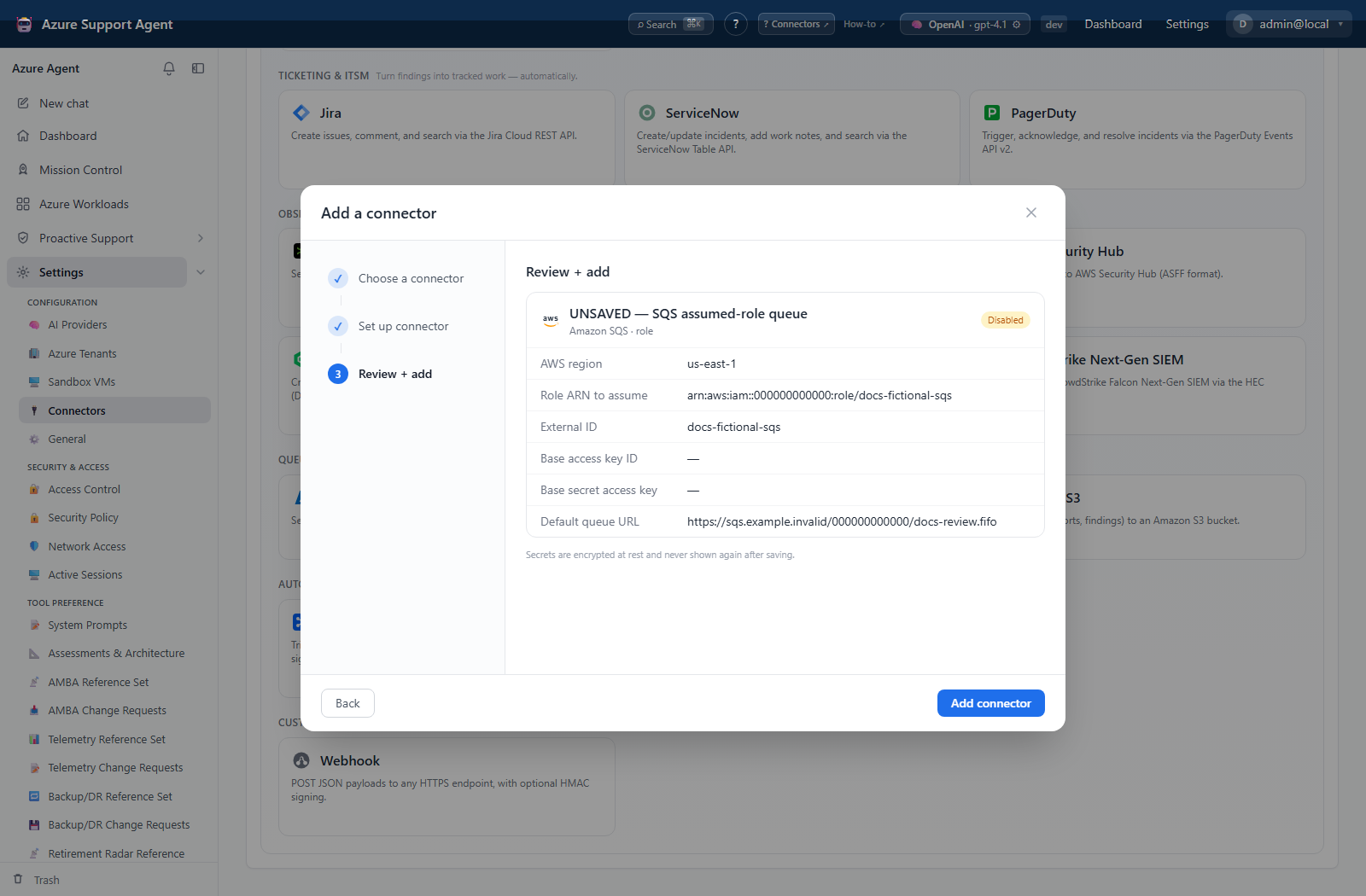
- Add Amazon SQS, choose Keys or Role, enter AWS identity fields and queue URL, then save disabled.
- Select Test; it calls STS
GetCallerIdentityand sends no message. - Confirm the returned ARN/account and enable.
- There is no Send test UI/API support. Use an approved workflow against a test queue if delivery proof is required.
- For FIFO queues, ensure the workflow supplies an appropriate message group; deduplication behavior may hide apparent duplicates.
Expected result: Test identifies the AWS principal without writing to SQS.
Verification: Confirm ARN, queue region/account, IAM resource scope, and controlled-message receipt/consumption when performed.
How to configure Amazon S3
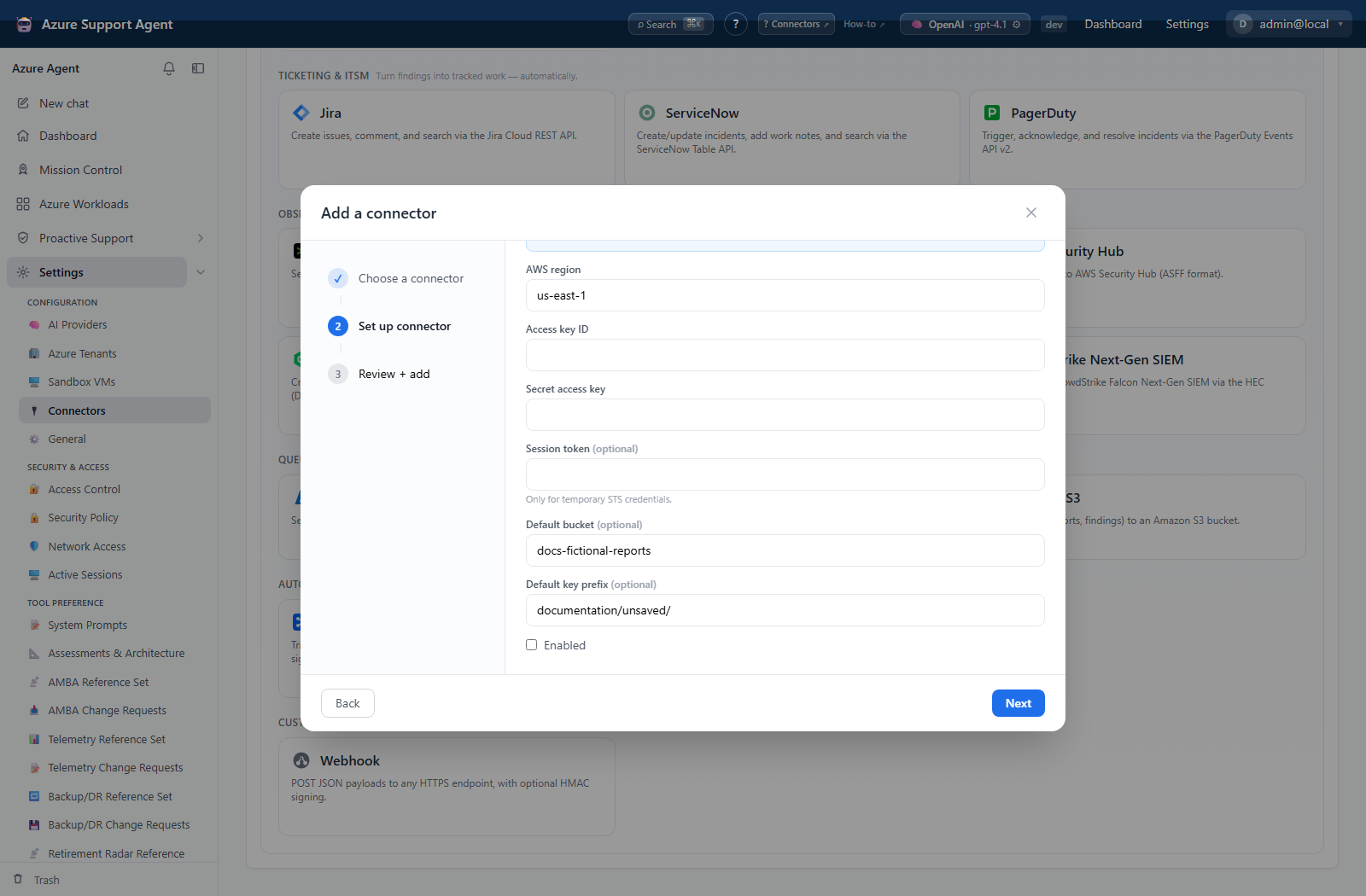
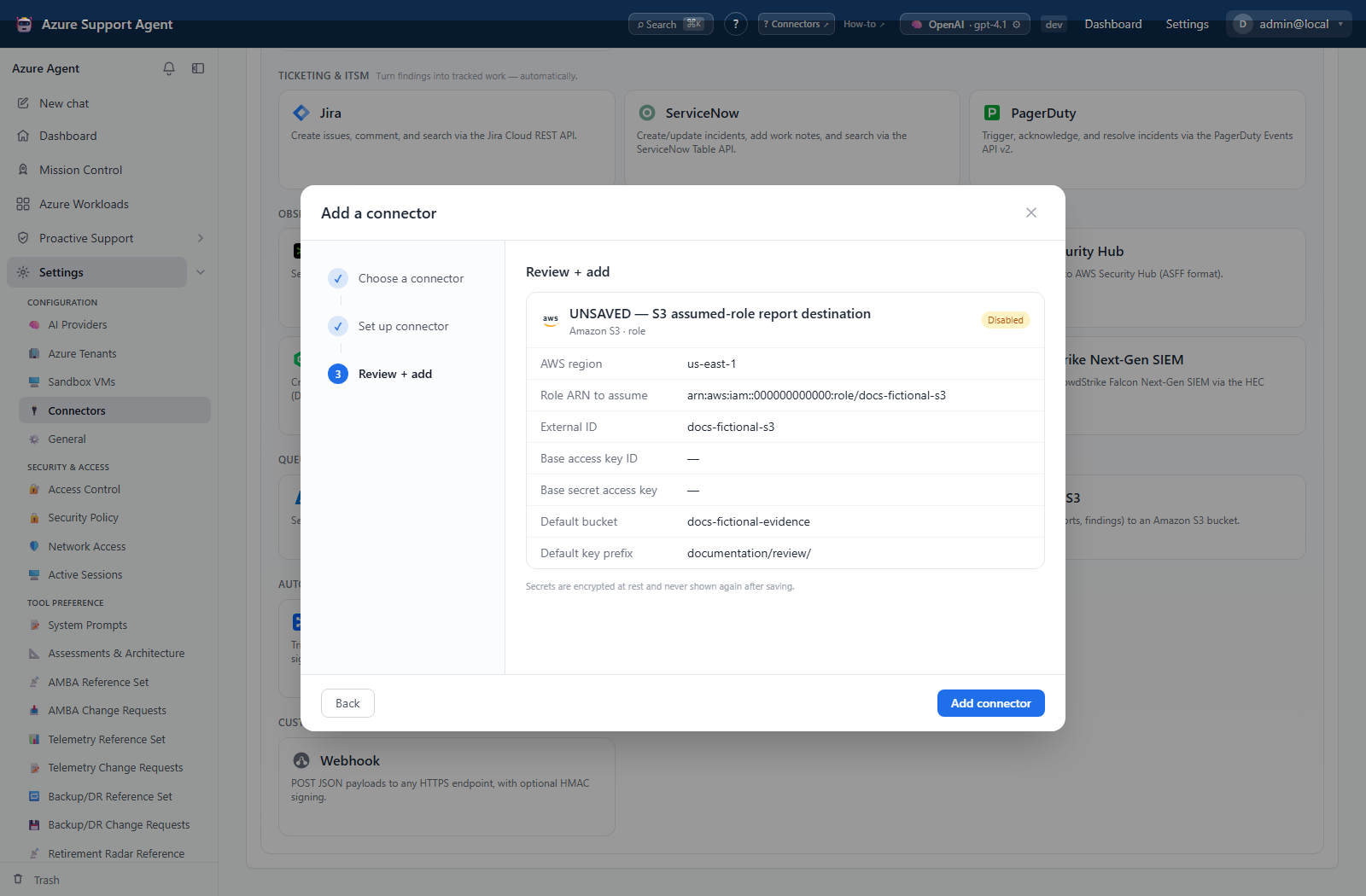
- Add Amazon S3, choose Keys or Role, enter AWS identity fields, bucket, and optional prefix, then save disabled.
- Select Test; it calls STS
GetCallerIdentityand writes no object. - Confirm the returned ARN/account and enable.
- There is no Send test UI/API support. If required, write a uniquely named harmless object through an approved workflow to a test prefix.
- Verify metadata/content, then delete the controlled object under bucket policy.
Expected result: Test identifies the AWS principal without writing to S3.
Verification: Confirm ARN, bucket region/account, intended prefix, encryption requirements, and controlled object only when deliberately created.
Safety and rollback
Prefer role mode and a test queue. Disable the connector, revoke access, and consume/purge only controlled messages under queue policy.
Scope s3:PutObject to a dedicated prefix. Disable the connector, revoke access, and remove controlled objects or versions according to retention policy.
Avoid namespace-wide manage keys where a Send-only policy suffices. Disable the connector, revoke the SAS key/policy, and drain controlled test messages safely.
Troubleshooting
| Symptom | Resolution |
|---|---|
| Message or object lands in the wrong queue, topic, bucket, or prefix | Disable the connector, verify the destination identifier and credential scope, then remove only the controlled test artifact under its retention policy. |
| A successful Test proves only field presence | Check namespace FQDN, queue name, policy scope, key, firewall/private networking, and consumer dead-letter behavior. |
| Connector lifecycle | Review connector configuration and retry. |