Lifecycle and investigation how-to guides
Use these recipes to identify time-bound operational risk, investigate telemetry, preserve evidence, and maintain an auditable case record.
| Goal | Guide |
|---|---|
| Triage Azure retirements and breaking changes | Retirement Radar |
| Review reservation expiry and utilization | Reservations Monitor |
| Scan capacity and throttling risk | Quota Monitor |
| Query, triage, and reconstruct telemetry | Telemetry Intelligence |
| Capture, compare, share, and retain evidence | Evidence Locker |
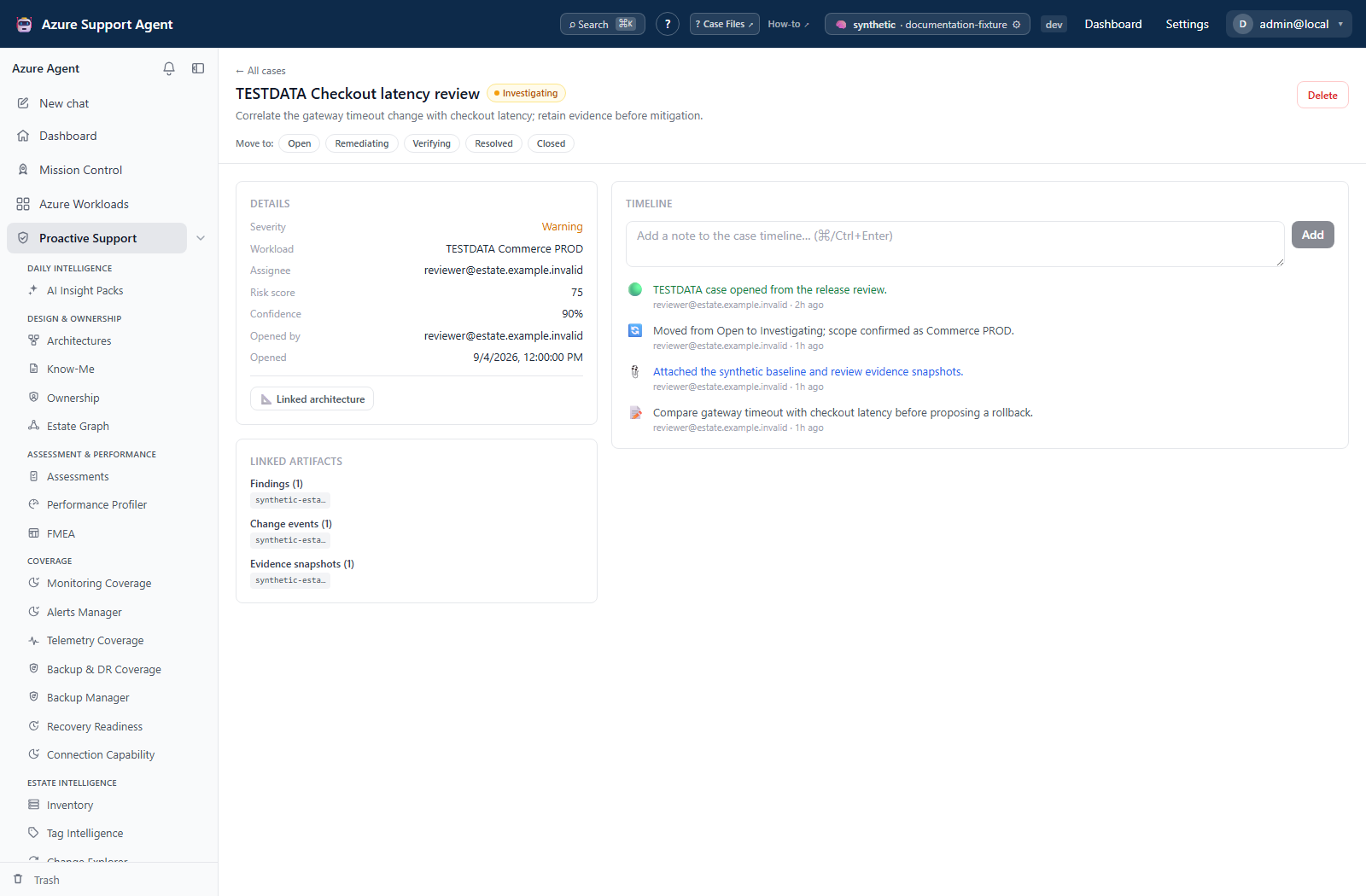
| Open, investigate, verify, and close cases | Case Files |
How to take a signal through investigation and verification
- Choose the task above and select the correct connection and narrowest supported scope. Telemetry Intelligence chooses the first discovered component for most analyses; it does not offer a component picker.
- Check generated time, retention window, cache age, collector errors, and partial-result indicators.
- Use Load versus Run scan deliberately in Quota, Refresh for current Radar/Reservations collection, or Load telemetry to activate telemetry queries. Evidence capture creates a fixed bundle; a case note does not refresh its sources.
- Validate AI narrative and derived risk against raw rows and authoritative Azure data.
- Preserve minimum necessary evidence before remediation.
- Verify externally applied changes with fresh data, then update the case timeline.
Expected result: A traceable progression from a scoped signal to reviewed evidence and an accountable case.
Verification: Confirm the actual destination record and that verification timestamps postdate remediation. Record collection limits rather than treating missing rows, a green completion message, or a resolved case status as proof of success.
How to select a safe handoff or recovery action
- Use Quota’s filtered CSV or full-snapshot CSV/JSON, Reservations’ filtered report formats, Radar’s runbook download, or Evidence Locker’s JSON bundle for the appropriate handoff. Case Files and Telemetry Intelligence have no dedicated download button.
- Before creating a ticket, review its destination and data. Connector selection sends immediately, while digest preview sends nothing.
teleintel.readcan authorize ticket creation;radar.manageandevidence.writeauthorize their respective ticket paths. All three UI ticket pickers additionally requireconnectors.manageto list connectors. - Recheck uncertain creation outcomes before repeating requests. Case handoff is best-effort, findings create new runs, and tickets can be duplicated.
- Use evidence Trash → Restore only for a reversible snapshot deletion. Evidence purge has no undo; Case Files soft deletion has no restore UI/API despite retaining storage records. Do not substitute either for an approved retention process.
Expected result: The selected export, handoff, or recovery action has a known effect and does not imply an unsupported retry, restore, or Azure rollback.
Verification: Confirm restored content/hash, new case/finding/ticket state, or exported row scope as applicable. Consult each feature’s troubleshooting steps for cache replacement, lost streams, or delivery failures.
Treat exports, telemetry rows, evidence bundles, case notes, ticket content, and share links as sensitive. Never use real identifiers, secrets, access tokens, or customer payloads in examples.