Credential handling
Secret fields are encrypted before registry storage and masked in API responses. Encryption uses the application’s configured Fernet key material; deployment options include an explicit key/passphrase-derived key or a local generated key file with restricted permissions.
Rules
- Supply secrets only through secret/password fields or deployment secret stores.
- Never put keys, signed URLs, connection strings, tokens, private keys, real IDs, or passwords in prompts, workbooks, logs, docs, screenshots, or source control.
- A blank secret on edit normally preserves the stored value; use deliberate rotation rather than attempting to read it back.
- Backups are secret-free/masked unless a clearly labeled protected option says otherwise; re-enter credentials after restore.
- Treat Teams/Slack webhooks, Logic Apps trigger URLs, Sumo source URLs, PagerDuty routing keys, Service Bus connection strings, and Evidence share tokens as credentials.
- Prefer managed identity/assume-role/short-lived OAuth and narrow destination policies over static broad keys.
Recognize the credential boundary
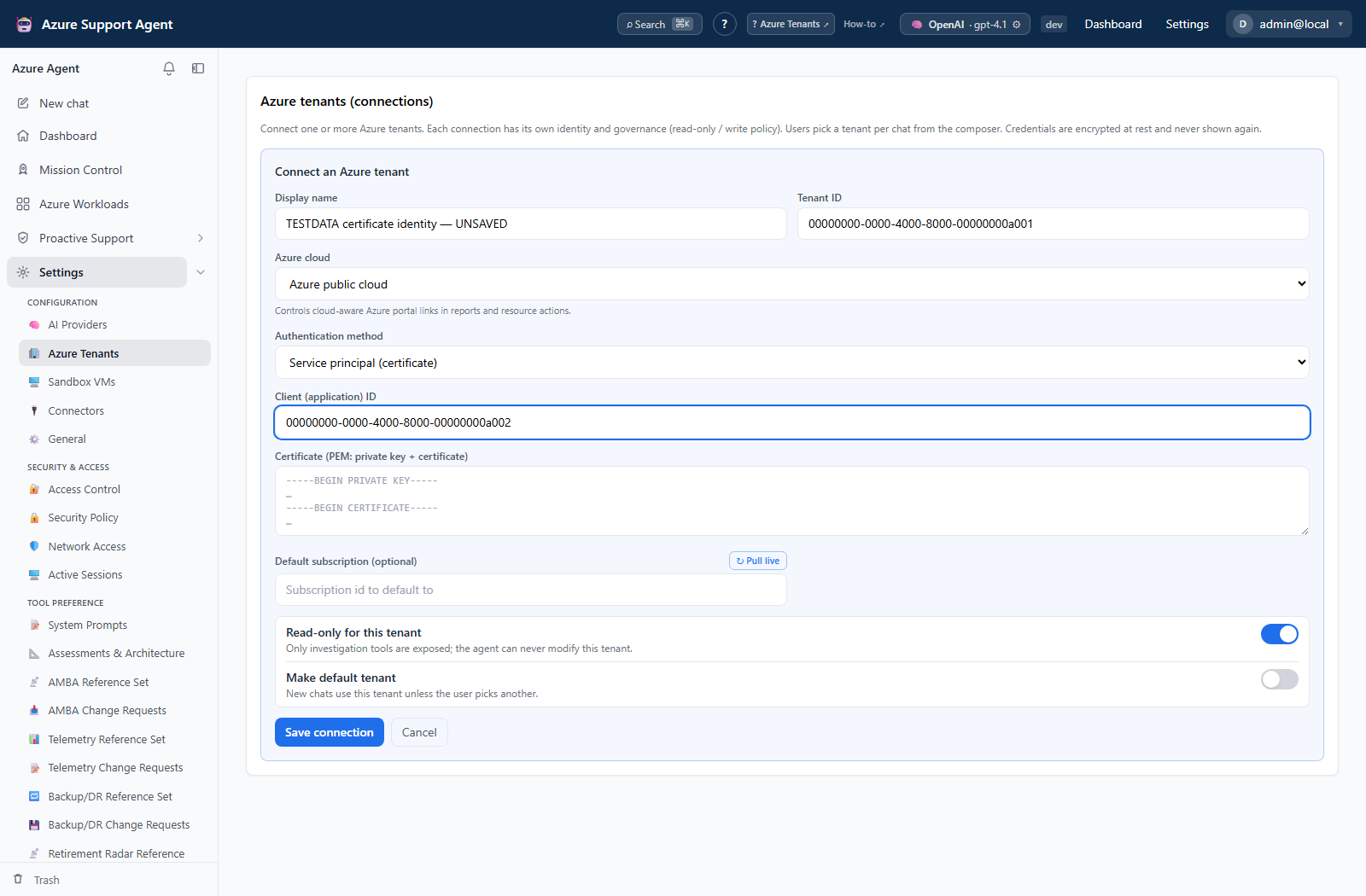
The certificate connection form labels the PEM field as private key + certificate. Treat its contents as secret material, not as ordinary diagnostic text; a screenshot of the empty field can explain the workflow without exposing a usable credential.
Rotation
Inventory dependents, add the replacement, test it, switch traffic, revoke the old value, and inspect audit/delivery logs. Changing the application’s encryption key without migrating data makes existing encrypted values unreadable; plan re-entry or supported migration first.