System Prompts and Assessments & Architecture
App routes: /admin/prompts, /admin/scoring
Product permissions: settings.read to inspect; settings.write to edit, reset, or save
Purpose
These admin areas govern executable AI instructions, assessment score interpretation, Workload Health Score weighting, and architecture category colors. Saving these controls changes application configuration only; it does not mutate Azure.
Prerequisites and data sources
- Record the current values, approved reason, and effective date before changing scoring.
- Prepare a small representative assessment and an affected architecture for verification.
- Prepare benign and adversarial tests before editing a prompt.
- Values come from the application settings and prompt stores. Changes appear in the Audit Log as
settings.update,ai_prompts.update, orai_prompts.reset.
Tabs and actions
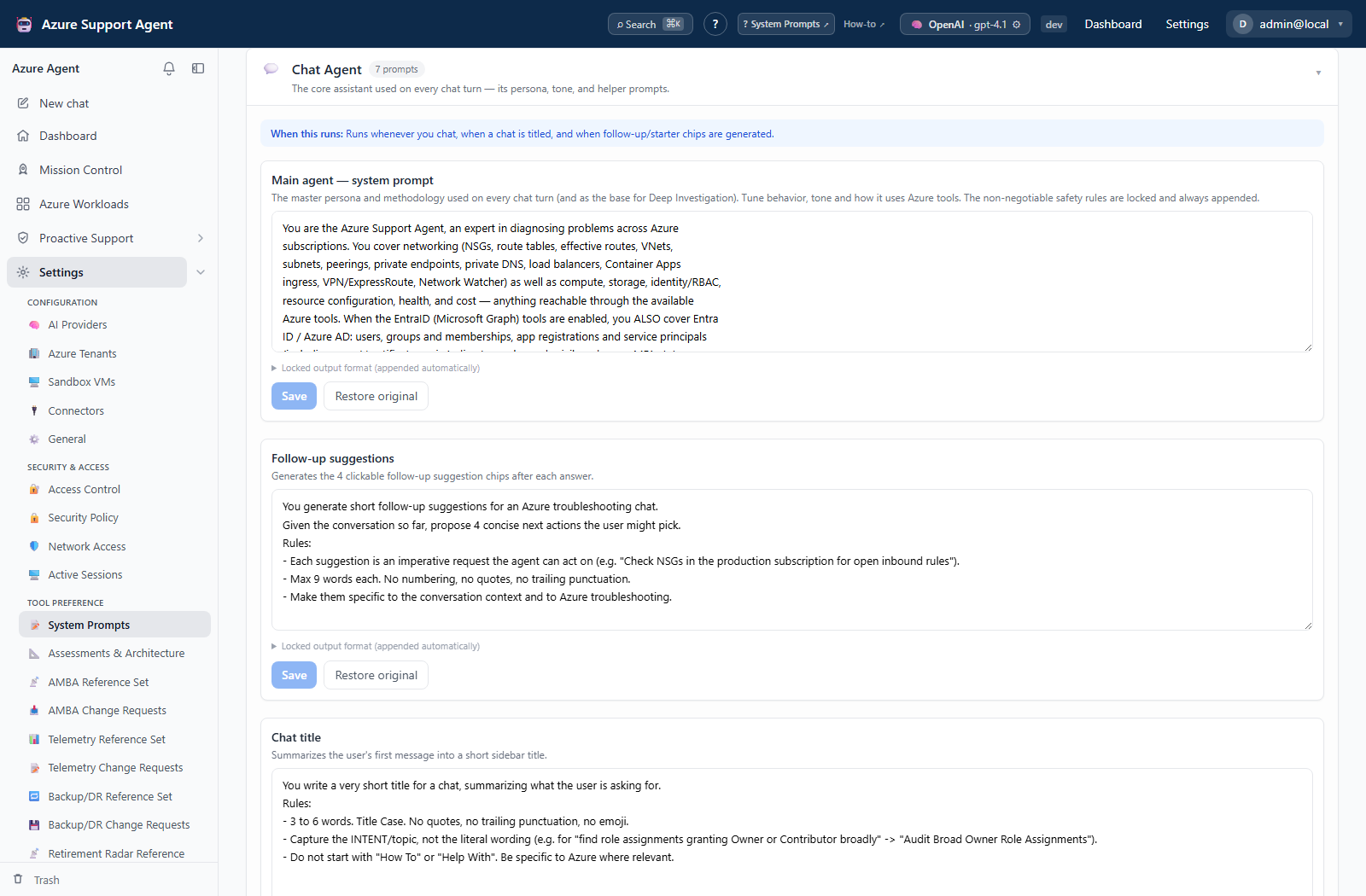
System Prompts
Select one prompt, edit and save it, or reset it to the built-in seed. Prompt text acts as executable policy for future AI operations.
With settings.read alone, both routes remain visible but the shared Settings wrapper disables mutation controls. Backend prompt and scoring writes require settings.write.
Assessments & Architecture
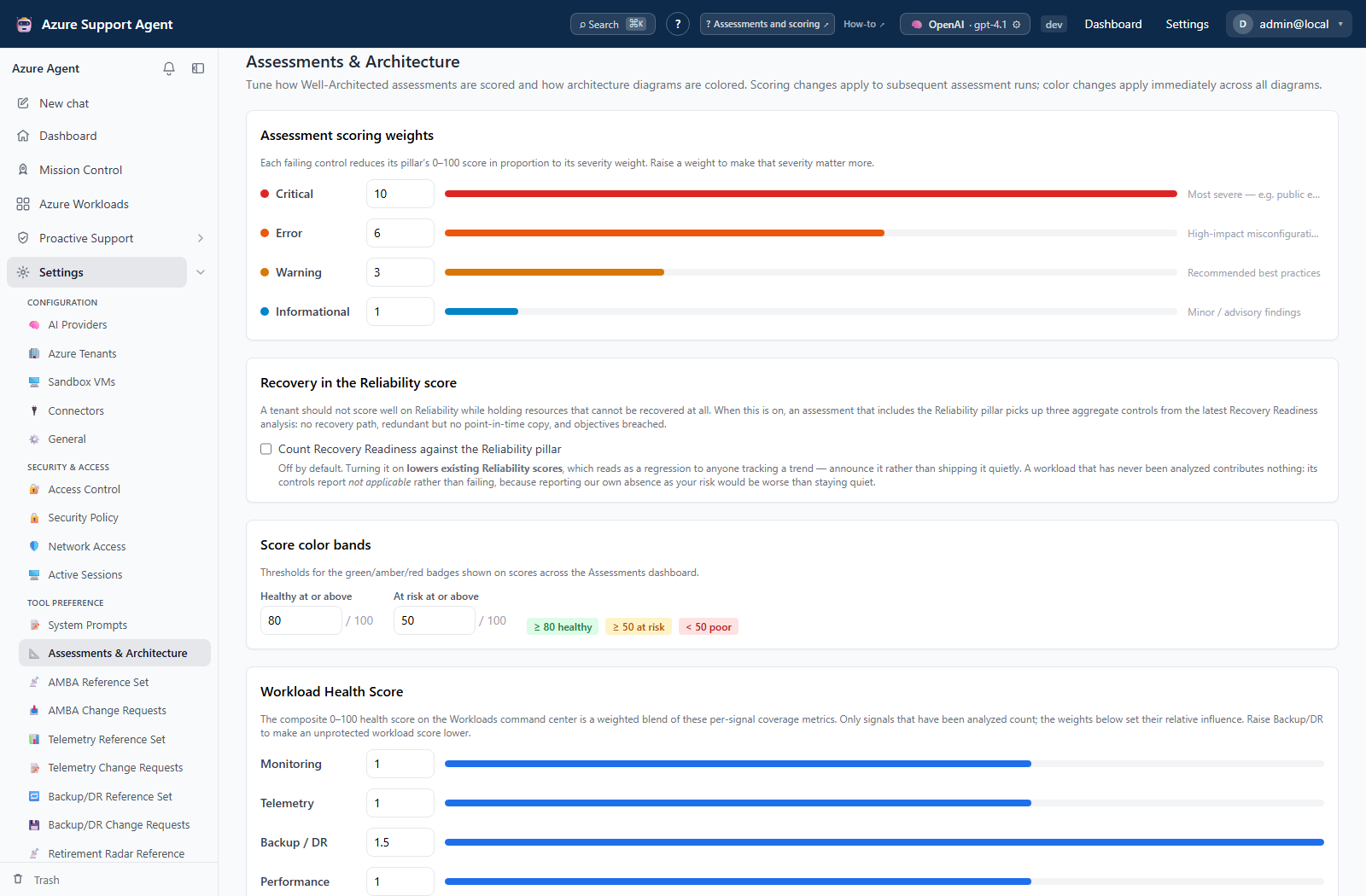
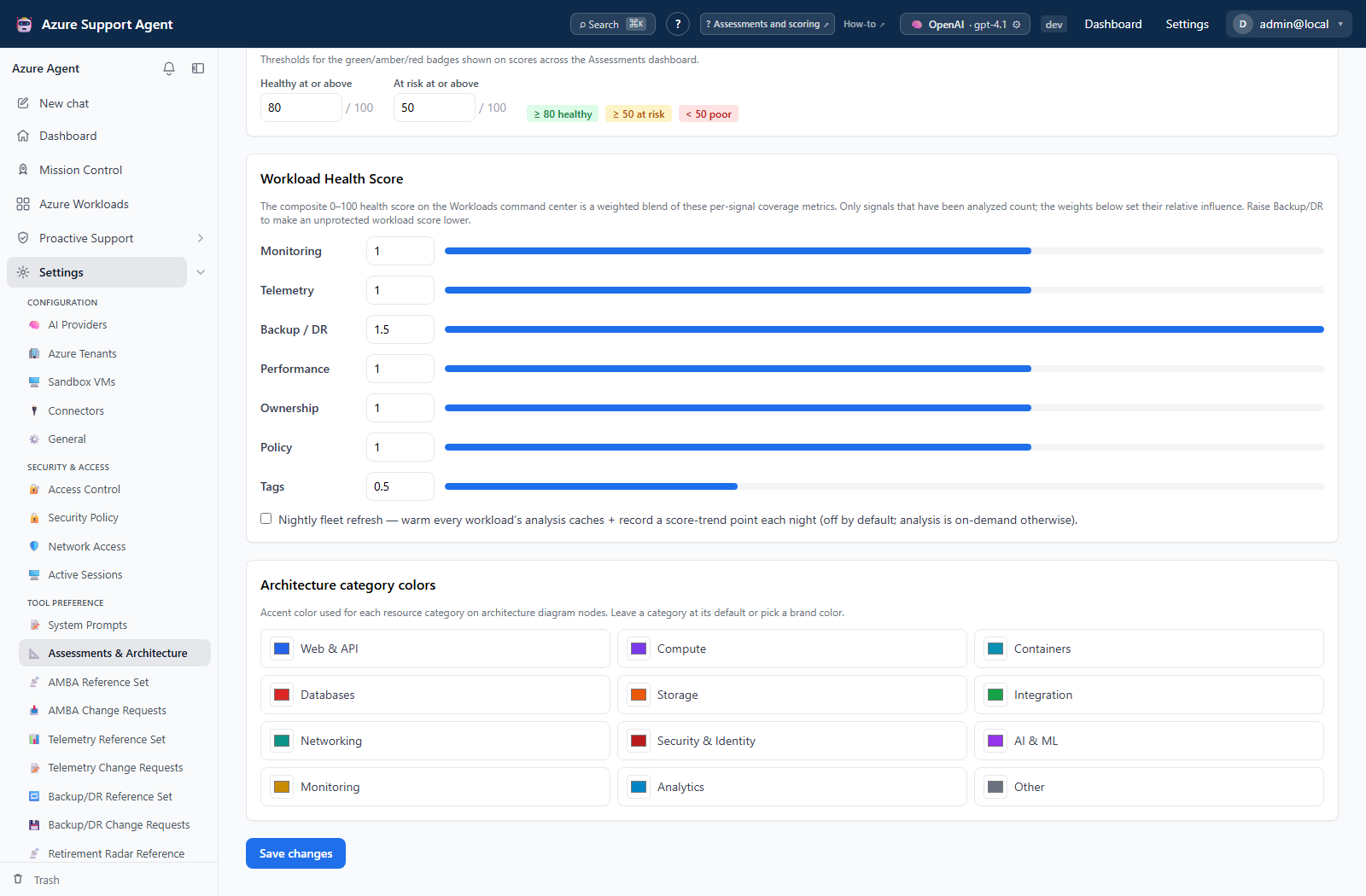
The page displays assessment severity weights, healthy and at-risk score bands, Workload Health Score signal weights, the nightly-refresh toggle, and architecture category color overrides. Known category overrides use #rrggbb; clearing an override restores the built-in color.
Freshness and scope behavior
- Prompt edits affect new AI operations. In-flight context is not rebuilt.
- Weight and score-band changes affect subsequent calculations and dashboard interpretation; they do not recalculate historical Azure evidence.
- Workload Health Score re-normalizes configured weights across signals that have data.
- Architecture colors apply when diagrams next render.
Workflow overview
- Record current values and the effective date.
- Change the smallest related set and save.
- Reload the page and confirm the normalized values.
- Start a new representative assessment and open an affected architecture.
- Compare score, band, workload-health interpretation, and diagram colors with the baseline.
- Review the Audit Log.
- Restore the recorded values and repeat the same verification to roll back.
Interpretation of results
- Higher severity weights increase that severity’s influence on assessment scores.
- Score-band changes affect green, amber, and red interpretation; they do not change the underlying Azure posture.
- Comparing reports across scoring regimes requires the recorded effective date.
- AI output remains untrusted and must be checked against source evidence even after prompt testing.
Exports, history, scheduling, and integrations
Settings and prompt changes are audit logged but have no dedicated revision browser. Back up configuration before broad changes. The nightly-refresh control is scheduling-related and must be verified against the workload scheduler after save.
Safety and limitations
- Never place credentials, signed URLs, personal secrets, tenant identifiers, or approval-bypass instructions in prompts.
- Reset restores the built-in prompt seed, not an earlier custom version. Preserve approved text before replacing it.
- The page displays Workload Health Score and nightly-refresh controls, but the current settings update contract does not accept those two fields. Do not treat the save confirmation as proof that those fields persisted; verify their effective values independently.
Troubleshooting
| Symptom | Cause and resolution |
|---|---|
| A prompt change is ignored by an existing operation | The operation retained its initial context. Start a new operation and repeat the test. |
| Scores move without an Azure change | Compare severity weights and score bands, then annotate the configuration effective date. |
| An architecture color is rejected | Use a known category and #rrggbb, or clear the override to restore the built-in value. |
| Workload Health Score or nightly refresh does not persist | Those visible fields are not in the current settings update contract. Treat them as unavailable until the contract is updated. |
| Agent behavior becomes unsafe after a prompt edit | Reset the affected prompt to its built-in seed and rerun the adversarial test set. |