Teams, Slack, and email
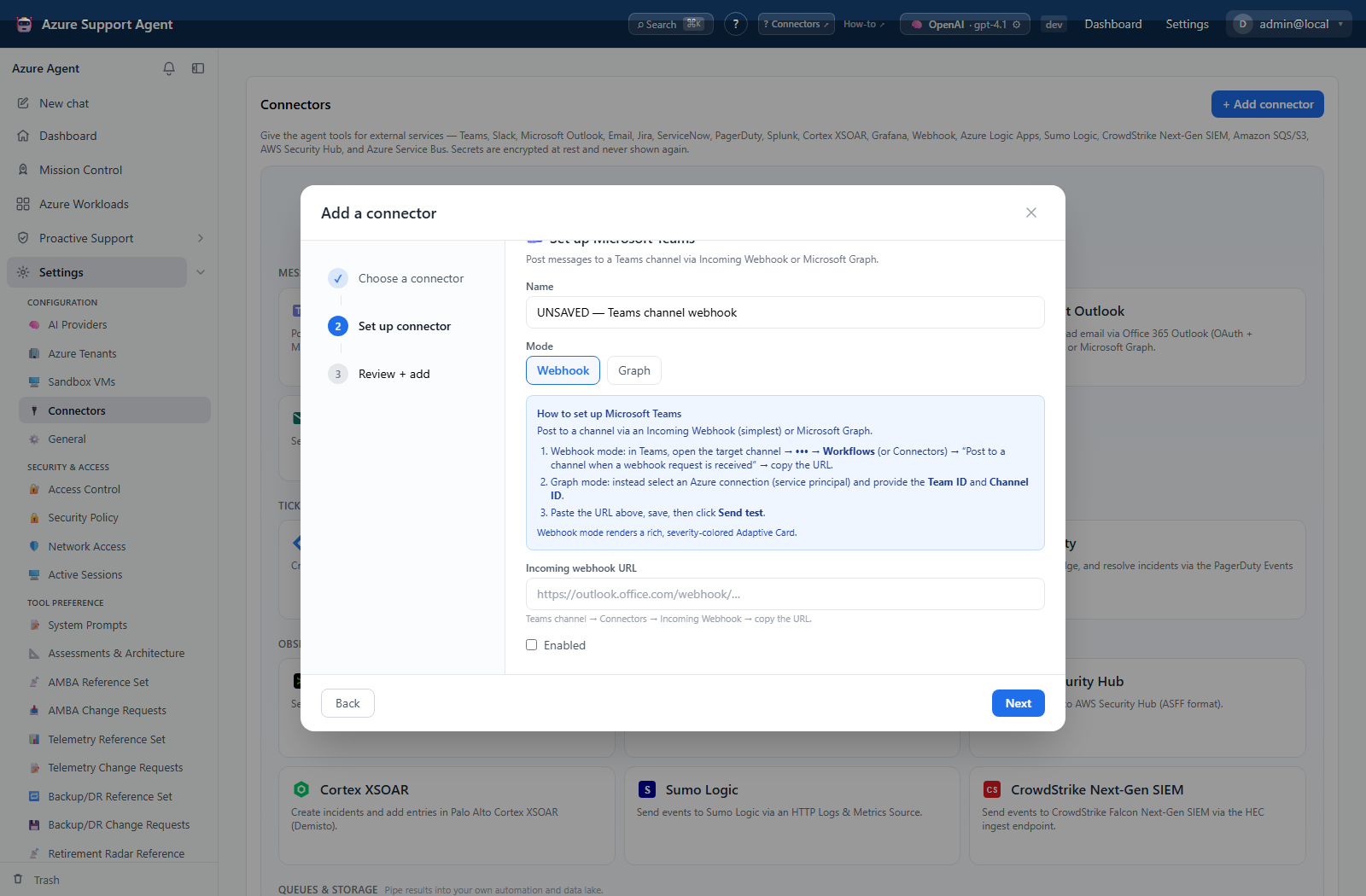
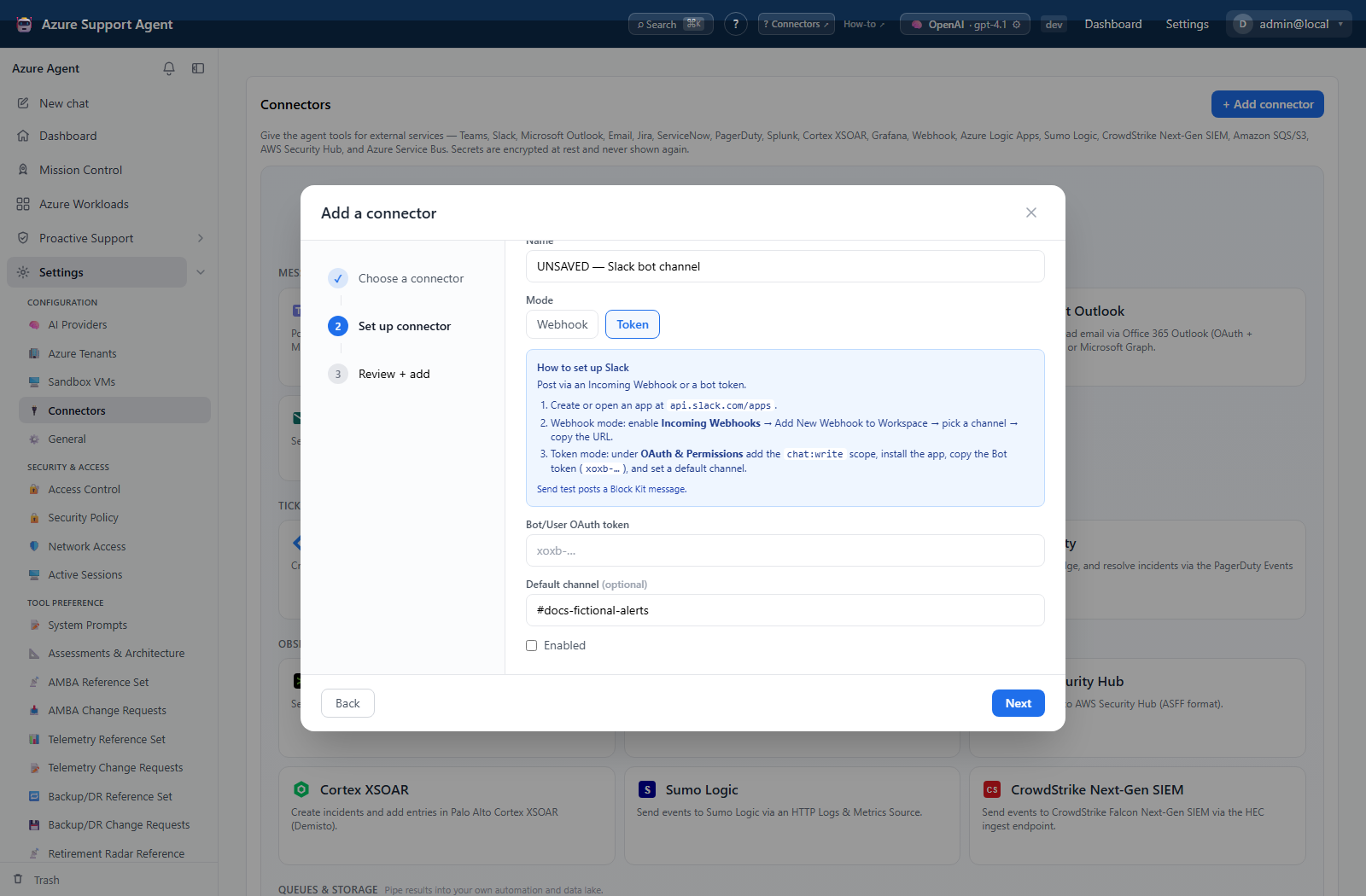
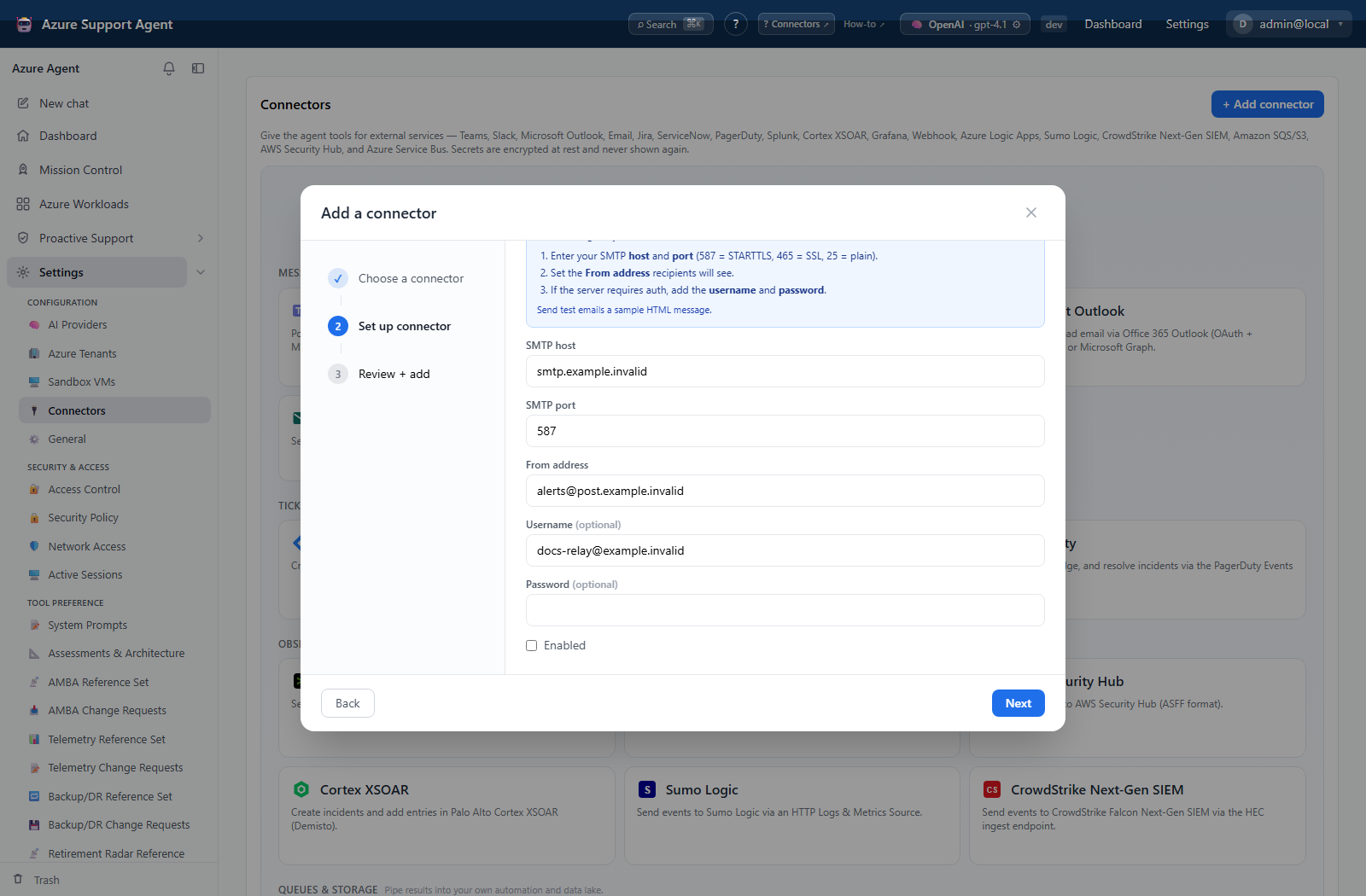
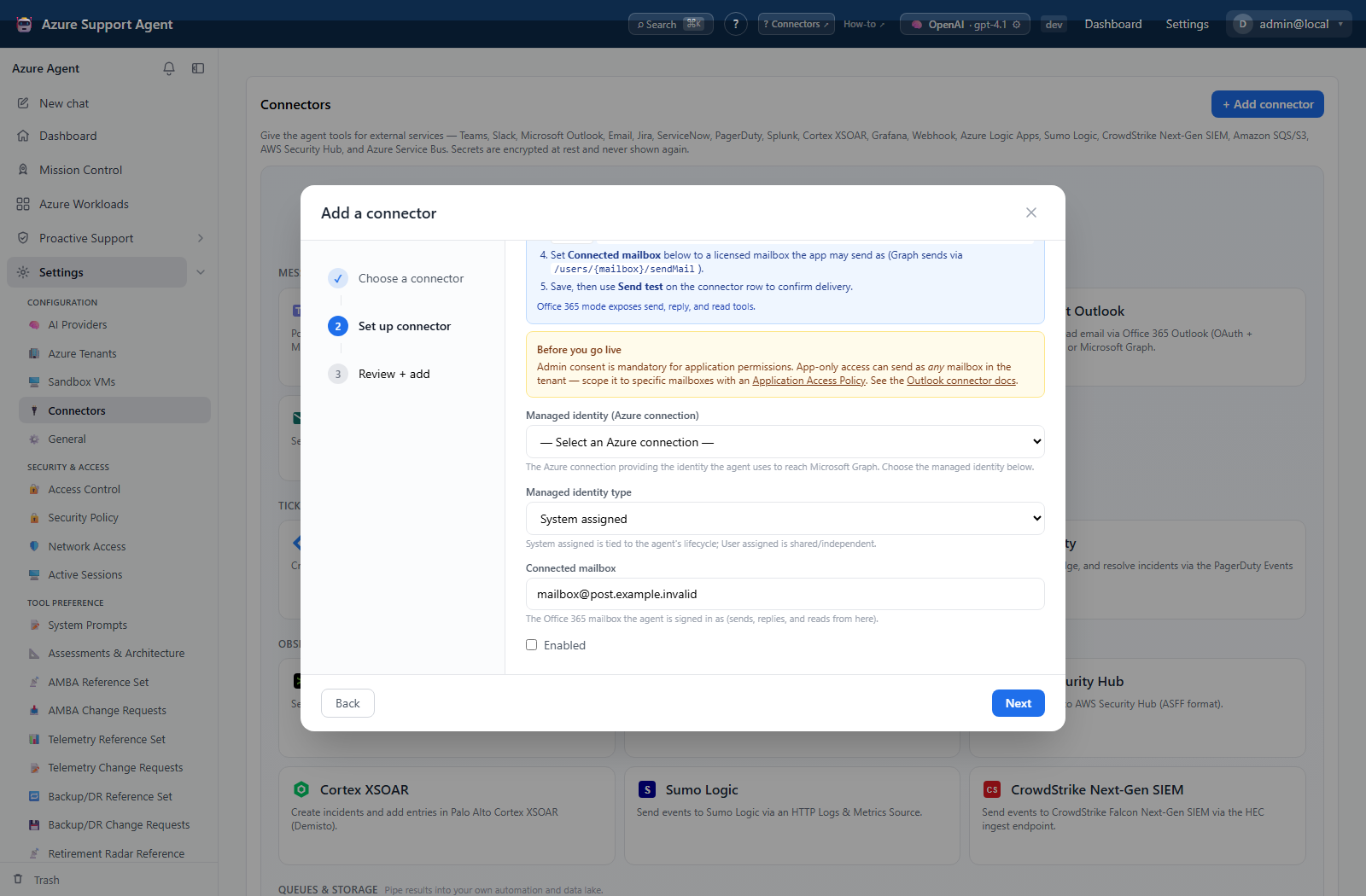
The screenshots show native unsaved, disabled forms, not working integrations. Credential secrets are empty, entered domains are non-resolving examples, and other values are fictional. No save, authentication, test, or delivery is demonstrated; placeholder text in a secret field is not a stored credential.
Microsoft Teams (teams)
- webhook mode: Teams webhook URL (secret).
- graph mode: existing Azure connection, Team ID, and Channel ID.
- Tool: post a severity-styled message/card.
Webhook URLs require HTTPS and are subject to outbound URL checks. Graph mode acquires a Microsoft Graph application token through the selected Azure connection; grant only channel-message permissions required by your deployment model.
Slack (slack)
- webhook mode: incoming webhook URL (secret), fixed destination behavior.
- token mode: bot/user OAuth token (secret) and optional default channel.
- Tool: post a Block Kit message with severity styling.
Token test calls Slack auth.test; webhook test checks configuration presence. Send a real test only to a dedicated channel.
SMTP Email (email)
Fields are SMTP host/port, From address, optional username, and optional password. The connector uses SMTP with TLS behavior appropriate to the configured port/server and sends HTML body. Recipient and header validation guards against malformed addresses and CR/LF injection. Attachments are not implemented.
Outlook (outlook)
Office 365/Graph modes use an existing Azure connection and mailbox/from address. Implemented tools send, reply, and read email through Microsoft Graph. Configure application permissions and mailbox access policy narrowly.
Troubleshooting
| Symptom | Resolution |
|---|---|
| Webhook configured but no message | use Send test, inspect endpoint policy, channel ownership, and status detail. |
| Slack auth fails | reissue token and verify workspace/app scopes. |
| SMTP fails | verify DNS, port, STARTTLS/SSL expectation, relay policy, sender, and credentials. |
| Graph mail/channel fails | test the Azure connection and verify admin consent plus target identifiers. |