Reconcile policy drift with IaC
Prerequisites
- Product permission
policy.readfor analysis andpolicy.writefor the UI workflow: Detect drift saves the editor content before requesting analysis, just as Save source does. - A fresh policy inventory and the approved, secret-free policy source from version control.
- Repository review, deployment, and rollback processes outside the app.
Route
/policy/drift, /policy/assignments, and /policy/history.
Screenshot note: Source-save and drift-analysis requests were answered only by browser fixtures; the backend source was untouched and no AI provider or deployment ran. The register is also illustrative, not a post-reconciliation collection. Confirmation and reconciliation remain manual, external steps.
How to detect policy drift
-
Open
/policy/driftand select the same connection and workload used for inventory. - Inspect the currently stored source-of-truth material. It is shared by the application tenant, not isolated by the Azure connection/workload picker; confirm it belongs to the intended scope.
- If authorized, replace it with reviewed, sanitized IaC content; never include credentials or deployment secrets.
- Run drift analysis against the current observed inventory.
- Classify differences as expected environment variation, missing deployment, portal change, scope mismatch, or stale/partial collection.
- Confirm each material difference in Azure and the authoritative repository.
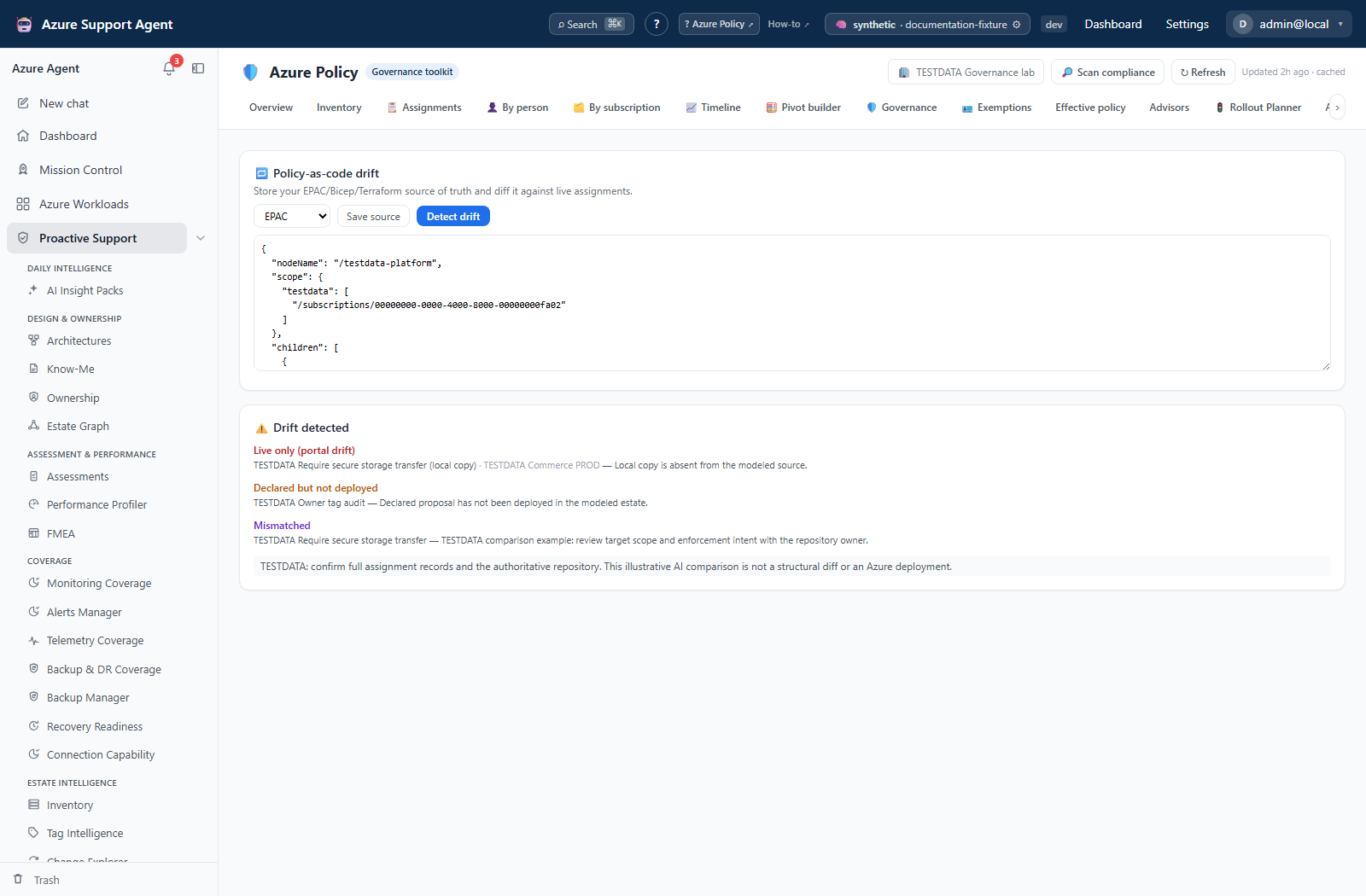
Expected result: A reconciliation proposal identifying differences between locally stored source and observed policy.
Verification: Match definition IDs, assignment scopes, parameters, effects, enforcement mode, exclusions, exemptions, and identity requirements in both systems.
How to reconcile a confirmed difference
-
Choose the repository as the authority unless an approved exception says otherwise.
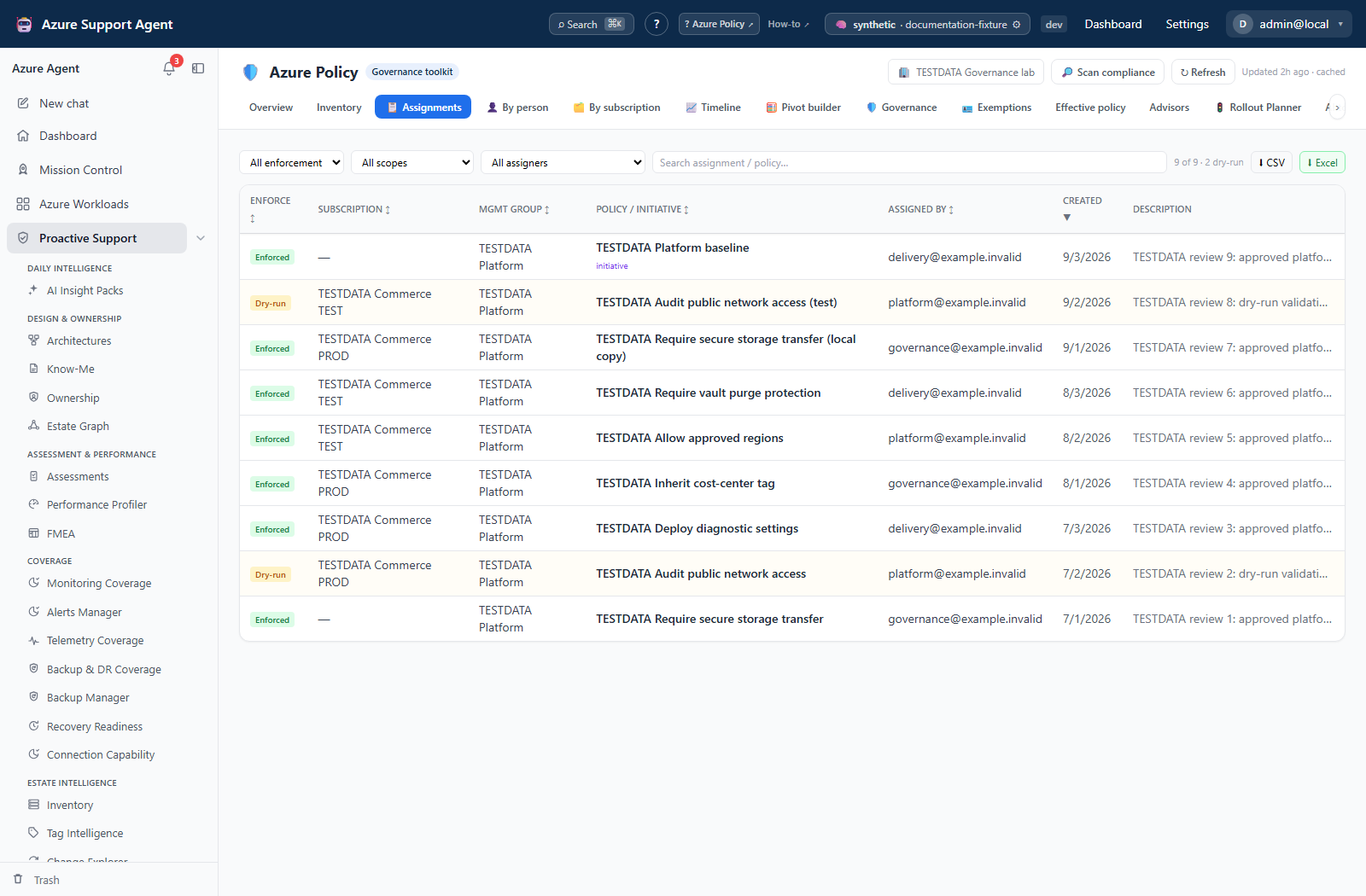
- Prepare the smallest reviewed IaC change or import the approved Azure-side change back into source.
- Validate templates and run the organization’s what-if/test pipeline.
- Deploy externally through approval gates, beginning at a test scope.
- Scan policy inventory again and rerun drift.
- Preserve the review, deployment reference, and verification output.
Expected result: Source and observed state converge, or an intentional difference is documented.
Verification: A fresh drift run no longer reports the item, and Azure Policy plus deployment telemetry match the intended effect.
Safety and rollback
The drift tab does not synchronize or deploy Azure. Updating IaC source changes a local application record and can overwrite its prior content; preserve the authoritative repository commit first. Azure rollback is performed by reverting the reviewed IaC commit or approved assignment/definition change. Modify/DINE side effects may require separate resource rollback.
Freshness and partial results
Observed state inherits inventory cache age, workload scope, Resource Graph truncation, and permission gaps. Storage keeps up to 200,000 source characters, but the AI comparison receives only the first 20,000 and at most 120 summarized assignments (name, scope label, definition name, effect and enforcement). It is not a structural IaC diff of all parameters, exclusions or identities. In sync cannot certify material outside that input. Verify full records in the authoritative repository and Azure.
Troubleshooting
| Symptom | Resolution |
|---|---|
| Drift reports many false differences | Align scope, normalization, parameters, IDs, and inventory freshness. |
| Azure change is absent | Force a new inventory scan and check ARG visibility/truncation. |
| Source update is denied | Confirm policy.write; update the authoritative repository instead. |
| Drift offers no deployment | Expected: use reviewed external IaC tooling. |
| Difference returns after deployment | Investigate portal edits, competing pipelines, inherited assignments, or failed deployment. |