Design and assessment operations
Use these recipes to turn workload inventory into reviewable design, operational knowledge, accountability, posture evidence, performance findings, and failure-mode analysis.
Prerequisites
- Confirm the workload and Azure connection before generation or analysis.
- Product permissions vary:
insights.*,architectures.*,ownership.*,graph.read,assessments.*, andperfprofile.read. Live network, DNS, and in-guest diagnostics additionally requirenetdiag.runorsandbox.exec. - AI-assisted tasks require an active provider; source collection requires the corresponding Azure/Graph access.
Route
Open the route listed by the selected recipe.
How to choose a workflow
- Use AI Insight Packs for repeatable on-demand or scheduled evidence digests.
- Use Architectures and Know-Me for diagrams, drift, memory, runbooks, revisions, and exports.
- Use Ownership for directory records, assignments, suggestions, attestations, and previewed tag application.
- Use Estate Graph for search, lenses, overlays, paths, blast radius, and visual export.
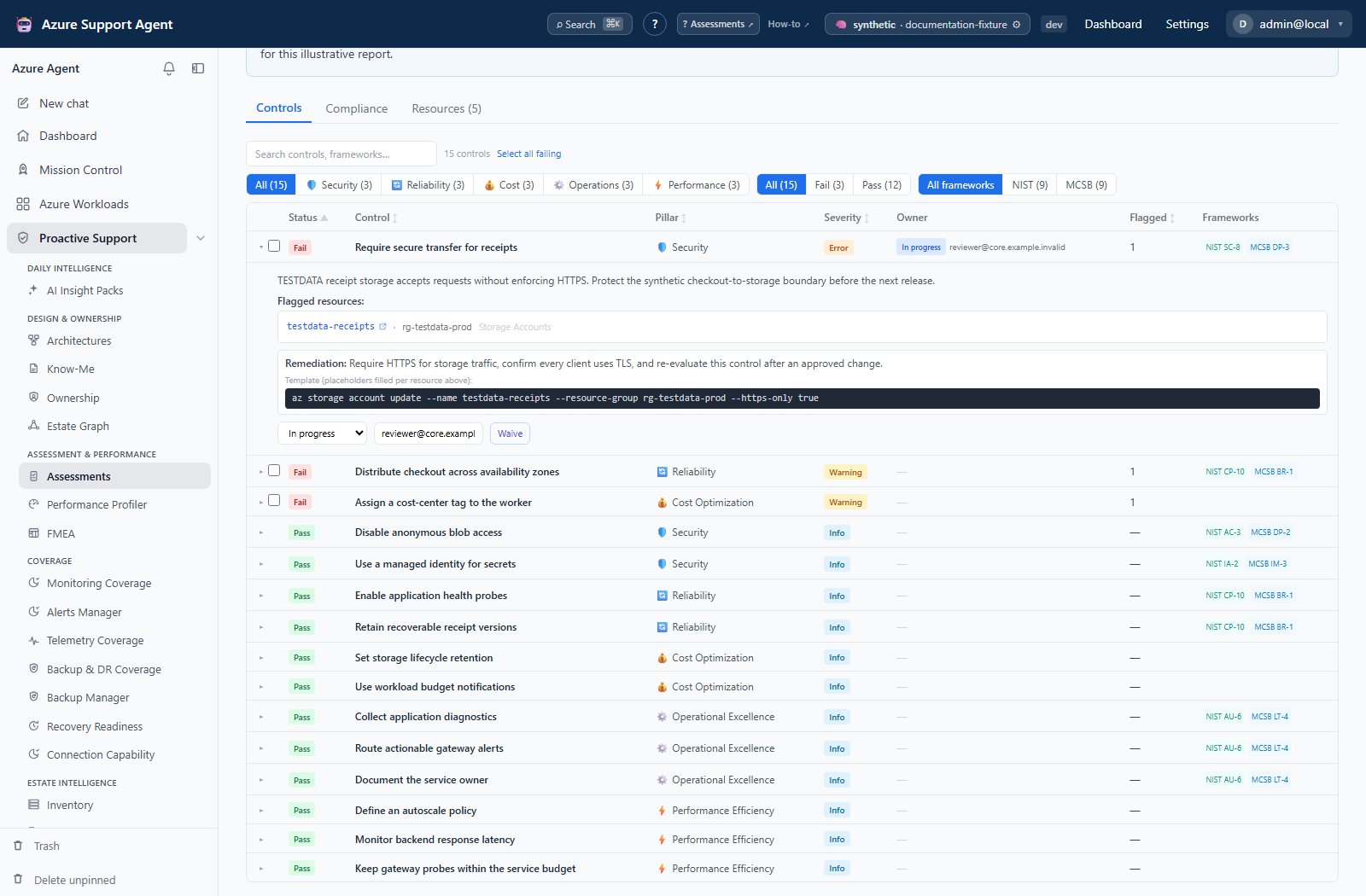
- Use Assessments for control evaluation, lifecycle, findings, waivers, tickets, reports, and fleet/scheduled runs.
- Use Performance Profiler for windowed metrics, bottleneck heatmaps, findings, evidence, history, and cleanup.
- Use FMEA for architecture-grounded failure modes, RPN, action ownership, revisions, and worksheet exports.
- Use Test connectivity to prove whether a source reaches a target port, and to name the rule that blocked it.
- Use Debug private DNS resolution when a name resolves publicly, inconsistently, or not at all.
- Use Run a bounded diagnostic on a Sandbox VM when the answer is only visible from inside the network.
Expected result: The workflow starts from current scope/evidence and produces a reviewable record rather than an unverified AI conclusion.
Verification: Confirm timestamps, source completeness, human approval state, and exported artifact contents.
Safety and rollback
Most collection and generation is read-only against Azure, but saved records, external tickets, ownership tags, waivers, lifecycle states, and purge actions are mutations. Use previews and revisions; restore soft-deleted records before purge; roll back Azure tag changes through the available tag revision/revert flow or reviewed organizational process.
Troubleshooting
| Symptom | Resolution |
|---|---|
| Generation is unavailable | Check provider health, write permission, workload/architecture prerequisites, and source data. |
| Result is empty or stale | Refresh the owning source module and verify connection capability and scope. |
| Export omits edits | Wait for save/auto-save completion and export the persisted current record. |
Related docs
- Design & Ownership reference
- Assessment & Performance reference
- Network and DNS Diagnostics reference
- Sandbox VM Diagnostics reference
Table of contents
- Operate AI Insight Packs
- Build architectures, Memory, and Know-Me
- Operate ownership records and attestations
- Explore the Estate Graph
- Run and govern assessments
- Run Performance Profiler
- Build and maintain FMEA
- Test connectivity between two nodes
- Debug private DNS resolution
- Run a bounded diagnostic on a Sandbox VM