Reference sets and change requests
Permissions: coverage.manage for AMBA, telemetry, and Backup/DR reference/change-request routes; radar.read to inspect the Retirement Radar reference and radar.manage to change, restore, or reset it
Purpose
App routes: /admin/amba, /admin/ambachanges, /admin/telemetry, /admin/telemetrychanges, /admin/backupdr, /admin/backupdrchanges, /admin/radar Reference sets define what coverage and lifecycle features expect. Changes can alter scores and generated remediation without changing Azure directly.
Prerequisites and data sources
Tabs and actions
Freshness and scope behavior
Workflow overview
AMBA
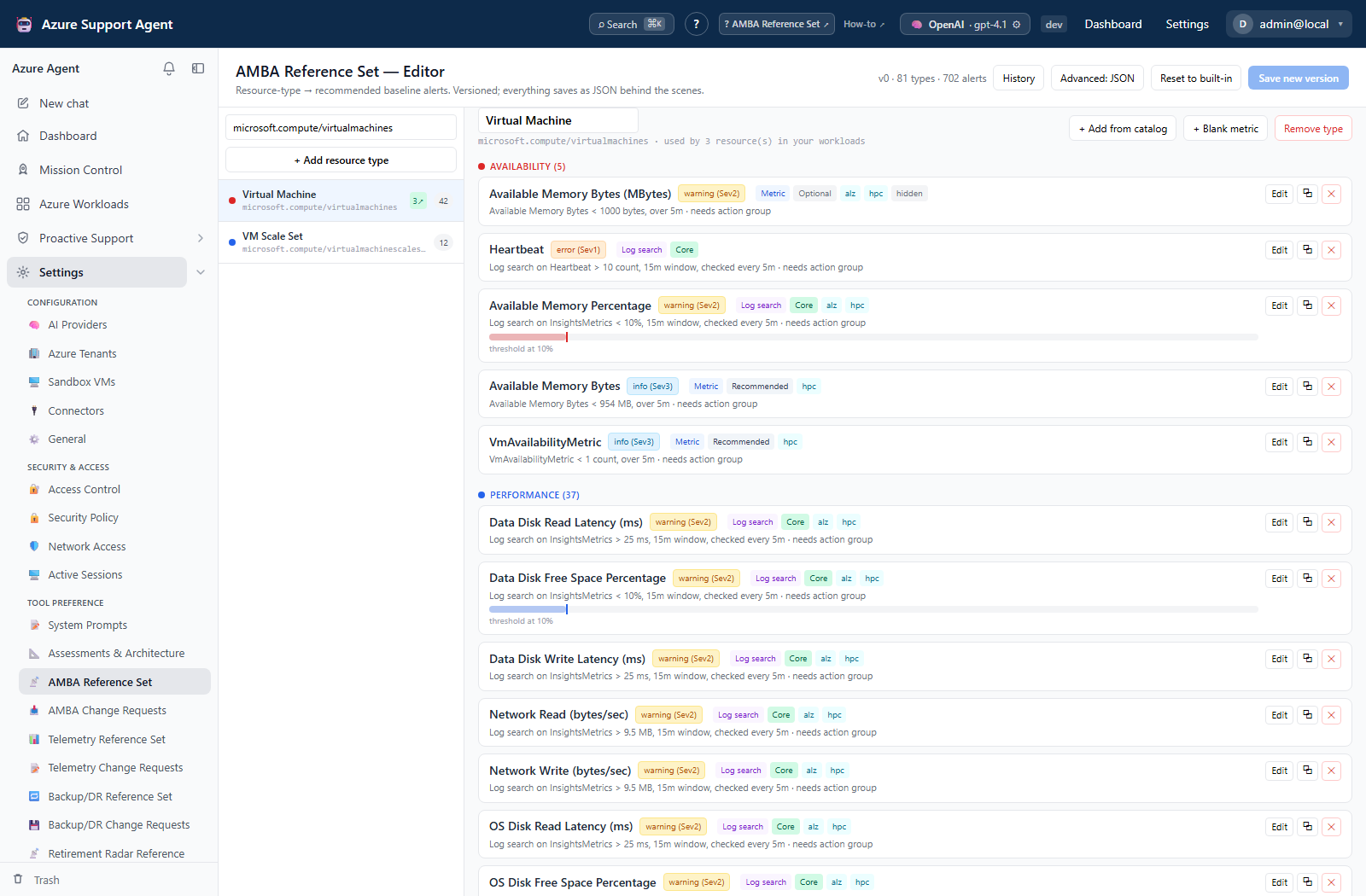
Curate recommended Azure Monitor alerts per resource type. The baseline is seeded from the published Azure Monitor Baseline Alerts catalog, imported at a pinned upstream release and vendored with the app, then layered with local additions.
Each entry covers the alert class (metric, log search, or activity log), metric/counter, operator, static or dynamic threshold (with sensitivity and failing periods), unit, aggregation window and evaluation frequency, dimensions, severity (0–4), classification, and its tier:
- Core — shipped in an official AMBA policy initiative; the opinionated baseline.
- Recommended — published on the AMBA site; deploy at your discretion.
- Optional — hidden upstream (experimental or noisy); not scored by default.
Entries also carry the AMBA workload pattern they belong to (Azure Landing Zones, HPC, AVD, AI/RAG, AVS) and, for metric alerts, the AMBA-ALZ _amba-<metric>-threshold-Override_ tag name that lets a single resource override the baseline threshold.
Use the revision/history/reset controls shown; + Add from catalog offers the published upstream entries for the selected resource type. AMBA Change Requests presents proposed before/after changes for approve or reject with rationale.
To refresh the vendored catalog to a newer AMBA release, run python scripts/import_amba_catalog.py --tag <release> from backend/, review the diff, and commit it.
Telemetry
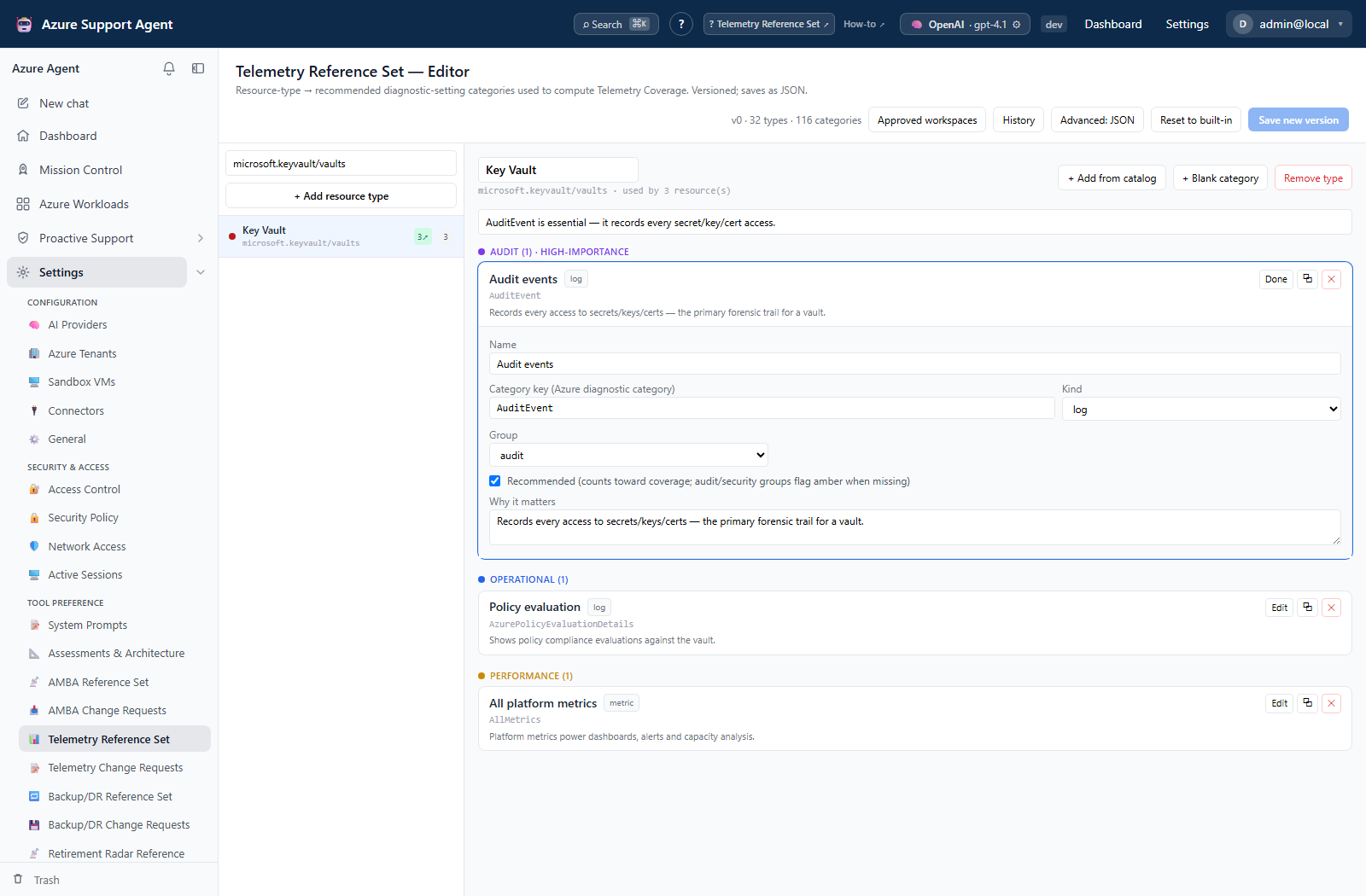
Curate recommended diagnostic log/metric categories and destination expectations per resource type. Approved Log Analytics workspaces and the telemetry reference are maintained with coverage.manage. Opening the editor or approved-workspace dialog reads only local configuration; choose an Azure connection and select Load workspaces when live Resource Graph discovery is needed. Discovery is explicit, cancellable, cached for five minutes, and shows its freshness or error state. Telemetry Change Requests governs proposed additions/removals before they affect coverage.
Backup/DR
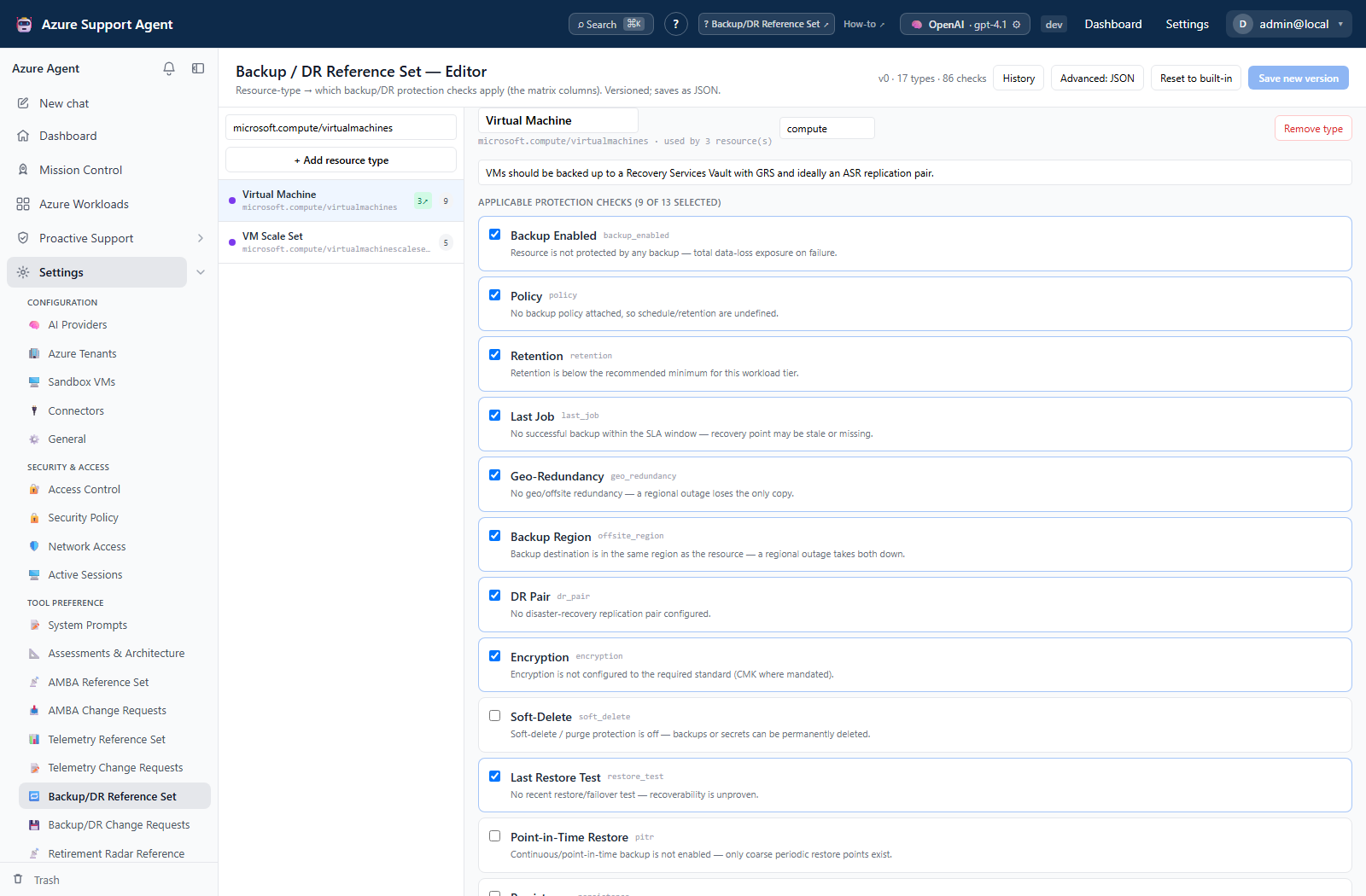
Curate protection checks by resource type, including backup, replication, recent job/test, and severity semantics. Backup/DR Change Requests governs proposals. The reference is an expectation; it does not configure vaults or replication.
Retirement Radar
Maintain classification rules (keywords, change type, service, replacement, migration URL/date where shown) and model lifecycle rows (model/version/stage and GA/deprecation/retirement/replacement). Use revisions, restore, or built-in reset rather than silently erasing history.
Review procedure
- Confirm source and affected resource types.
- Inspect before/after values and downstream score/remediation impact.
- Check duplicate/conflicting rules and region/API support.
- Approve or reject with a reason.
- Re-run a representative coverage scan and document changed baselines.
Interpretation of results
Exports, history, scheduling, and integrations
No dedicated export, history, scheduling, or integration controls are documented for this feature page.
Safety and limitations
Troubleshooting
Use the checks below when results differ from expectations.