Evidence Locker
Permissions: evidence.read for list, detail, content, diff, shared reads, and export; evidence.write for capture, attach, share creation, demo seeding, Trash, restore, and purge.
Purpose
App route: /evidence Evidence Locker creates write-once point-in-time bundles and records a SHA-256 digest. Available section choices include inventory, properties, changes, metrics, findings, architecture, memory, and activity. Detail and export requests verify the stored content digest, making unexpected modification detectable. Content-tab, diff, and shared-content requests do not independently perform that check.
How to capture a snapshot with an explicit evidence boundary
- Select New snapshot and give it a non-sensitive name. The workload picker additionally needs
workloads.read; capture itself is guarded byevidence.writerather than per-section application read permissions. - Choose workload, subscription, or explicit-resource scope.
- Include only sections needed for the investigation. The initial selection is Inventory, Active findings, and Recent changes; Full properties adds properties/SKU/kind to the inventory payload.
- Select standard or audit retention and add non-sensitive tags.
- Select Capture snapshot, then open the snapshot. Record its ID, digest, creation time, and relevant source timestamps in the case. The JSON export also supplies size and section counts.
Workload capture uses the workload’s own connection; subscription and selected-resource capture use the default connection, not a page-level tenant picker. Capture writes application evidence and may read Azure; it does not change Azure resources.
| Section | What capture actually retains |
|---|---|
| Inventory / Full properties | Up to 1,000 Resource Graph resources matching the resolved membership predicate. This capture path does not apply per-membership workload exclusions; verify the resource list independently. Properties displays the same inventory payload, with full properties only when selected at capture. |
| Recent changes | Up to 200 changes from the last 14 days. The current query checks that scope resolved but does not apply its workload/resource predicate; verify each target ID before treating a change as in scope. |
| Active findings | For workload scope, the latest successful assessment per trigger/pillar combination among the 10 most recent successful runs, plus active waivers. This does not launch an assessment. |
| Architecture / Memory / Activity | Workload-linked architecture state, saved memory, and up to 50 activity events per linked architecture. These are saved application records, not a fresh architecture analysis. |
| Key metrics window | Currently an empty metrics collection with an explanatory note, even when command execution is enabled. Capture metrics through an appropriate source workflow rather than assuming this checkbox collected samples. |
Expected result: A fixed bundle containing the requested, available evidence and collection notes.
Verification: Inspect section notes and _meta.scope_info, not just section counts. A verified digest proves content consistency, not completeness, scope correctness, or upstream truth. Fix collection prerequisites and create a new snapshot if necessary; an existing snapshot never refreshes.
How to verify, compare, and export evidence
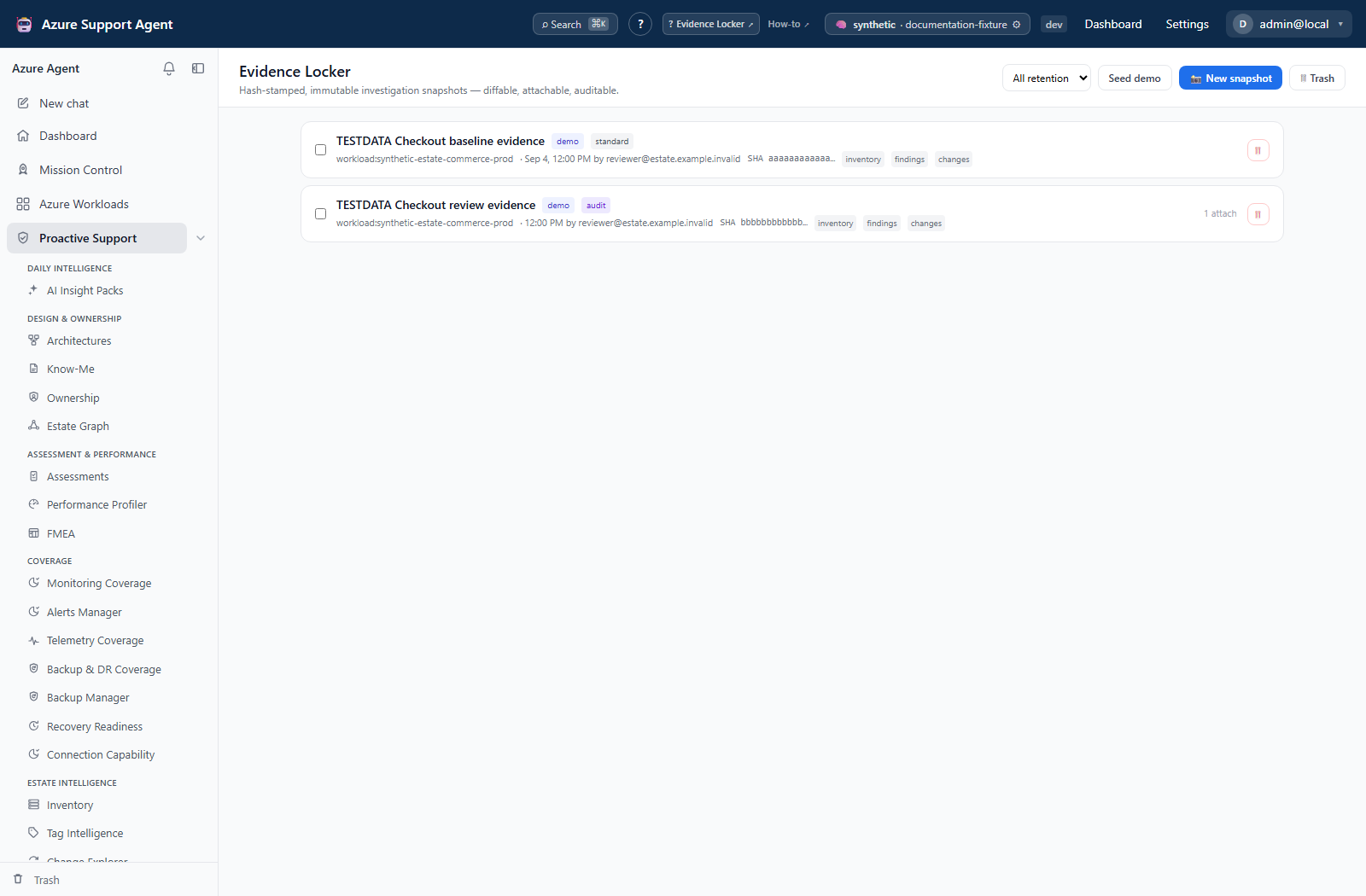
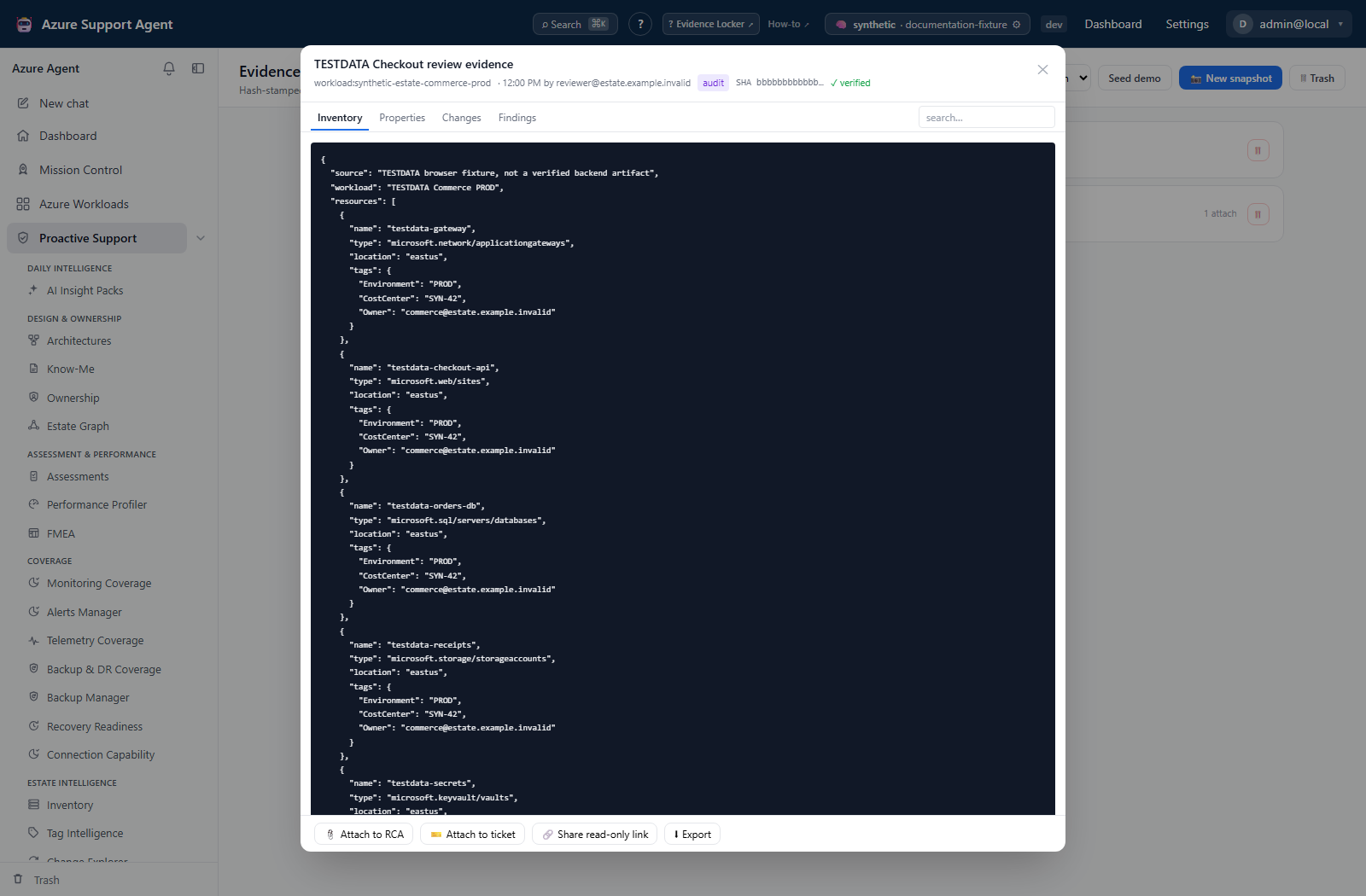
- Open each snapshot and check SHA and verified before relying on it. Use the content tabs and search to inspect stored JSON; search filters displayed lines rather than producing a new evidence bundle.
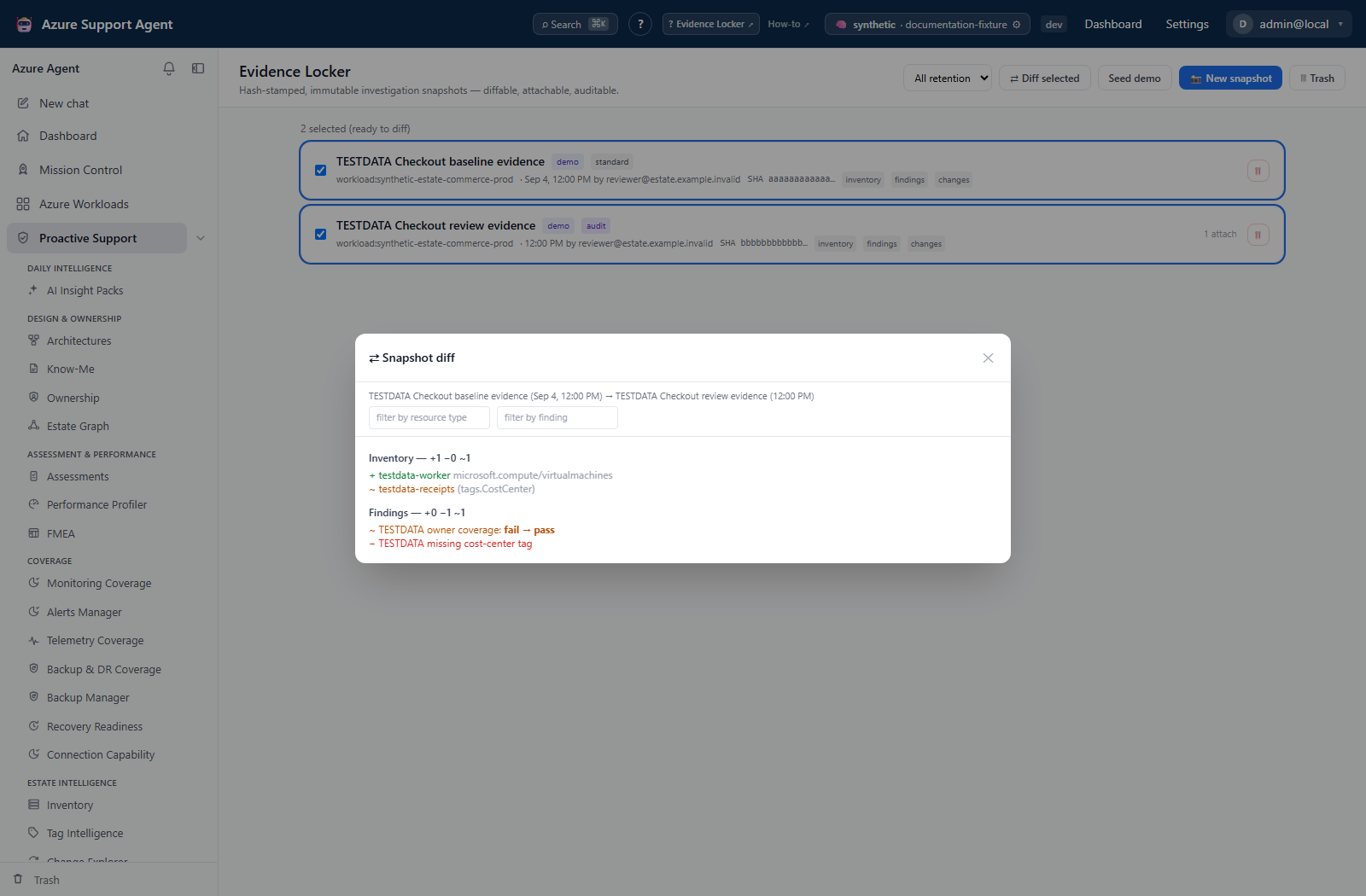
- Select two comparable snapshots in the intended before/after order, then Diff selected. The comparison heading confirms the direction. Selecting a third keeps only the last two selections.
- Review inventory additions/removals/top-level field changes and finding status/severity changes. Filter by resource type or finding check ID. Large field values in the diff are abbreviated; inspect the originals for detail.
- Open a snapshot and select Export to download a JSON bundle containing metadata, content, and
sha_verified. There is no ZIP export or snapshot import control here.
Expected result: A reproducible comparison and portable evidence bundle governed by evidence.read.
Verification: Confirm IDs, scope, inclusion choices, timestamps, and hashes in both originals and the export. Only inventory and findings are diffed; an empty diff says nothing about changes in memory, activity, or other sections.
How to attach or share without overstating access controls
- Select Attach to RCA to record an RCA attachment marker in snapshot metadata. This does not select or update a particular case, architecture, or RCA document.
- For a supported external handoff, select Attach to ticket and an enabled Jira/ServiceNow connector. Populating this picker additionally requires
connectors.manage; the attachment endpoint itself requiresevidence.write. This creates a new ticket containing snapshot metadata and SHA, not an attachment to an existing ticket or a copy of the full blob. Connector selection sends immediately; there is no separate approval dialog. - To associate a case, record the snapshot ID in its note or use the Case Files attachment API with
cases.write. This is separate from Evidence Locker’s Attach to RCA. - Select Share read-only link only when needed. The UI displays a token and expiry, not a public browser-view URL. It requests a 30-day share; shorter durations require the share API (minimum one day).
- Share through an approved channel only. The shared API requires an authenticated reader with
evidence.read; it is not anonymous access. Token resolution is not bound to the caller’s tenant, so do not assume same-tenant isolation or distribute tokens beyond the intended recipients.
Expected result: Attachment/share metadata changes without rewriting snapshot content or its digest. Ticketing writes to the external connector destination.
Verification: Confirm the destination ticket and its SHA, and check share expiry. The UI offers no share revocation control; Trash does not invalidate a still-valid token. Do not paste tokens into public tickets or documentation.
How to retain, restore, or purge a snapshot
- Use All retention to distinguish standard and audit-class snapshots. The capture labels say 90 days and seven years, but do not treat those labels as an enforced deletion schedule or legal hold.
- Select the row’s trash action to move it to Trash. Content and SHA remain stored. Select Restore there to reverse a mistaken soft deletion.
- Use Delete forever or Empty Trash only after retention approval and the permanent-deletion confirmation. Both classes can be manually purged with
evidence.write; audit class is not protected from those actions. - Retain required exports under organizational policy before purge. The expiry helper spares audit-class snapshots, but automatic standard-expiry cleanup is not wired into the current application; configured retention values alone do not schedule removal.
Expected result: Trash is reversible; purge removes metadata and attempts removal of the stored content blob. The application provides no purge undo and does not erase copies already exported or sent externally.
Verification: A restored item has the same digest and content. A purged item is unavailable; application absence is not proof that all external copies or storage-level remnants were erased. A digest mismatch must be investigated rather than ignored.
How to practice a comparison with synthetic snapshots
- In an approved demonstration instance, select Seed demo with
evidence.write. This creates two stored synthetic snapshots, not a temporary display toggle, and does not query Azure. - Select the baseline snapshot first and the after-change snapshot second, then Diff selected. Inspect the added resource, changed inventory field, and finding-status delta.
- Avoid repeatedly seeding unintentionally: each click creates a new pair with new IDs. Use the normal Trash workflow for unwanted demo snapshots after retention review.
Expected result: A synthetic before/after example using the same detail, digest, comparison, and export paths as stored evidence.
Verification: Confirm the demo badges, comparison direction, and verified digest. A successful demo does not validate live Azure access or collector completeness.
Troubleshooting
| Symptom | Cause and resolution |
|---|---|
| Integrity verification fails | Stop relying on the bundle, preserve audit details, and create a new snapshot from authoritative sources. |
| Diff is empty | Confirm two distinct snapshot IDs, scopes, and times. |
| Share cannot be opened | The recipient needs authenticated evidence.read access and a valid token. Expired or purged shares cannot be reused; create another only if justified. |
| Ticket picker is empty or attachment fails | The picker also requires connectors.manage; then confirm evidence.write, an enabled connector, and destination write access. Check the destination before repeating a request with an uncertain outcome to avoid duplicate tickets. |
| Expected section is empty | Check section notes, scope, source permissions, and saved assessment/architecture freshness. Metrics are a placeholder; subscription/resource scope does not capture workload findings. Create a new snapshot after correcting the cause. |
| Delete/restore reports success but the list disagrees | Some missing-object responses carry ok: false in a successful HTTP response. Reopen the list/Trash and verify the actual item state before taking another action. |
Screenshot walkthrough
These synthetic browser fixtures illustrate snapshot review and comparison, not a live capture or verified evidence bundle. The displayed hash and verified badge are illustrative fixture values; no cryptographic check was performed for these screenshots.
1. Choose the snapshots for review
2. Inspect stored content and its context
3. Compare the intended before and after