Build and run playbooks
Prerequisites
playbooks.readto list/export/history;playbooks.writeto author, import, use AI design, and run. The current UI disables the whole panel without write access.- Saved, individually tested workbooks for every step;
workbooks.readfor the picker/evidence andworkbooks.writeto create or correct workbooks. tasks.readandtasks.writeto operate schedules, andtasks.runto validate immediately.- Reviewed workbook defaults and connection scope. The playbook form has no connection picker or run-time input dialog.
Route
- Open
/automations/playbooks. - Open
/automations/tasks.
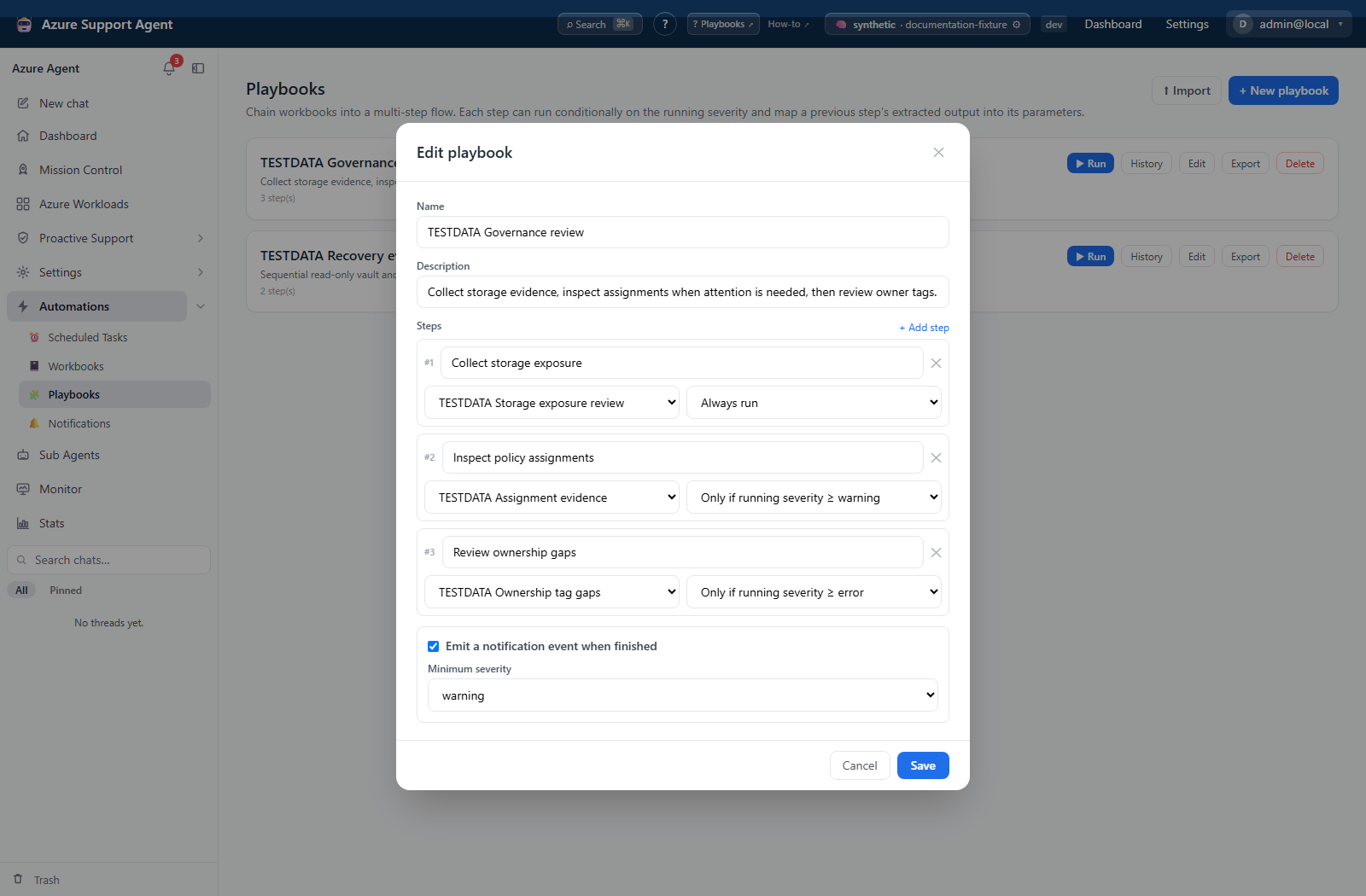
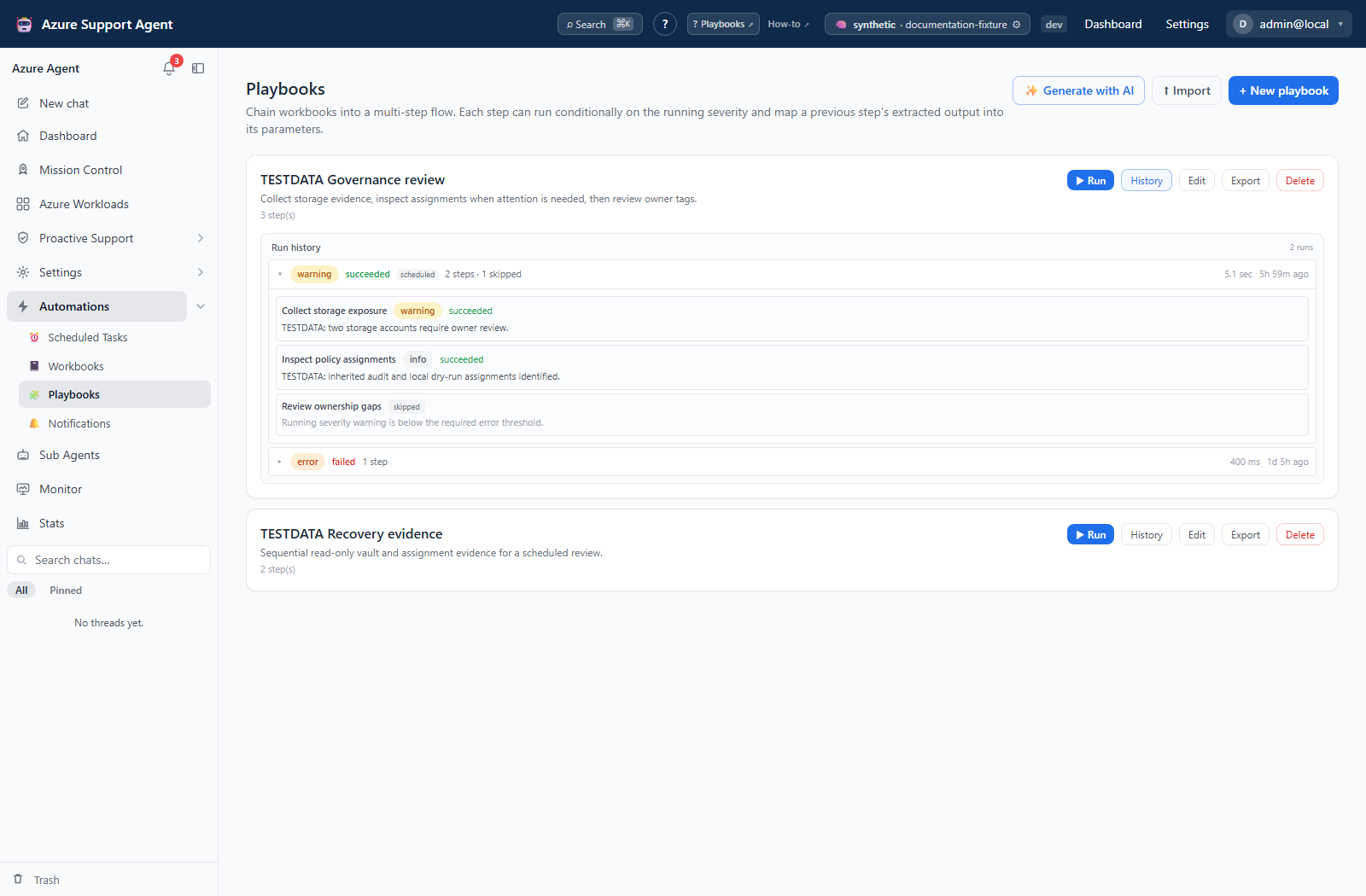
Screenshot note: The editor is unsaved, and the result is opened from browser-supplied synthetic history rather than from running the illustrated form. Run was not clicked; no workbook, AI request or notification delivery ran during capture.
How to build and validate a playbook
- Select New playbook, or use Generate with AI and review its draft. Generation does not save anything; proposed workbooks must be created separately in Workbooks and then added as steps.
- Name the playbook and add steps in execution order. The form adds/removes steps but does not have a drag/reorder or dependency-graph validator.
- Select a workbook for each step.
- Set Always run or a running-severity threshold of warning, error, or critical.
- Check whether the draft/import uses static
paramsorparam_map. There is no parameter-map editor in this form. A map such ass1.countreads a top-level structured key from a prior step; missing keys leave static/default values in place rather than failing closed. - Optionally emit a completion notification event and choose its minimum severity.
- Select Save, then use Export to inspect any mappings and stored connection reference before selecting Run. Run starts immediately—there is no additional confirmation dialog.
- Read the result modal, open History, and expand the run to inspect succeeded, failed, or skipped steps. Open the underlying workbook histories for raw/structured output and rendered commands.
Expected result: Steps execute in list order; severity gates compare the highest severity reached so far, starting at info. The run records overall status, highest severity, and per-step outcomes.
Verification: Use controlled read-only healthy and warning/error scenarios to check gates and mappings. A returned workbook failure marks the playbook failed but allows later steps; a raised exception stops the sequence. Empty/all-skipped flows can still succeed. Confirm every intended step and any qualifying completion event, not just the badge.
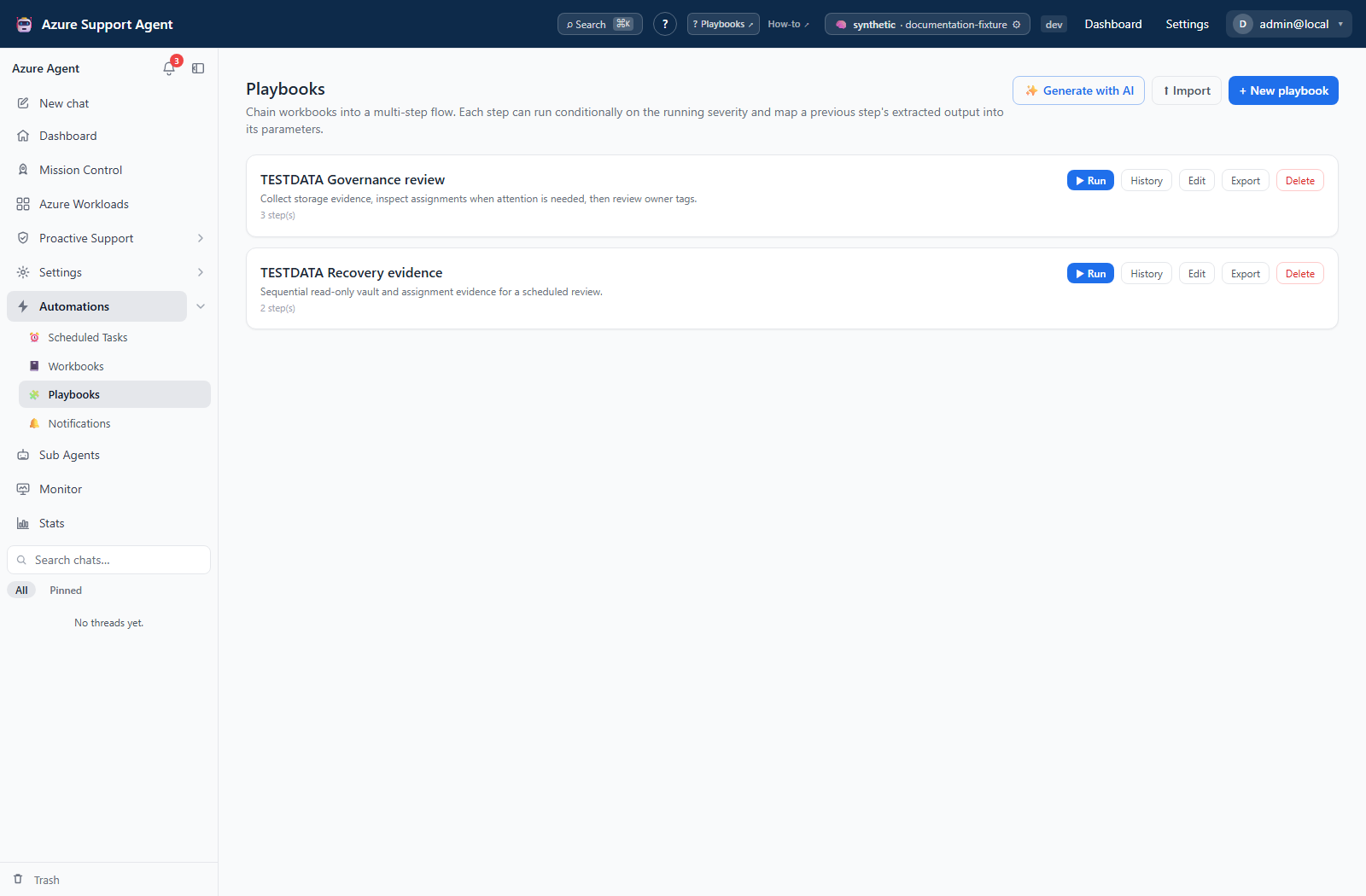
How to import, export, and schedule a playbook
- Select Export to download the playbook bundle and its resolvable referenced workbooks. Review commands, defaults, connection/tenant fields, and destinations before sharing; history is not included.
- In the destination environment, select Import and choose the reviewed bundle.
- Review the import feedback for step(s) dropped (unresolved). Import creates a new playbook, remaps references, and can reuse workbooks matching name/runtime/body/parameters. Reuse does not compare connection, AI, alert, or tile settings; inspect all resolved workbooks, not just new ones.
- Run each workbook independently, then run the playbook and inspect per-step history.
- Go to
/automations/tasks, create a playbook-target schedule, turn Schedule enabled off, and select Create schedule. - Use Run now, inspect task and playbook histories, then enable the schedule.
Expected result: The playbook and required workbooks are available in the destination and execute correctly before recurrence is enabled.
Verification: Confirm the complete intended step count, resolved workbook defaults, and manual/scheduled outputs. The task’s playbook link opens the library; use History to locate the corresponding result. The imported-workbook count can include reused definitions.
How to recover from a partial or failed playbook
- Pause any referencing schedule before investigating, so a second sequence does not repeat completed work.
- Expand the playbook run in History. Compare its returned steps with the saved definition: steps after an exception may be absent rather than explicitly marked skipped.
- Inspect each executed workbook’s History and any external destination. A returned failed workbook can be followed by further execution; do not assume failure stopped downstream actions.
- Correct the workbook, parameters, missing reference, or severity gate. Explicitly check mapping inputs because unavailable structured values do not cause automatic rejection.
- Start one new full run only after deciding it is safe to repeat earlier steps. There is no retry-failed, resume-from-step, or rollback action.
Expected result: Recovery accounts for work already performed and repairs the source of failure without assuming transactional rollback.
Verification: Inspect every step of the new run and confirm previous external effects were not unintentionally duplicated. If playbook history is absent, workbook evidence may still exist because overall history is persisted best-effort after execution.
How to remove an obsolete playbook
- Disable or archive schedules that reference it and decide what definition/evidence must be retained.
- Use Export for its definition bundle and inspect History before deleting; export does not contain run evidence.
- Select Delete only when intended. The action is immediate and has no confirmation, trash, or restore.
- Review remaining workbook definitions and provider artifacts separately; playbook deletion does not remove them.
Expected result: The playbook definition is removed without undoing prior workbook runs or external actions.
Verification: Confirm its card is gone and schedules are paused. Reimport creates a new ID and does not restore old task references or history associations.
Safety and rollback
Authoring/import writes application definitions; Run executes the saved workbook operations. A gate is workflow logic, not authorization. Playbook execution does not send workbook write confirmation, and there is no follow-up approval dialog here. Command classification and downstream authorization remain relevant; arbitrary host scripts must not be treated as safely read-only.
Imported portability does not prove provider compatibility. Keep detection and remediation separate. External effects require provider-specific recovery. Closing the result UI is not cancellation, and execution is not checkpointed across restarts.
Troubleshooting
| Symptom | Cause and resolution |
|---|---|
| Missing workbook | Inspect import/generation feedback and saved references; create or reimport a reviewed workbook definition and update the affected step. A new workbook ID does not automatically repair old references. |
| Duplicate-looking workbook | A changed name/runtime/body/parameter signature can create another imported workbook. Compare definitions and references before deleting either copy. |
| Scheduled run differs from manual run | Compare current saved workbook/playbook definitions, connection, parameters, and trigger. Agent Review/Autonomous is not a playbook run setting. |
| Unexpected skip | Initial severity is info; thresholds use the highest previous severity, not previous status. Inspect earlier results and confirm that a workbook was selected. |
| Empty mapping | Missing structured keys are ignored. Enable extraction in the producer, match its top-level key exactly, and inspect retained static/default values. |
| Run stops or continues unexpectedly | A raised exception stops; a returned failed workbook continues. Read per-step status/error and check all downstream effects before rerunning. |
| Wrong scope | A stored playbook connection overrides workbook defaults; absent that, each workbook resolves its own default. Review the exported playbook and every workbook’s parameters/connection before another run. |
| Imported settings differ | Workbook reuse compares name/runtime/body/parameters only. Inspect connection, AI, alert, and tile settings on the reused definition. |
| Green success with no checks | An empty or all-skipped sequence can succeed. Verify every expected step and add an Always run evidence step. |