Sandbox VM Diagnostics
Product permission: sandbox.exec for VM administration/console and agent-tool access. Dedicated connectivity/DNS endpoints use netdiag.run and call the same SSH runner without a second sandbox.exec guard.
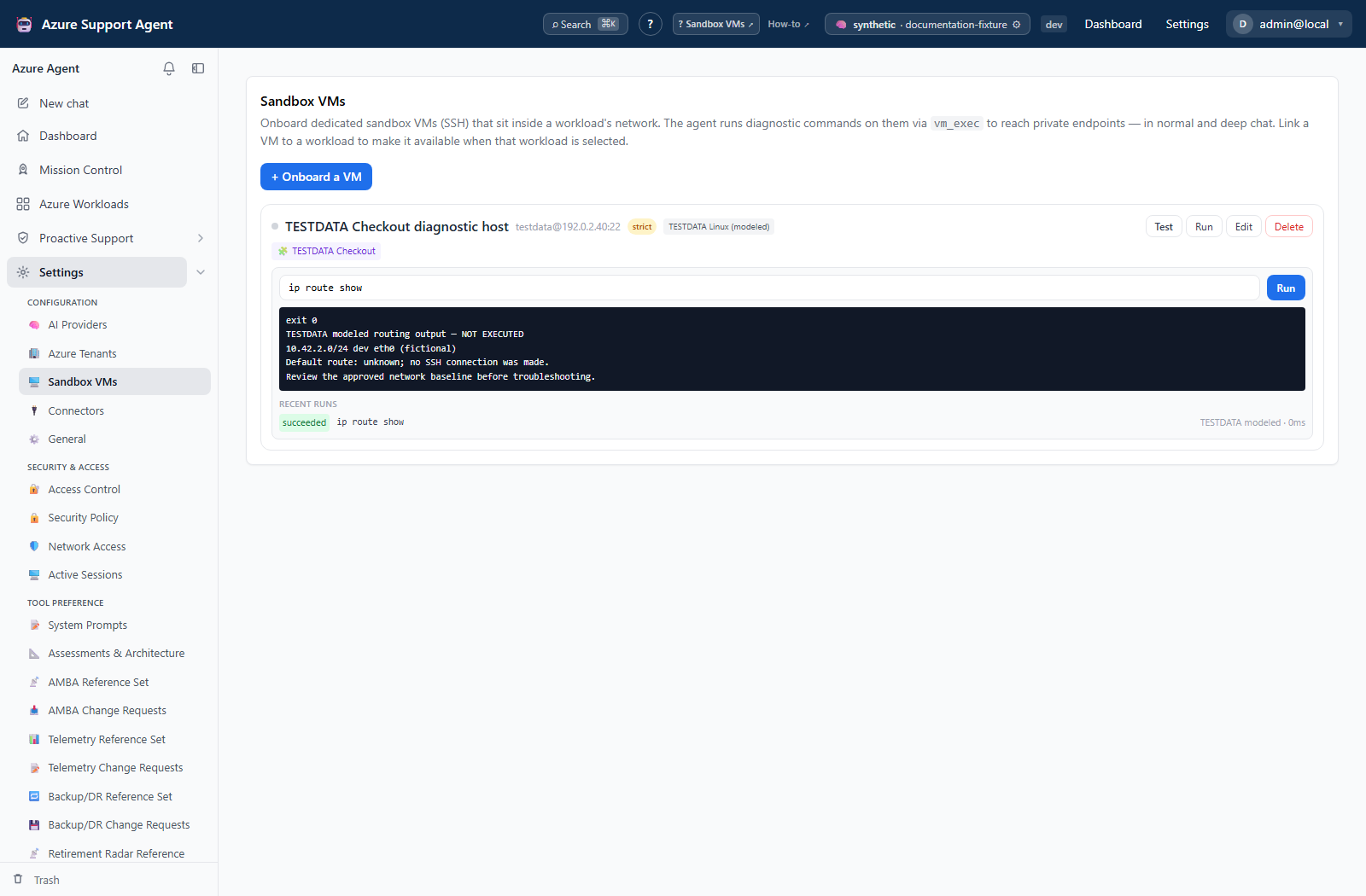
Screenshot note: The native console and diagnostic form use synthetic browser-only data. Saved output and history are modeled results, not executed commands. No Sandbox Test, SSH command, DNS lookup, network probe, AI call, installation, or approval bypass occurred; the example has strict mode on, sudo off, and no configured credential.
Purpose
A Sandbox VM is a dedicated host you register inside your own network so the application has somewhere to stand. Everything else in this product observes Azure from the outside; a Sandbox VM lets a diagnostic run from a place that can actually see private endpoints, internal DNS, and traffic paths the backend cannot reach.
Treat this as remote shell access, not an isolated execution container. Its effective privileges and network reach are those of the registered SSH account and host. This page explains the application controls and where they are not hard security boundaries.
Two ways a command runs
| Path | Who initiates | Route |
|---|---|---|
| Administrative console | A person, one command at a time | /admin/sandboxvms |
vm_exec agent tool | The agent, during chat or an investigation | Chat and Deep Investigation |
Console and vm_exec use the same command runner for length, kill-switch, classification, timeout, and SSH checks. Their recording and timeout-status behavior differ. Test uses a separate environment-detection path, and connectivity/DNS probes have their own run records.
The agent additionally has vm_list and vm_read_file for read-only inspection.
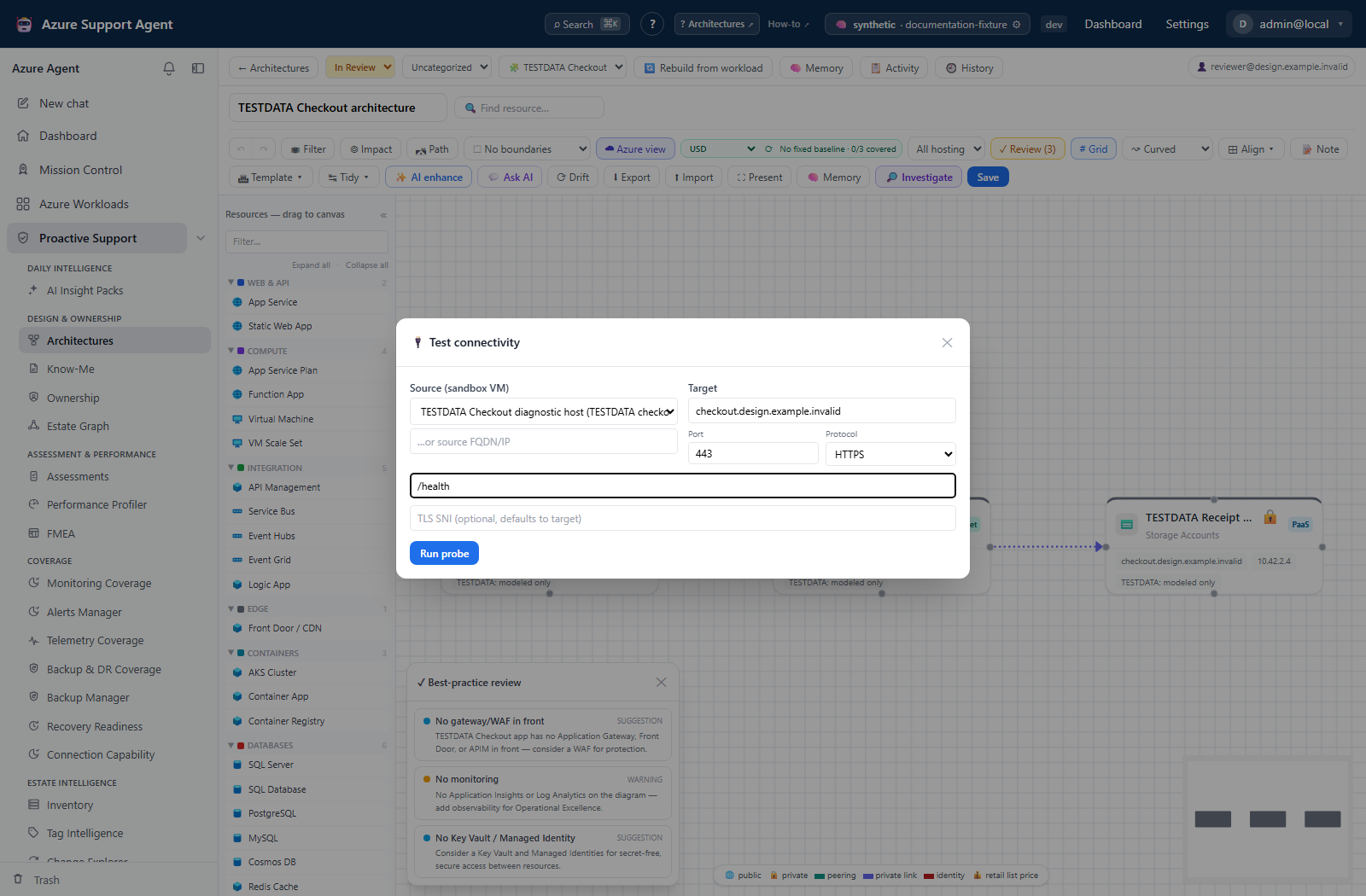
The dedicated connectivity form is another consumer of the same sandbox host, not the administrative console or an agent transcript. Confirm the source VM there independently; its diagnostic record is separate from console history.
What has to be true before anything runs
Before an operational diagnostic:
- The caller holds
sandbox.exec. - The administrator setting
sandbox_tools_enabledis on. This is a master kill switch forvm_exec,vm_list, andvm_read_file. - Select a registered, enabled VM and confirm its workload/network. Disabled VMs are excluded from automatic workload resolution and normal diagnostic pickers, but the direct console runner does not recheck that flag. Disabling registration is not credential revocation.
- SSH succeeds against the stored credentials.
- Complete Test and verify the captured SSH fingerprint out of band. Once a non-empty fingerprint is pinned, a different presented key is rejected; an untested record is not an enforced no-execution state.
The kill switch stops ordinary command execution and new agent-tool registration; the administrative Test path performs environment detection separately. Re-testing does not automatically clear an existing fingerprint mismatch. Stop and have an administrator verify an expected host replacement rather than repeatedly retrying.
Approval and destructive commands
Commands are classified by token matching before execution. Known mutating verbs are treated as destructive, but this is not a complete shell parser and cannot prove an arbitrary command read-only.
| Context | Destructive command behavior |
|---|---|
| VM with strict mode on (the default) | A recognized destructive command is blocked unless an explicit confirmation is supplied. The current console does not show a confirm-and-rerun control. |
| VM with strict mode off | Runs. |
| Read-only chat, such as Deep Review | Rejected outright, with no approval path. |
Keep strict mode on. Turning it off persists until changed back and allows recognized mutations to run without this gate, including agent-initiated commands. Classification can miss side effects; it is not a guarantee against prompt injection or a substitute for a restricted OS account.
allow_sudo controls how the automatic install helper constructs commands, not whether the remote account can elevate an arbitrary shell command. It defaults to on in the registry. Turning it off does not remove OS sudo rights, and an account already running as root remains privileged. Use a non-root account with independently restricted privileges.
The allowlist that does not apply here
There is an application setting named command_allowlist, defaulting to az, azd, and kubectl. It governs commands run on the application host, not on a sandbox VM. Sandbox execution is not allowlisted; it is permissive by default and bounded by destructive-command classification, strict mode, and the account’s own permissions on the VM.
Read that as the design intent it is: the protection on a sandbox VM is the account you gave it, not a list of blessed binaries.
Limits applied to every run
| Limit | Value |
|---|---|
| Command timeout | sandbox_command_timeout_seconds, default 60 seconds |
| Concurrent SSH sessions | 4 across the whole application |
| Command length | At most 8,000 characters |
| Stored standard output | At most 200,000 characters |
| Stored standard error | At most 8,000 characters |
| History response | First 4,000 output / 2,000 error characters; default 50 runs, maximum 200 |
| Agent tool response | At most 24,000 characters |
| Automatic tool installation | sandbox_auto_install, default on |
Automatic installation modifies the host. The agent wrapper may install a missing tool and retry once in a non-read-only context; it disables auto-install in read-only mode. Strict-mode classification can block the install. The console does not automatically install missing tools. Prefer preinstalled diagnostic tooling; disable auto-install where unplanned package changes are unacceptable.
Private keys are held in memory for the duration of a connection and are never written to the application’s disk.
What is recorded
Console execution persists a run with command, exit code, bounded output/error, duration, trigger, and actor after capture. Its statuses are succeeded, failed, or blocked; a console timeout is failed with an error message. The agent wrapper also records timeout and can record separate install/retry runs. Agent logging is best-effort, so an absent record does not prove nothing ran. Read-only rejection before execution and environment detection are not ordinary command-run rows.
Administrative changes to the VM registry — upsert, delete, and test — additionally write audit-log entries.
Agent-initiated vm_exec calls use run records rather than separate execution audit entries. Correlate available run history with the transcript and host-side logs; neither truncated output nor best-effort application logging is a complete forensic record.
Credential handling
SSH passwords, private keys, and passphrases are encrypted at rest. Editing with secret fields blank retains stored values. Public VM records omit full credentials but include a password hint that can contain its first/last characters; do not expose even hints in documentation or shared screenshots. Command output can independently reveal secrets.
Deleting a VM from the application removes the registration. It does not undo anything that was run on the host and does not revoke the credentials — rotate those separately at the source.
Limits and safety
- A sandbox VM is a foothold inside your network. Scope its account to diagnostics, keep strict mode on, keep sudo off, and treat the credential as production-sensitive.
- Command output can contain secrets. Output is stored and visible to anyone holding
sandbox.exec. Avoid commands that print credentials, and rotate anything that leaks. - Prompt injection is a live concern. Keep strict mode on, but do not rely on its heuristic alone. Restrict the host account, network reach, and permitted operational procedures independently.
- Commands are irreversible. There is no undo. Capture state before changing anything.
- A timeout is not a failure of the target. At 60 seconds, a slow command reports
timeoutwhile it may still be running on the host.
Troubleshooting
| Symptom | Resolution |
|---|---|
| Sandbox tools appear absent in chat | Confirm sandbox.exec on the active role and that the administrator has sandbox_tools_enabled on. |
| “Sandbox VM not found” | The VM was deleted or the identifier is stale. Re-select it from the list. |
| Command returns as needing approval | The VM is in strict mode and the command was classified destructive. Review it, then run it through your change process rather than disabling strict mode. |
| Destructive command rejected with no approval option | The chat is read-only, such as Deep Review. This is by design. |
| Host key mismatch | Stop. Verify the expected fingerprint out of band before trusting the host again. |
| Automatic tool installation fails | Strict mode may block the package command, the package manager may be unavailable, or the account may lack privileges. Install through the VM’s normal maintenance process; do not disable strict mode as a shortcut. |
| Commands queue and appear slow | Only four SSH sessions run at once across the application. |
| Output looks cut off | History and agent responses have lower limits than stored output. Narrow the command and compare approved host-side logs; a truncated view is not evidence of host behavior. |