Sandbox VMs
Permissions: settings.write for sandbox configuration; sandbox.exec to execute diagnostics
Purpose
App route: /admin/sandboxvms
A sandbox VM is a dedicated host the agent may reach over SSH to run bounded diagnostic commands. Register only hosts intended for this purpose. Commands execute on the remote machine and are not undone by anything in this application.
Prerequisites and data sources
- A dedicated, reachable SSH host with its port, username, and one supported authentication method: password, private key, or key with passphrase.
- Network path from the application container to the host.
- Approval to run diagnostics, and separate approval for any mutating or
sudooperation.
Tabs and actions
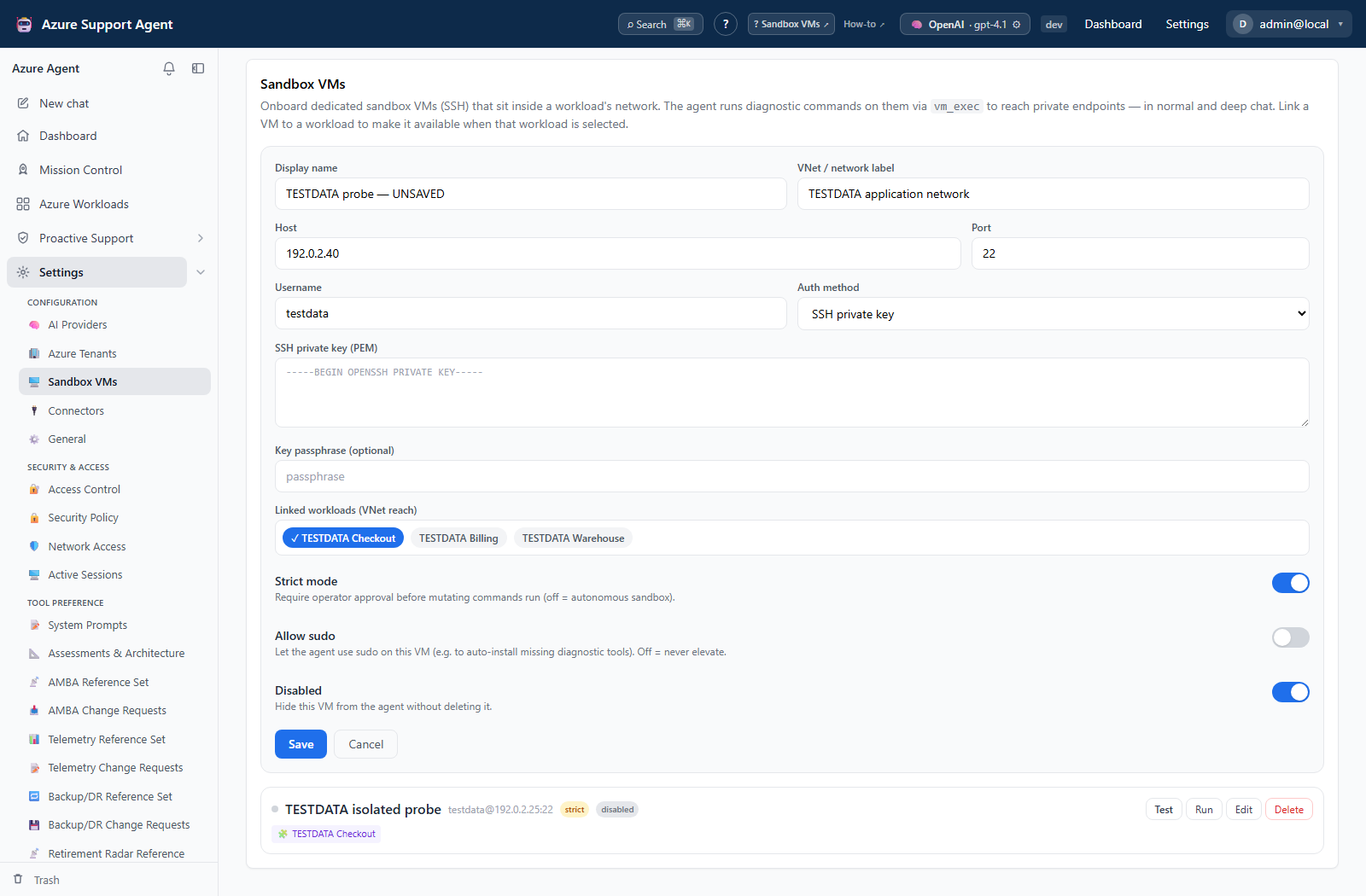
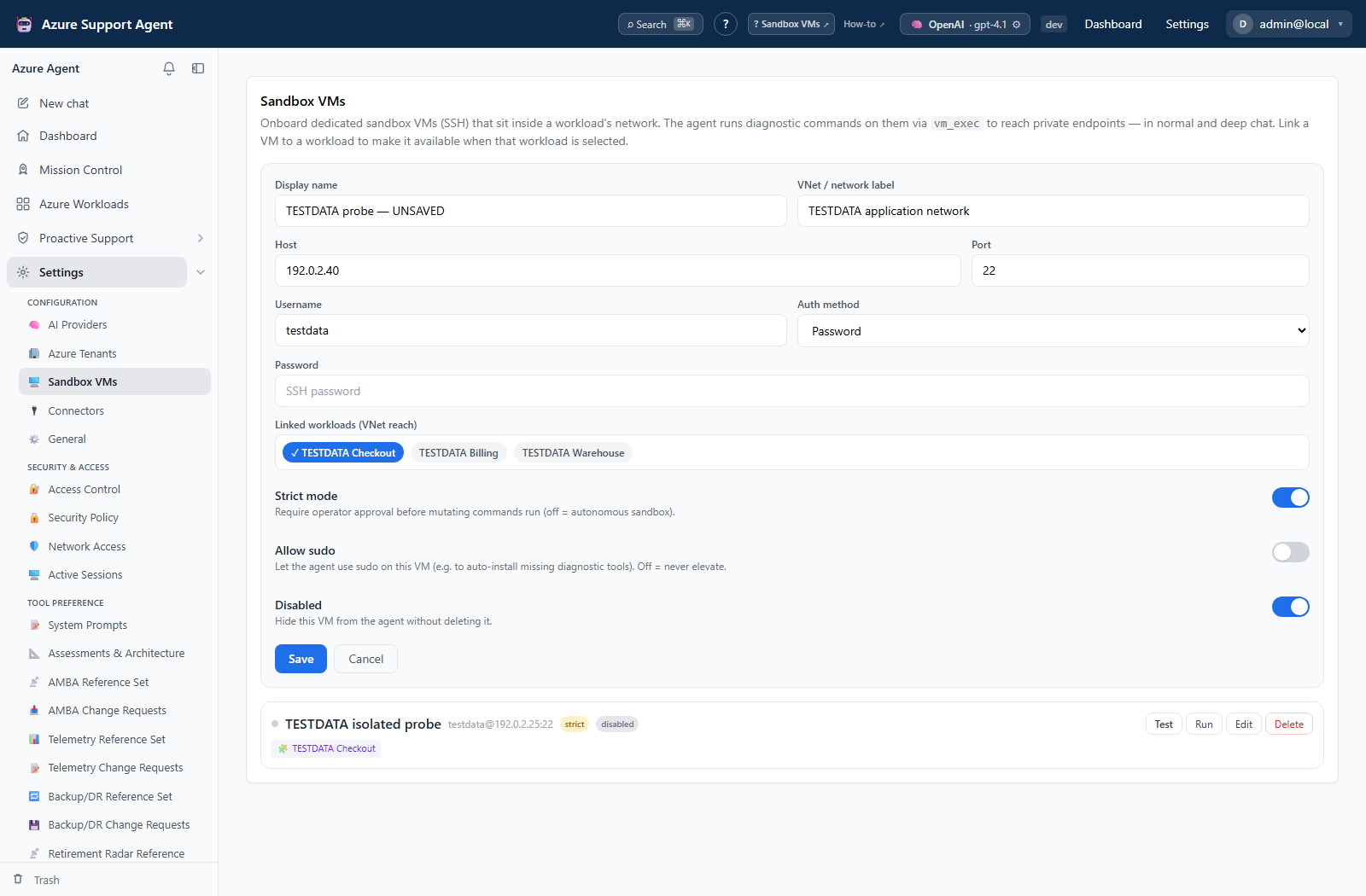
The form captures display name, Azure resource ID, owning connection, SSH host, port, user, authentication method, and enabled state. A connectivity test establishes SSH, captures the host-key fingerprint, detects the operating system, and probes for installed tools. Agent execution is gated separately by sandbox.exec, General settings, and the configured command timeout.
Freshness and scope behavior
A successful test reflects reachability at that moment. Host keys, credentials, and network paths can change independently of the stored record.
Workflow overview
- Register only dedicated diagnostic hosts.
- Prefer short-lived or managed credentials, and restrict the source network.
- Keep strict mode enabled and leave
sudooff unless the procedure requires it. - Test connectivity, then begin with a read-only command.
- Review exit code, standard output, and standard error before running anything further.
SSH passwords, keys, and passphrases are write-only. Leaving a secret field blank on edit retains the stored value.
Interpretation of results
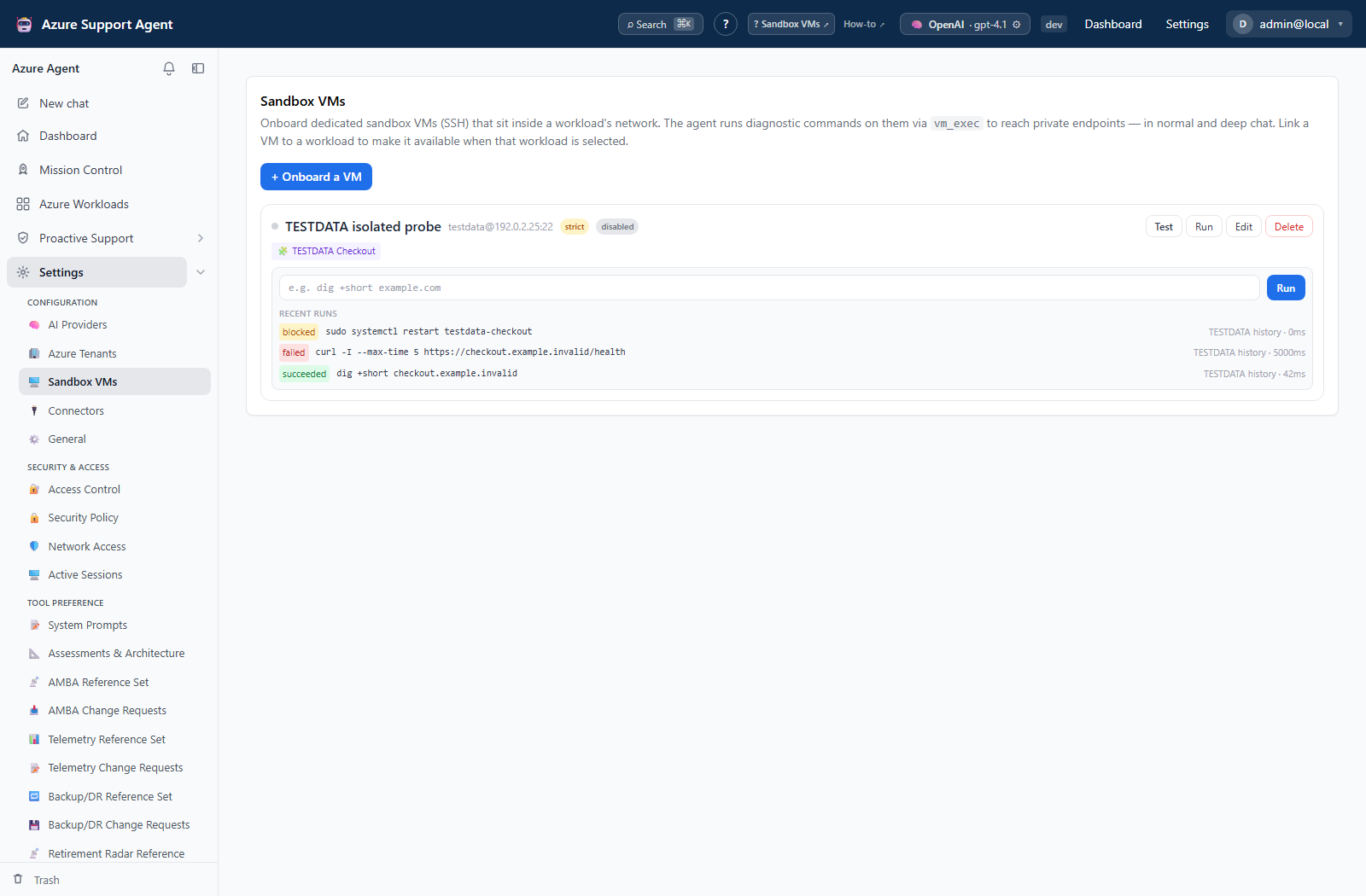
Treat the exit code and captured output as the result, not the fact that a command was accepted. A command that returns no output has not necessarily succeeded.
Exports, history, scheduling, and integrations
Runs are recorded with their output for audit. There is no dedicated export or schedule for sandbox VMs.
Safety and limitations
Auto-installing missing tools modifies the VM and should remain disabled unless explicitly approved. Deleting a VM record does not undo remote commands or revoke SSH credentials; roll back on the host and rotate access separately.
Troubleshooting
| Symptom | Resolution |
|---|---|
| VM unreachable | Check DNS, route, firewall or NSG, port, username, key format, and the container’s source network. |
| Host key differs | Stop and verify the expected fingerprint before accepting the changed host. |
| Tool is missing | Install it through the VM’s approved maintenance process. |
| Command times out | Narrow the command and review sandbox_command_timeout_seconds. |