Run a bounded diagnostic on a Sandbox VM
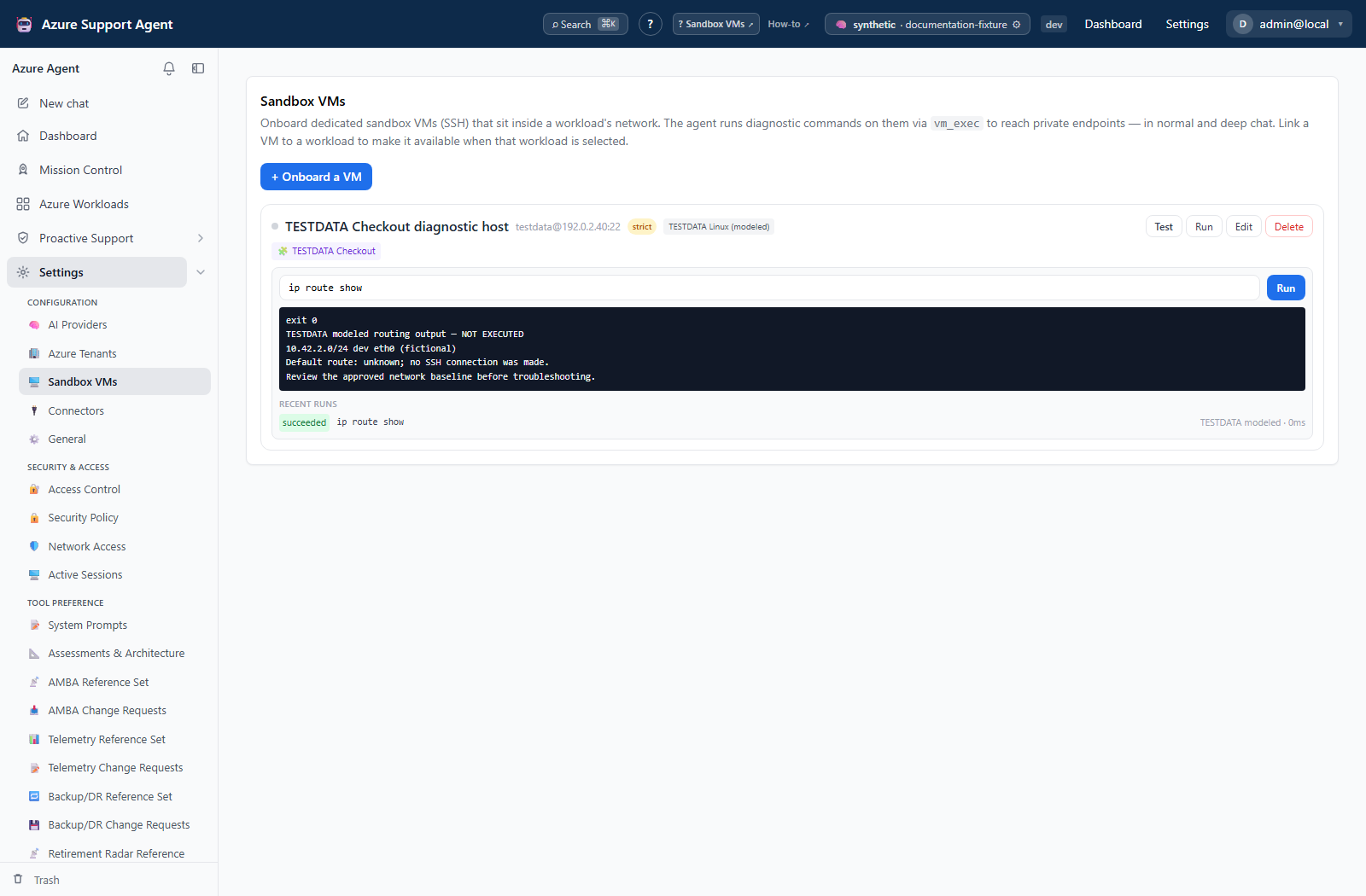
Screenshot note: The native console uses synthetic browser-only output and saved history. No Sandbox Test, SSH command, DNS lookup, network probe, AI call, installation, or approval bypass occurred. Strict mode is on, sudo is off, and no credential is configured; a succeeded/exit-0 label is not evidence of execution.
Prerequisites
- Product permission
sandbox.exec. - A registered, tested, enabled Sandbox VM. See Manage Sandbox VMs.
- The administrator setting
sandbox_tools_enabledon. - A specific question the command will answer, and a command that only reads.
Route
- Open
/admin/sandboxvmsfor the console, or use Chat and Deep Investigation for thevm_execagent tool.
How to run a read-only command from the console
- Open
/admin/sandboxvmsand select the VM. Confirm it is the host you intend and that it is not disabled. - Confirm Strict mode is on before running anything. Leave it on.
- Enter one command that reads and does not change state. Prefer an explicit, narrow command over an exploratory one.
- Run it, then read the exit code first, then standard error, then standard output. A returned command is not a successful command.
- Review the run in history to confirm what was recorded.
Expected result: A completed run with an exit code, captured output, and a durable run record.
Verification: Confirm the run record names the VM you expected and the command you meant to send. Treat a non-zero exit code as a failure even when output looks plausible.
How to let the agent run a diagnostic
- Confirm the agent has the sandbox tools available — this requires both
sandbox.execandsandbox_tools_enabled. - Ask the question in terms of what you want to learn, and let the agent choose
vm_exec,vm_list, orvm_read_file. - Read the streamed tool activity and check which VM the call targeted before accepting the conclusion.
- If the agent proposes a destructive command on a strict-mode VM, it is blocked and returned as needing approval. Review it and run it through your change process rather than disabling strict mode.
Expected result: A tool call whose target, command, and output are all visible in the transcript, backed by a run record.
Verification: Cross-check the run record against the transcript. The transcript shows intent; the run record is the authoritative account of what executed.
How to read the run record
- Open run history for the VM.
- Read the fields that matter for an incident:
status(running,succeeded,failed,timeout, orblocked),exit_code,destructive,trigger(manual,chat, orinvestigation),triggered_by, andduration_ms. - For an agent-initiated run, follow
chat_idback to the conversation to establish why it ran.
Expected result: A complete account of what ran, under whose authority, and with what outcome.
Verification: Standard output is stored to 200,000 bytes and standard error to 8,000. Output that ends abruptly was truncated by the store, not by the host.
Agent-initiated vm_exec calls are recorded in the run record rather than as a separate audit-log entry. Run history plus the chat transcript together are the reconstruction; neither is sufficient alone.
Safety and rollback
There is no undo. A command that changes the host has changed it, and deleting the VM registration afterwards neither reverses the change nor revokes the credential.
Keep strict mode on. It is the control that stops an agent-driven or prompt-injected destructive command from running unattended on a machine inside your network, and it is on by default for that reason. Keep allow_sudo off unless a specific procedure requires it; with it off, escalation and automatic tool installation fail closed. Consider disabling sandbox_auto_install where an unplanned package installation would itself be a change worth controlling.
Capture state before any mutation and plan the reversal before running it. Assume command output may contain secrets: it is stored and readable by anyone holding sandbox.exec, so avoid commands that print credentials and rotate anything that leaks. To stop a host being used without losing its configuration, disable the VM rather than deleting it.
Troubleshooting
| Symptom | Resolution |
|---|---|
| Sandbox tools are not offered in chat | Check sandbox.exec on the active role and sandbox_tools_enabled in settings. |
| “Sandbox VM not found” | The registration was removed or the identifier is stale. Re-select from the list. |
| Command returned as needing approval | Strict mode plus a destructive classification. Review and route it through change control. |
| Destructive command rejected with no approval option | The chat is read-only, such as Deep Review. This is intended. |
| Host key mismatch | Stop. Verify the fingerprint out of band before trusting the host again. |
timeout status | The command exceeded sandbox_command_timeout_seconds, default 60. It may still be running on the host. Narrow it. |
| Runs appear to queue | Four SSH sessions run concurrently across the application. |
| Missing tool, installation fails | allow_sudo is off or the account cannot escalate. Install through the VM’s maintenance process. |
| Output ends mid-line | Storage truncation, not host behavior. Narrow the command or write to a file and read it in parts. |
Related network diagnostic workflow
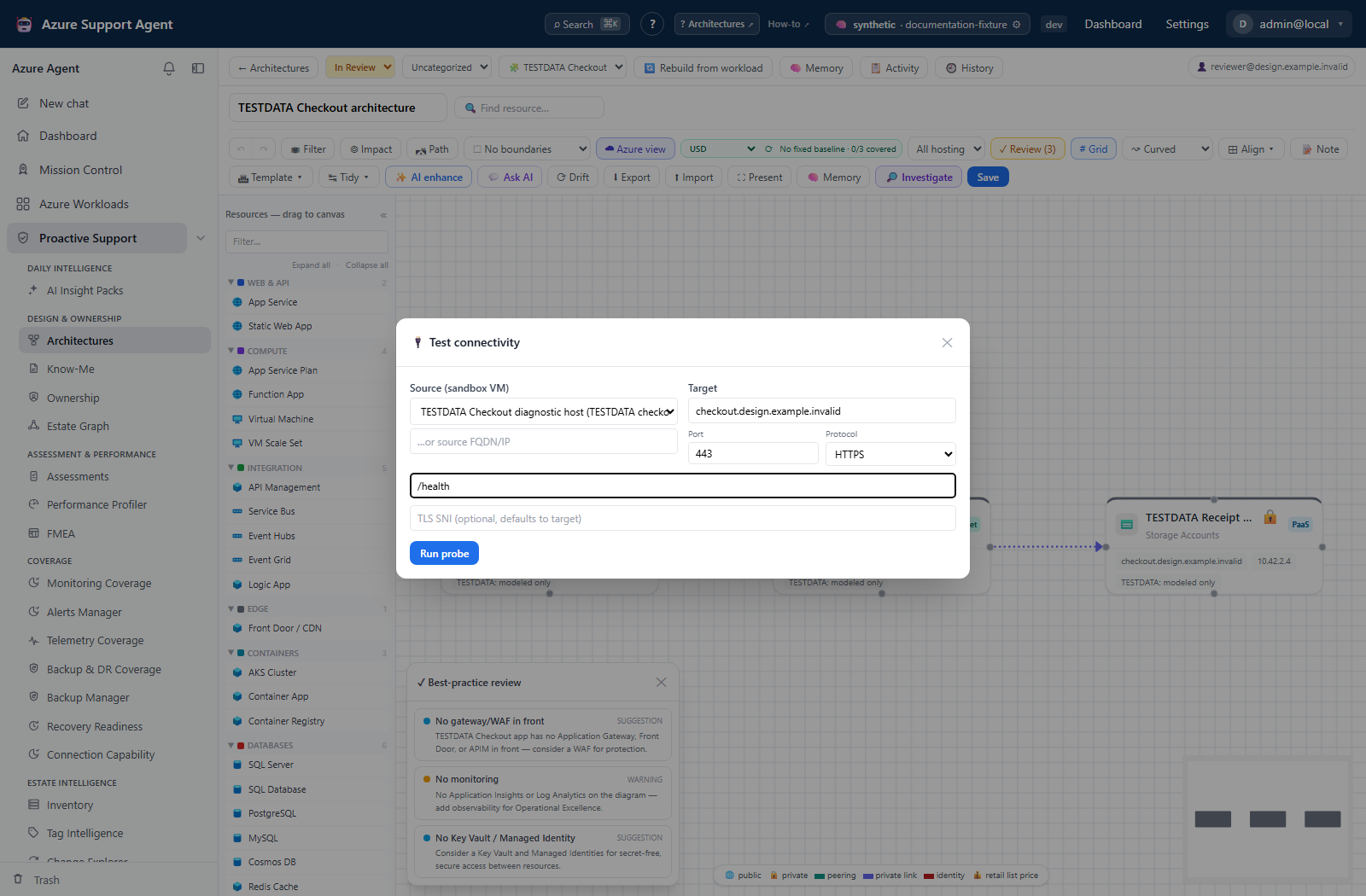
For a bounded source-to-target connectivity question, the separate Test connectivity form lets you select a sandbox VM and protocol inputs. It uses netdiag.run and its own diagnostic records, not this console’s run history; showing the form does not establish SSH readiness or authorize execution.