Entra: blast radius
Product permission: entra.read for every read on this tab; entra.admin only for the collection that produces the snapshot it reads.
Purpose
App route: /entra/graph — tab label Blast radius
Blast radius draws the directory as a graph and answers one question: if this principal were taken over, what could it reach? It never loads the whole tenant. A hundred-thousand-user identity graph cannot render, and would not be legible if it could, so every view is scoped and the default landing view is the privileged overview — tier-0 and tier-1 role holders and the paths into them.
The valuable output is not the inventory. It is the derived escalates_to edge: an explicit, named privilege-escalation primitive with a rule you can read and argue with, rather than a traversal heuristic nobody can justify.
Prerequisites and data sources
- Product permission
entra.read. Nothing on this tab writes anything;entra.adminis only needed to start the collection that fills the snapshot. - A completed Entra collection for the selected connection. This tab reads the snapshot, never Microsoft Graph.
- Consent tier 1 covers the core of the graph: directory objects, applications and service principals, directory role definitions and assignments, and Conditional Access policies. Tier 2 improves group and membership resolution. Tier 3 adds PIM eligibility, which is what makes an
eligible_foredge appear at all. See Entra setup and coverage. - Entra ID P1 for Conditional Access data; Entra ID P2 for PIM eligibility depth.
- Optional: an Azure ARM connection. Where an RBAC scan exists, an application’s Azure reach is drawn as
can_accessedges. A missing or stale join produces no edges rather than a wrong picture.
Tabs and actions
Blast radius is a single screen: a scope bar, a canvas, and an inspector column on the right.
The illustrated graphs below use predefined browser-fixture nodes and edges. They demonstrate navigation and interpretation, not backend validation of escalation paths, a live tenant assessment or observed activity.
Scope kinds
The scope list is read from the backend, so the picker always matches what the assembler can actually build.
| Scope kind | Label | What it draws |
|---|---|---|
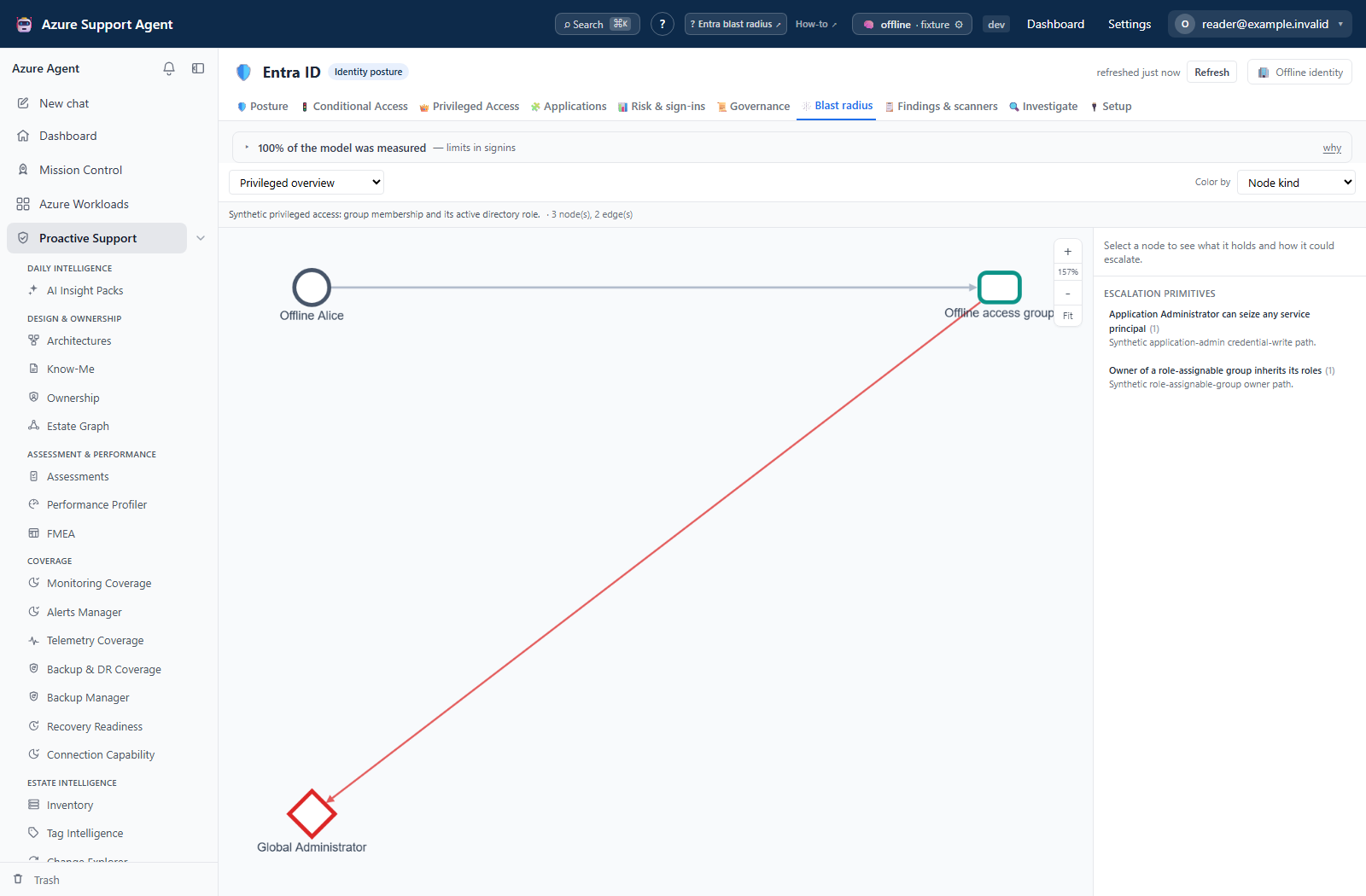
privileged | Privileged overview | Tier-0 and tier-1 role holders, the groups that confer those roles, and every derived escalation path into them. The default. |
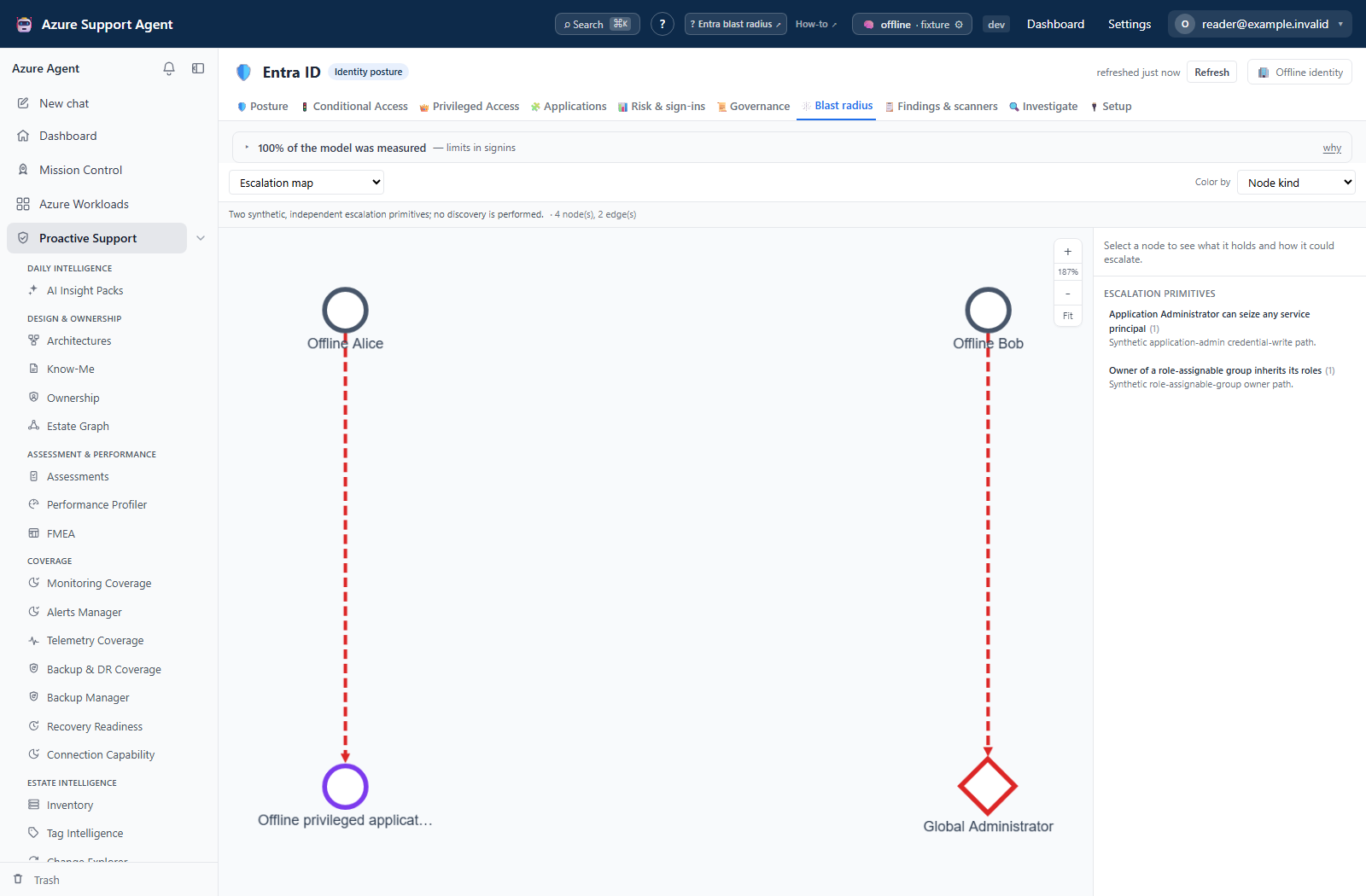
escalation | Escalation map | Only the principals that can reach privilege through a named primitive. The smallest useful view. |
principal | Focus a principal | One user or service principal: roles, group memberships, owned applications and their permissions, escalation paths. |
application | Focus an application | Owners, granted application permissions, directory roles, and Azure reach. |
role | Focus a role | Everyone who holds it — directly, through a group, as an eligible assignment, or by escalation. |
policy | Focus a Conditional Access policy | Covered and excluded cohorts for one policy. |
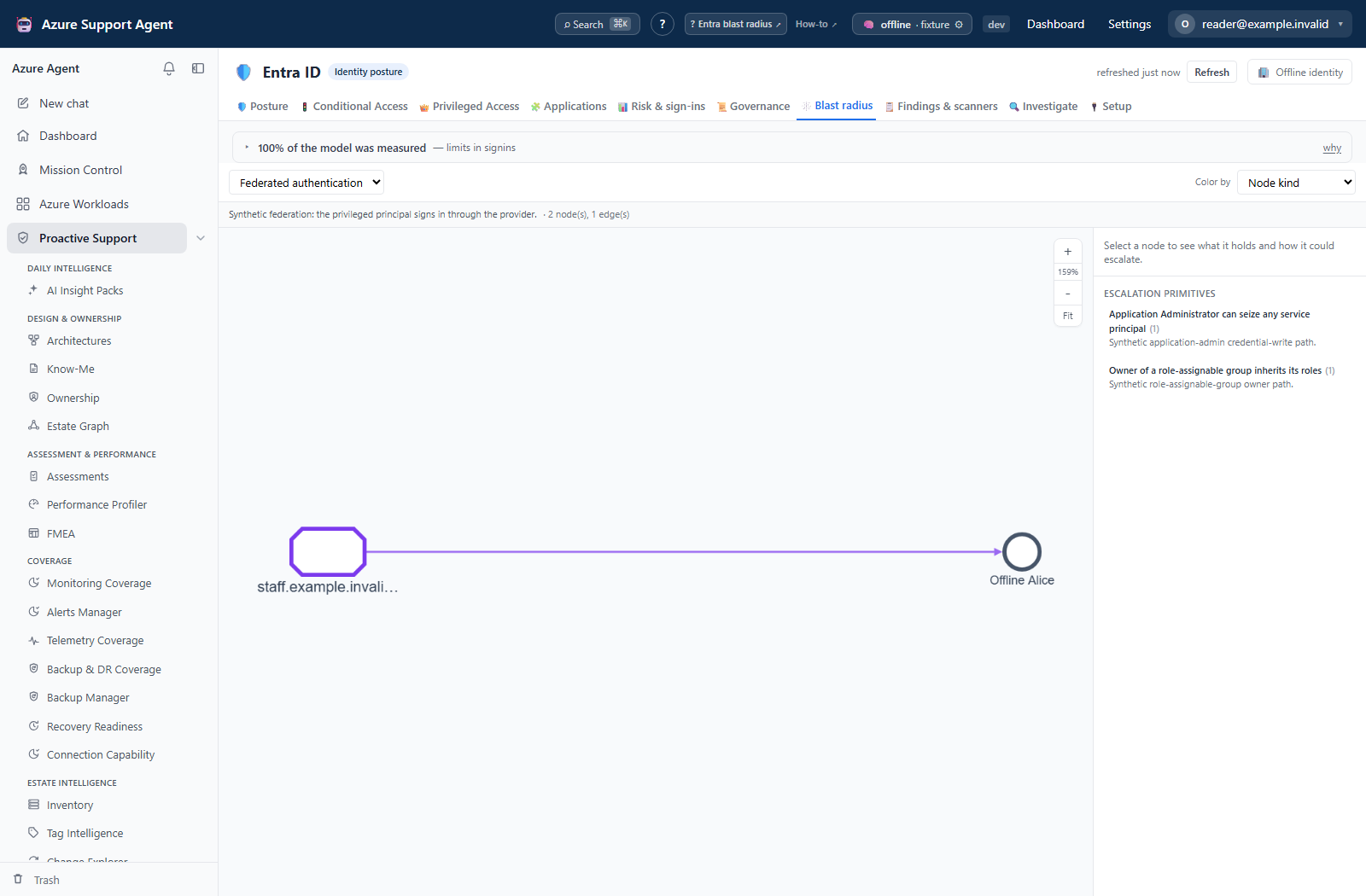
federation | Federated authentication | The external identity provider that can issue tokens for this tenant, and every privileged principal whose sign-in name sits on the federated domain. |
Service-principal takeover chains are deliberately kept out of the privileged overview and shown on the escalation map instead. On a real tenant that mesh is hundreds of edges and it buries the answer the overview exists to give.
The federation scope answers a question no other view can: if that external provider were compromised, whose privilege does the attacker inherit? Entra accepts the provider’s tokens — including its multi-factor claim, unless the trust explicitly says otherwise — so every privileged principal on a federated domain is reachable from one external system. Only the tier-0 and tier-1 holders are drawn; every user on the domain would be thousands of identical nodes making a single point. A cloud-only tenant is told that no domain is federated, and a tenant whose domain list could not be read is told that instead of being shown an empty canvas.
Target picker
The four focused scopes need a target, and the picker supplies it so you never paste an object ID. It offers principals (privileged holders sorted first), applications sorted by risk score, privileged role definitions, and Conditional Access policies. Type to narrow: the search runs server-side, and the bar states how many of the tenant total the list is currently showing.
Node and edge kinds
Eleven node kinds are drawn: tenant, user, guest, group, directory role, application, service principal, managed identity, OAuth permission, Conditional Access policy, and federated domain. Roles are diamonds, groups rounded rectangles, permissions hexagons, policies tags, and a federated domain a cut rectangle.
Eleven edge kinds are drawn: member_of, owns, active_in, eligible_for, granted, protected_by, excluded_from, escalates_to, can_access, in_tenant, and authenticates. Escalation edges are dashed and heavier than the rest; exclusion edges are dashed.
Color lenses
Color by re-rings the same nodes without rebuilding the graph: node kind, privilege tier, whether the node sits on an escalation path, guest versus member, or application risk score.
Escalation primitives
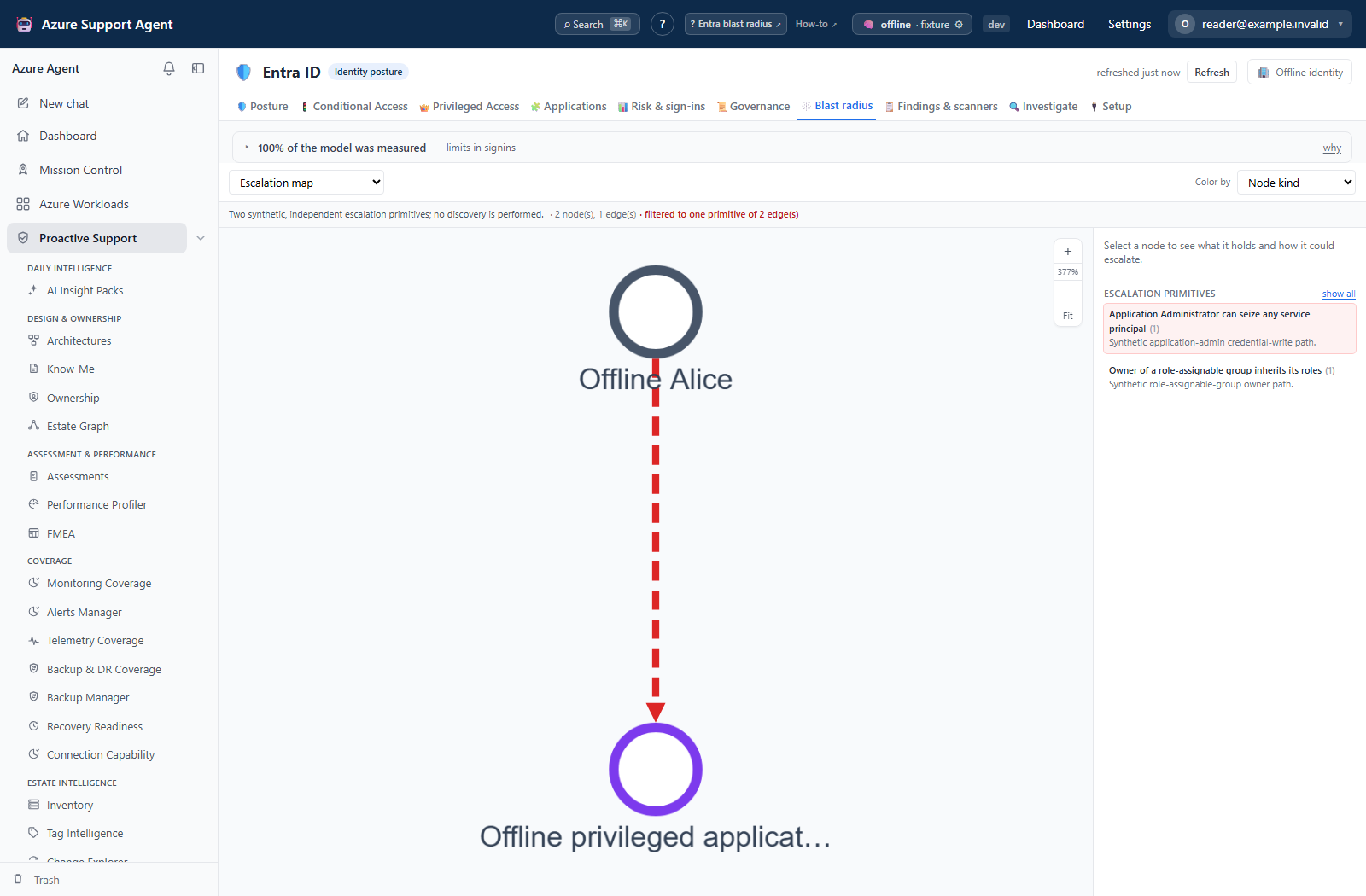
With nothing selected, the right column lists every escalation primitive with the number of edges it produced in this tenant. Selecting one filters the canvas to that primitive alone, which turns a dense mesh into the readable sub-graphs it was always made of. The nine primitives are:
| Primitive | Confidence |
|---|---|
| Application owner inherits directory-write permissions | high |
| Application Administrator can seize any service principal | high |
| Owner of a role-assignable group inherits its roles | high |
| Can grant itself any application permission | high |
| Can add credentials to any application | high |
| Can write the membership of a role-assignable group | high |
| Can reset another account’s credentials | medium |
| Privileged Authentication Administrator can reset any admin | high |
| Groups Administrator can write role-assignable membership | medium |
Inspector
Selecting a node shows its kind, label, and the properties the assembler attached to it. If any escalation path touches that node, the inspector states the primitive name, the specific reason for this pair, the rule behind it, and its confidence. Users, service principals and roles offer Focus this node, which re-scopes the graph to that object.
The same escalation data is also available as a flat list with a count per primitive, which is easier to read than a canvas when you want the whole set rather than a picture.
Freshness and scope behavior
One snapshot per tenant serves every Entra tab, including this one. Changing scope, target, primitive filter or lens re-reads that snapshot — it never calls Microsoft Graph and never starts a collection.
If the graph is empty or missing objects you expect, the snapshot is the thing to fix. Refresh from the freshness badge at the top right, wait for the collection to finish, then rebuild the view. An unknown scope kind falls back to the privileged overview rather than failing.
Interpretation of results
Read an escalates_to edge as a derived possibility from a point-in-time snapshot, not observed activity. The assembler saw a permission, an ownership record or a role assignment that makes the step possible under the stated rule. It did not see anyone take that step, and it is not reading audit logs to find out whether anybody did. A path is a hypothesis to verify, not an incident.
Three further qualifications matter:
- Only the named primitives are drawn. There is no transitive guessing beyond them, so a real escalation route that no primitive describes will not appear. Absence of an edge is not evidence of safety.
- Confidence is part of the claim. A
mediumprimitive — password reset, Groups Administrator membership writes — depends on directory role restrictions and protected-account rules that the snapshot cannot fully evaluate. Verify before you act on one. - Fan-out is summarized. When one principal reaches many targets through the same primitive, only the first twelve arrows are drawn and the inspector states the true total. A service principal that can seize 224 applications is one finding with a number, not 224 arrows.
Node counts are capped at 900. When a view exceeds the cap the header says capped for legibility and nodes beyond the cap — and every edge that touched them — are dropped from the payload. A truncated view is a partial view: narrow the scope, focus a specific principal, or filter to one primitive rather than drawing conclusions from what survived the cap. Dense graphs also hide labels by default and show them on hover, which is a legibility choice, not missing data.
The canvas carries its own zoom control in the top right: step in, step out, a live zoom percentage, and Fit to frame the whole graph again. With the canvas focused, + and - step and 0 fits. The mouse wheel zooms at full speed.
Safety and limitations
- Read-only. Nothing on this tab modifies a directory object, credential, role assignment or policy.
- No secret or certificate value is retrieved or displayed; only identifiers, types and permission names.
- The graph is a model of one snapshot. Directory changes made after the collection are not in it, and Graph is eventually consistent.
- Edges whose endpoints are not both present are dropped before rendering. The dropped count is reported in the graph statistics.
- Azure reach depends on a separate RBAC scan. Without it the identity plane is shown alone, which understates real blast radius.
- Exports and screenshots of this view contain sensitive identity metadata. Do not paste live tenant, object or user identifiers into tickets or prompts.
Troubleshooting
| Symptom | Check |
|---|---|
| Canvas is empty and the page says the snapshot is cold | Start a collection from the freshness badge; this tab never collects on its own. |
| A focused scope shows nothing | Confirm a target is selected — the four focused scopes need one — and that the object exists in the current snapshot. |
| The picker does not list the user you want | Type to narrow. The list is capped and the bar shows the tenant total beside it. |
| Header says the view was capped | Narrow the scope, focus one principal, or filter to a single escalation primitive. |
No eligible_for edges at all | PIM eligibility is a tier-3, Entra ID P2 collection; check coverage on Setup & coverage. |
No can_access edges to Azure | No Azure RBAC scan is joined to this tenant, or the join is stale. |
| Escalation list is empty but roles look wrong | No named primitive matched. The graph only draws rules it can state; it does not guess. |
| Node names appear as raw object IDs | The resolving collector failed or lacks permission; fix consent and re-collect. |